Mejor valor Paquete Todo-en-Uno de Planificación Financiera
✓ Planificación Financiera✓ Rastreador de Patrimonio Neto✓ Presupuesto Mensual✓ Planificador de Presupuesto de Viaje✓ Planificador de Presupuesto Anual✓ Rastreador de Gastos Mensuales✓ Planificador de Impuestos Anual✓ Planificación de Jubilación
Ver paquete →
Plantilla Essentials - Excel y Google Sheets

Retirement Savings Calculator Plantilla Essentials

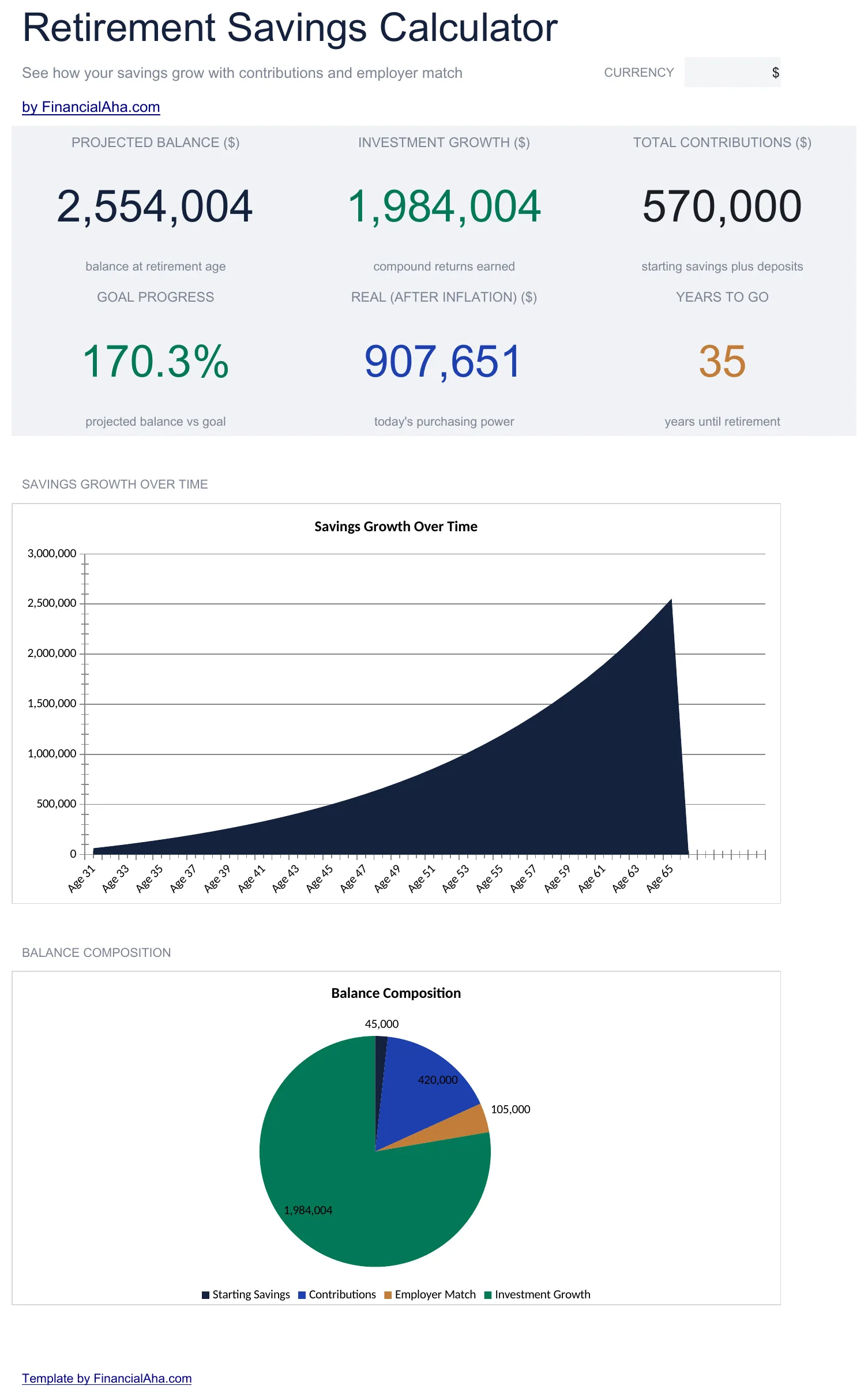
Model retirement savings growth with contribution amounts and expected returns. Adjust variables to see how changes affect the projected balance at retirement.

Retirement Savings Calculator preview

Qué incluye

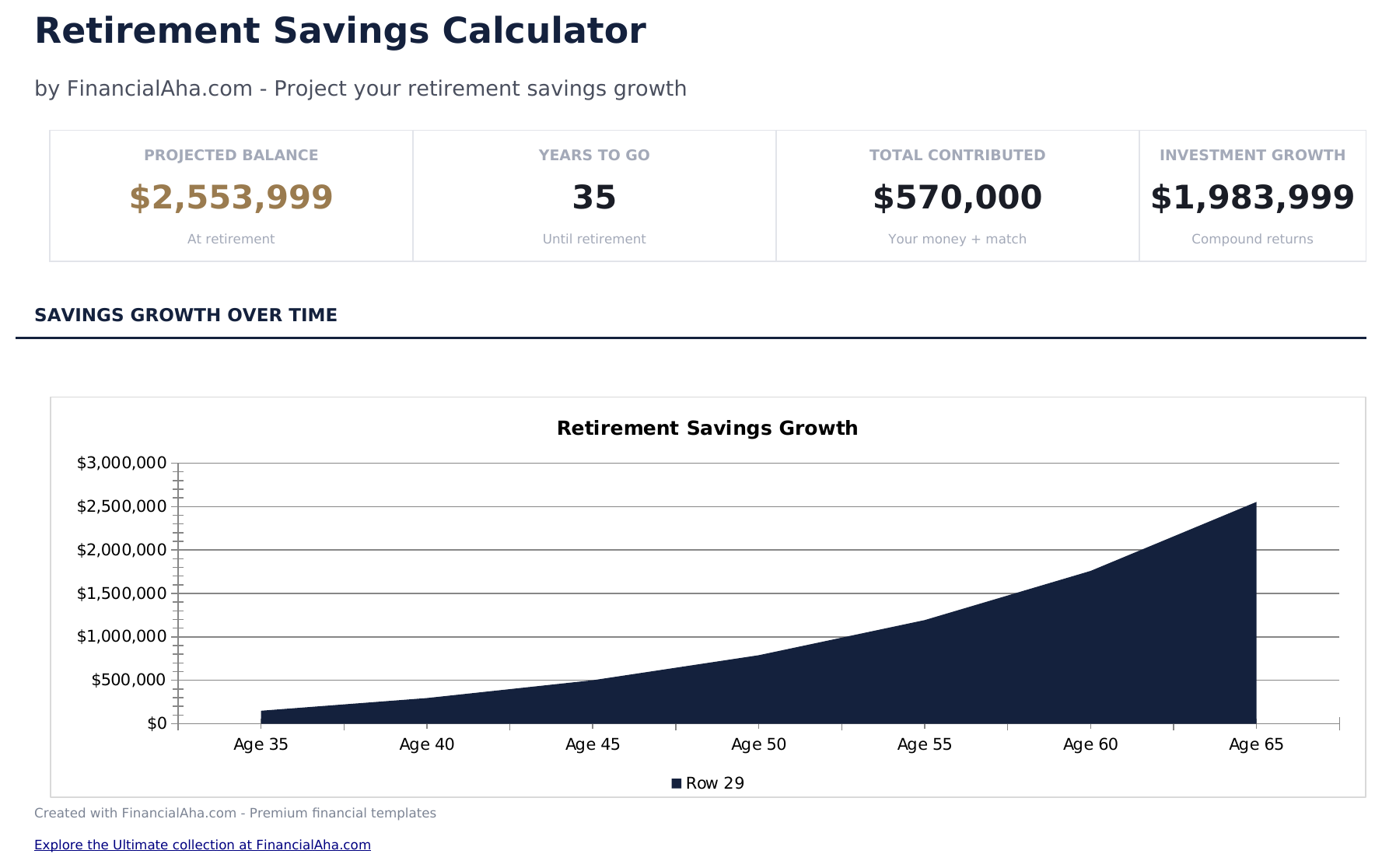
  • Dashboard with projected savings at retirement including total contributions, total growth, and final balance
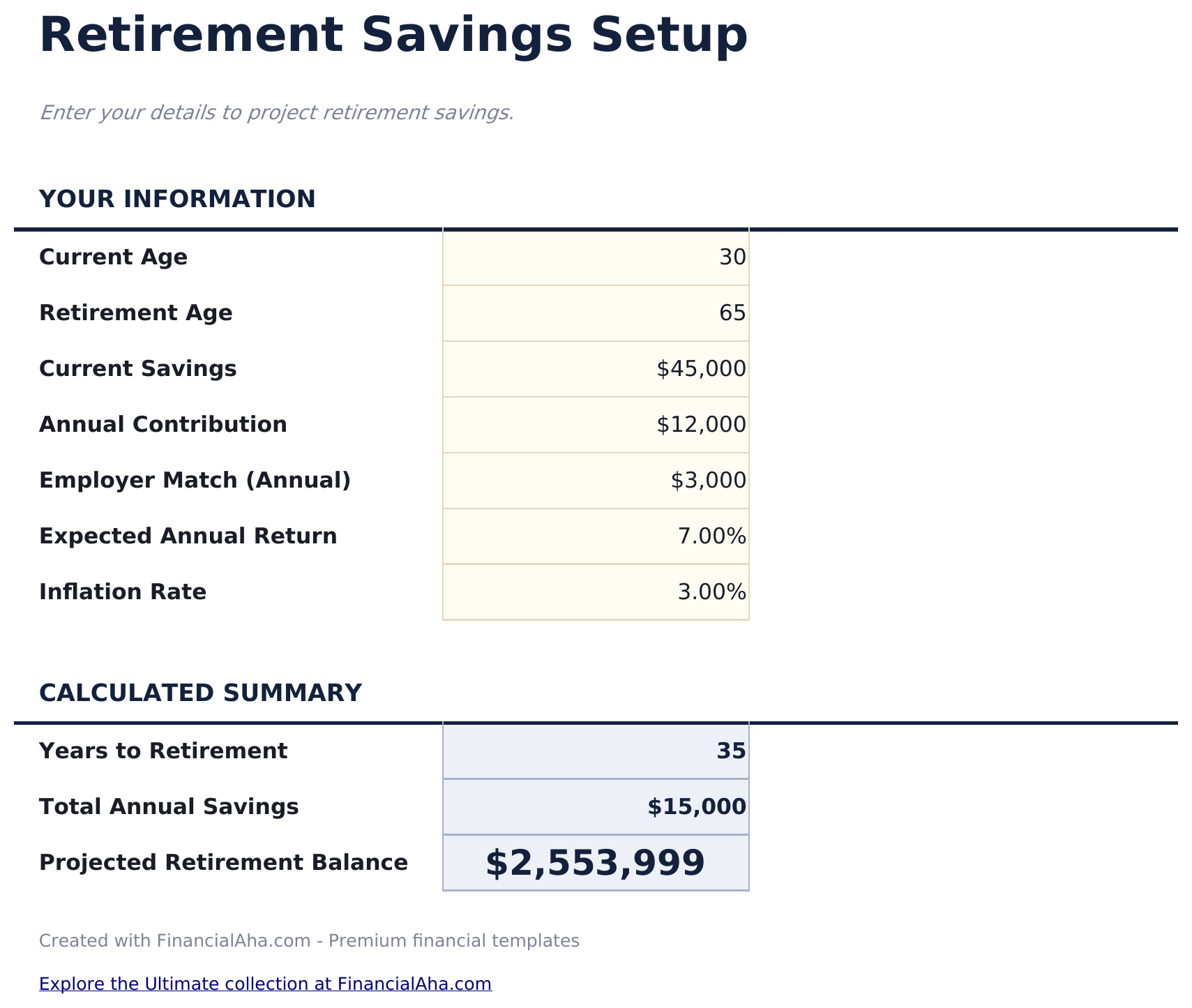
  • Setup sheet with contribution amount, expected return rate, and years until retirement input fields
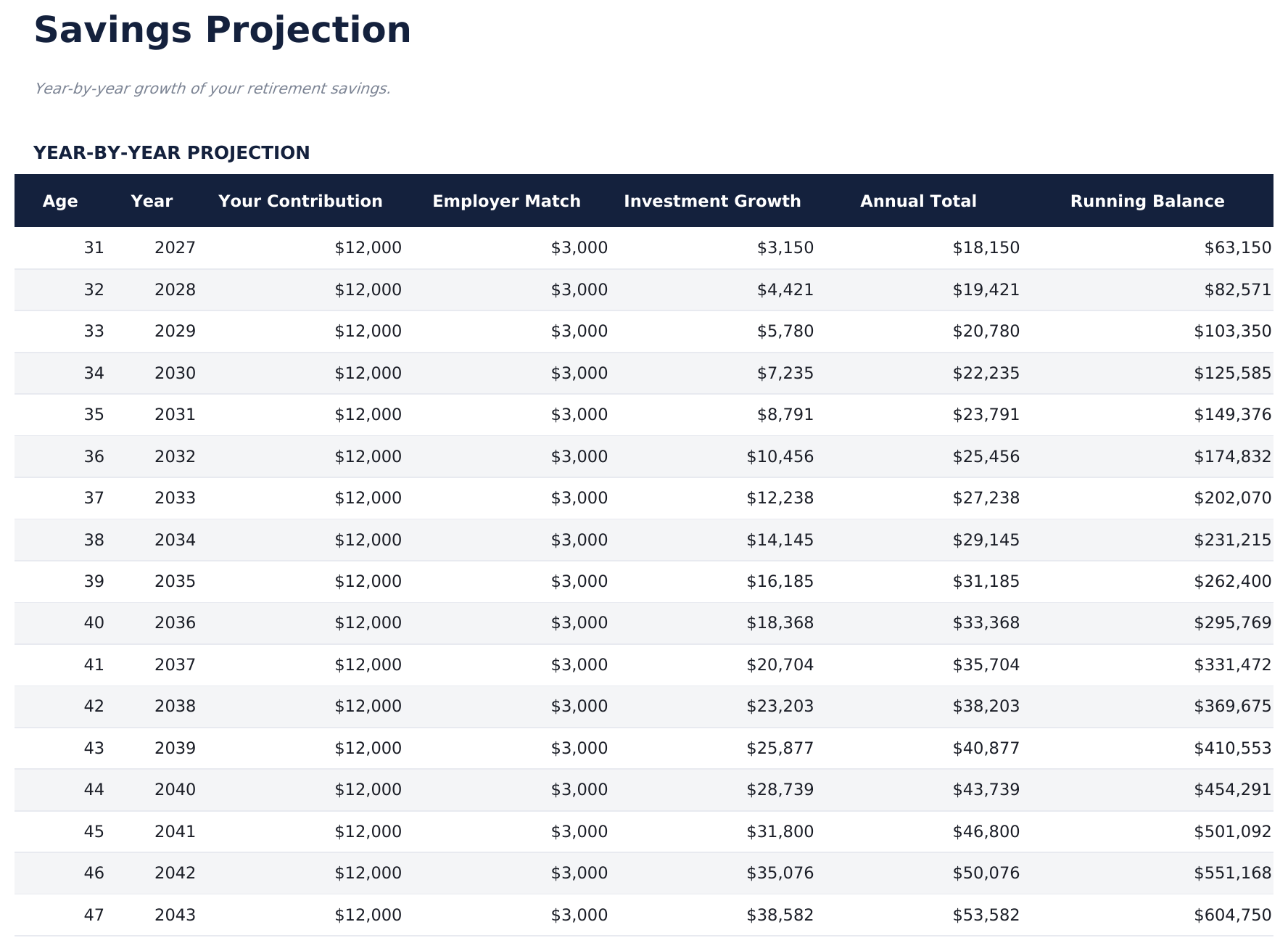
  • Year-by-year projection showing beginning balance, contributions, earnings, and ending balance per year
  • Employer match modeling with percentage and cap inputs that add matched funds to annual contributions
  • Multiple scenario comparison with color-coded input fields to test different contribution and return rates
  • Works in Microsoft Excel, Google Sheets, and LibreOffice Calc with no setup required

Cómo usar esta plantilla de Retirement Savings Calculator

1

Enter contribution details

Input your regular contribution amount, contribution frequency, and expected annual return rate on the setup sheet.

2

Add employer match

If your employer matches contributions, enter the match percentage and cap. Matched funds are added to annual totals automatically.

3

Review year-by-year growth

The projection table shows beginning balance, contributions, employer match, earnings, and ending balance for each year.

4

Compare scenarios

Adjust contribution amounts or return rates to see how different inputs change the projected balance at retirement.

Creadas por Claude AI. Perfeccionadas por nosotros.

Usamos Claude AI para crear el borrador de cada plantilla, después de una investigación profunda. Luego nuestro equipo interviene. Refinamos el diseño, probamos cada fórmula a fondo, corregimos casos especiales y pulimos el diseño hasta que se siente como algo que realmente usaríamos nosotros mismos. La IA nos lleva al 80%. El último 20% es criterio humano.

Preguntas frecuentes

How does employer match work in the calculator?

Enter the match percentage and dollar cap. The calculator adds matched funds to your annual contribution up to the cap for each year of the projection.

Can I compare multiple scenarios?

Yes. The template supports side-by-side scenario comparison with different contribution amounts and return rates.

Is this for a specific account type?

It works for any retirement savings - 401k, IRA, Roth, or general investment accounts. The math is the same regardless of account type.

Does it include annual contribution limits?

The template does not enforce IRS limits automatically. Enter amounts within the applicable limits for your account type and age.

¿Cómo abro esto en Google Sheets?

Sube el archivo .xlsx a Google Drive y luego ábrelo con Google Sheets. Todas las fórmulas y el formato se conservarán.

Más plantillas Essentials de Savings & Retirement

¿Buscas plantillas premium?

Nuestras plantillas de pago incluyen paneles avanzados con múltiples hojas, gráficos nativos de Excel y actualizaciones continuas.

Privado y seguro

Sus datos financieros permanecen en su dispositivo. Nunca los vemos.

Saber más →

¿Necesita ayuda?

Consulte nuestras guías o contáctenos con preguntas.

Ver FAQ →