United Kingdom
Monthly Expenses Tracker for the United Kingdom
Log and categorize every pound you spend, from rent and council tax to groceries and transport, in a Google Sheets template you own.
In Depth
Understanding UK Spending Patterns Beyond the Headlines
The ONS Family Spending survey gives a detailed breakdown of where UK households actually spend their money. Transport is consistently one of the largest single categories at roughly 14% of average weekly spend. Housing, fuel and power, measured net of mortgage capital repayments and housing benefit, sits at a similar share, and food and non-alcoholic drinks account for about a tenth. Those proportions understate housing for anyone paying off a mortgage, because the capital element is treated as saving rather than spending, which is one reason a personal tracker often looks very different from the national averages.
The UK's cashless shift has been dramatic. Contactless payments now account for the majority of in-person transactions, and many people rarely carry cash. This makes expense tracking both easier and harder - easier because digital payments leave a trail, harder because the frictionless nature of tap-to-pay can make spending feel less real. Some people find that manually logging each expense restores a sense of awareness that automatic payments erode.
Regional cost differences within the UK are substantial. London is in a category of its own for housing and transport costs, but other cities show meaningful variation too. Rent in Edinburgh, Bristol, or Manchester has risen sharply, while some northern towns remain relatively affordable. Even grocery prices can differ - the same weekly shop at the same supermarket chain can cost more in London than in Leeds. An expense tracker calibrated to your actual location gives a more honest picture than national averages suggest.
United Kingdom
Tracking Expenses in the United Kingdom: What to Know
UK spending patterns have specific characteristics worth understanding when setting up an expense tracker. Getting the categories right from the start makes the data more useful.
Housing costs extend beyond rent or mortgage
In the UK, housing-related costs include rent or mortgage payments, council tax, buildings/contents insurance, service charges (for leasehold properties), ground rent, and potentially shared ownership rent. Tracking these separately rather than as one "housing" line reveals the true cost of where you live.
Energy costs have become a major budget item
UK energy prices rose sharply from 2021 and have stayed well above pre-2021 levels since. Ofgem's price cap limits the unit rate and standing charge for standard variable tariffs, but it does not cap the bill, so actual cost still depends on usage. Tracking energy spending monthly reveals seasonal patterns and makes a fixed-rate tariff quote easier to compare against what is actually being paid.
Transport spending varies hugely by location
Londoners might spend over £180 a month on a zones 1-2 travelcard, while those in rural areas spend more on petrol and car insurance. Rail commuters face significant season ticket costs. Tracking transport as its own category, broken down into public transport, fuel, parking, and car costs, shows the true mobility expense.
Food and drink costs in the UK
The average UK household spends roughly £300-500/month on food and drink. Splitting this into groceries, dining out, takeaways, and coffee/drinks gives more useful data than a single "food" category. Many people find the dining out and takeaway portion is larger than expected.
Get the Template
Getting Started
Personalizing the Expense Tracker for the UK
Set your currency to GBP
Change the display currency to GBP (£) using the dropdown at the top. All calculations work regardless of currency - only the symbol changes.
Create UK-relevant categories
Set up categories for: rent/mortgage, council tax, utilities (gas, electric, water), broadband/TV licence, groceries, dining out, transport (Tube/bus/rail/petrol), insurance (car, home, life), and subscriptions. Tailor these to your actual spending patterns.
Log expenses consistently
Enter expenses as they occur or batch them weekly. Include the amount actually paid (VAT-inclusive for everything). Use contactless payment receipts, banking app notifications, or end-of-day recall - whatever keeps you consistent.
Track direct debits and standing orders
Many UK bills go out by direct debit. Enter these at the start of each month so you can see committed spending before discretionary expenses. Most banking apps show a list of scheduled payments.
Review patterns monthly
The template totals each category automatically. After a month or two, patterns emerge - perhaps the Saturday shop at Waitrose costs twice the midweek Aldi run, or that daily Pret coffee adds up to more than expected.
See It In Action
What the template looks like
Browse through the template to see the dashboard, the entry sheets, and the summaries it produces, all adaptable to your local financial setup.
- Built-in currency selector
- Calculations update automatically
- Visual summaries of your numbers
- No setup required
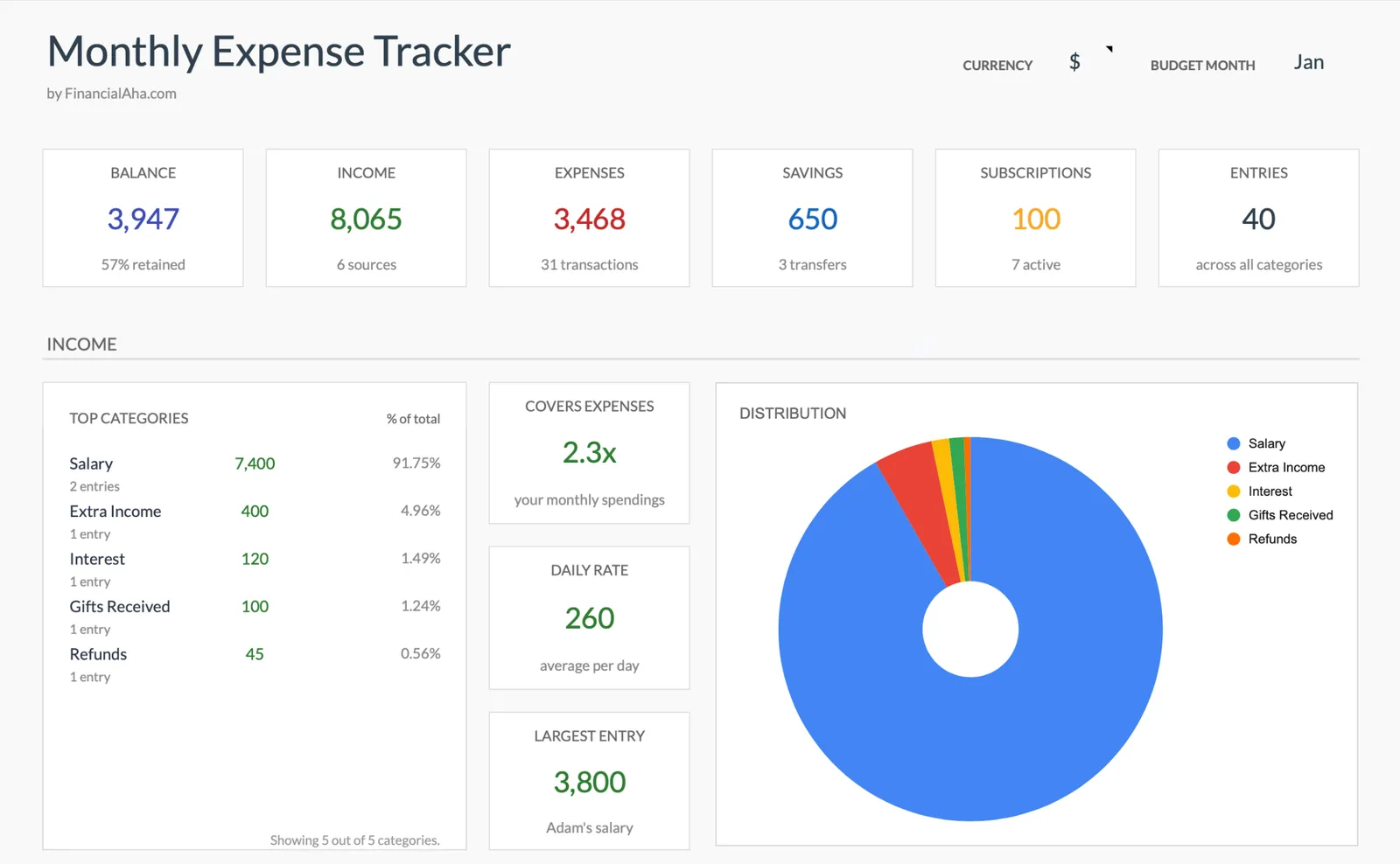
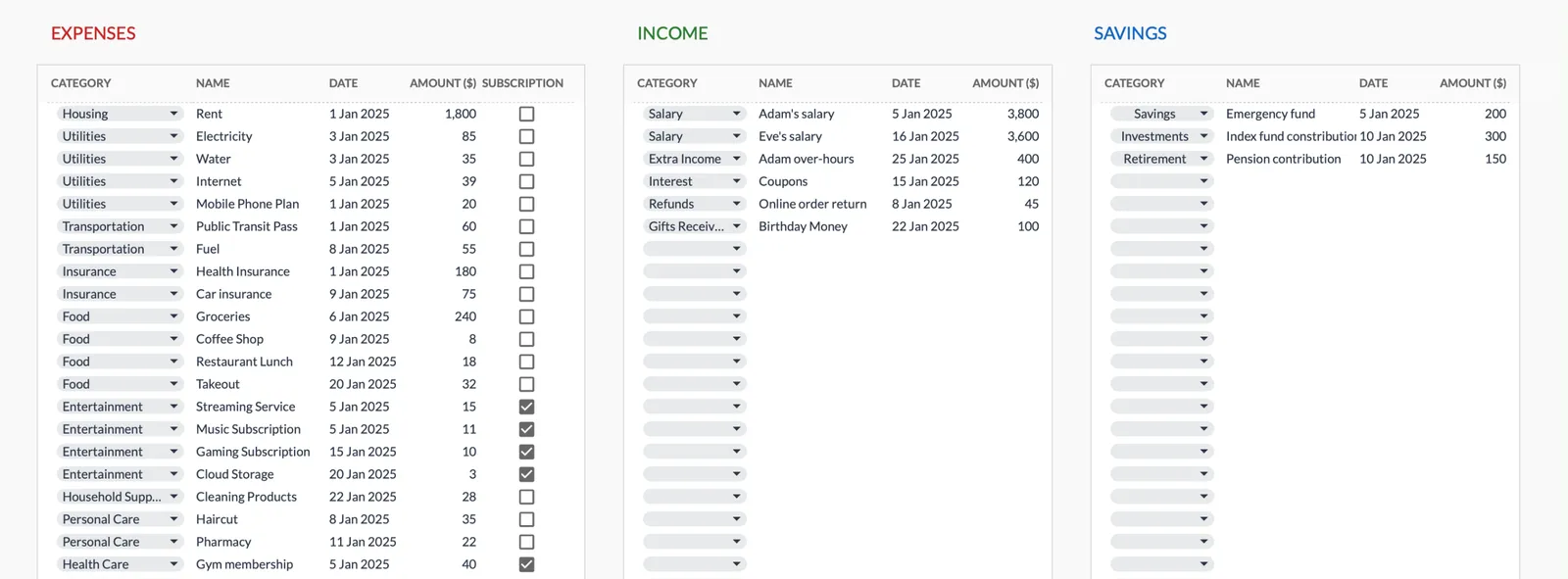
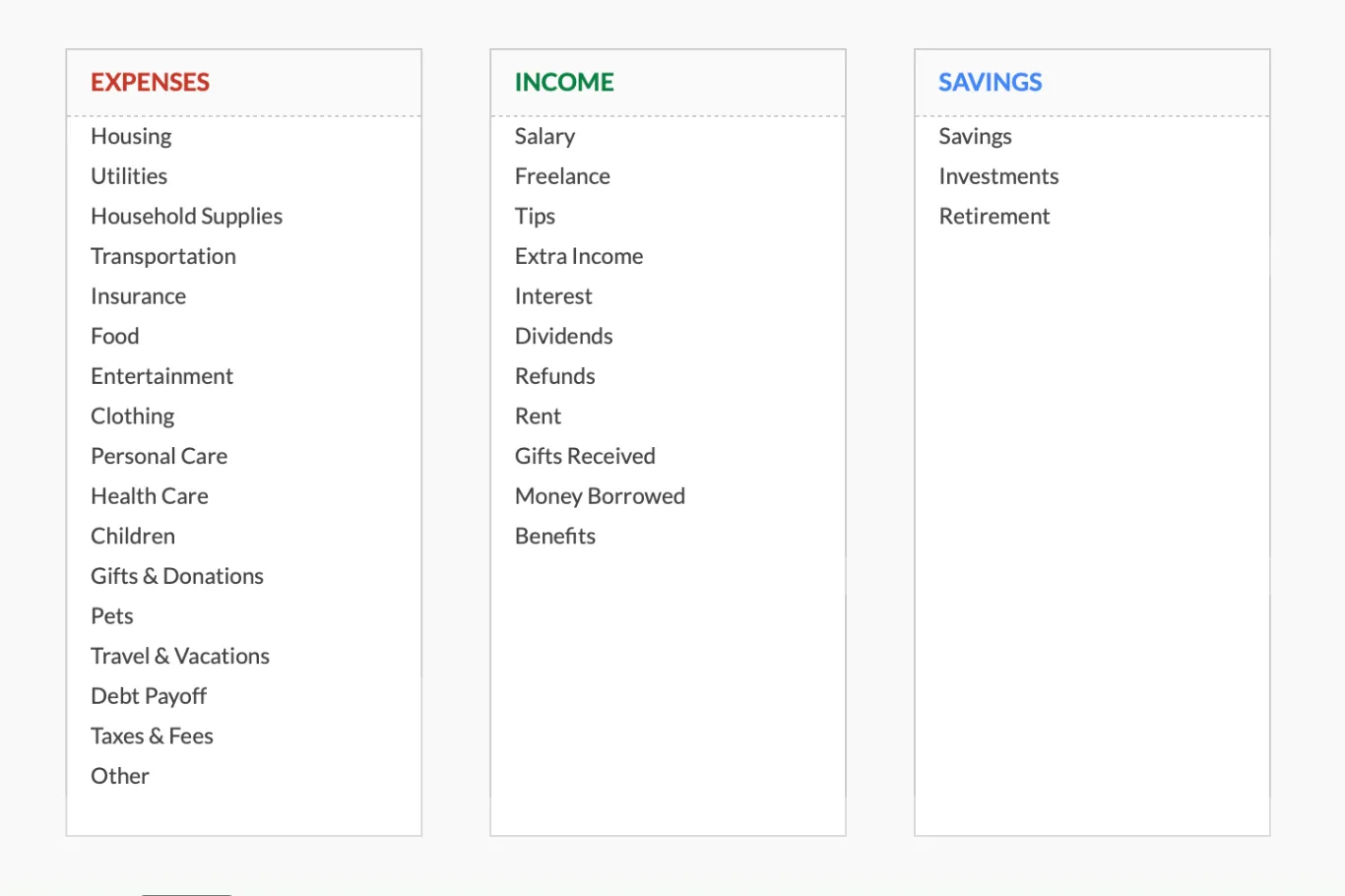
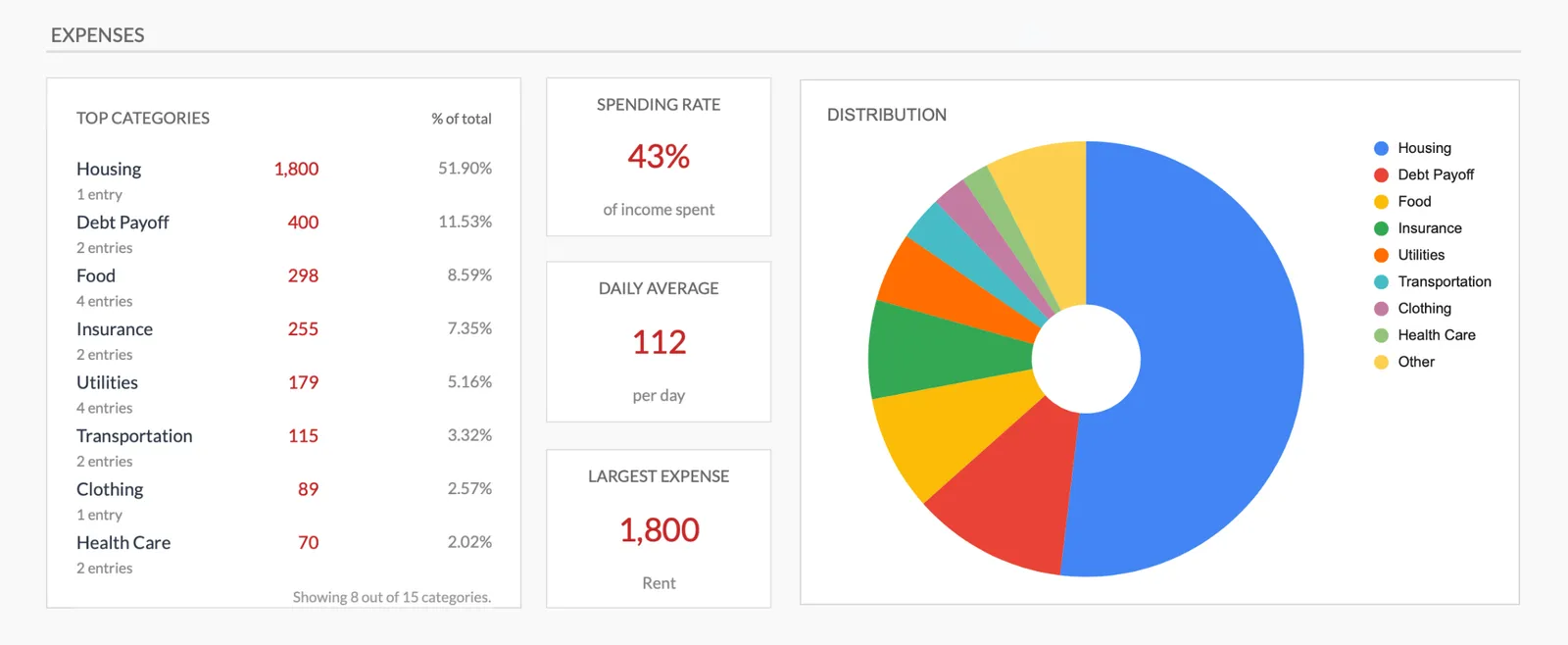
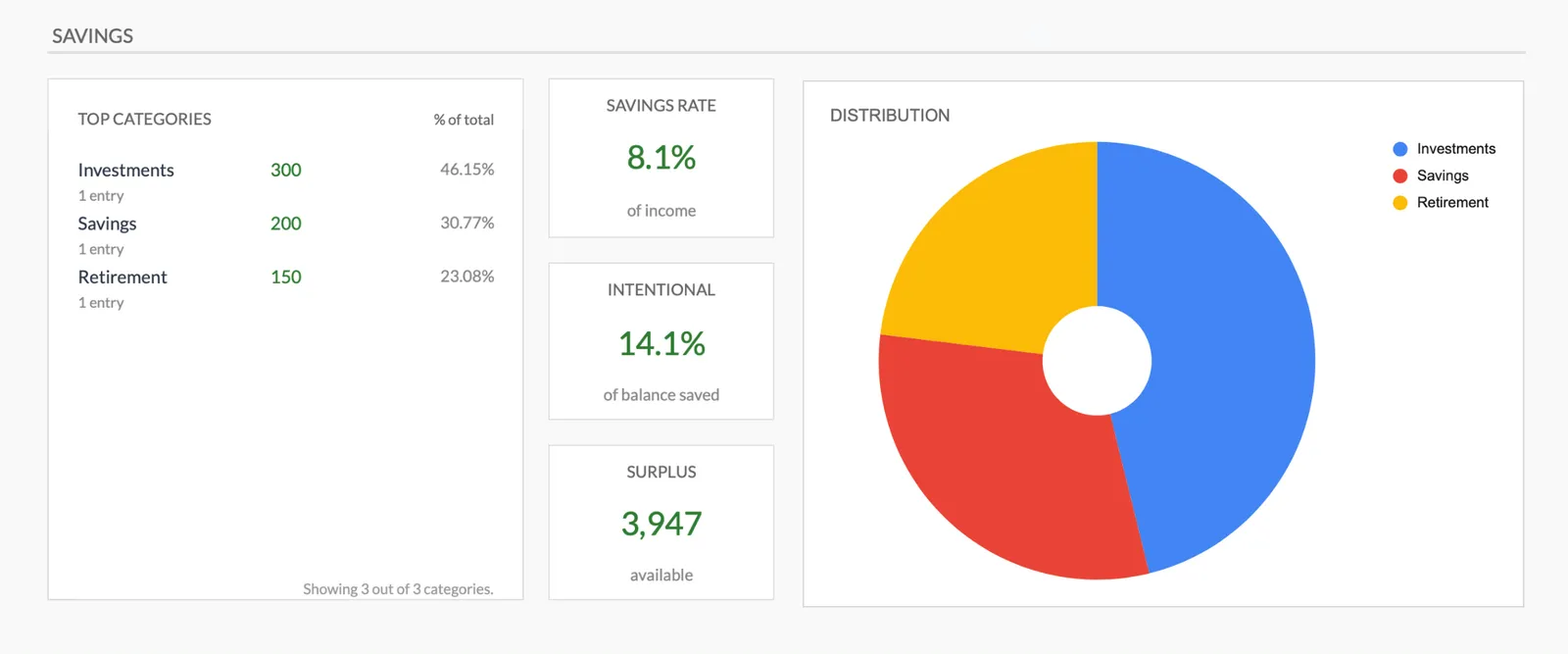
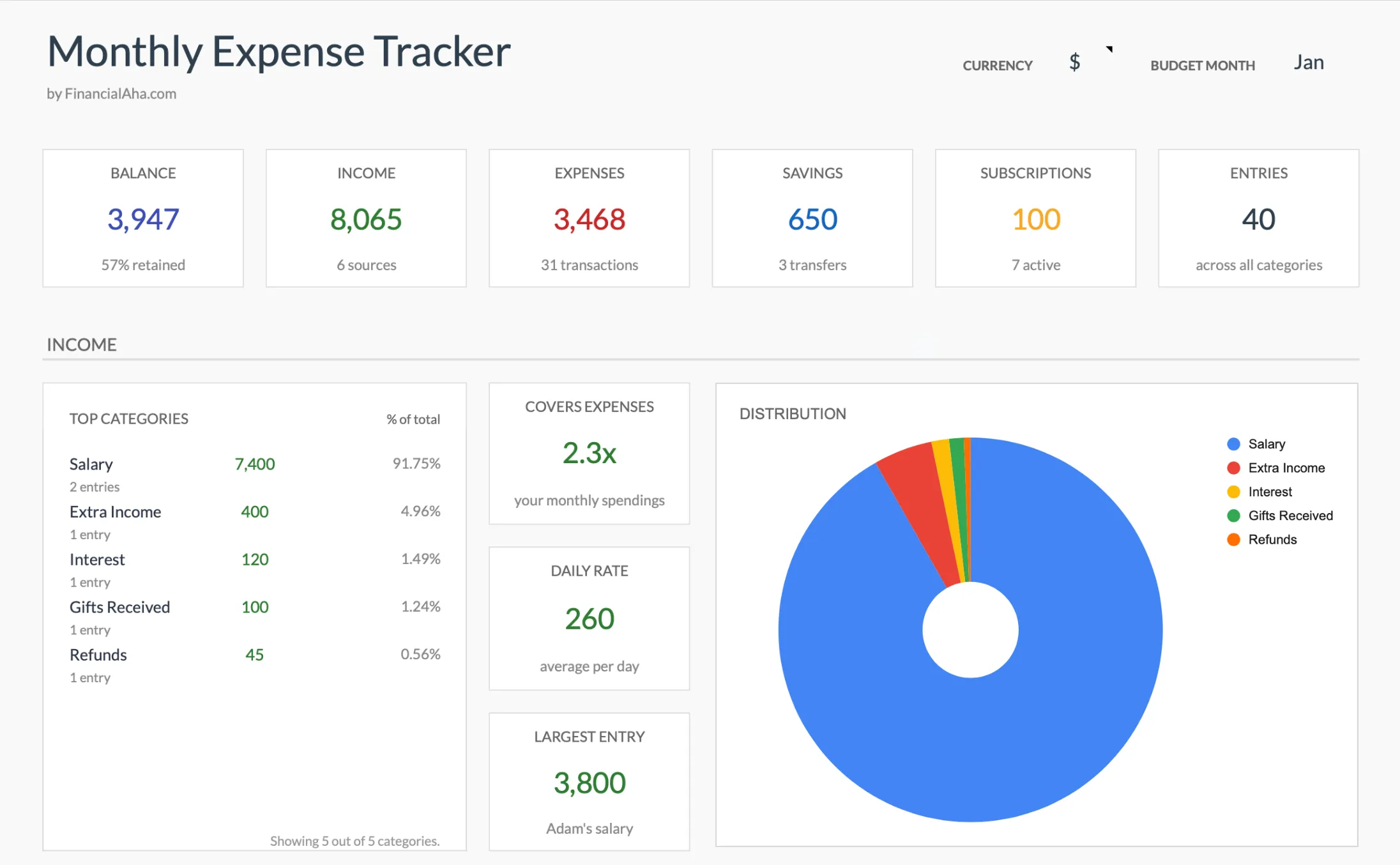
Monthly expense overview with charts
Log every expense with dates and categories
Organize spending into customizable categories
Detailed breakdown of all expenses
Track savings alongside expenses
Common Questions
Monthly Expenses Tracker for the United Kingdom - FAQ
Do I need this if I already have the budget template?
The expense tracker focuses on recording what you spend - no income tracking or targets. It's a simpler starting point for people who want to understand their spending before setting budget goals.
Can I import data from my banking app?
The template uses manual entry. While you could export a CSV from your bank and copy data in, manual entry often provides more thoughtful categorization. Many people find the act of entering expenses increases spending awareness.
How do I track expenses paid in different currencies?
Enter the GBP amount that was debited from your account. For credit card foreign transactions, use the sterling amount shown on your statement, which includes any conversion fees.
Should I track contactless payments separately?
Track by category (what you bought), not by payment method (how you paid). Whether you used contactless, chip and PIN, or direct debit, it's the spending category that matters for analysis.
Can I share this with my partner?
Yes. Google Sheets supports real-time collaboration. Share the template with your partner and both of you can enter expenses. Some couples track joint expenses in one sheet and personal spending separately.
Can't find the answer you're looking for? Contact our team
Explore More
Free Tools for the United Kingdom
Ready to get started?
Download instantly and start managing your finances, or contact us to design a custom template package for your needs.
Tax rules, rates, and contribution limits change, and official publications can themselves lag behind the law in force. We review these figures on a best-effort basis against sources we consider authoritative, but we cannot guarantee they are current, complete, or that better sources do not exist, and nothing here is tax, legal, or financial advice. For decisions, the relevant government authority is the reference.