Beste waarde All-in-One Financieel Planningspakket
✓ Financiële Planning✓ Vermogenstracker✓ Maandelijks Budgetteren✓ Reisbudget Planner✓ Jaarlijkse Budgetplanner✓ Maandelijkse Uitgaventracker✓ Jaarlijkse Belastingplanner✓ Pensioenplanning
Bekijk bundel →
Essentials-sjabloon - Excel & Google Sheets

Sales Invoice Essentials-sjabloon

Invoice template for product-based sales. List items with quantities, unit prices, and descriptions - totals and taxes calculate automatically.

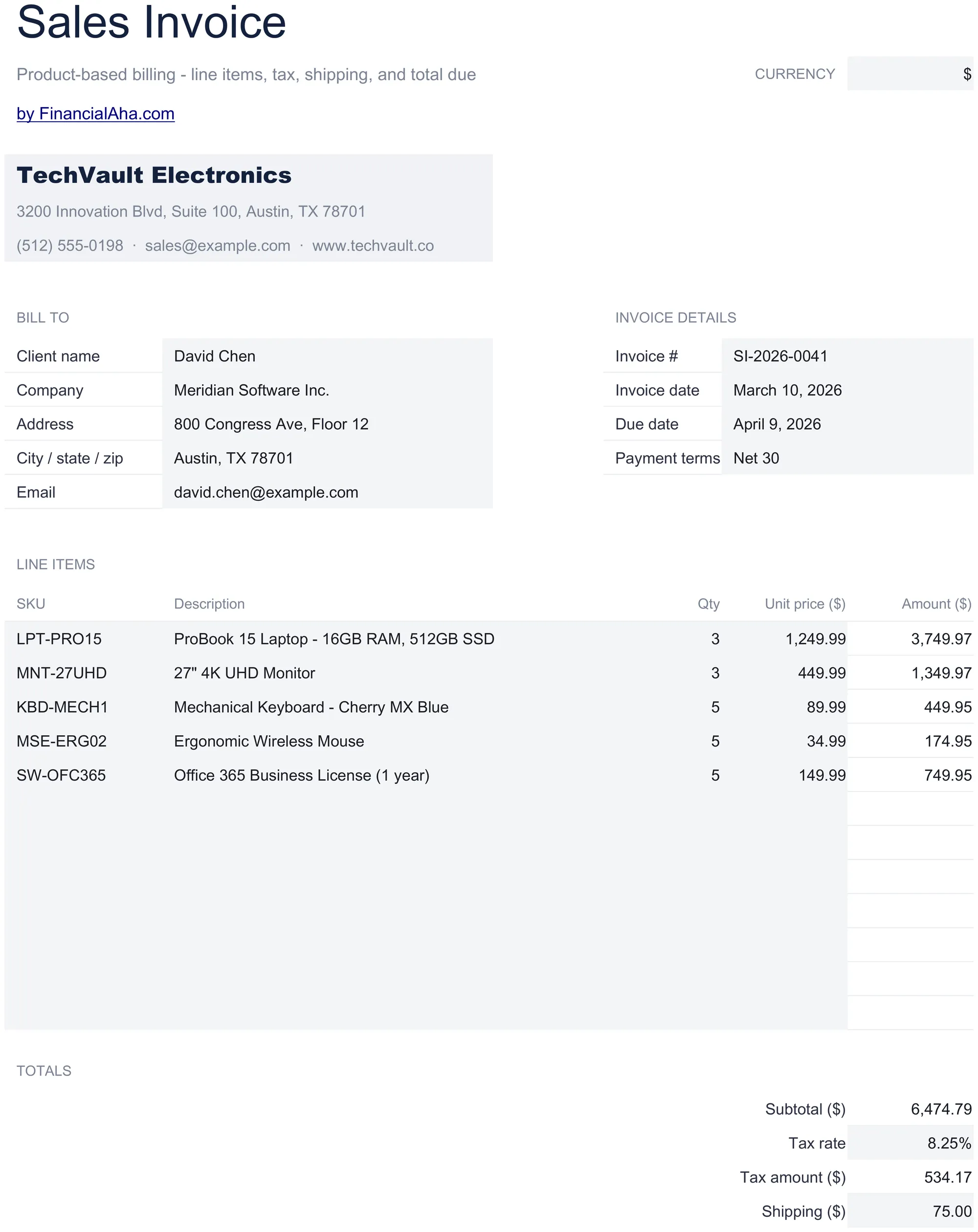
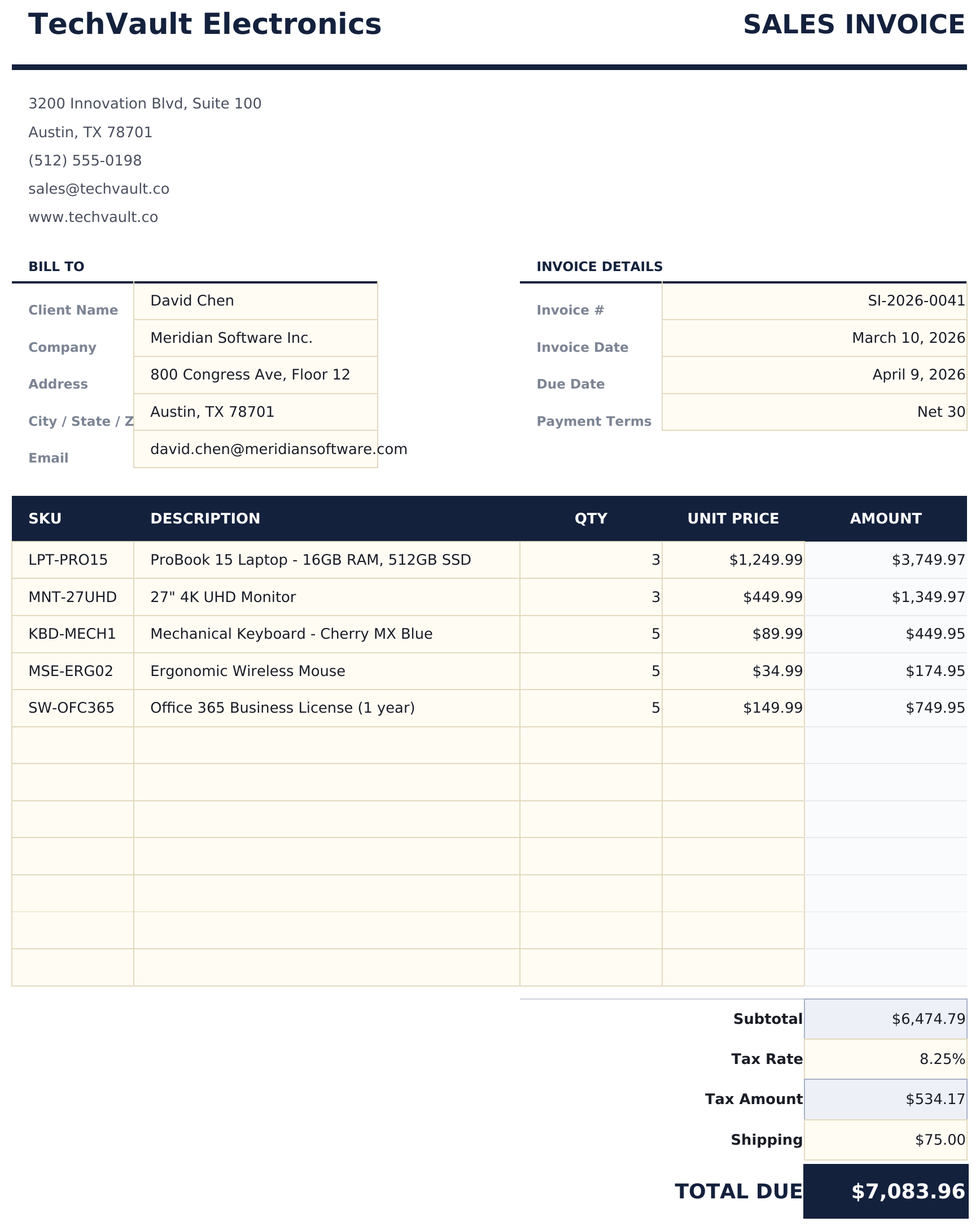
Sales Invoice preview

Wat zit erin

  • Product sales invoice layout with item name, SKU or reference, quantity, and unit price columns
  • Automatic line total, subtotal, and tax calculations that update as you enter product quantities and prices
  • Shipping and discount fields with separate rows for shipping charges, discounts, and adjustments before total
  • Order reference number and purchase order fields for matching the invoice to the original customer order
  • Print-ready professional format with company and customer details plus color-coded input cells for entry
  • Works in Microsoft Excel, Google Sheets, and LibreOffice Calc with no setup required

Hoe gebruik je dit Sales Invoice sjabloon

1

Enter seller and buyer info

Fill in your company details and the customer name, address, and purchase order number if applicable.

2

Add product line items

Enter each product with name, SKU or reference, quantity ordered, and unit price. Line totals calculate automatically.

3

Apply discounts and shipping

Enter any discounts, shipping charges, or adjustments in the designated rows before the final total.

4

Finalize the invoice

Review the subtotal, tax, and grand total. Add the invoice date, payment terms, and due date before sending.

Gebouwd door Claude AI. Verfijnd door ons.

We gebruiken Claude AI om elk sjabloon te ontwerpen, na uitgebreid onderzoek. Daarna neemt ons team het over. We verfijnen de indeling, testen elke formule grondig, lossen randgevallen op en polijsten het ontwerp totdat het iets is dat we zelf ook echt zouden gebruiken. De AI brengt ons 80% van de weg. De laatste 20% is puur menselijk oordeel.

Veelgestelde vragen

Can I add a purchase order number?

Yes. The template includes fields for purchase order number and order reference to match invoices with customer orders.

How do I apply a discount?

Enter the discount amount or percentage in the discount row. The grand total subtracts the discount from the subtotal before adding tax.

Does it handle shipping charges?

Yes. A separate shipping row lets you add shipping costs that are included in the grand total but calculated outside of tax if needed.

Can I include SKU numbers?

Yes. Each line item has a SKU or reference field alongside the product name and description.

Hoe open ik dit in Google Sheets?

Upload het .xlsx-bestand naar Google Drive en open het vervolgens met Google Sheets. Alle formules en opmaak blijven behouden.

Meer Essentials-sjablonen voor Invoicing & Billing

Op zoek naar premium spreadsheet-sjablonen?

Onze betaalde sjablonen bevatten geavanceerde dashboards met meerdere werkbladen, ingebouwde Excel-grafieken en doorlopende updates.

Privé & veilig

Uw financiële gegevens blijven op uw apparaat. Wij zien ze nooit.

Meer informatie →

Hulp nodig?

Bekijk onze handleidingen of neem contact op met vragen.

Bekijk FAQ →