Annuity Calculator Essentials 模板
Calculate annuity payouts based on contribution amount, interest rate, and payment period. Compare different annuity scenarios.
包含内容
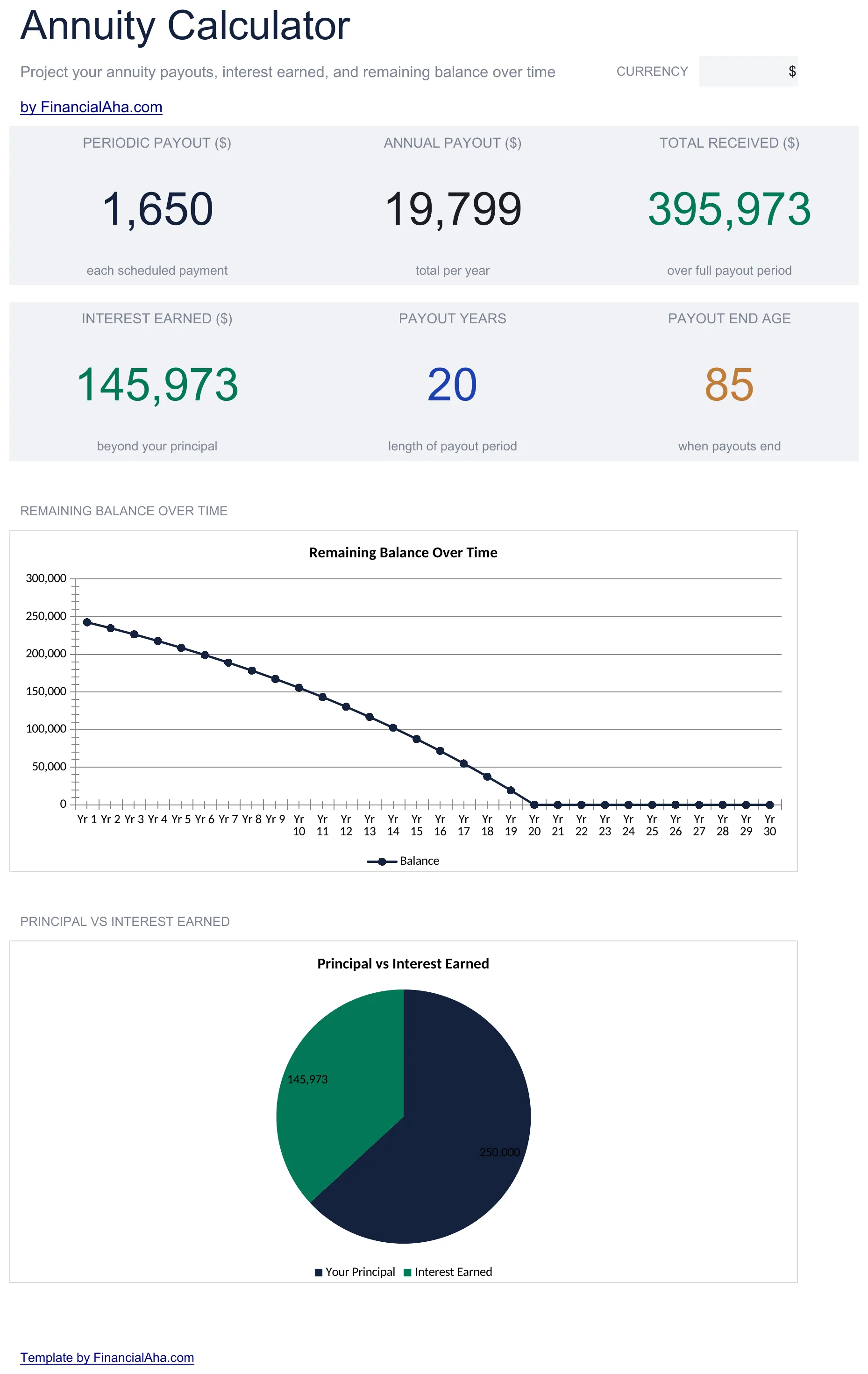
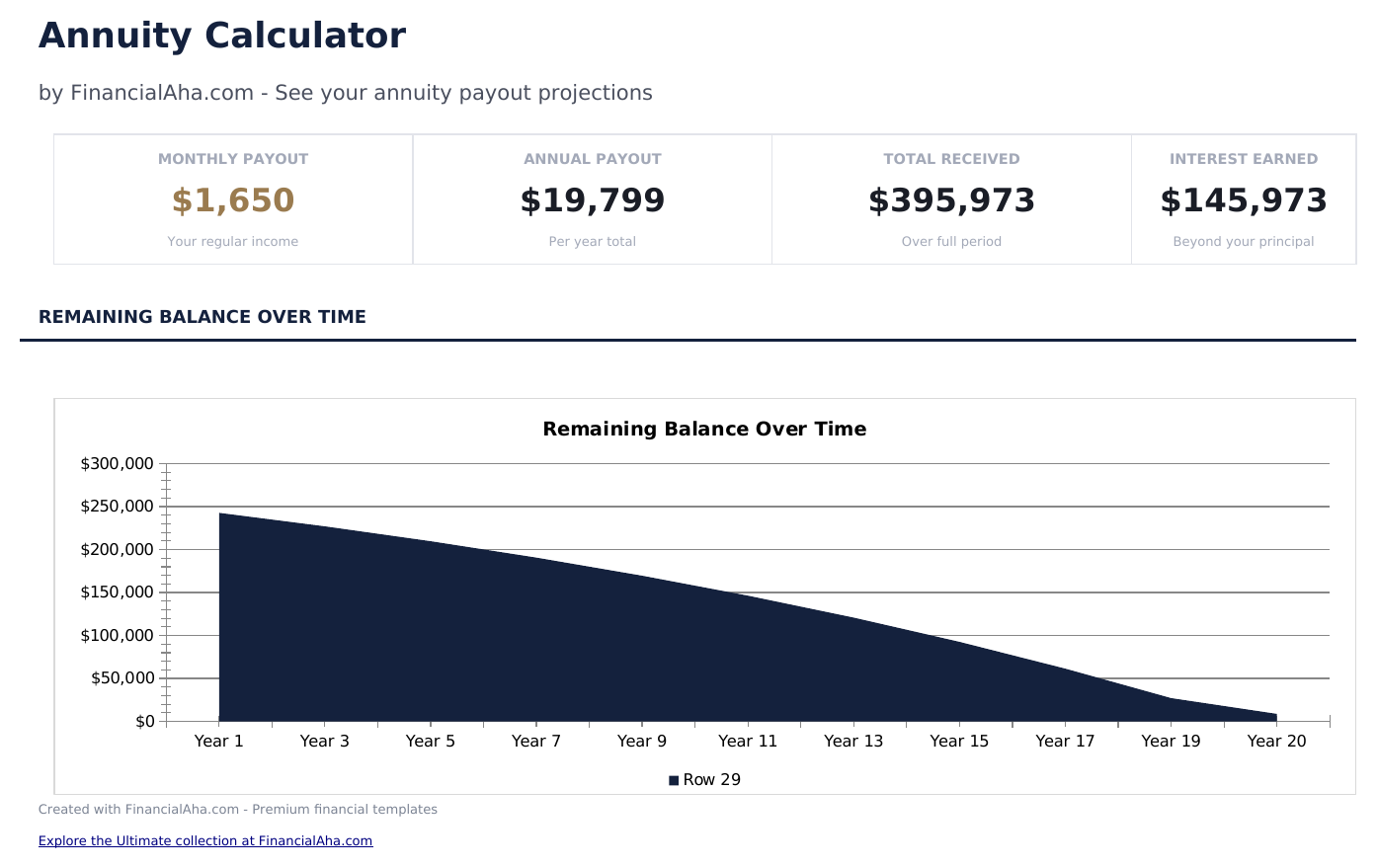
- Dashboard with annuity projections showing future value, periodic payment amount, and total payout
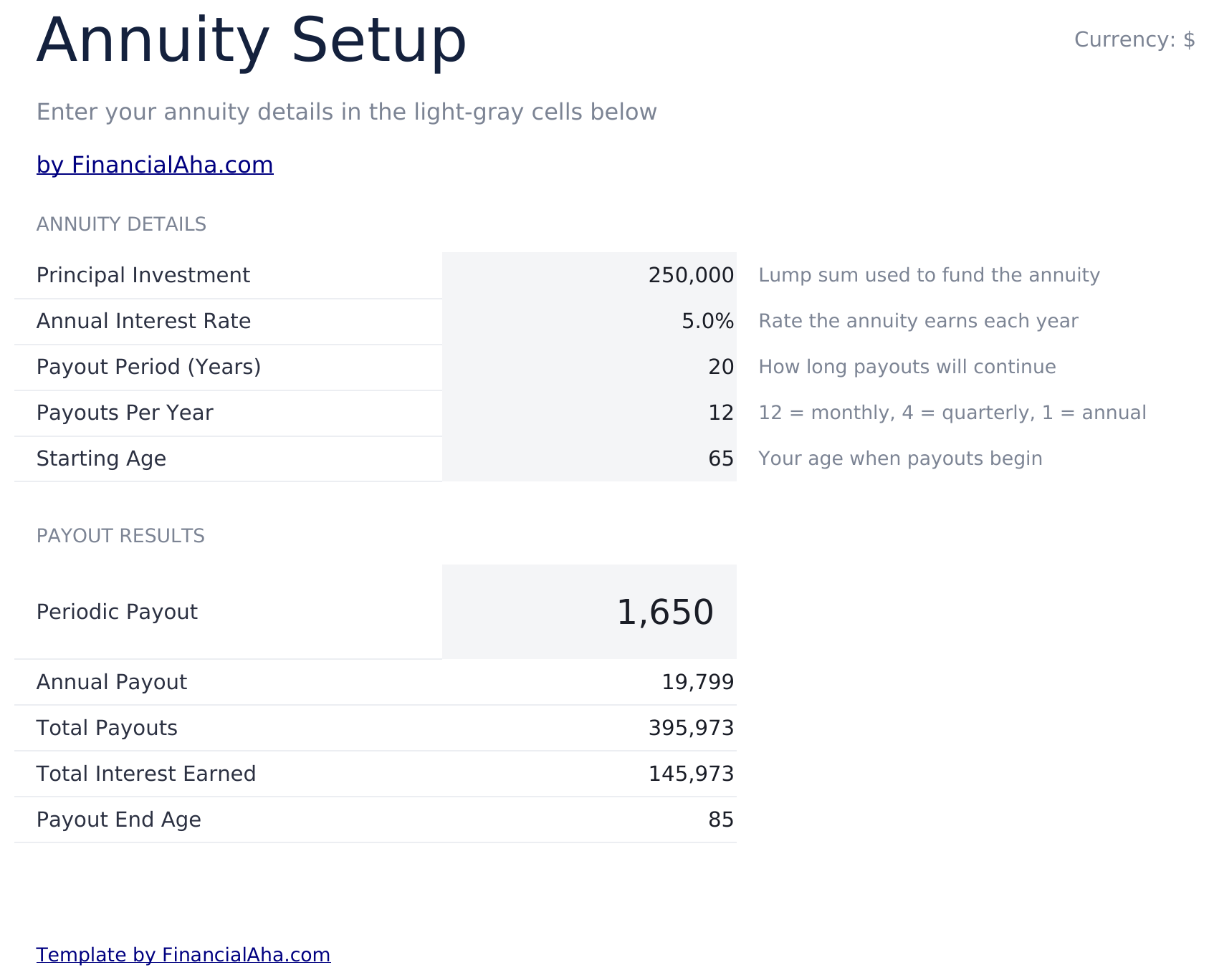
- Calculator with inputs for contribution amount, interest rate, compounding frequency, and payout period
- Present value and future value calculations for both ordinary annuity and annuity due scenarios
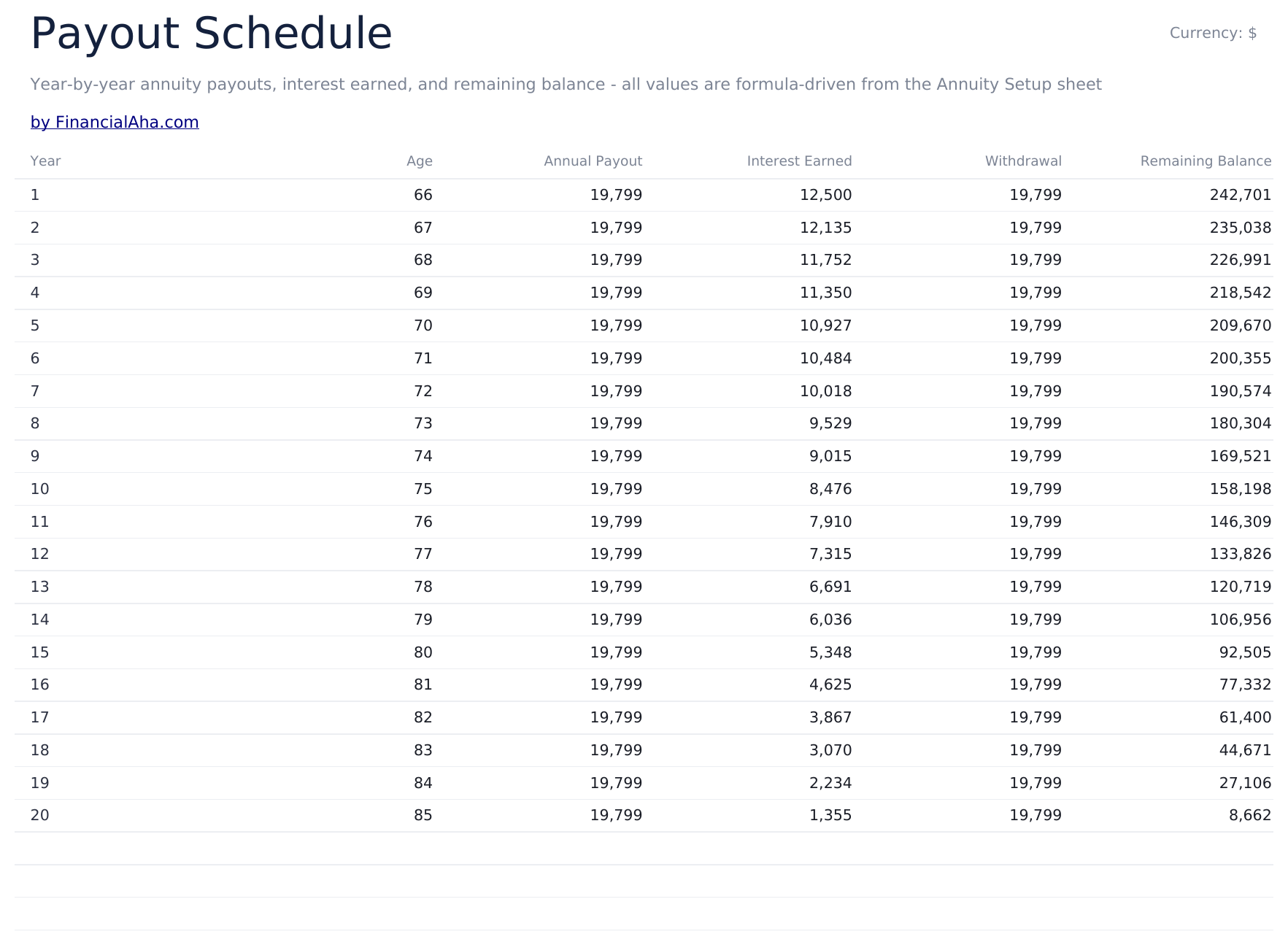
- Payment schedule display showing each periodic payout with interest earned and remaining principal
- Color-coded input cells and adjustable rate and period fields for comparing different annuity scenarios
- Works in Microsoft Excel, Google Sheets, and LibreOffice Calc with no setup required
预览
查看此模板的内容


如何使用这个Annuity Calculator模板
Enter contribution details
Input the periodic contribution amount, interest rate, and payment frequency on the calculator sheet.
Set the payout period
Enter how long the annuity lasts - the number of years or periods for contributions and payouts.
Choose annuity type
Select ordinary annuity (payments at end of period) or annuity due (payments at beginning). The results differ based on timing.
Review the results
The dashboard shows future value, present value, and periodic payment amounts based on your inputs.
由 Claude AI 构建,经我们精心打磨。
我们使用 Claude AI 在深入研究后起草每个模板。然后由团队接手,优化布局、全面测试每个公式、修复边界情况,并打磨设计,直到达到我们自己愿意使用的标准。AI 完成了 80% 的工作,最后 20% 靠的是人工判断。
常见问题
What is the difference between ordinary annuity and annuity due?
Ordinary annuity payments occur at the end of each period. Annuity due payments occur at the beginning. Annuity due produces a slightly higher future value.
Can I calculate the required payment?
Yes. Enter the target future value, rate, and periods to back into the required periodic payment amount.
Does this cover variable annuities?
No. This calculator models fixed annuities with a constant interest rate and payment amount. Variable annuity returns fluctuate and require different modeling.
What rate should I use?
Use the guaranteed rate from the annuity contract. For general planning, enter the rate offered by the insurance company or financial institution.
如何在 Google Sheets 中打开?
将 .xlsx 文件上传到 Google Drive,然后使用 Google Sheets 打开。所有公式和格式都会保留。
更多 Savings & Retirement Essentials 模板
Savings Goal Tracker
Set savings goals and track progress with monthly contributions. Monitor multiple goals at once with visual progress indicators.
$12Emergency Fund Calculator
Calculate a target emergency fund amount based on monthly expenses. Track contributions and see how long it takes to reach the goal at current savings rates.
$12Retirement Calculator
Project retirement savings growth based on current age, savings rate, and expected returns. See whether current contributions align with retirement timeline goals.
$12Retirement Savings Calculator
Model retirement savings growth with contribution amounts and expected returns. Adjust variables to see how changes affect the projected balance at retirement.
$12