أفضل قيمة حزمة التخطيط المالي الشاملة
✓ التخطيط المالي✓ متتبع صافي الثروة✓ الميزانية الشهرية✓ مخطط ميزانية السفر✓ مخطط الميزانية السنوية✓ متتبع النفقات الشهرية✓ مخطط الضرائب السنوي✓ تخطيط التقاعد
عرض الحزمة →
احترافي النسخة الاحترافية متوفرة - حاسبة صندوق الطوارئ Ultimate
قالب احترافي - Excel و Google Sheets

Emergency Fund Calculator قالب Essentials

Calculate a target emergency fund amount based on monthly expenses. Track contributions and see how long it takes to reach the goal at current savings rates.

عرض نسخة Ultimate ←
Emergency Fund Calculator preview

ماذا يتضمن

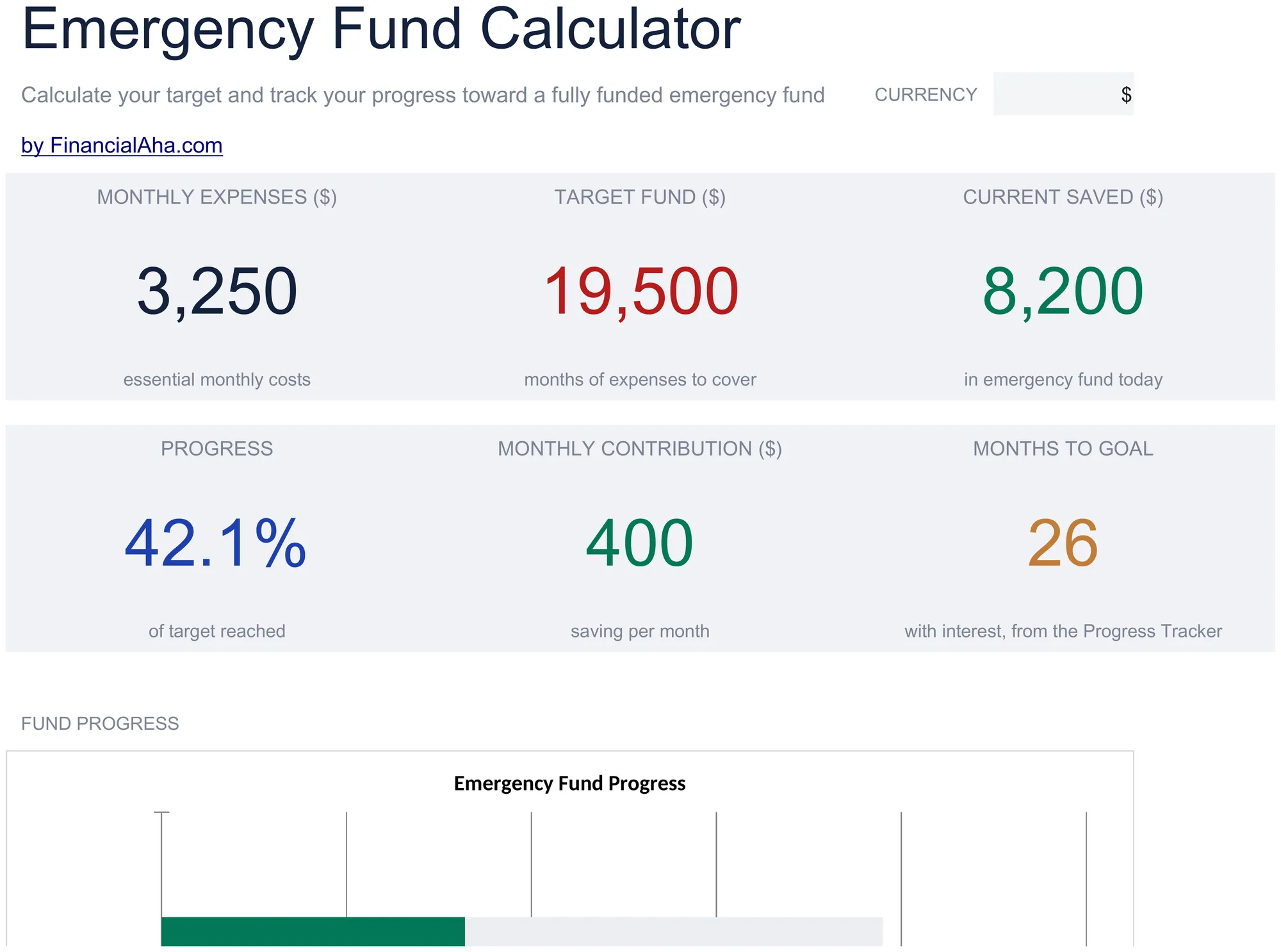
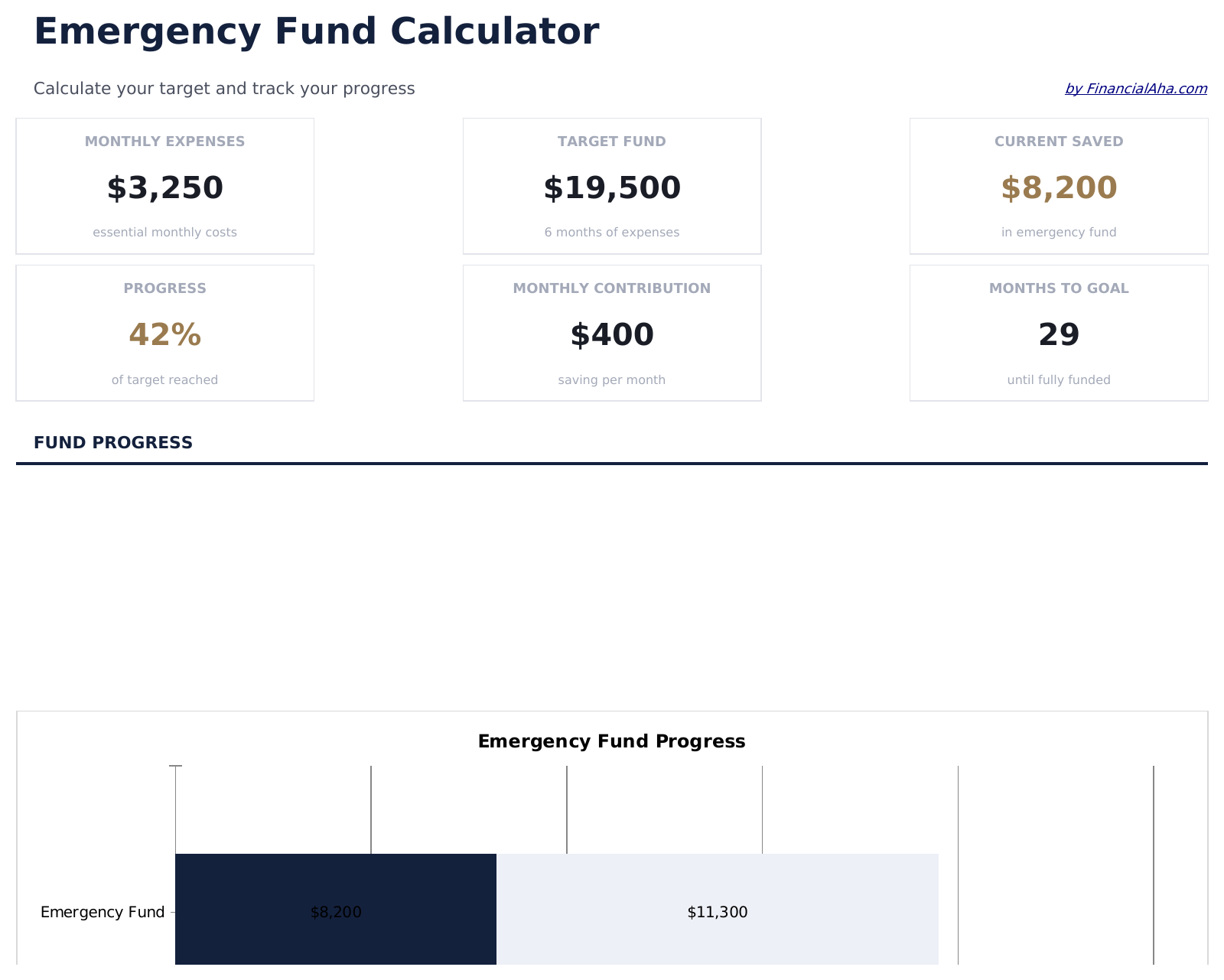
  • Dashboard with fund progress showing target amount, current balance, and percentage toward the goal
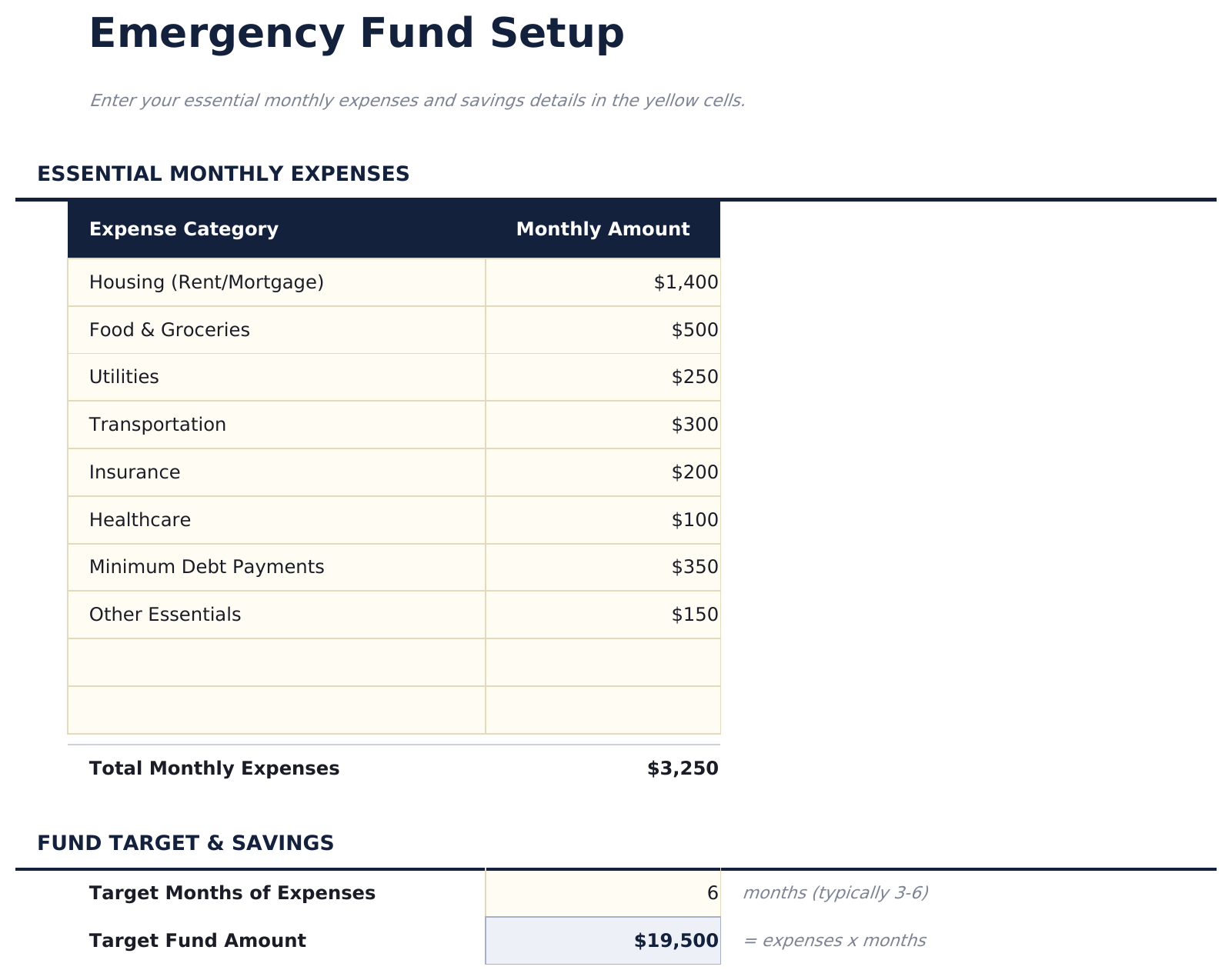
  • Emergency fund setup with monthly expense inputs for rent, food, insurance, utilities, and other essentials
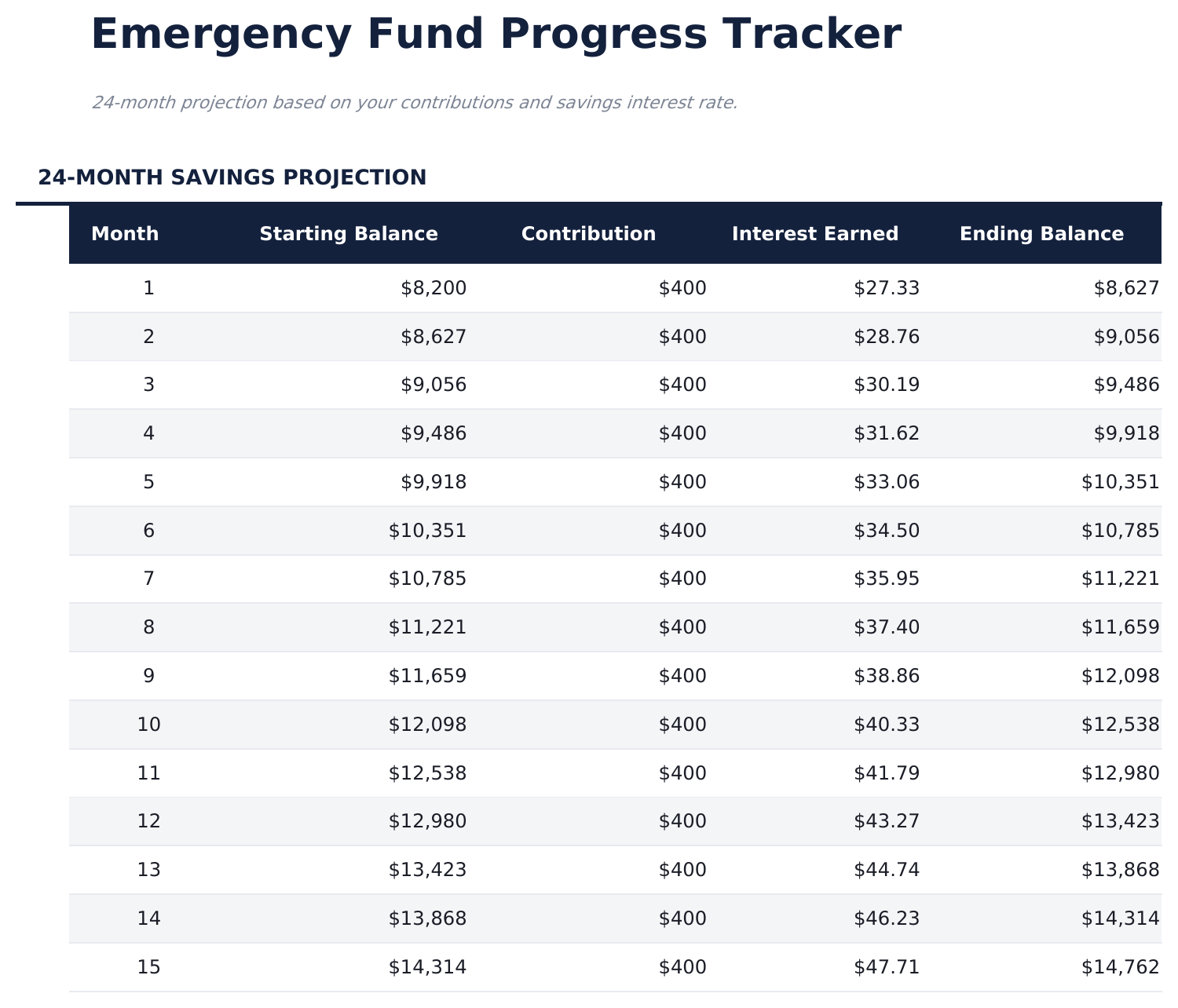
  • Monthly progress tracker with contribution logging and automatic balance updates after each entry
  • Target based on months of expenses - choose 3, 6, 9, or 12 months and the goal amount adjusts automatically
  • Contribution timeline projection estimating how many months until the fund reaches the target amount
  • Works in Microsoft Excel, Google Sheets, and LibreOffice Calc with no setup required
Ultimate Version Available

Need more from this template?

The Essentials version covers everyday tracking. Ultimate goes further with multi-entity support, scenario analysis, and ultimate-grade reporting.

Essentials - $12
  • Dashboard with fund progress showing target amount, current balance, and percentage toward the goal
  • Emergency fund setup with monthly expense inputs for rent, food, insurance, utilities, and other essentials
  • Monthly progress tracker with contribution logging and automatic balance updates after each entry
  • Target based on months of expenses - choose 3, 6, 9, or 12 months and the goal amount adjusts automatically
Ultimate - $19
  • تحليل مفصل للمصروفات مع 15 فئة تشمل السكن والطعام والتأمين والمرافق والمواصلات والطب ومدفوعات الديون
  • لوحة معلومات مع 6 مؤشرات KPI: مبلغ الصندوق المستهدف، الرصيد الحالي، نسبة التمويل، المساهمة الشهرية، الأشهر حتى الهدف، وأشهر التغطية المحققة
  • سيناريوهات تغطية متعددة تقارن أهداف 3 و6 و9 و12 شهراً جنباً إلى جنب
  • متتبع المساهمات الشهرية مع رصيد جاري وتحديثات نسبة التقدم التلقائية
  • توقعات المعالم تحدد تواريخ 25% و50% و75% و100% من التمويل بناءً على معدل المساهمة الحالي
See what's in the Ultimate version One-time purchase. No subscription.

كيفية استخدام قالب Emergency Fund Calculator هذا

1

Enter monthly expenses

List your essential monthly expenses - rent, food, insurance, utilities, and transportation. The template totals them automatically.

2

Choose months of coverage

Select how many months of expenses to save for - 3, 6, 9, or 12 months. The target amount adjusts based on your selection.

3

Log contributions

Record each deposit in the progress tracker. The running balance updates automatically as you build the fund.

4

Track progress

The dashboard shows current balance vs target amount and an estimate of when the fund will reach the goal at your current savings rate.

صُممت بواسطة Claude AI. أتقنّاها نحن.

نستخدم Claude AI لصياغة كل قالب بعد بحث معمّق. ثم يتدخل فريقنا. نحسّن التصميم، ونختبر كل صيغة، ونعالج الحالات الاستثنائية، وننقّح التصميم حتى يصبح شيئاً نستخدمه نحن فعلاً. الذكاء الاصطناعي يوصلنا إلى 80%. الـ 20% المتبقية هي حكم بشري بالكامل.

عرض نسخة Ultimate ←

الأسئلة الشائعة

How many months of expenses should I target?

Common targets range from 3 to 12 months. The template lets you choose the number that fits your situation. Six months is a frequently cited starting point.

What expenses should I include?

Include essential monthly costs you would still need to pay during an emergency - housing, food, insurance premiums, utilities, transportation, and minimum debt payments.

Can I change the target later?

Yes. Update the months-of-coverage selection or your monthly expense amounts at any time. The target recalculates automatically.

Does it show how long until I reach the goal?

Yes. The contribution timeline projection estimates the number of months remaining based on your average monthly contribution amount.

كيف أفتح هذا في Google Sheets؟

ارفع ملف .xlsx إلى Google Drive، ثم افتحه باستخدام Google Sheets. جميع الصيغ والتنسيقات ستبقى محفوظة.

المزيد من قوالب Essentials في Savings & Retirement

تبحث عن قوالب جداول بيانات احترافية؟

القوالب المدفوعة تشمل لوحات معلومات متعددة الأوراق متقدمة، ورسوم بيانية أصلية في Excel، وتحديثات مستمرة.

خاص وآمن

بياناتك المالية تبقى على جهازك. نحن لا نراها أبداً.

تعرف على المزيد →

هل تحتاج مساعدة؟

راجع أدلتنا أو تواصل معنا لأي أسئلة.

عرض الأسئلة الشائعة →