Bester Wert All-in-One Finanzplanungs-Bundle
✓ Finanzplanung✓ Vermögens-Tracker✓ Monatliches Budget✓ Reisebudget-Planer✓ Jahresbudget-Planer✓ Monatlicher Ausgaben-Tracker✓ Jährlicher Steuerplaner✓ Altersvorsorgeplanung
Bundle ansehen →
Essentials-Vorlage - Excel & Google Sheets

Purchase Order Essentials-Vorlage

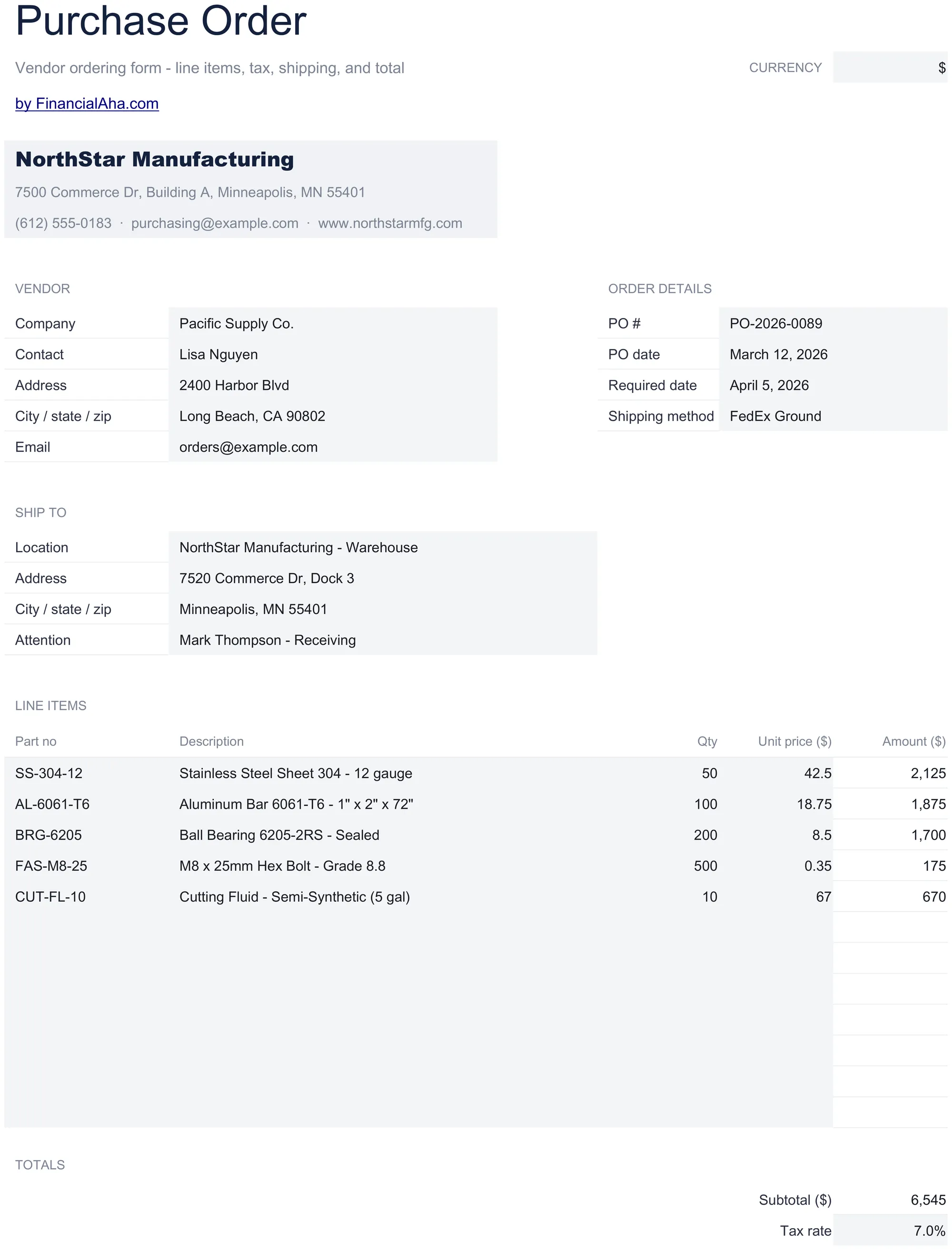
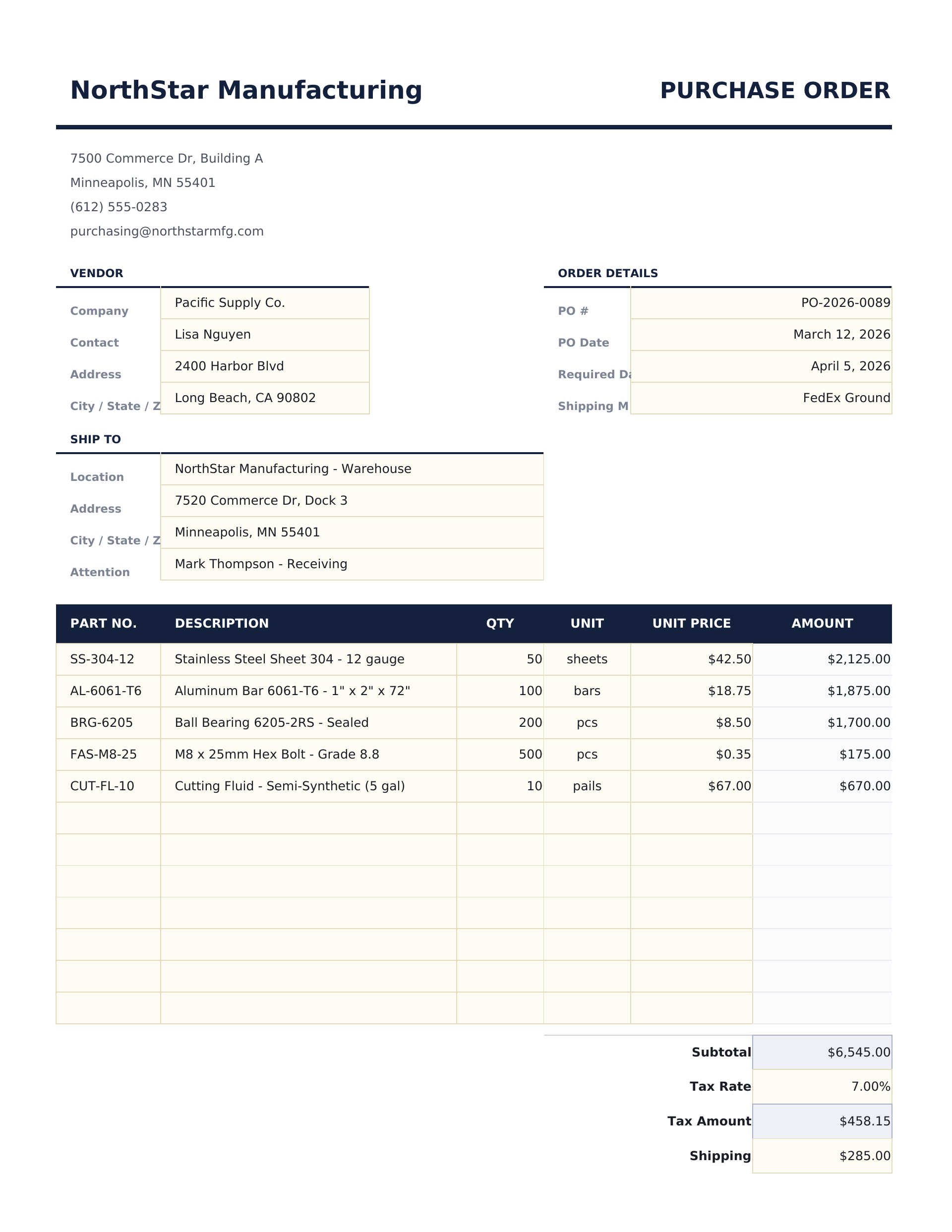
Create purchase orders for vendor ordering with item details, quantities, and pricing. Standard PO format with automatic totals.

Purchase Order preview

Was enthalten ist

  • Standard purchase order layout with PO number, date, vendor information, and shipping address fields
  • Vendor and shipping information sections with company details, contact person, and delivery instructions
  • Line items with item description, quantity, unit price, and automatic line total calculations per row
  • PO number and date fields for tracking and matching purchase orders to invoices and receiving documents
  • Automatic subtotal, tax, and grand total calculations with print-ready formatting for vendor submission
  • Works in Microsoft Excel, Google Sheets, and LibreOffice Calc with no setup required

So verwenden Sie diese Purchase Order-Vorlage

1

Enter PO details

Fill in the PO number, date, and your company information in the header section.

2

Add vendor information

Enter the vendor name, address, contact details, and any shipping instructions.

3

List items to order

Enter each item with description, quantity, unit price, and any item reference number. Line totals calculate automatically.

4

Submit to vendor

Review the subtotal, tax, and grand total. Print or export to PDF and send to the vendor for fulfillment.

Erstellt von Claude AI. Verfeinert von uns.

Wir verwenden Claude AI, um jede Vorlage nach gründlicher Recherche zu entwerfen. Dann greift unser Team ein. Wir verfeinern das Layout, testen jede Formel auf Herz und Nieren, beheben Grenzfälle und polieren das Design, bis es sich anfühlt wie etwas, das wir selbst verwenden würden. Die KI bringt uns 80 % ans Ziel. Die letzten 20 % sind rein menschliches Urteilsvermögen.

Häufig gestellte Fragen

How do I track the PO after sending?

Save the PO with its number. When the vendor invoice arrives, match it against the PO number to verify quantities and pricing.

Can I add shipping instructions?

Yes. The template includes fields for shipping address, delivery method, and any special handling or delivery instructions.

Does it calculate tax?

Yes. Enter the applicable tax rate and the template computes the tax amount and grand total automatically.

Can I reference a quote or contract?

Add a reference or notes field to link the PO to a vendor quote, contract number, or prior agreement.

Wie öffne ich diese Vorlage in Google Sheets?

Laden Sie die .xlsx-Datei auf Google Drive hoch und öffnen Sie sie mit Google Sheets. Alle Formeln und Formatierungen bleiben erhalten.

Weitere Essentials-Vorlagen: Invoicing & Billing

Auf der Suche nach Premium-Tabellenvorlagen?

Unsere kostenpflichtigen Vorlagen umfassen erweiterte mehrseitige Dashboards, native Excel-Diagramme und laufende Aktualisierungen.

Privat & sicher

Ihre Finanzdaten bleiben auf Ihrem Gerät. Wir sehen sie nie.

Mehr erfahren →

Brauchen Sie Hilfe?

Schauen Sie in unsere Anleitungen oder kontaktieren Sie uns.

FAQ ansehen →