Work Order Plantilla Essentials
Create work orders for service or maintenance jobs. Include job details, labor, materials, and authorization fields.
Qué incluye
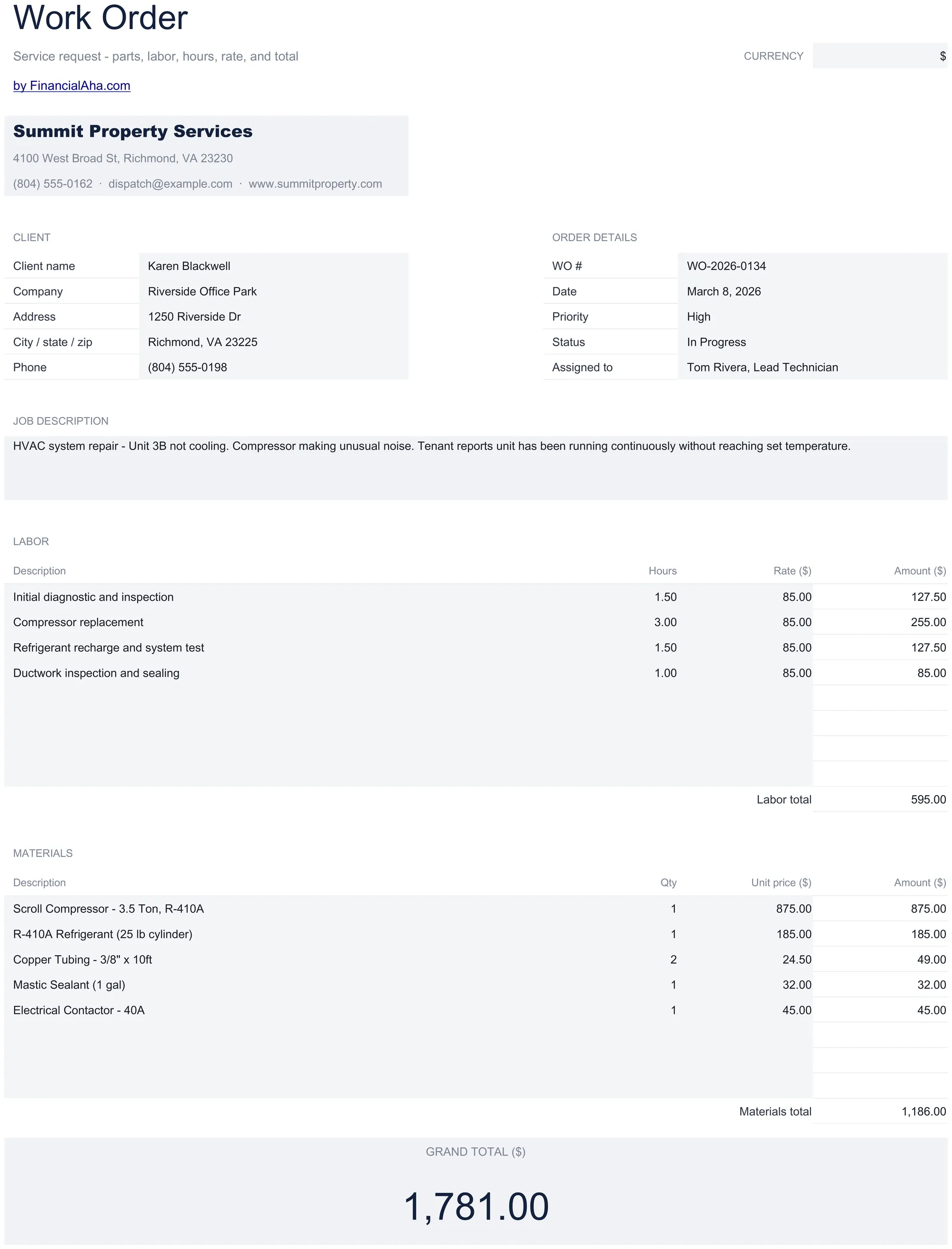
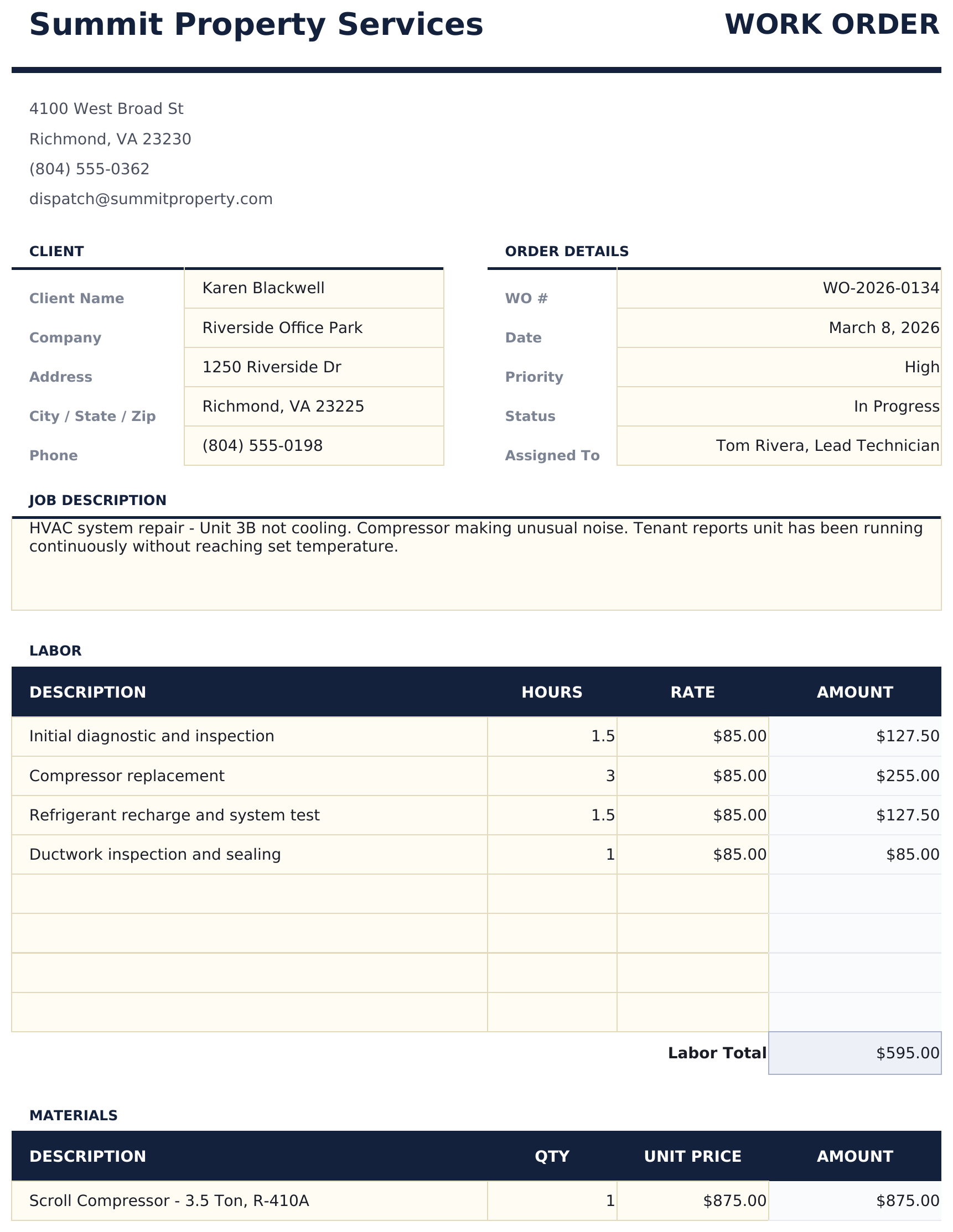
- Work order layout with job number, date, priority, and detailed job description fields for each task
- Labor section with technician name, hours worked, and hourly rate columns for tracking service time costs
- Materials section with part numbers, descriptions, quantities, and costs for all supplies used on the job
- Customer and job site information fields including address, contact person, phone, and access instructions
- Authorization and signature fields with cost summary totaling labor, materials, and tax in a print-ready format
- Works in Microsoft Excel, Google Sheets, and LibreOffice Calc with no setup required
Vista previa
Mira qué contiene esta plantilla

Cómo usar esta plantilla de Work Order
Enter job details
Fill in the work order number, date, priority level, and a detailed description of the job or service request.
Add customer information
Enter the customer name, job site address, contact person, and any access instructions.
Log labor and materials
Record technician hours and rates in the labor section. List parts and supplies with costs in the materials section.
Get authorization
Review the cost summary totaling labor, materials, and tax. Use the signature section for customer or manager approval.
Creadas por Claude AI. Perfeccionadas por nosotros.
Usamos Claude AI para crear el borrador de cada plantilla, después de una investigación profunda. Luego nuestro equipo interviene. Refinamos el diseño, probamos cada fórmula a fondo, corregimos casos especiales y pulimos el diseño hasta que se siente como algo que realmente usaríamos nosotros mismos. La IA nos lleva al 80%. El último 20% es criterio humano.
Preguntas frecuentes
Can I track multiple technicians?
Yes. Add a row for each technician in the labor section with their name, hours, and rate. The total labor cost sums all entries.
Does it include parts costs?
Yes. The materials section has fields for part number, description, quantity, and unit cost. The total updates automatically.
Is there a signature field?
Yes. The authorization section includes signature and date lines for customer or manager approval of the completed work.
Can I print it for the job site?
Yes. The template is formatted for printing. Use standard paper size and the layout fits on one or two pages depending on the number of line items.
¿Cómo abro esto en Google Sheets?
Sube el archivo .xlsx a Google Drive y luego ábrelo con Google Sheets. Todas las fórmulas y el formato se conservarán.
Más plantillas Essentials de Invoicing & Billing
Simple Invoice
A clean, minimal invoice template with standard fields. Fill in line items, quantities, and rates - totals calculate automatically.
$12Service Invoice
Invoice template designed for service-based billing. List services with hourly rates and hours worked - totals update automatically.
$12Sales Invoice
Invoice template for product-based sales. List items with quantities, unit prices, and descriptions - totals and taxes calculate automatically.
$12Consultant Invoice
Invoice template for consulting work with hourly rates and expense reimbursement. Covers professional services billing with clear breakdowns.
$12¿Buscas plantillas premium?
Nuestras plantillas de pago incluyen paneles avanzados con múltiples hojas, gráficos nativos de Excel y actualizaciones continuas.