Simple Invoice Plantilla Essentials
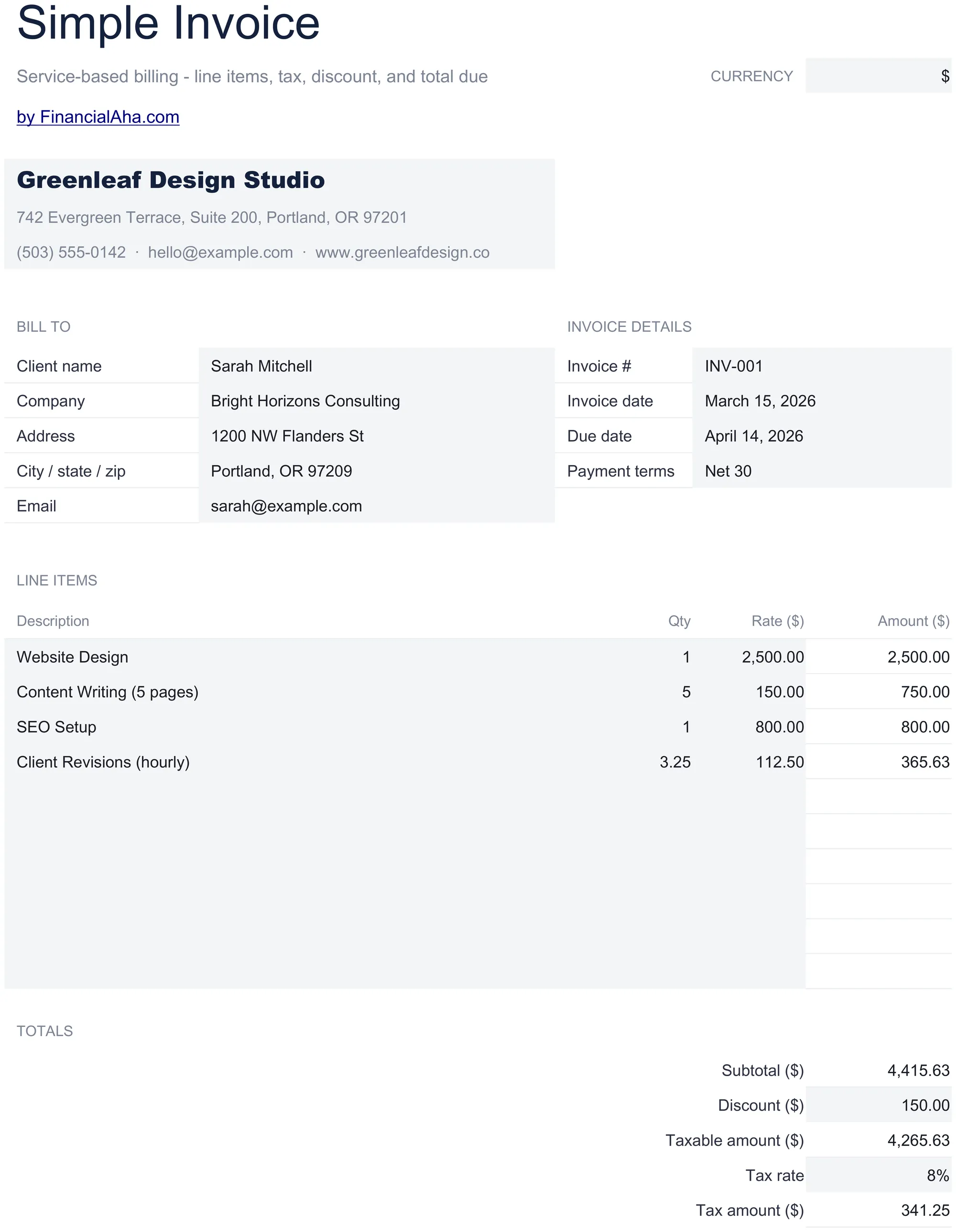
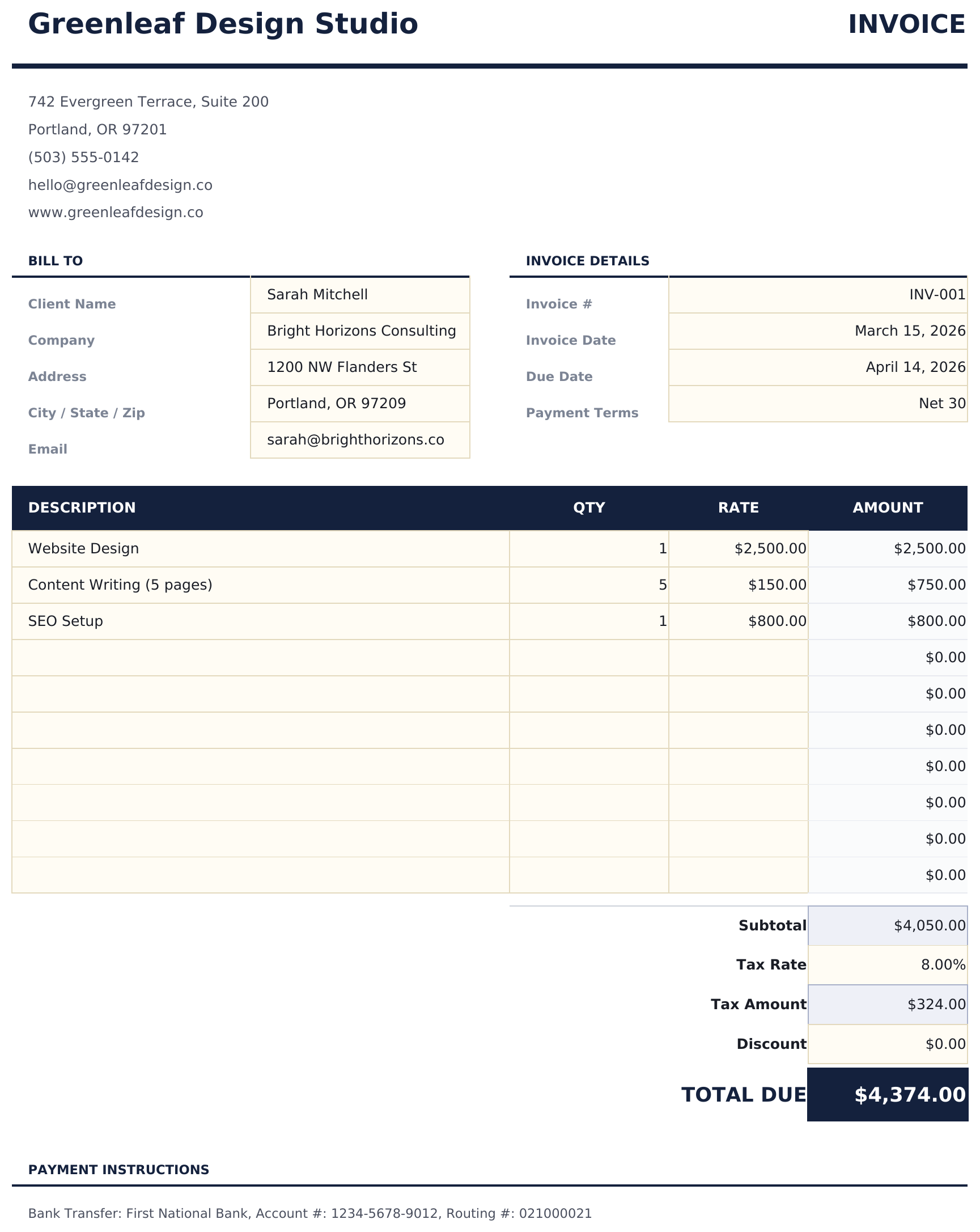
A clean, minimal invoice template with standard fields. Fill in line items, quantities, and rates - totals calculate automatically.
Qué incluye
- Professional invoice layout with company logo area, invoice number, date, and payment terms fields
- Line item entry with description, quantity, and unit rate columns - add as many rows as needed
- Automatic subtotal, tax, and grand total calculations that update whenever you change a line item
- Tax calculation field with customizable tax rate percentage applied automatically to the subtotal
- Print-ready format with company and client info sections and color-coded input cells for data entry
- Works in Microsoft Excel, Google Sheets, and LibreOffice Calc with no setup required
Vista previa
Mira qué contiene esta plantilla

Cómo usar esta plantilla de Simple Invoice
Add your business info
Enter your company name, address, contact details, and logo in the header section of the invoice.
Enter client details
Fill in the client name, address, and contact information. Add the invoice number, date, and payment terms.
Add line items
Enter each product or service with a description, quantity, and unit rate. Line totals calculate automatically.
Review and send
Check the subtotal, tax, and grand total at the bottom. Print or export as PDF to send to your client.
Creadas por Claude AI. Perfeccionadas por nosotros.
Usamos Claude AI para crear el borrador de cada plantilla, después de una investigación profunda. Luego nuestro equipo interviene. Refinamos el diseño, probamos cada fórmula a fondo, corregimos casos especiales y pulimos el diseño hasta que se siente como algo que realmente usaríamos nosotros mismos. La IA nos lleva al 80%. El último 20% es criterio humano.
Preguntas frecuentes
Can I add my company logo?
Yes. There is a designated logo area in the header. Insert your logo image into that cell or area in Excel or Google Sheets.
How many line items can I add?
Add as many rows as needed. Insert new rows above the subtotal row and the formulas will include them in the totals automatically.
Does it calculate tax?
Yes. Enter your tax rate percentage and the template applies it to the subtotal. The grand total includes the tax amount.
Can I save it as a PDF?
Yes. Use File > Save As or Export to PDF in Excel, or File > Download as PDF in Google Sheets to create a professional PDF invoice.
¿Cómo abro esto en Google Sheets?
Sube el archivo .xlsx a Google Drive y luego ábrelo con Google Sheets. Todas las fórmulas y el formato se conservarán.
Más plantillas Essentials de Invoicing & Billing
Service Invoice
Invoice template designed for service-based billing. List services with hourly rates and hours worked - totals update automatically.
$12Sales Invoice
Invoice template for product-based sales. List items with quantities, unit prices, and descriptions - totals and taxes calculate automatically.
$12Consultant Invoice
Invoice template for consulting work with hourly rates and expense reimbursement. Covers professional services billing with clear breakdowns.
$12Freelancer Invoice
Invoice template for freelance work with support for milestone and project-based billing. Clean layout with flexible line item descriptions.
$12¿Buscas plantillas premium?
Nuestras plantillas de pago incluyen paneles avanzados con múltiples hojas, gráficos nativos de Excel y actualizaciones continuas.