Simple Invoice Modèle Essentials
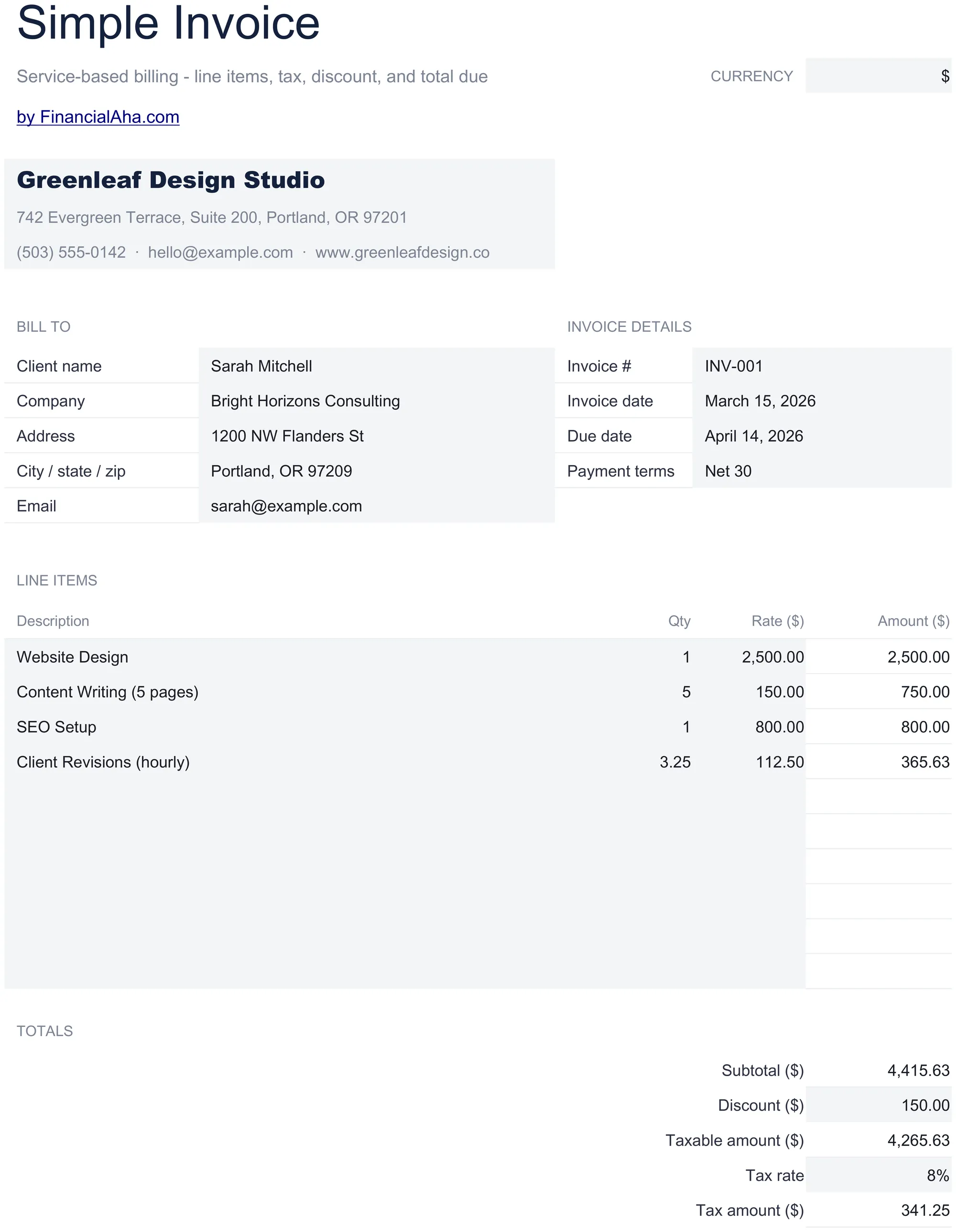
A clean, minimal invoice template with standard fields. Fill in line items, quantities, and rates - totals calculate automatically.
Ce qui est inclus
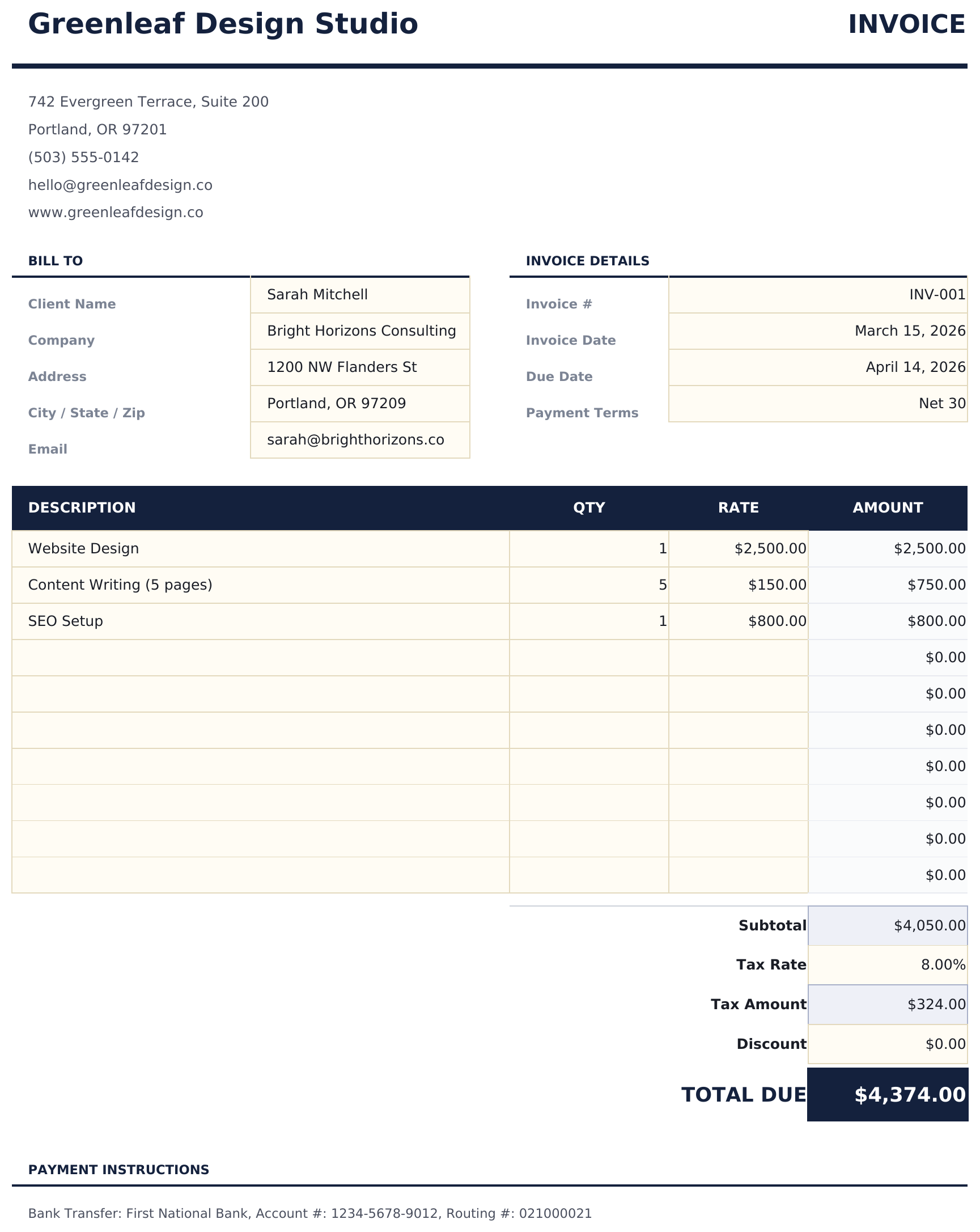
- Professional invoice layout with company logo area, invoice number, date, and payment terms fields
- Line item entry with description, quantity, and unit rate columns - add as many rows as needed
- Automatic subtotal, tax, and grand total calculations that update whenever you change a line item
- Tax calculation field with customizable tax rate percentage applied automatically to the subtotal
- Print-ready format with company and client info sections and color-coded input cells for data entry
- Works in Microsoft Excel, Google Sheets, and LibreOffice Calc with no setup required
Aperçu
Découvrez le contenu de ce modèle

Comment utiliser ce modèle Simple Invoice
Add your business info
Enter your company name, address, contact details, and logo in the header section of the invoice.
Enter client details
Fill in the client name, address, and contact information. Add the invoice number, date, and payment terms.
Add line items
Enter each product or service with a description, quantity, and unit rate. Line totals calculate automatically.
Review and send
Check the subtotal, tax, and grand total at the bottom. Print or export as PDF to send to your client.
Créés par Claude AI. Perfectionnés par nos soins.
Nous utilisons Claude AI pour rédiger chaque modèle, après une recherche approfondie. Puis notre équipe prend le relais. Nous affinons la mise en page, testons chaque formule en conditions réelles, corrigeons les cas limites et peaufinons le design jusqu'à obtenir un résultat que nous utiliserions nous-mêmes. L'IA nous amène à 80 %. Les 20 % restants, c'est du jugement humain.
Questions fréquentes
Can I add my company logo?
Yes. There is a designated logo area in the header. Insert your logo image into that cell or area in Excel or Google Sheets.
How many line items can I add?
Add as many rows as needed. Insert new rows above the subtotal row and the formulas will include them in the totals automatically.
Does it calculate tax?
Yes. Enter your tax rate percentage and the template applies it to the subtotal. The grand total includes the tax amount.
Can I save it as a PDF?
Yes. Use File > Save As or Export to PDF in Excel, or File > Download as PDF in Google Sheets to create a professional PDF invoice.
Comment ouvrir ce fichier dans Google Sheets ?
Importez le fichier .xlsx dans Google Drive, puis ouvrez-le avec Google Sheets. Toutes les formules et la mise en forme seront conservées.
Plus de modèles Essentials Invoicing & Billing
Service Invoice
Invoice template designed for service-based billing. List services with hourly rates and hours worked - totals update automatically.
$12Sales Invoice
Invoice template for product-based sales. List items with quantities, unit prices, and descriptions - totals and taxes calculate automatically.
$12Consultant Invoice
Invoice template for consulting work with hourly rates and expense reimbursement. Covers professional services billing with clear breakdowns.
$12Freelancer Invoice
Invoice template for freelance work with support for milestone and project-based billing. Clean layout with flexible line item descriptions.
$12Vous recherchez des modèles de tableurs premium ?
Nos modèles payants incluent des tableaux de bord multi-feuilles avancés, des graphiques Excel natifs et des mises à jour régulières.
Privé et sécurisé
Vos données financières restent sur votre appareil. Nous ne les voyons jamais.
En savoir plus →