Mejor valor Paquete Todo-en-Uno de Planificación Financiera
✓ Planificación Financiera✓ Rastreador de Patrimonio Neto✓ Presupuesto Mensual✓ Planificador de Presupuesto de Viaje✓ Planificador de Presupuesto Anual✓ Rastreador de Gastos Mensuales✓ Planificador de Impuestos Anual✓ Planificación de Jubilación
Ver paquete →
Plantilla Essentials - Excel y Google Sheets

Annual Budget Planner Plantilla Essentials

Plan and review finances across all 12 months in one view. Helpful for spotting seasonal patterns and planning ahead.

Annual Budget Planner preview

Qué incluye

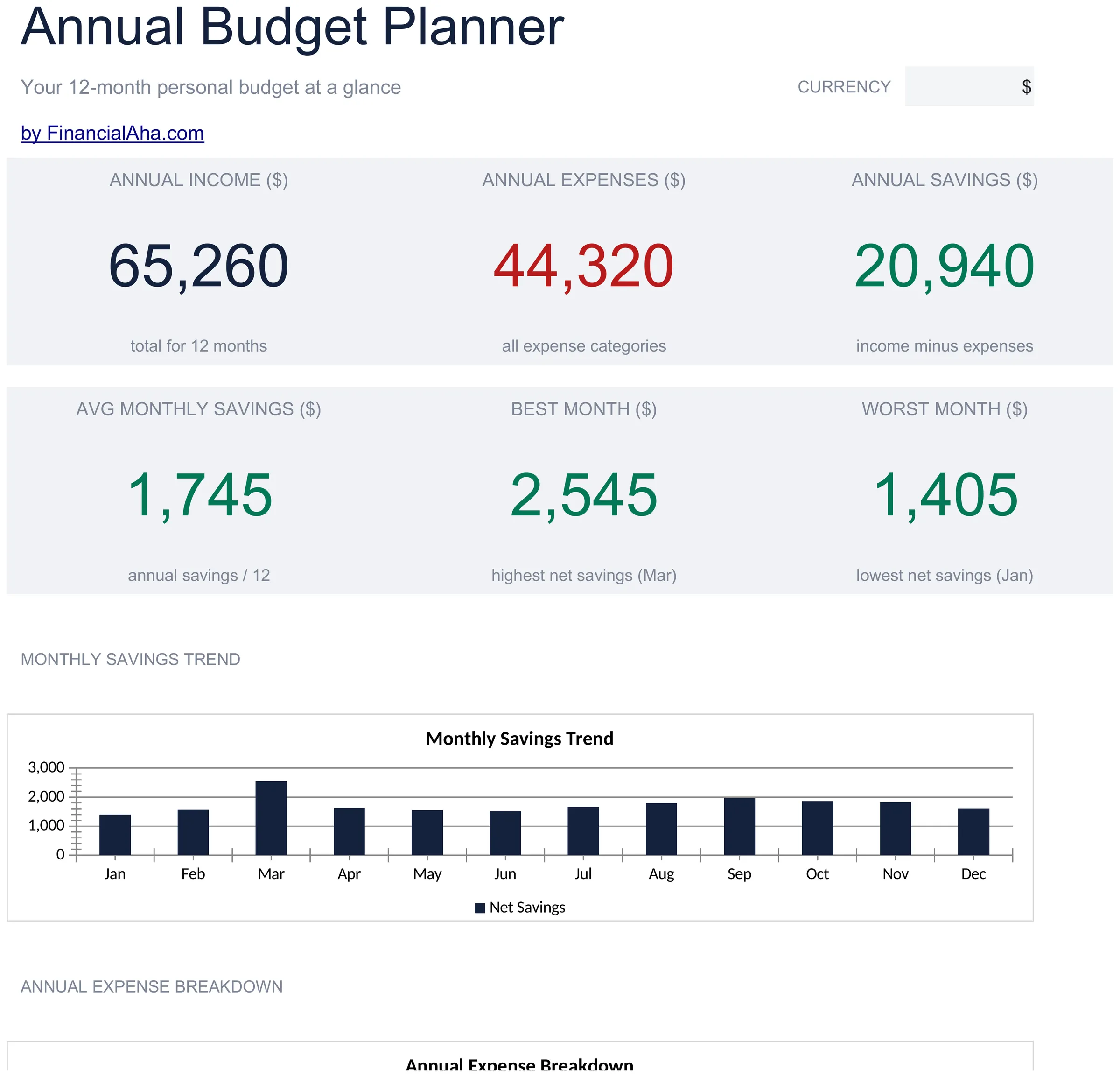
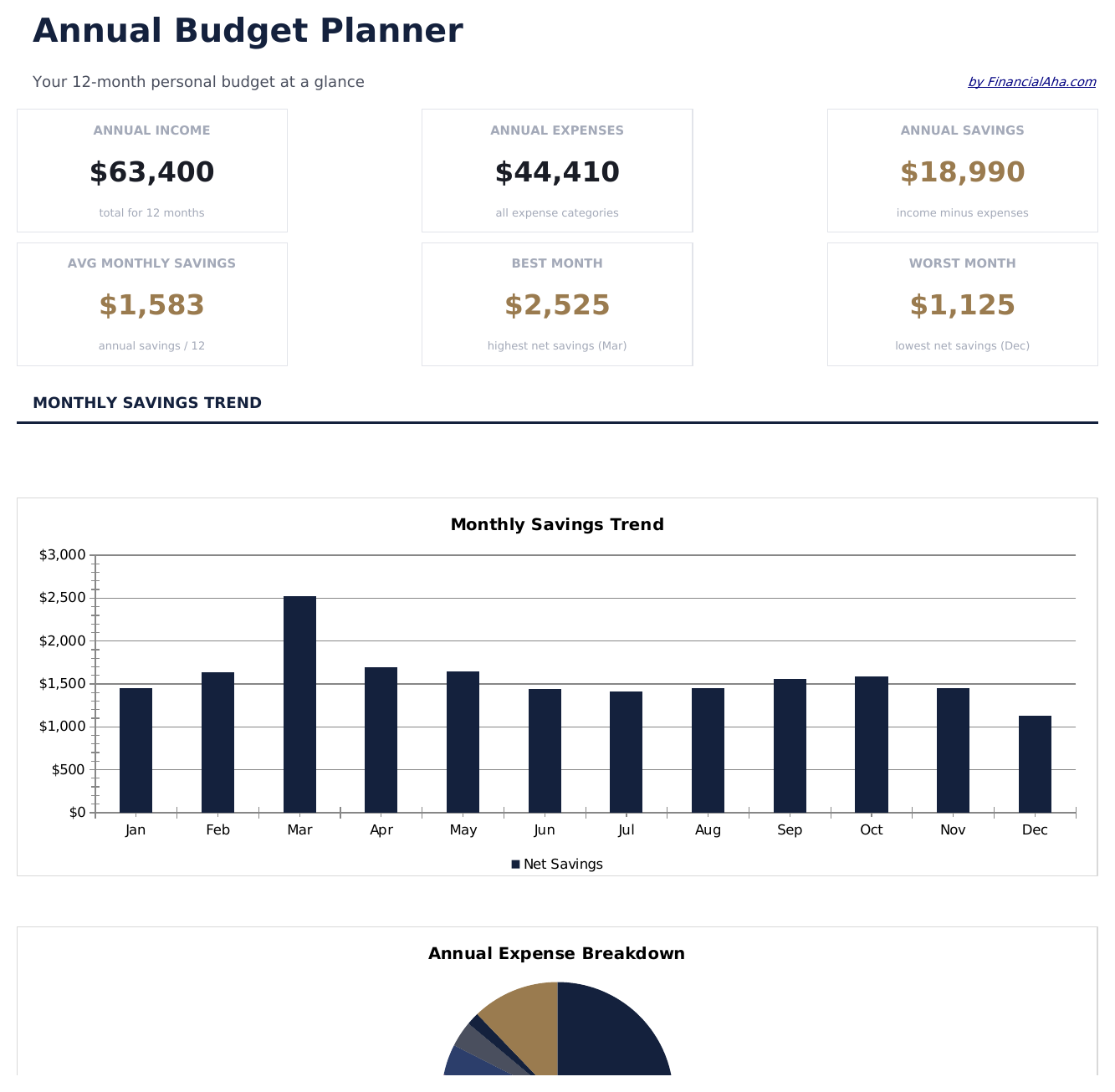
  • Dashboard with year-at-a-glance summary showing total annual income, expenses, and net savings
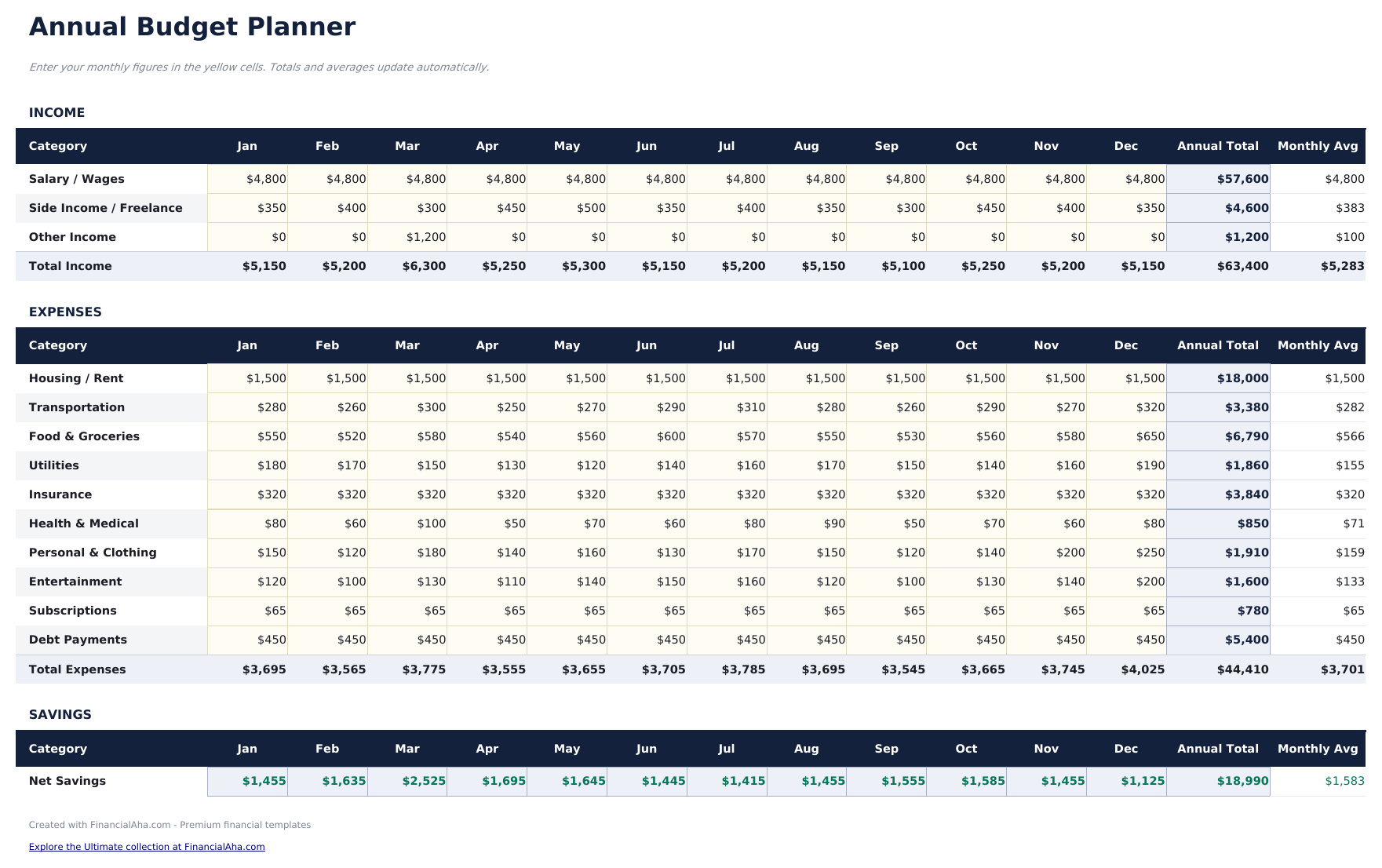
  • All 12 months displayed on one sheet with columns for each month and automatic annual totals
  • Annual budget worksheet with row-by-row categories for income, housing, food, transport, and more
  • Year-over-year comparison support with monthly averages and annual total calculations built in
  • Color-coded input cells (yellow) and formula-driven result cells (blue) for guided data entry
  • Works in Microsoft Excel, Google Sheets, and LibreOffice Calc with no setup required

Cómo usar esta plantilla de Annual Budget Planner

1

Set up categories

Review the pre-filled income and expense categories. Rename or add rows to match your actual financial picture for the year.

2

Enter monthly amounts

Fill in each month column with income and expenses. The annual totals and monthly averages calculate automatically.

3

Spot seasonal patterns

Look across all 12 months for spending spikes - holidays, insurance renewals, or back-to-school costs become visible in the yearly view.

4

Review year-end totals

The dashboard summarizes annual income, expenses, and net savings so you can see the full-year picture in one place.

Creadas por Claude AI. Perfeccionadas por nosotros.

Usamos Claude AI para crear el borrador de cada plantilla, después de una investigación profunda. Luego nuestro equipo interviene. Refinamos el diseño, probamos cada fórmula a fondo, corregimos casos especiales y pulimos el diseño hasta que se siente como algo que realmente usaríamos nosotros mismos. La IA nos lleva al 80%. El último 20% es criterio humano.

Preguntas frecuentes

Can I plan future months in advance?

Yes. Enter estimated amounts for upcoming months and replace them with actual figures as each month passes. The annual totals update either way.

How are the annual averages calculated?

The template divides each category total by 12 to show the monthly average. This is useful for smoothing out seasonal variations in spending.

Can I track multiple years?

This template covers one calendar year. For multi-year planning, duplicate the file for each year or use our premium Annual Budget Template.

What categories are pre-filled?

Categories include housing, food, transportation, utilities, entertainment, insurance, savings, and debt payments. You can modify any of them to fit your needs.

¿Cómo abro esto en Google Sheets?

Sube el archivo .xlsx a Google Drive y luego ábrelo con Google Sheets. Todas las fórmulas y el formato se conservarán.

Más plantillas Essentials de Personal Budgeting

¿Buscas plantillas premium?

Nuestras plantillas de pago incluyen paneles avanzados con múltiples hojas, gráficos nativos de Excel y actualizaciones continuas.

Privado y seguro

Sus datos financieros permanecen en su dispositivo. Nunca los vemos.

Saber más →

¿Necesita ayuda?

Consulte nuestras guías o contáctenos con preguntas.

Ver FAQ →