Meilleur rapport qualité-prix Pack Complet de Planification Financière
✓ Planification Financière✓ Suivi du Patrimoine Net✓ Budget Mensuel✓ Planificateur de Budget Voyage✓ Planificateur de Budget Annuel✓ Suivi des Dépenses Mensuelles✓ Planificateur Fiscal Annuel✓ Planification de Retraite
Voir le pack →
Modèle Essentials - Excel et Google Sheets

Annual Budget Planner Modèle Essentials

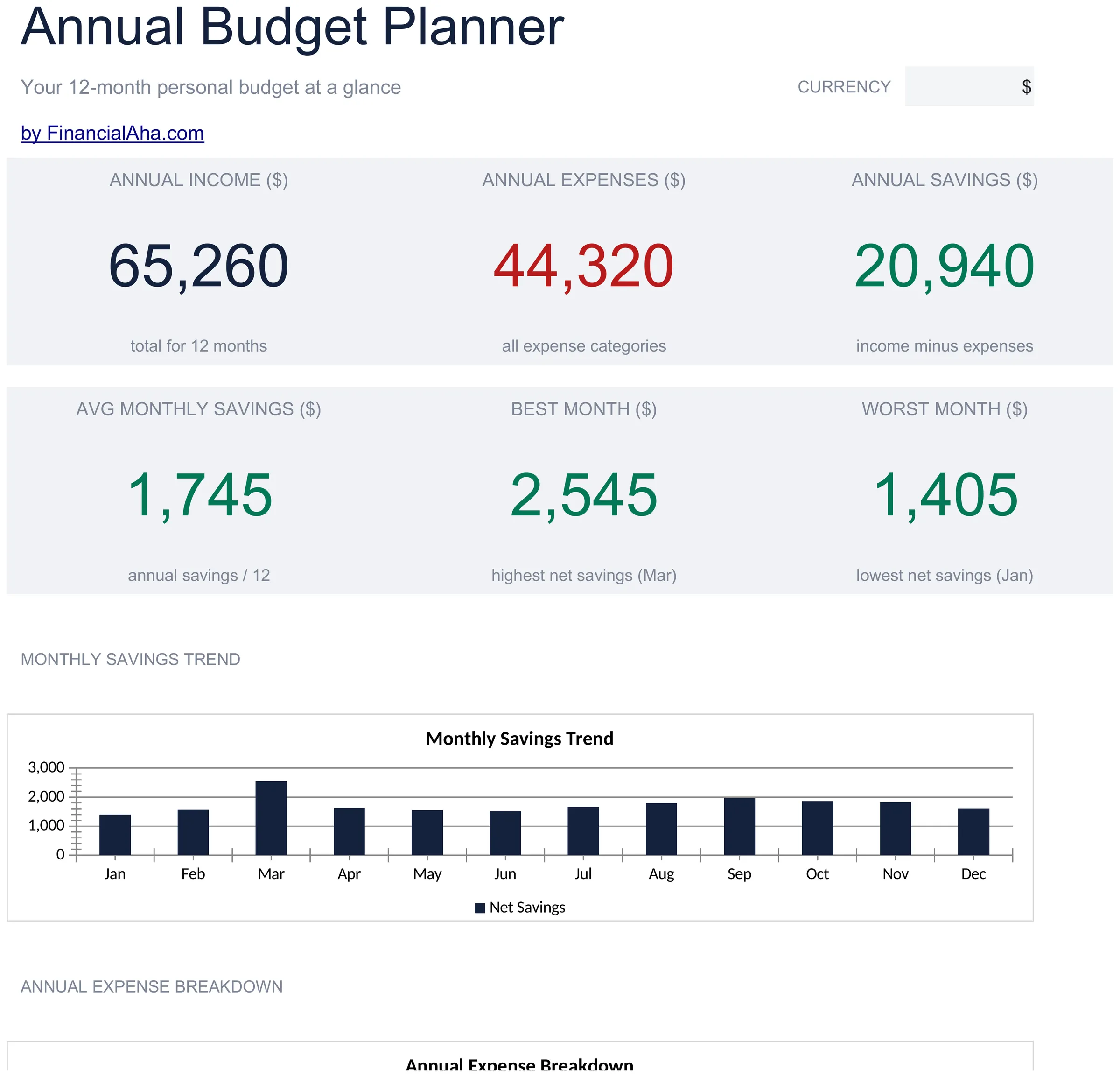
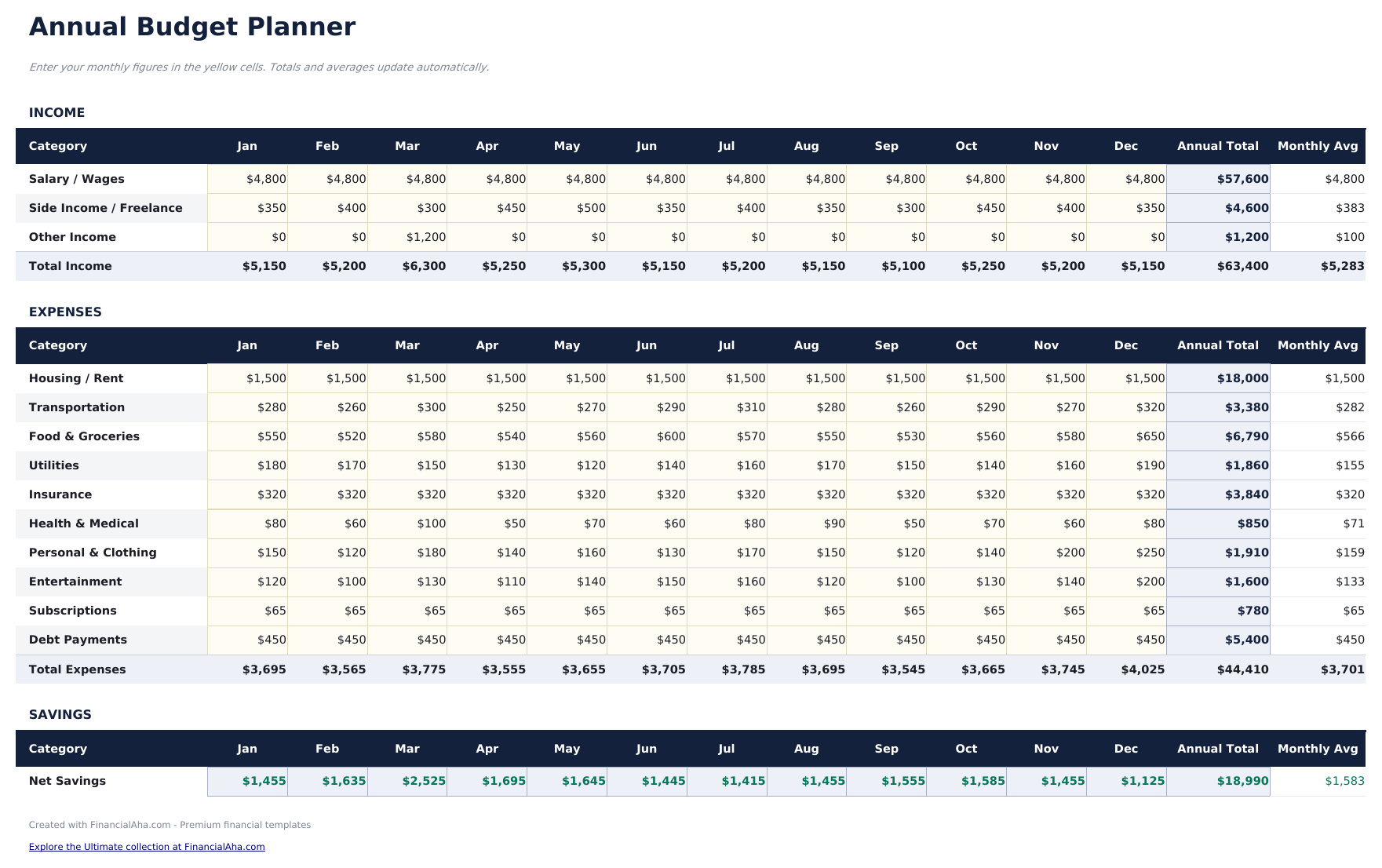
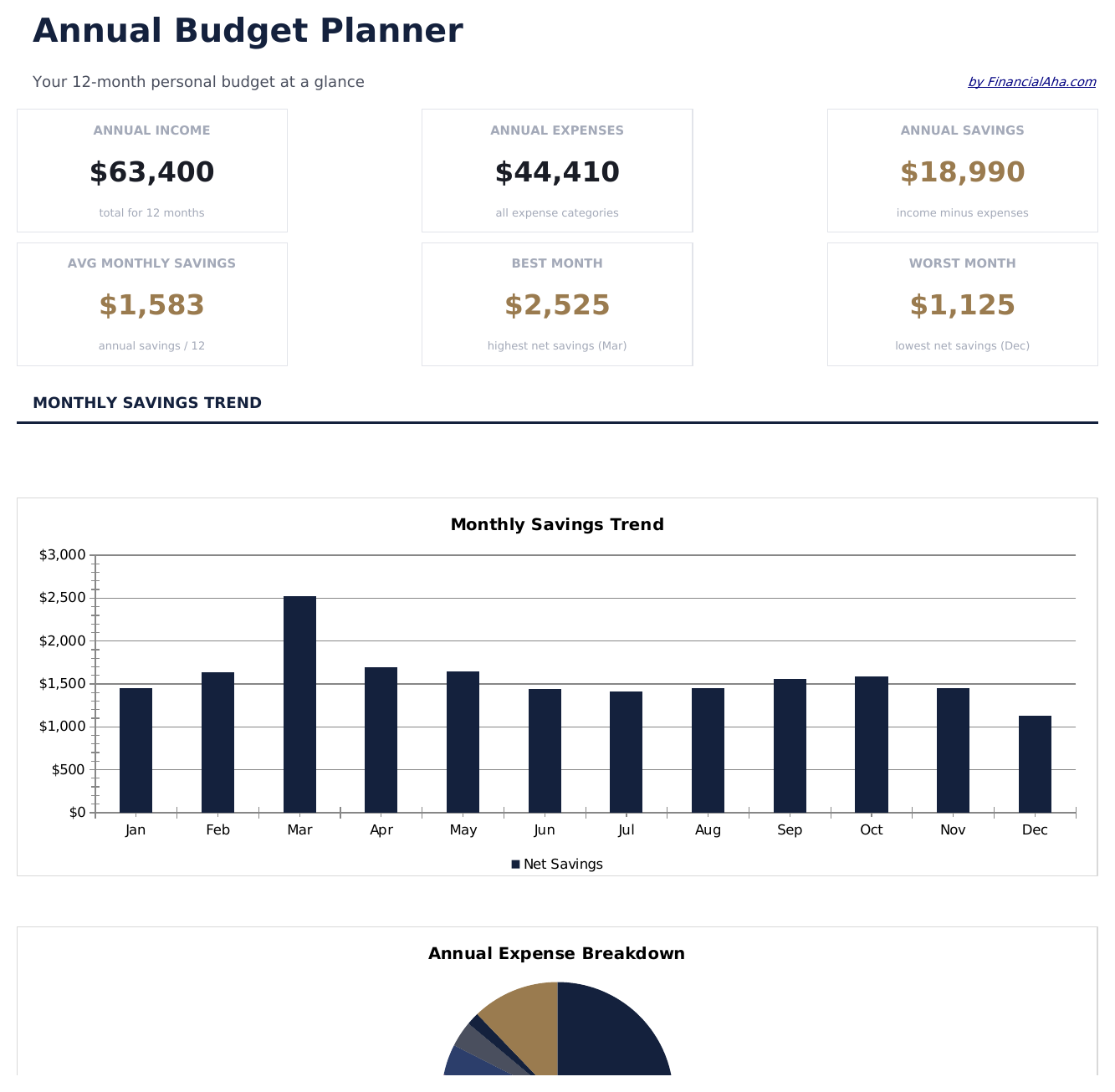
Plan and review finances across all 12 months in one view. Helpful for spotting seasonal patterns and planning ahead.

Annual Budget Planner preview

Ce qui est inclus

  • Dashboard with year-at-a-glance summary showing total annual income, expenses, and net savings
  • All 12 months displayed on one sheet with columns for each month and automatic annual totals
  • Annual budget worksheet with row-by-row categories for income, housing, food, transport, and more
  • Year-over-year comparison support with monthly averages and annual total calculations built in
  • Color-coded input cells (yellow) and formula-driven result cells (blue) for guided data entry
  • Works in Microsoft Excel, Google Sheets, and LibreOffice Calc with no setup required

Comment utiliser ce modèle Annual Budget Planner

1

Set up categories

Review the pre-filled income and expense categories. Rename or add rows to match your actual financial picture for the year.

2

Enter monthly amounts

Fill in each month column with income and expenses. The annual totals and monthly averages calculate automatically.

3

Spot seasonal patterns

Look across all 12 months for spending spikes - holidays, insurance renewals, or back-to-school costs become visible in the yearly view.

4

Review year-end totals

The dashboard summarizes annual income, expenses, and net savings so you can see the full-year picture in one place.

Créés par Claude AI. Perfectionnés par nos soins.

Nous utilisons Claude AI pour rédiger chaque modèle, après une recherche approfondie. Puis notre équipe prend le relais. Nous affinons la mise en page, testons chaque formule en conditions réelles, corrigeons les cas limites et peaufinons le design jusqu'à obtenir un résultat que nous utiliserions nous-mêmes. L'IA nous amène à 80 %. Les 20 % restants, c'est du jugement humain.

Questions fréquentes

Can I plan future months in advance?

Yes. Enter estimated amounts for upcoming months and replace them with actual figures as each month passes. The annual totals update either way.

How are the annual averages calculated?

The template divides each category total by 12 to show the monthly average. This is useful for smoothing out seasonal variations in spending.

Can I track multiple years?

This template covers one calendar year. For multi-year planning, duplicate the file for each year or use our premium Annual Budget Template.

What categories are pre-filled?

Categories include housing, food, transportation, utilities, entertainment, insurance, savings, and debt payments. You can modify any of them to fit your needs.

Comment ouvrir ce fichier dans Google Sheets ?

Importez le fichier .xlsx dans Google Drive, puis ouvrez-le avec Google Sheets. Toutes les formules et la mise en forme seront conservées.

Plus de modèles Essentials Personal Budgeting

Vous recherchez des modèles de tableurs premium ?

Nos modèles payants incluent des tableaux de bord multi-feuilles avancés, des graphiques Excel natifs et des mises à jour régulières.

Privé et sécurisé

Vos données financières restent sur votre appareil. Nous ne les voyons jamais.

En savoir plus →

Besoin d'aide?

Consultez nos guides ou contactez-nous pour toute question.

Voir FAQ →