Meilleur rapport qualité-prix Pack Complet de Planification Financière
✓ Planification Financière✓ Suivi du Patrimoine Net✓ Budget Mensuel✓ Planificateur de Budget Voyage✓ Planificateur de Budget Annuel✓ Suivi des Dépenses Mensuelles✓ Planificateur Fiscal Annuel✓ Planification de Retraite
Voir le pack →
Ultimate Version Ultimate disponible - Budget base zéro Ultimate
Modèle Essentials - Excel et Google Sheets

Zero-Based Budget Modèle Essentials

Assign every dollar of income to a specific category until the balance reaches zero. Designed for people who want full control over each dollar.

Voir la version Ultimate →
Zero-Based Budget preview

Ce qui est inclus

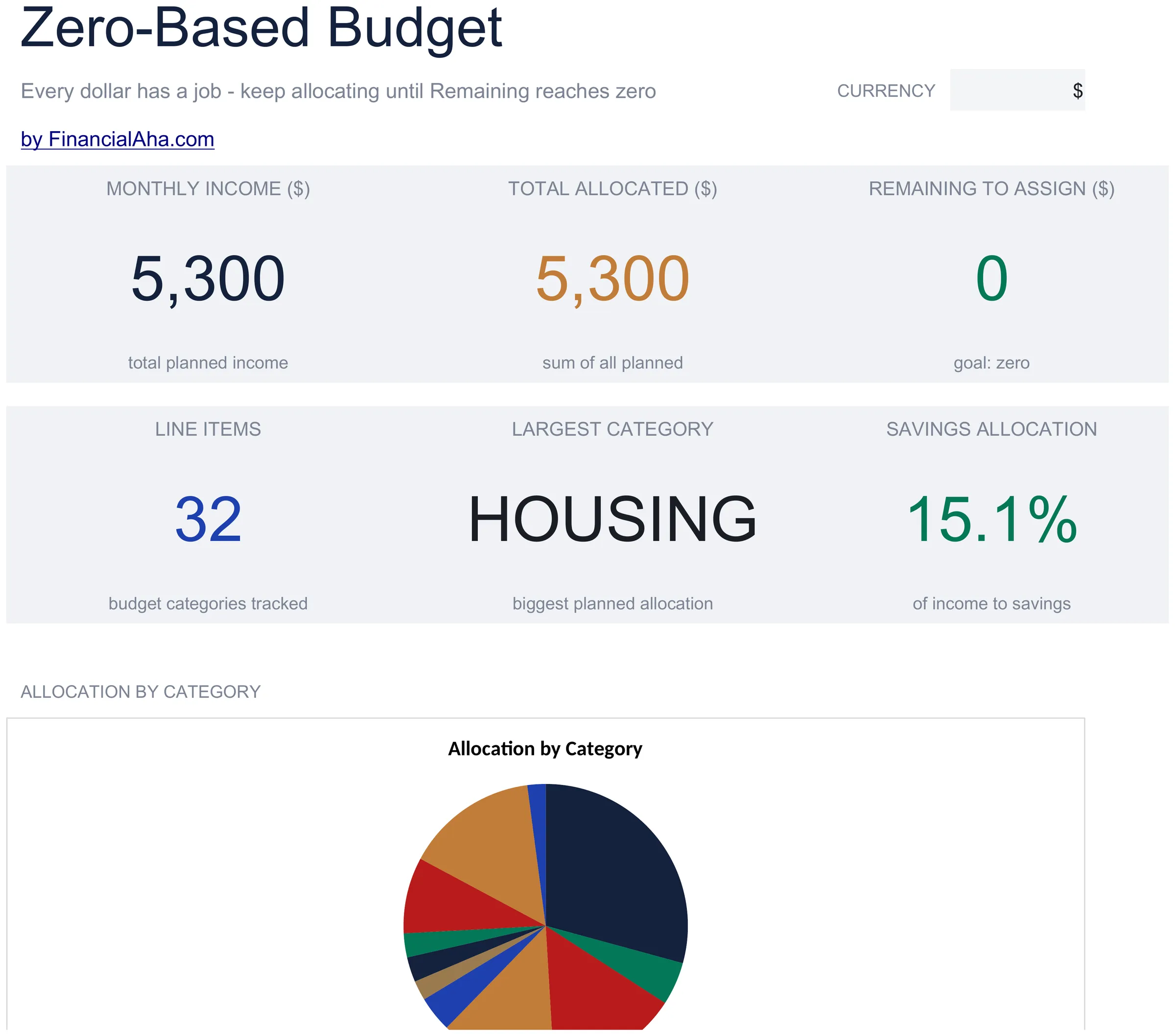
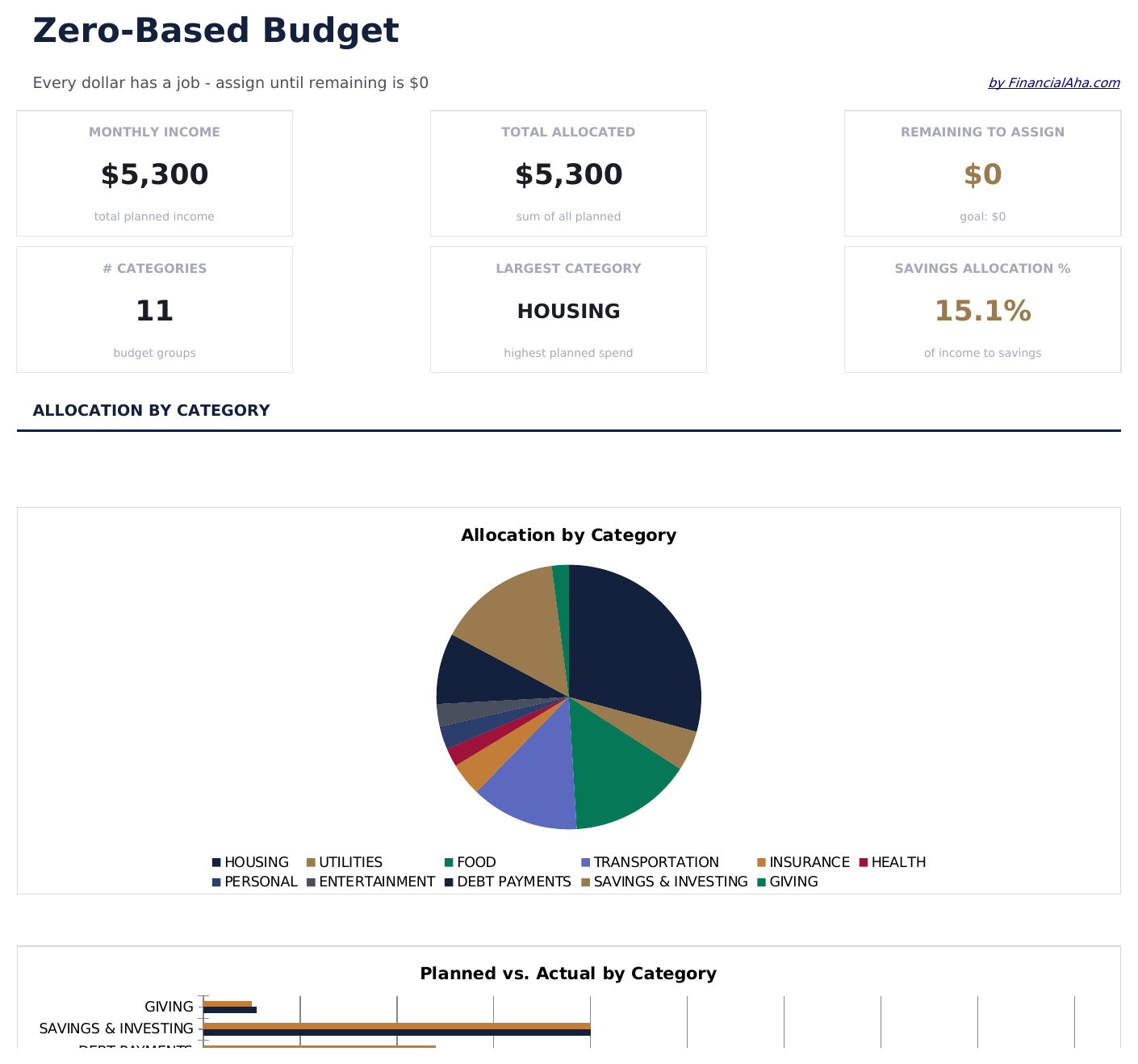
  • Dashboard with remaining-to-assign balance that counts down to zero as you allocate each dollar
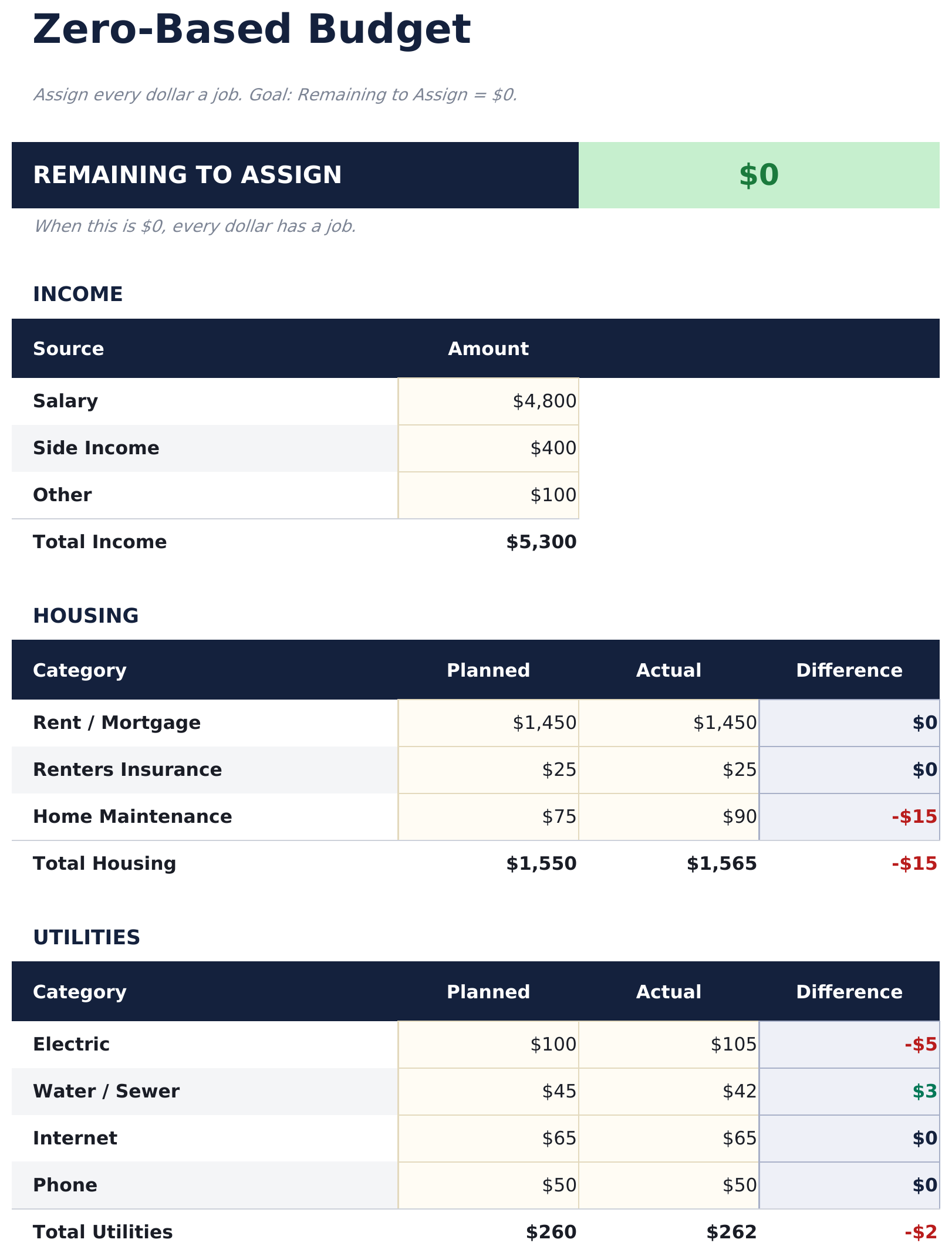
  • Zero-based budget worksheet with income at the top and category assignments flowing downward
  • Income allocation section covering fixed expenses, variable spending, savings, and debt payments
  • Automatic running balance that recalculates after each category so you can track every dollar
  • Color-coded input cells (yellow) and formula-driven result cells (blue) for clear data entry
  • Works in Microsoft Excel, Google Sheets, and LibreOffice Calc with no setup required
Ultimate Version Available

Need more from this template?

The Essentials version covers everyday tracking. Ultimate goes further with multi-entity support, scenario analysis, and ultimate-grade reporting.

Essentials - $12
  • Dashboard with remaining-to-assign balance that counts down to zero as you allocate each dollar
  • Zero-based budget worksheet with income at the top and category assignments flowing downward
  • Income allocation section covering fixed expenses, variable spending, savings, and debt payments
  • Automatic running balance that recalculates after each category so you can track every dollar
Ultimate - $19
  • Feuille de revenus pour saisir toutes les sources de revenus avec totaux mensuels alimentant l'allocation base zéro
  • Feuille d'allocation budgétaire affectant chaque dollar à 16 catégories - le solde restant se met à jour avec chaque allocation pour voir le montant non affecté approcher de zéro
  • Journal de dépenses pour enregistrer les transactions réelles avec date, catégorie, description et montant - prend en charge jusqu'à 150 entrées par mois
  • Tableau de bord avec 6 indicateurs clés : revenu total, total alloué, restant à affecter, total dépensé, écart par rapport au budget et nombre de transactions
  • Feuille d'historique mensuel enregistrant les allocations prévues/dépenses réelles pour chacun des 12 mois
See what's in the Ultimate version One-time purchase. No subscription.

Comment utiliser ce modèle Zero-Based Budget

1

Enter your income

Add all income sources at the top. The remaining-to-assign balance starts at your total income and counts down as you allocate.

2

Assign every dollar

Distribute income across fixed expenses, variable spending, savings, and debt payments until the remaining balance reaches zero.

3

Track the balance

Watch the remaining-to-assign field. When it hits zero, every dollar has a purpose. A negative number means you have over-allocated.

4

Reconcile at month end

Compare planned allocations to actual spending. Adjust next month based on where you overspent or underspent.

Créés par Claude AI. Perfectionnés par nos soins.

Nous utilisons Claude AI pour rédiger chaque modèle, après une recherche approfondie. Puis notre équipe prend le relais. Nous affinons la mise en page, testons chaque formule en conditions réelles, corrigeons les cas limites et peaufinons le design jusqu'à obtenir un résultat que nous utiliserions nous-mêmes. L'IA nous amène à 80 %. Les 20 % restants, c'est du jugement humain.

Voir la version Ultimate →

Questions fréquentes

What does zero-based mean?

Zero-based budgeting means assigning every dollar of income to a category - spending, saving, or debt - so the unallocated balance reaches exactly zero. No money is left without a purpose.

What if I have leftover income?

Assign the remaining amount to savings, an emergency fund, or extra debt payments. The goal is for the remaining-to-assign field to show zero.

Can I use this for irregular income?

Yes. Enter your expected income for the month and allocate from there. If income varies, update the total when you know the actual amount and reassign categories.

How do I handle unexpected expenses?

Add a miscellaneous or buffer category in your allocations. When surprise expenses come up, deduct from that category to keep the budget balanced.

Comment ouvrir ce fichier dans Google Sheets ?

Importez le fichier .xlsx dans Google Drive, puis ouvrez-le avec Google Sheets. Toutes les formules et la mise en forme seront conservées.

Plus de modèles Essentials Personal Budgeting

Vous recherchez des modèles de tableurs premium ?

Nos modèles payants incluent des tableaux de bord multi-feuilles avancés, des graphiques Excel natifs et des mises à jour régulières.

Privé et sécurisé

Vos données financières restent sur votre appareil. Nous ne les voyons jamais.

En savoir plus →

Besoin d'aide?

Consultez nos guides ou contactez-nous pour toute question.

Voir FAQ →