超值优惠 一站式财务规划套餐
✓ 财务规划✓ 净资产追踪器✓ 月度预算✓ 旅行预算规划器✓ 年度预算规划器✓ 月度支出追踪器✓ 年度税务规划器✓ 退休规划
查看套餐 →
Ultimate Ultimate 版本可用 - 专业版零基预算
Essentials 模板 - Excel 和 Google Sheets

Zero-Based Budget Essentials 模板

Assign every dollar of income to a specific category until the balance reaches zero. Designed for people who want full control over each dollar.

查看 Ultimate 版本 →
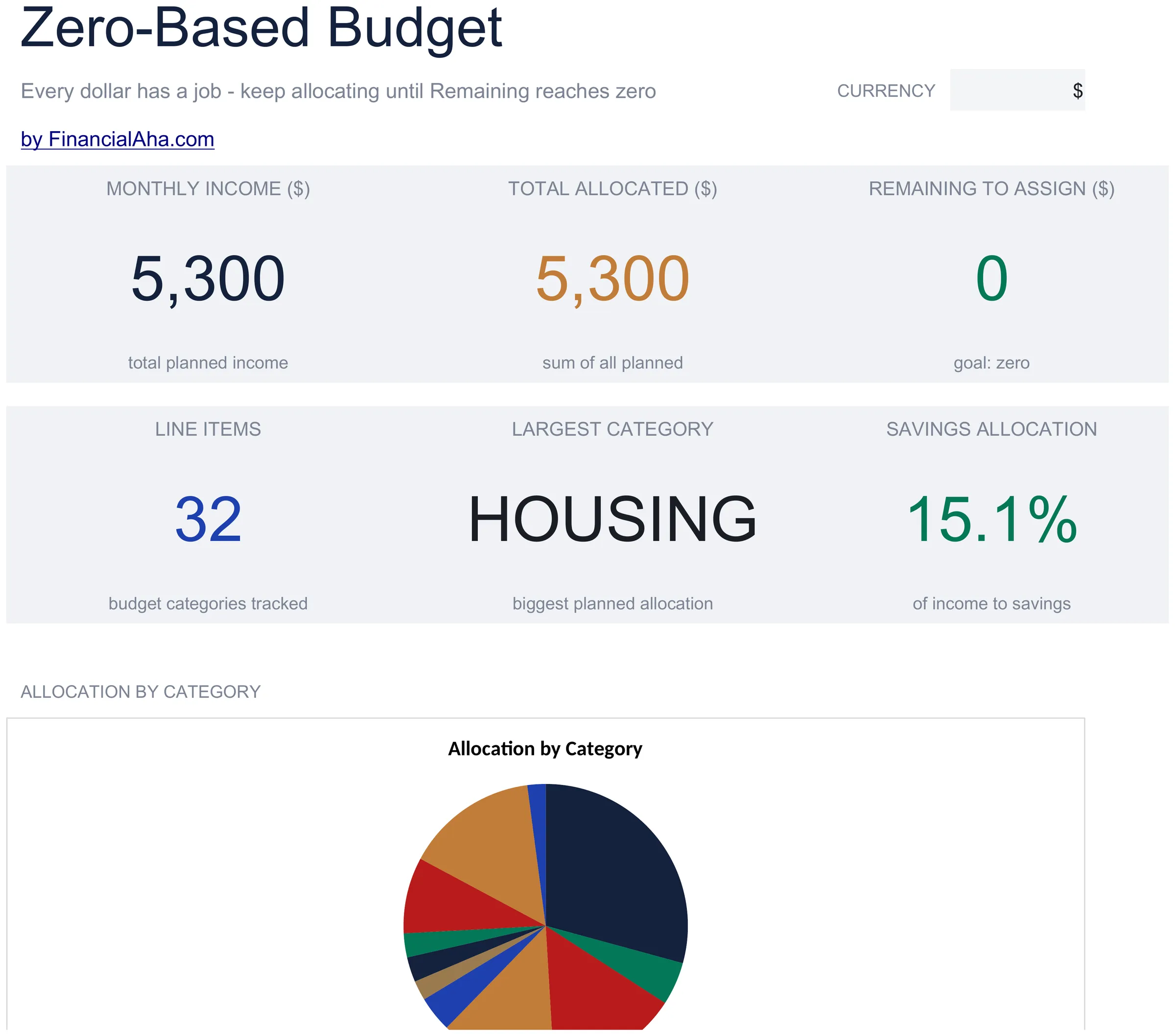
Zero-Based Budget preview

包含内容

  • Dashboard with remaining-to-assign balance that counts down to zero as you allocate each dollar
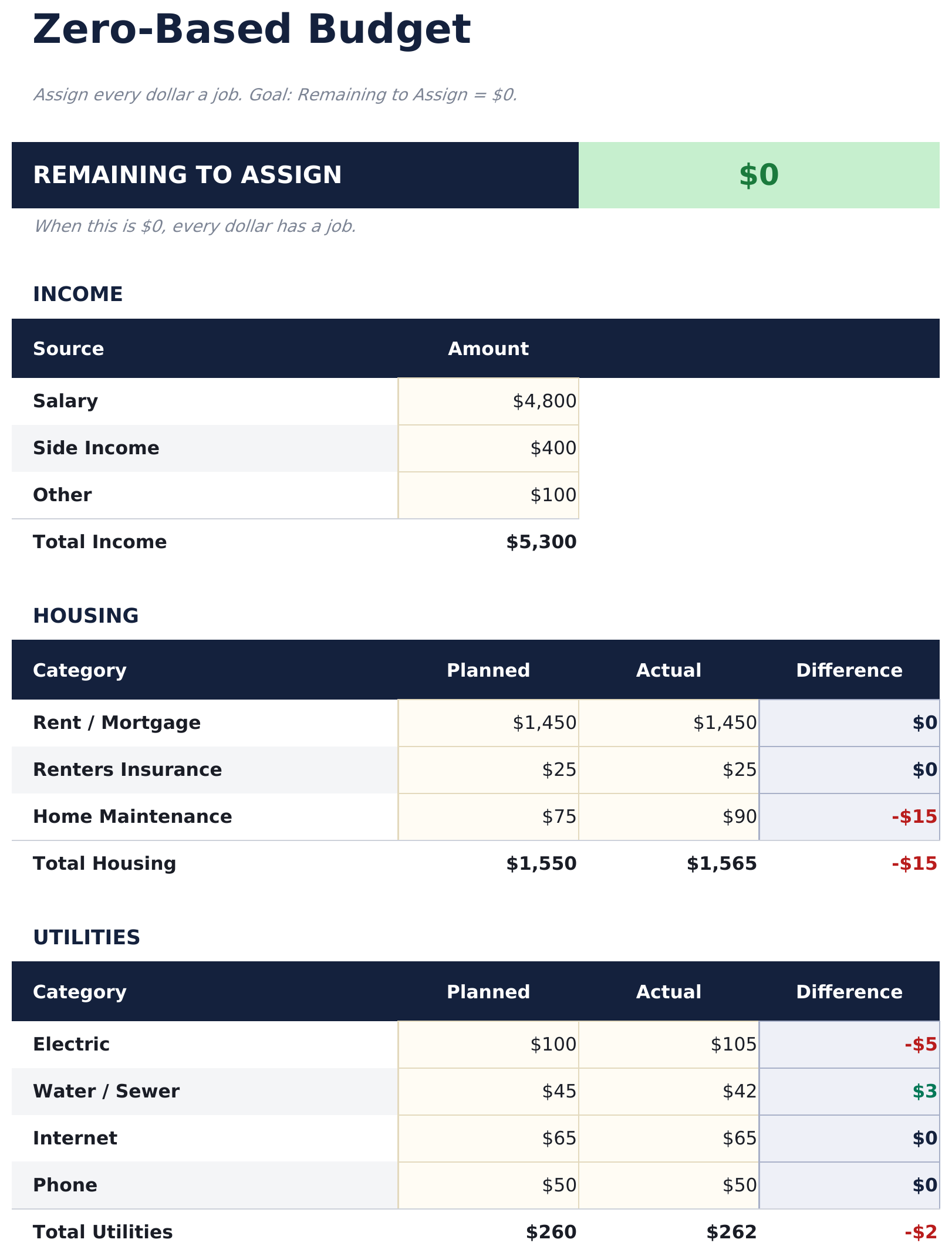
  • Zero-based budget worksheet with income at the top and category assignments flowing downward
  • Income allocation section covering fixed expenses, variable spending, savings, and debt payments
  • Automatic running balance that recalculates after each category so you can track every dollar
  • Color-coded input cells (yellow) and formula-driven result cells (blue) for clear data entry
  • Works in Microsoft Excel, Google Sheets, and LibreOffice Calc with no setup required
Ultimate Version Available

Need more from this template?

The Essentials version covers everyday tracking. Ultimate goes further with multi-entity support, scenario analysis, and ultimate-grade reporting.

Essentials - $12
  • Dashboard with remaining-to-assign balance that counts down to zero as you allocate each dollar
  • Zero-based budget worksheet with income at the top and category assignments flowing downward
  • Income allocation section covering fixed expenses, variable spending, savings, and debt payments
  • Automatic running balance that recalculates after each category so you can track every dollar
Ultimate - $19
  • 收入工作表用于输入所有收入来源,月度总额流入零基分配
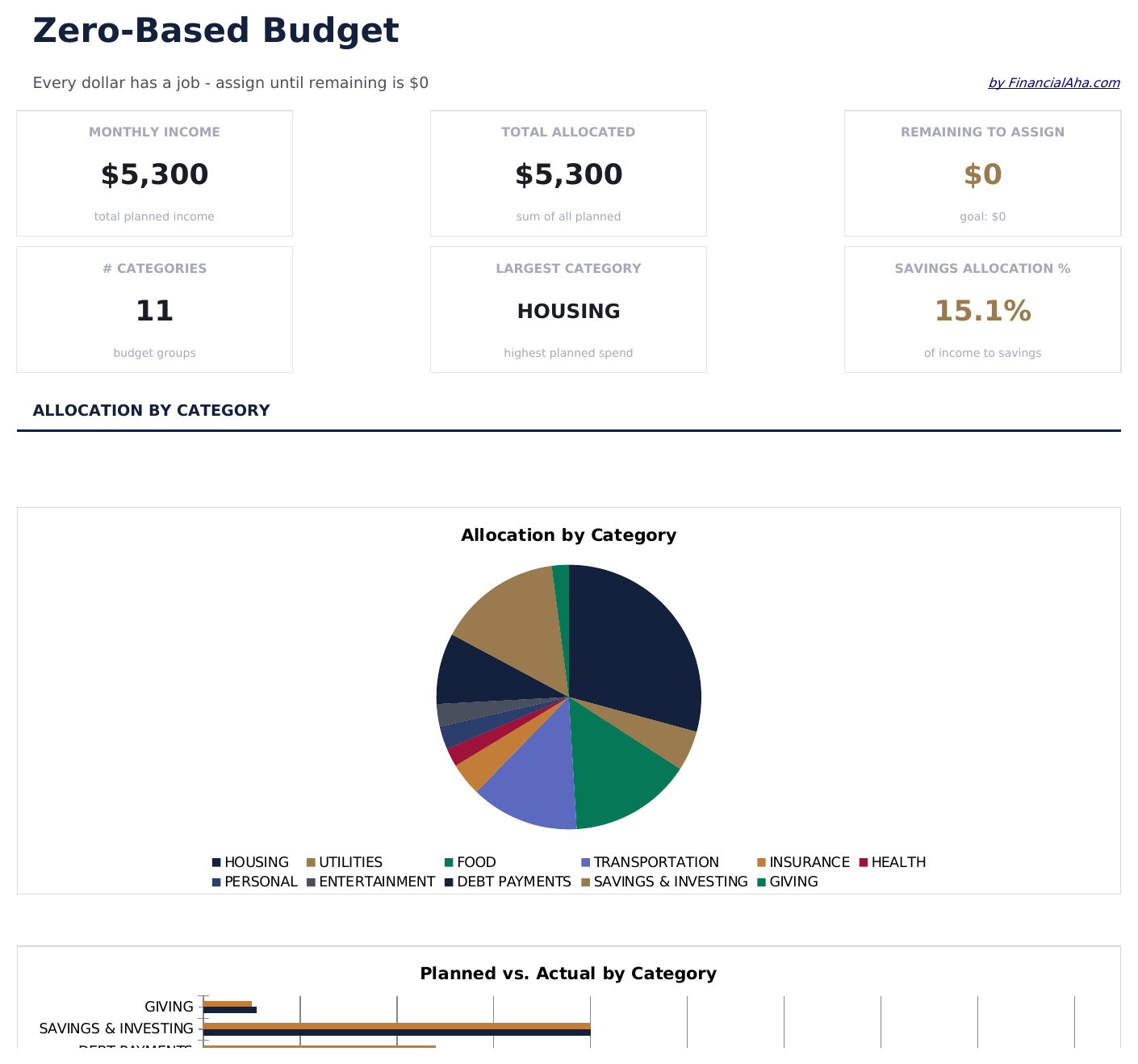
  • 预算分配工作表将每一分钱分配到16个类别 - 未分配余额随每次分配实时更新,让您看到未分配余额趋近于零
  • 消费日志用于记录实际交易,包含日期、类别、描述和金额 - 每月支持最多150条记录
  • 仪表板包含6个关键指标卡片:总收入、已分配总额、待分配余额、总支出、与预算差异和交易笔数
  • 月度历史工作表记录12个月中每月的计划分配与实际支出总额
See what's in the Ultimate version One-time purchase. No subscription.

如何使用这个Zero-Based Budget模板

1

Enter your income

Add all income sources at the top. The remaining-to-assign balance starts at your total income and counts down as you allocate.

2

Assign every dollar

Distribute income across fixed expenses, variable spending, savings, and debt payments until the remaining balance reaches zero.

3

Track the balance

Watch the remaining-to-assign field. When it hits zero, every dollar has a purpose. A negative number means you have over-allocated.

4

Reconcile at month end

Compare planned allocations to actual spending. Adjust next month based on where you overspent or underspent.

由 Claude AI 构建,经我们精心打磨。

我们使用 Claude AI 在深入研究后起草每个模板。然后由团队接手,优化布局、全面测试每个公式、修复边界情况,并打磨设计,直到达到我们自己愿意使用的标准。AI 完成了 80% 的工作,最后 20% 靠的是人工判断。

查看 Ultimate 版本 →

常见问题

What does zero-based mean?

Zero-based budgeting means assigning every dollar of income to a category - spending, saving, or debt - so the unallocated balance reaches exactly zero. No money is left without a purpose.

What if I have leftover income?

Assign the remaining amount to savings, an emergency fund, or extra debt payments. The goal is for the remaining-to-assign field to show zero.

Can I use this for irregular income?

Yes. Enter your expected income for the month and allocate from there. If income varies, update the total when you know the actual amount and reassign categories.

How do I handle unexpected expenses?

Add a miscellaneous or buffer category in your allocations. When surprise expenses come up, deduct from that category to keep the budget balanced.

如何在 Google Sheets 中打开?

将 .xlsx 文件上传到 Google Drive,然后使用 Google Sheets 打开。所有公式和格式都会保留。

更多 Personal Budgeting Essentials 模板

在寻找付费电子表格模板?

我们的付费模板包含高级多工作表仪表盘、原生 Excel 图表,并持续更新。

私密且安全

您的财务数据保留在您的设备上。我们永远看不到。

了解更多 →

需要帮助?

查看我们的指南或提出问题。

查看常见问题 →