Miglior valore Pacchetto Completo di Pianificazione Finanziaria
✓ Pianificazione Finanziaria✓ Tracker Patrimonio Netto✓ Budget Mensile✓ Pianificatore Budget Viaggio✓ Pianificatore Budget Annuale✓ Tracker Spese Mensili✓ Pianificatore Fiscale Annuale✓ Pianificazione Pensione
Vedi pacchetto →
Ultimate Versione Ultimate disponibile - Budget a Base Zero Ultimate
Modello Essentials - Excel e Google Sheets

Zero-Based Budget Modello Essentials

Assign every dollar of income to a specific category until the balance reaches zero. Designed for people who want full control over each dollar.

Vedi la versione Ultimate →
Zero-Based Budget preview

Cosa include

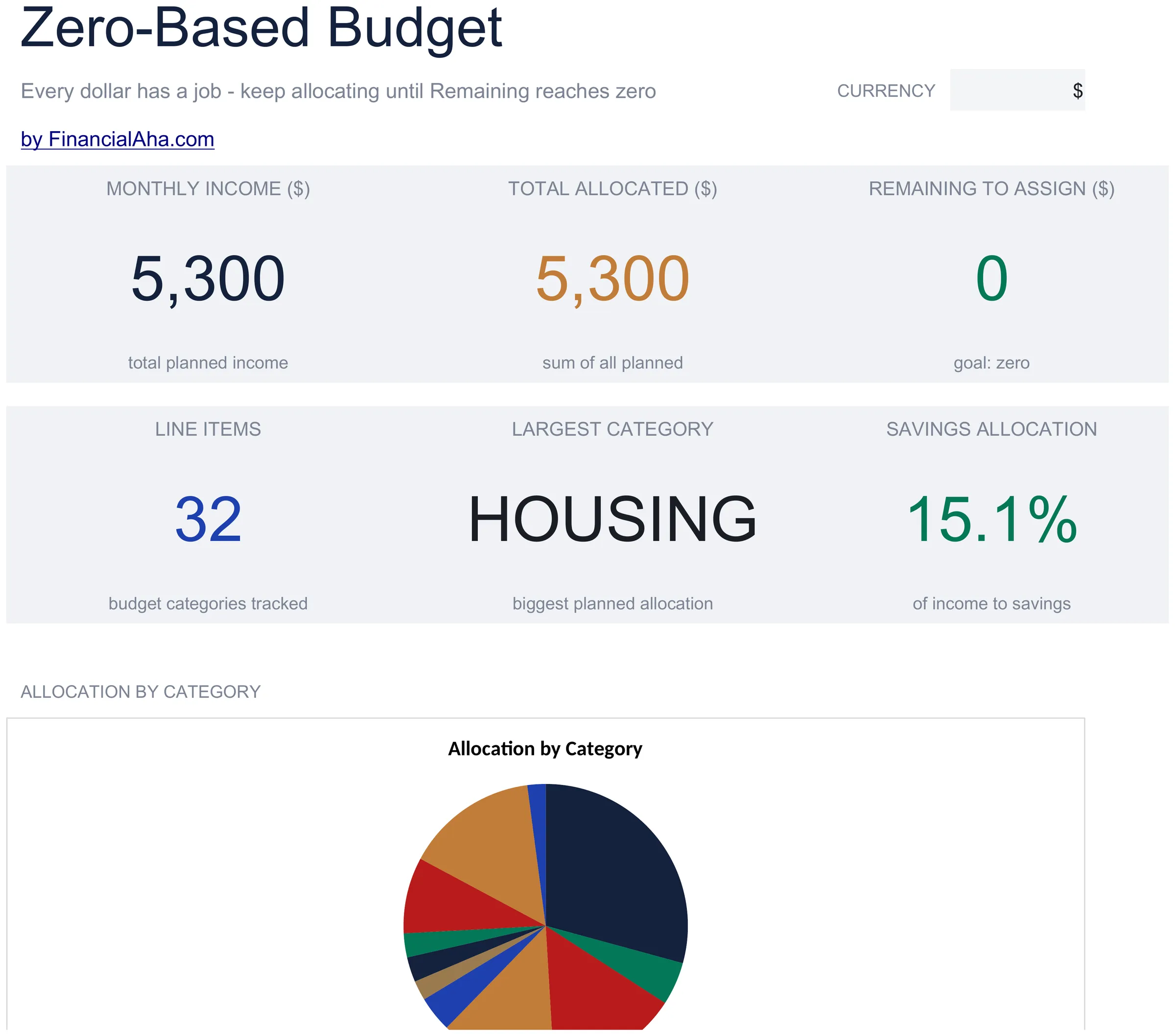
  • Dashboard with remaining-to-assign balance that counts down to zero as you allocate each dollar
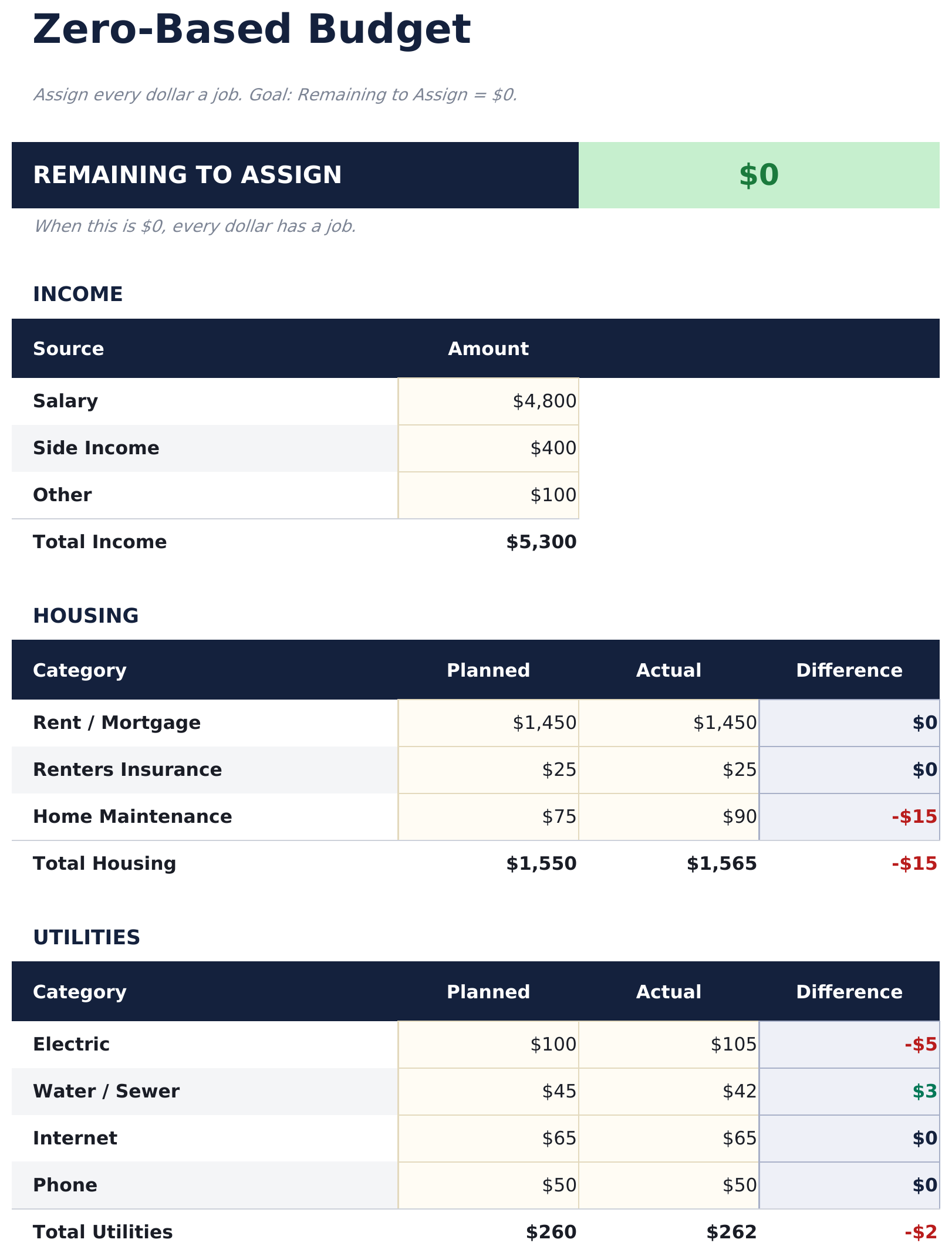
  • Zero-based budget worksheet with income at the top and category assignments flowing downward
  • Income allocation section covering fixed expenses, variable spending, savings, and debt payments
  • Automatic running balance that recalculates after each category so you can track every dollar
  • Color-coded input cells (yellow) and formula-driven result cells (blue) for clear data entry
  • Works in Microsoft Excel, Google Sheets, and LibreOffice Calc with no setup required
Ultimate Version Available

Need more from this template?

The Essentials version covers everyday tracking. Ultimate goes further with multi-entity support, scenario analysis, and ultimate-grade reporting.

Essentials - $12
  • Dashboard with remaining-to-assign balance that counts down to zero as you allocate each dollar
  • Zero-based budget worksheet with income at the top and category assignments flowing downward
  • Income allocation section covering fixed expenses, variable spending, savings, and debt payments
  • Automatic running balance that recalculates after each category so you can track every dollar
Ultimate - $19
  • Foglio Entrate per inserire tutte le fonti di reddito con totali mensili che confluiscono nell'allocazione a saldo zero
  • Foglio Allocazione Budget che assegna ogni dollaro tra 16 categorie - il saldo residuo si aggiorna con ogni allocazione così puoi vedere il saldo non assegnato avvicinarsi a zero
  • Spending Log for recording actual transactions with date, category, description, and amount - supporta fino a 150 entries per month
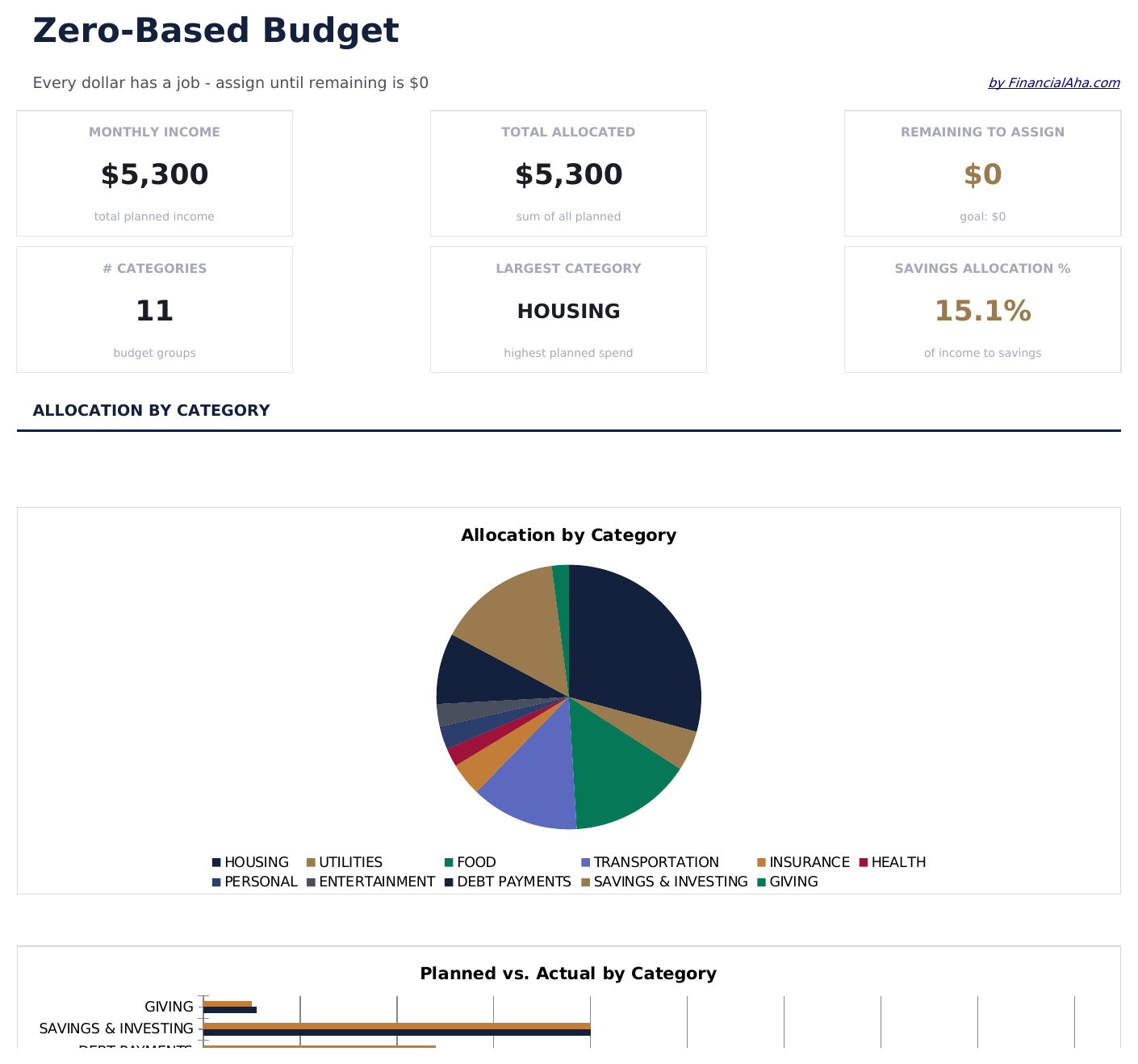
  • Dashboard con 6 schede KPI: total income, total allocated, remaining to assign, total spent, variance from budget, and transaction count
  • Monthly History sheet logging planned allocations vs actual spending totals for each of 12 mesi
See what's in the Ultimate version One-time purchase. No subscription.

Come usare questo modello Zero-Based Budget

1

Enter your income

Add all income sources at the top. The remaining-to-assign balance starts at your total income and counts down as you allocate.

2

Assign every dollar

Distribute income across fixed expenses, variable spending, savings, and debt payments until the remaining balance reaches zero.

3

Track the balance

Watch the remaining-to-assign field. When it hits zero, every dollar has a purpose. A negative number means you have over-allocated.

4

Reconcile at month end

Compare planned allocations to actual spending. Adjust next month based on where you overspent or underspent.

Creati da Claude AI. Perfezionati da noi.

Utilizziamo Claude AI per creare ogni modello, dopo una ricerca approfondita. Poi interviene il nostro team. Miglioriamo il layout, testiamo ogni formula, correggiamo i casi limite e rifiniamo il design fino a ottenere qualcosa che useremmo noi stessi. L'AI ci porta all'80%. L'ultimo 20% è tutto giudizio umano.

Vedi la versione Ultimate →

Domande frequenti

What does zero-based mean?

Zero-based budgeting means assigning every dollar of income to a category - spending, saving, or debt - so the unallocated balance reaches exactly zero. No money is left without a purpose.

What if I have leftover income?

Assign the remaining amount to savings, an emergency fund, or extra debt payments. The goal is for the remaining-to-assign field to show zero.

Can I use this for irregular income?

Yes. Enter your expected income for the month and allocate from there. If income varies, update the total when you know the actual amount and reassign categories.

How do I handle unexpected expenses?

Add a miscellaneous or buffer category in your allocations. When surprise expenses come up, deduct from that category to keep the budget balanced.

Come posso aprirlo in Google Sheets?

Carica il file .xlsx su Google Drive, poi aprilo con Google Sheets. Tutte le formule e la formattazione saranno conservate.

Altri modelli Essentials Personal Budgeting

Cerchi modelli di fogli di calcolo premium?

I nostri modelli a pagamento includono dashboard multi-foglio avanzate, grafici nativi Excel e aggiornamenti continui.

Privato e sicuro

I tuoi dati finanziari restano sul tuo dispositivo. Non li vediamo mai.

Scopri di piu →

Hai bisogno di aiuto?

Consulta le nostre guide o contattaci per domande.

Vedi FAQ →