Beste waarde All-in-One Financieel Planningspakket
✓ Financiële Planning✓ Vermogenstracker✓ Maandelijks Budgetteren✓ Reisbudget Planner✓ Jaarlijkse Budgetplanner✓ Maandelijkse Uitgaventracker✓ Jaarlijkse Belastingplanner✓ Pensioenplanning
Bekijk bundel →
Ultimate Ultimate-versie beschikbaar - Zero-Based Budget Ultimate
Essentials-sjabloon - Excel & Google Sheets

Zero-Based Budget Essentials-sjabloon

Assign every dollar of income to a specific category until the balance reaches zero. Designed for people who want full control over each dollar.

Bekijk de Ultimate-versie →
Zero-Based Budget preview

Wat zit erin

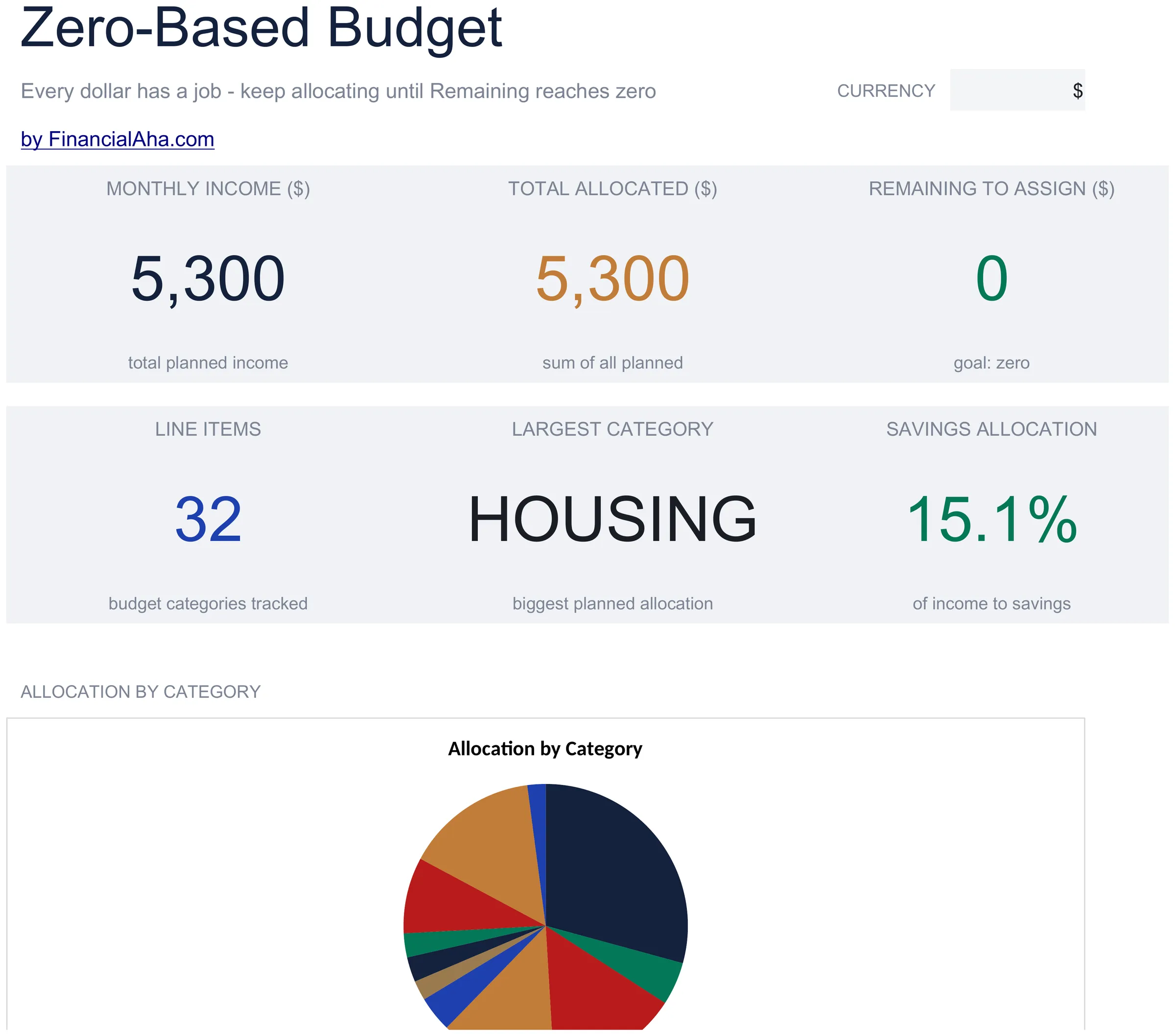
  • Dashboard with remaining-to-assign balance that counts down to zero as you allocate each dollar
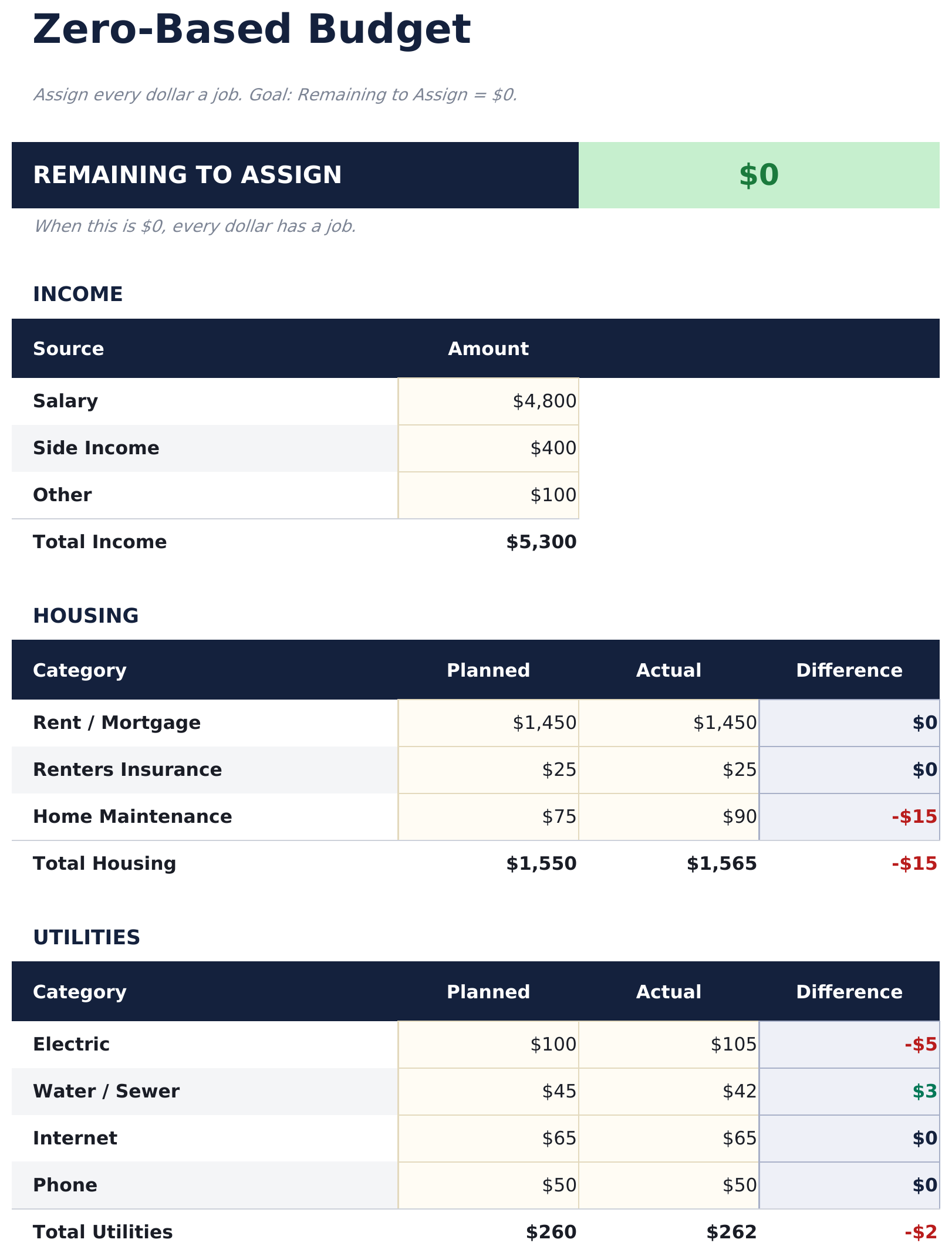
  • Zero-based budget worksheet with income at the top and category assignments flowing downward
  • Income allocation section covering fixed expenses, variable spending, savings, and debt payments
  • Automatic running balance that recalculates after each category so you can track every dollar
  • Color-coded input cells (yellow) and formula-driven result cells (blue) for clear data entry
  • Works in Microsoft Excel, Google Sheets, and LibreOffice Calc with no setup required
Ultimate Version Available

Need more from this template?

The Essentials version covers everyday tracking. Ultimate goes further with multi-entity support, scenario analysis, and ultimate-grade reporting.

Essentials - $12
  • Dashboard with remaining-to-assign balance that counts down to zero as you allocate each dollar
  • Zero-based budget worksheet with income at the top and category assignments flowing downward
  • Income allocation section covering fixed expenses, variable spending, savings, and debt payments
  • Automatic running balance that recalculates after each category so you can track every dollar
Ultimate - $19
  • Werkblad Inkomen voor het invoeren van alle inkomstenbronnen met maandtotalen die doorstromen naar de nulgebaseerde toewijzing
  • Werkblad Budgettoewijzing dat elke euro toewijst over 16 categorieën - het resterende saldo wordt bijgewerkt bij elke toewijzing zodat je kunt zien hoe het niet-toegewezen saldo naar nul nadert
  • Uitgavenlogboek voor het registreren van werkelijke transacties met datum, categorie, omschrijving en bedrag - ondersteunt tot 150 invoeren per maand
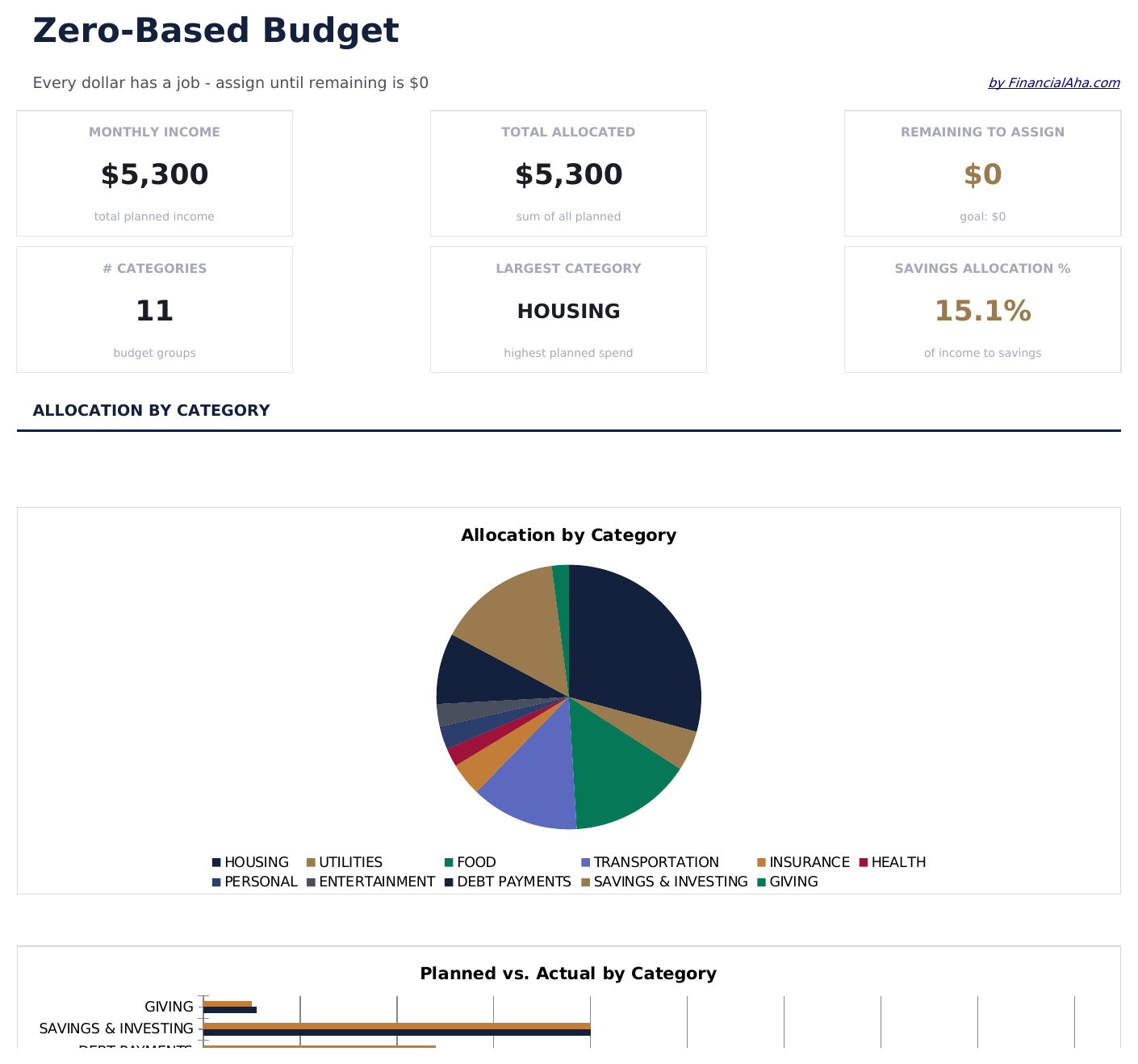
  • Dashboard met 6 KPI-kaarten: totaal inkomen, totaal toegewezen, resterend toe te wijzen, totaal besteed, afwijking van budget en aantal transacties
  • Werkblad Maandelijkse Geschiedenis dat geplande toewijzingen versus werkelijke uitgaventotalen registreert voor elk van de 12 maanden
See what's in the Ultimate version One-time purchase. No subscription.

Hoe gebruik je dit Zero-Based Budget sjabloon

1

Enter your income

Add all income sources at the top. The remaining-to-assign balance starts at your total income and counts down as you allocate.

2

Assign every dollar

Distribute income across fixed expenses, variable spending, savings, and debt payments until the remaining balance reaches zero.

3

Track the balance

Watch the remaining-to-assign field. When it hits zero, every dollar has a purpose. A negative number means you have over-allocated.

4

Reconcile at month end

Compare planned allocations to actual spending. Adjust next month based on where you overspent or underspent.

Gebouwd door Claude AI. Verfijnd door ons.

We gebruiken Claude AI om elk sjabloon te ontwerpen, na uitgebreid onderzoek. Daarna neemt ons team het over. We verfijnen de indeling, testen elke formule grondig, lossen randgevallen op en polijsten het ontwerp totdat het iets is dat we zelf ook echt zouden gebruiken. De AI brengt ons 80% van de weg. De laatste 20% is puur menselijk oordeel.

Bekijk de Ultimate-versie →

Veelgestelde vragen

What does zero-based mean?

Zero-based budgeting means assigning every dollar of income to a category - spending, saving, or debt - so the unallocated balance reaches exactly zero. No money is left without a purpose.

What if I have leftover income?

Assign the remaining amount to savings, an emergency fund, or extra debt payments. The goal is for the remaining-to-assign field to show zero.

Can I use this for irregular income?

Yes. Enter your expected income for the month and allocate from there. If income varies, update the total when you know the actual amount and reassign categories.

How do I handle unexpected expenses?

Add a miscellaneous or buffer category in your allocations. When surprise expenses come up, deduct from that category to keep the budget balanced.

Hoe open ik dit in Google Sheets?

Upload het .xlsx-bestand naar Google Drive en open het vervolgens met Google Sheets. Alle formules en opmaak blijven behouden.

Meer Essentials-sjablonen voor Personal Budgeting

Op zoek naar premium spreadsheet-sjablonen?

Onze betaalde sjablonen bevatten geavanceerde dashboards met meerdere werkbladen, ingebouwde Excel-grafieken en doorlopende updates.

Privé & veilig

Uw financiële gegevens blijven op uw apparaat. Wij zien ze nooit.

Meer informatie →

Hulp nodig?

Bekijk onze handleidingen of neem contact op met vragen.

Bekijk FAQ →