Monthly Budget Calendar Plantilla Essentials
View bills and expenses on a calendar layout. See exactly when payments are due throughout the month for clearer cash flow planning.
Qué incluye
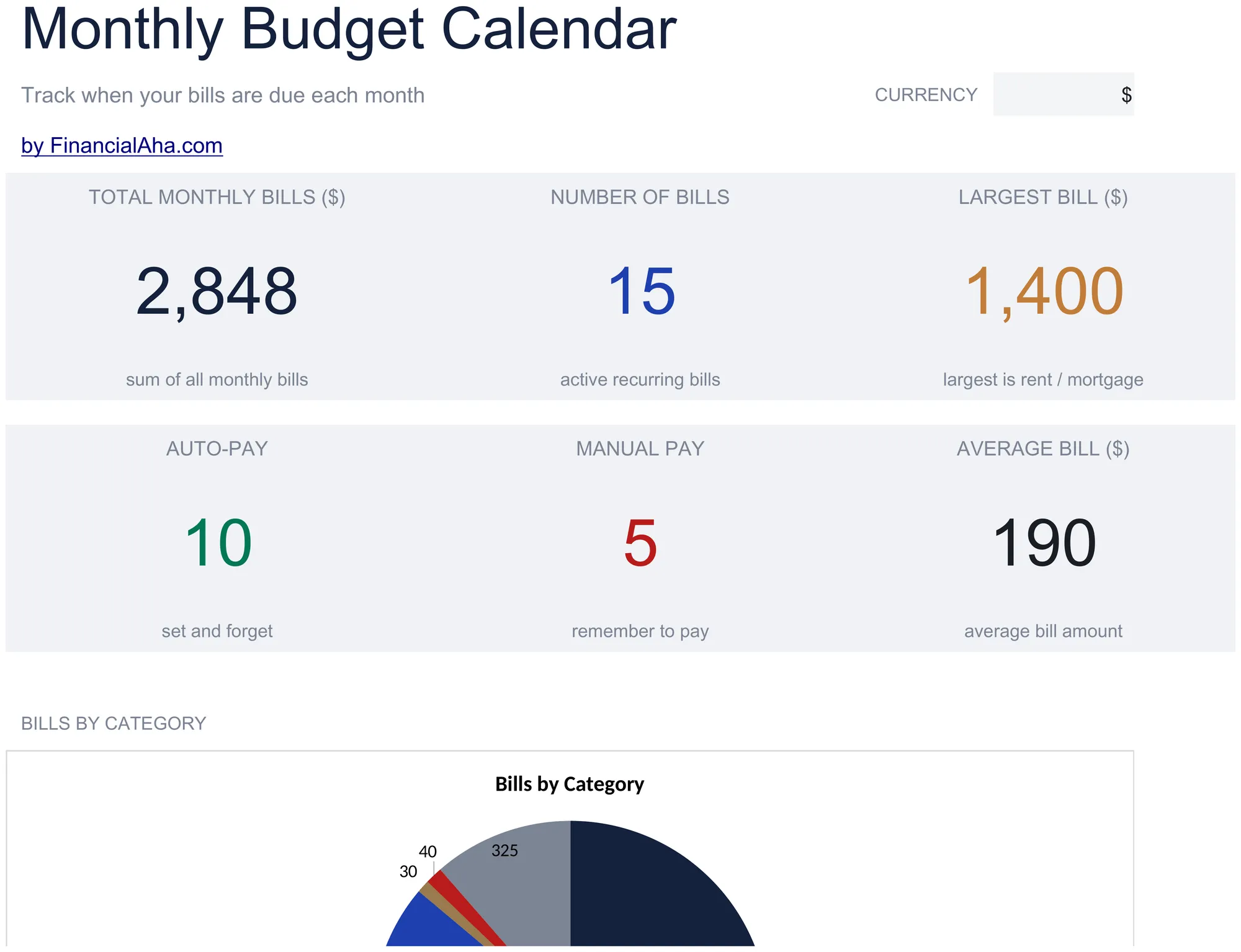
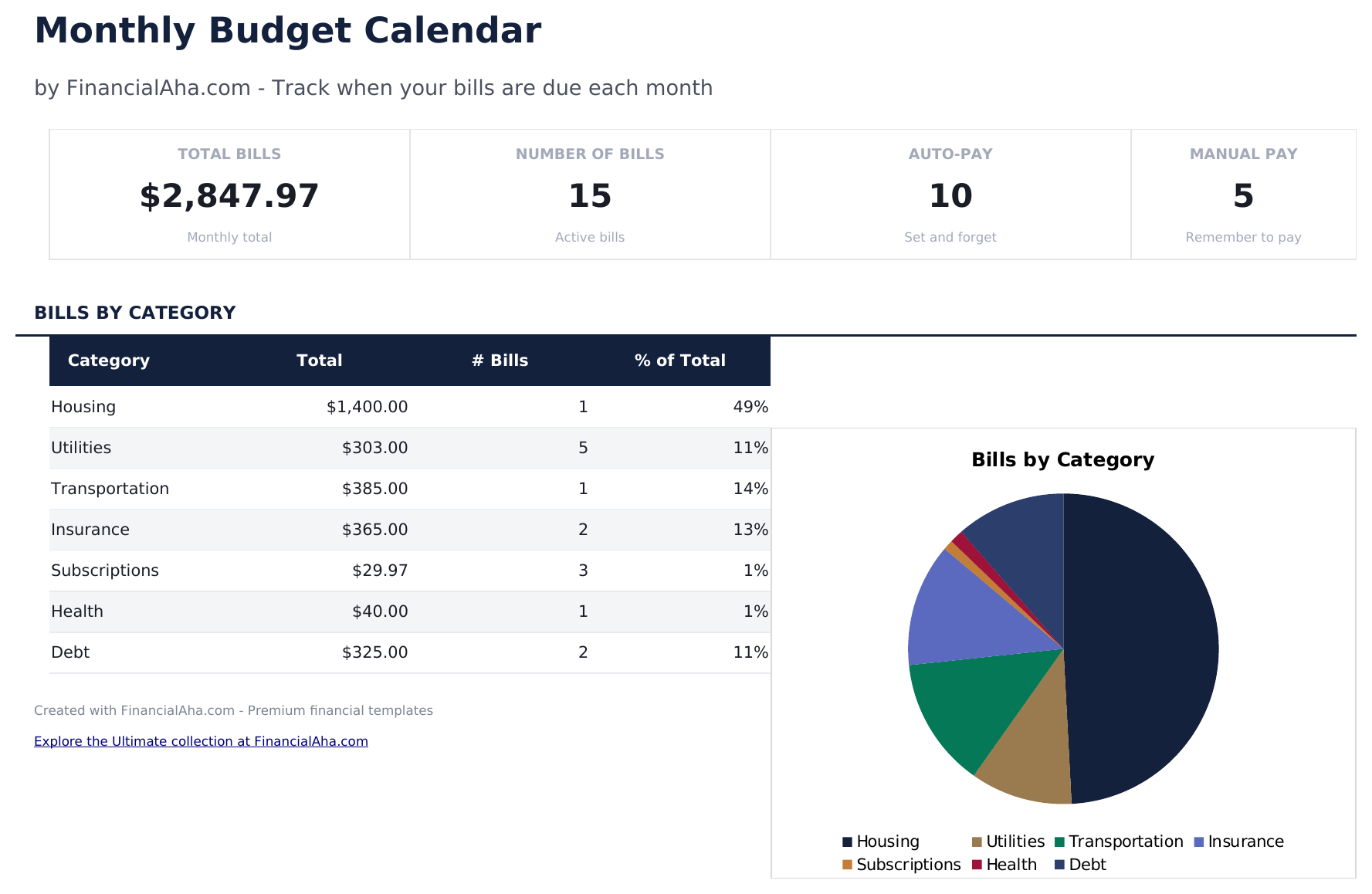
- Dashboard with monthly payment overview showing total bills due, amounts paid, and upcoming payments
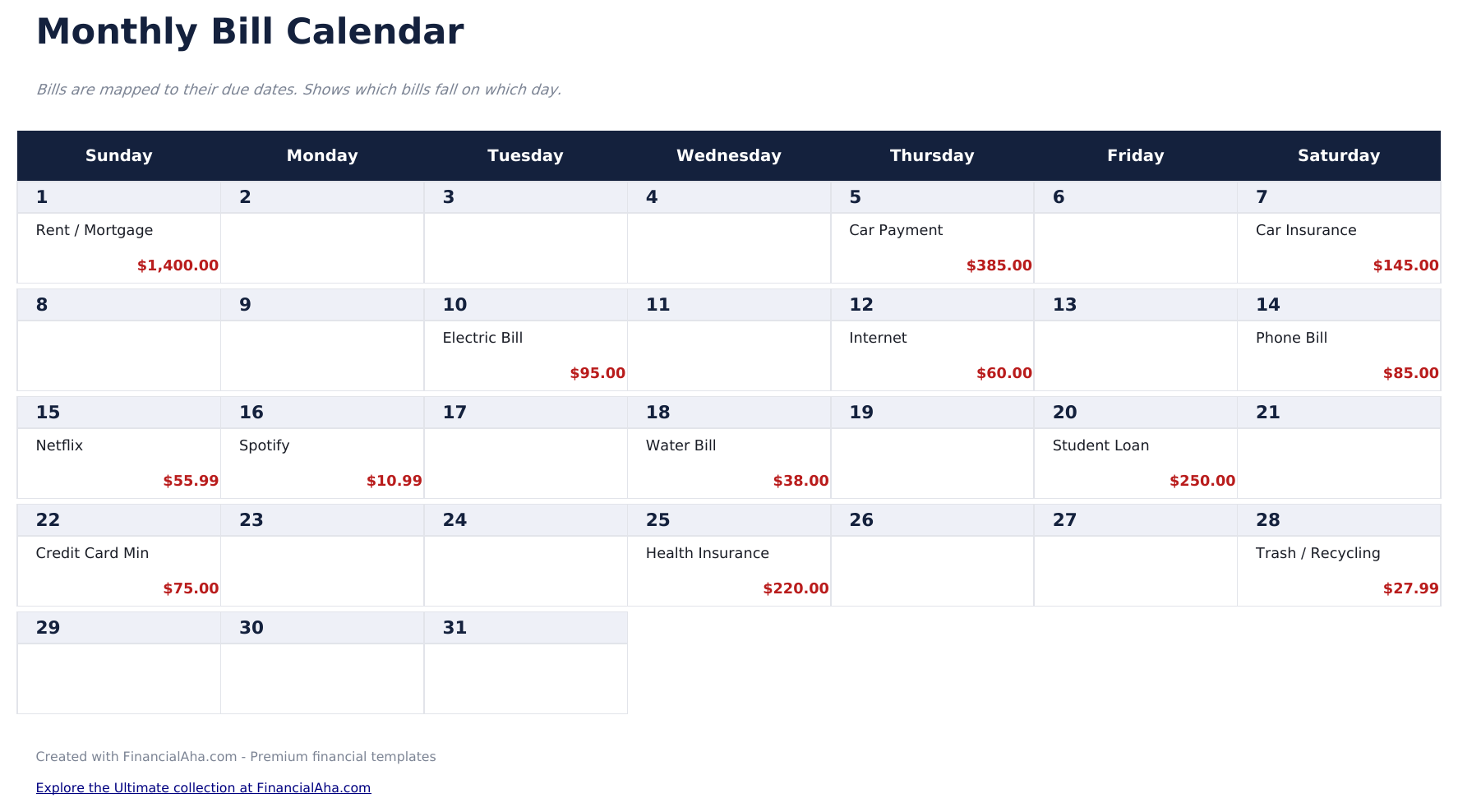
- Calendar-based bill layout displaying due dates visually across a full month grid view
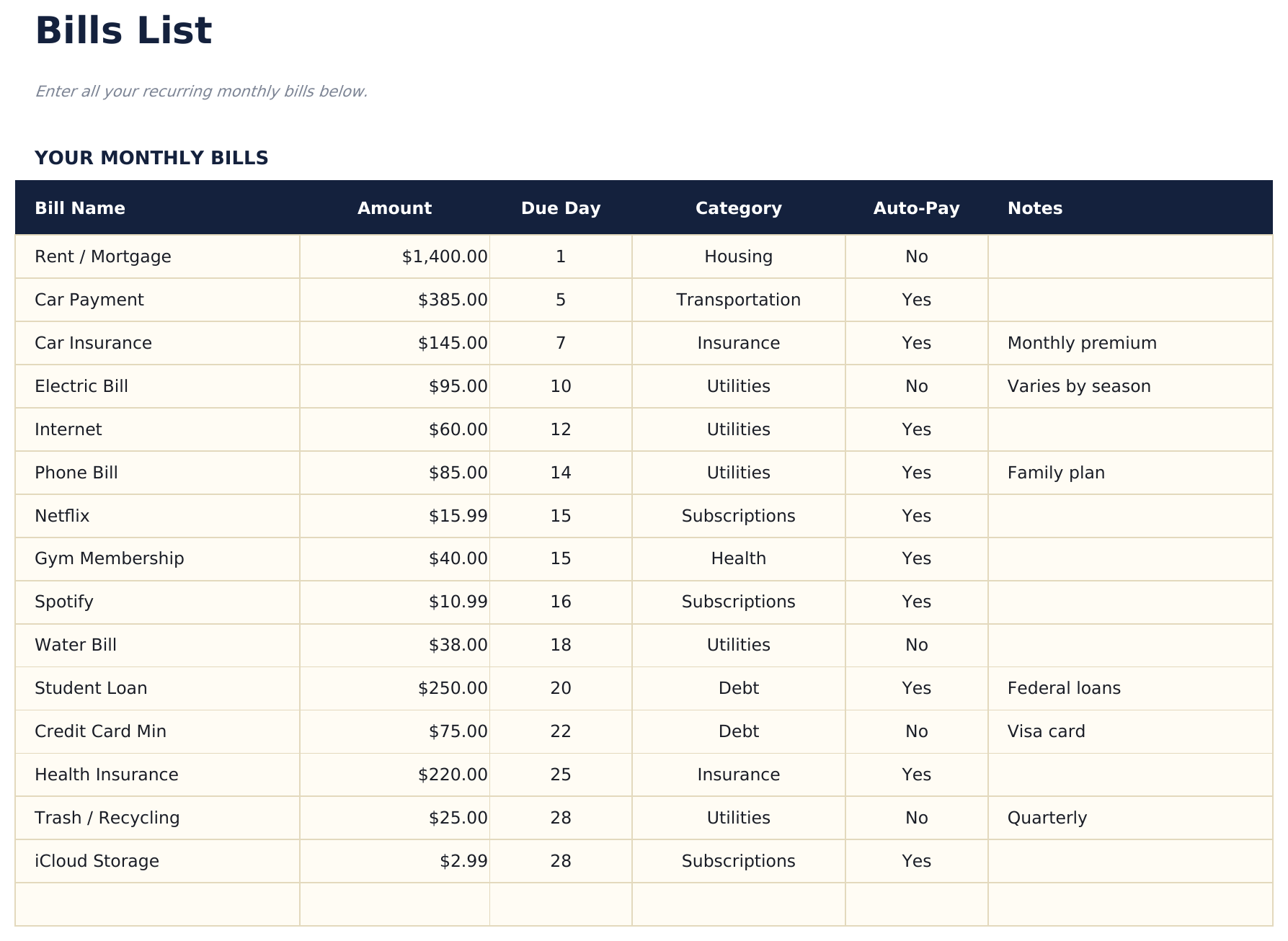
- Bills list with due dates, payment amounts, and recurring frequency for each monthly obligation
- Automatic monthly totals that sum all scheduled bill payments and flag upcoming due dates
- Color-coded calendar cells and formatted bill entries for quick visual scanning of payment timing
- Works in Microsoft Excel, Google Sheets, and LibreOffice Calc with no setup required
Vista previa
Mira qué contiene esta plantilla


Cómo usar esta plantilla de Monthly Budget Calendar
List your bills
Enter each recurring bill with its name, amount, due date, and payment frequency in the bills list sheet.
View the calendar
The calendar sheet displays bills on their due dates across the month, giving you a visual timeline of upcoming payments.
Mark payments as made
Update the status for each bill as you pay it. The dashboard tracks how many bills are paid vs still upcoming.
Plan for heavy weeks
Identify weeks with multiple due dates and ensure enough funds are available. The calendar view makes payment clustering visible.
Creadas por Claude AI. Perfeccionadas por nosotros.
Usamos Claude AI para crear el borrador de cada plantilla, después de una investigación profunda. Luego nuestro equipo interviene. Refinamos el diseño, probamos cada fórmula a fondo, corregimos casos especiales y pulimos el diseño hasta que se siente como algo que realmente usaríamos nosotros mismos. La IA nos lleva al 80%. El último 20% es criterio humano.
Preguntas frecuentes
Can I add bills that are not monthly?
Yes. The bills list supports monthly, quarterly, and annual frequencies. Non-monthly bills appear on the calendar in the months they are due.
Does the calendar update automatically?
The calendar layout is pre-built for each month. Enter or adjust bill due dates in the bills list and they appear on the corresponding calendar day.
How do I handle variable bill amounts?
Enter your best estimate for variable bills like utilities or credit cards. Update the actual amount when the bill arrives.
Can I see multiple months at once?
The calendar shows one month at a time. Duplicate the calendar sheet for additional months or scroll through the bills list to see all dates.
¿Cómo abro esto en Google Sheets?
Sube el archivo .xlsx a Google Drive y luego ábrelo con Google Sheets. Todas las fórmulas y el formato se conservarán.
Más plantillas Essentials de Personal Budgeting
Monthly Budget
Track monthly income and expenses across categories. A straightforward starting point for anyone looking to get a clear picture of where money goes each month.
$1250/30/20 Budget
Organize spending into needs, wants, and savings using the 50/30/20 framework. Useful for those who prefer a percentage-based approach to budgeting.
$12Zero-Based Budget
Assign every dollar of income to a specific category until the balance reaches zero. Designed for people who want full control over each dollar.
$12Household Budget
Track household income and expenses for families or shared living situations. Covers dual incomes, shared bills, and household-specific categories.
$12¿Buscas plantillas premium?
Nuestras plantillas de pago incluyen paneles avanzados con múltiples hojas, gráficos nativos de Excel y actualizaciones continuas.