Melhor valor Pacote Completo de Planejamento Financeiro
✓ Planejamento Financeiro✓ Rastreador de Patrimonio Liquido✓ Orcamento Mensal✓ Planejador de Orcamento de Viagem✓ Planejador de Orcamento Anual✓ Rastreador de Despesas Mensais✓ Planejador Anual de Impostos✓ Planejamento de Aposentadoria
Ver pacote →
Planilha Essentials - Excel e Google Sheets

Monthly Budget Calendar Modelo Essentials

View bills and expenses on a calendar layout. See exactly when payments are due throughout the month for clearer cash flow planning.

Monthly Budget Calendar preview

O Que Está Incluído

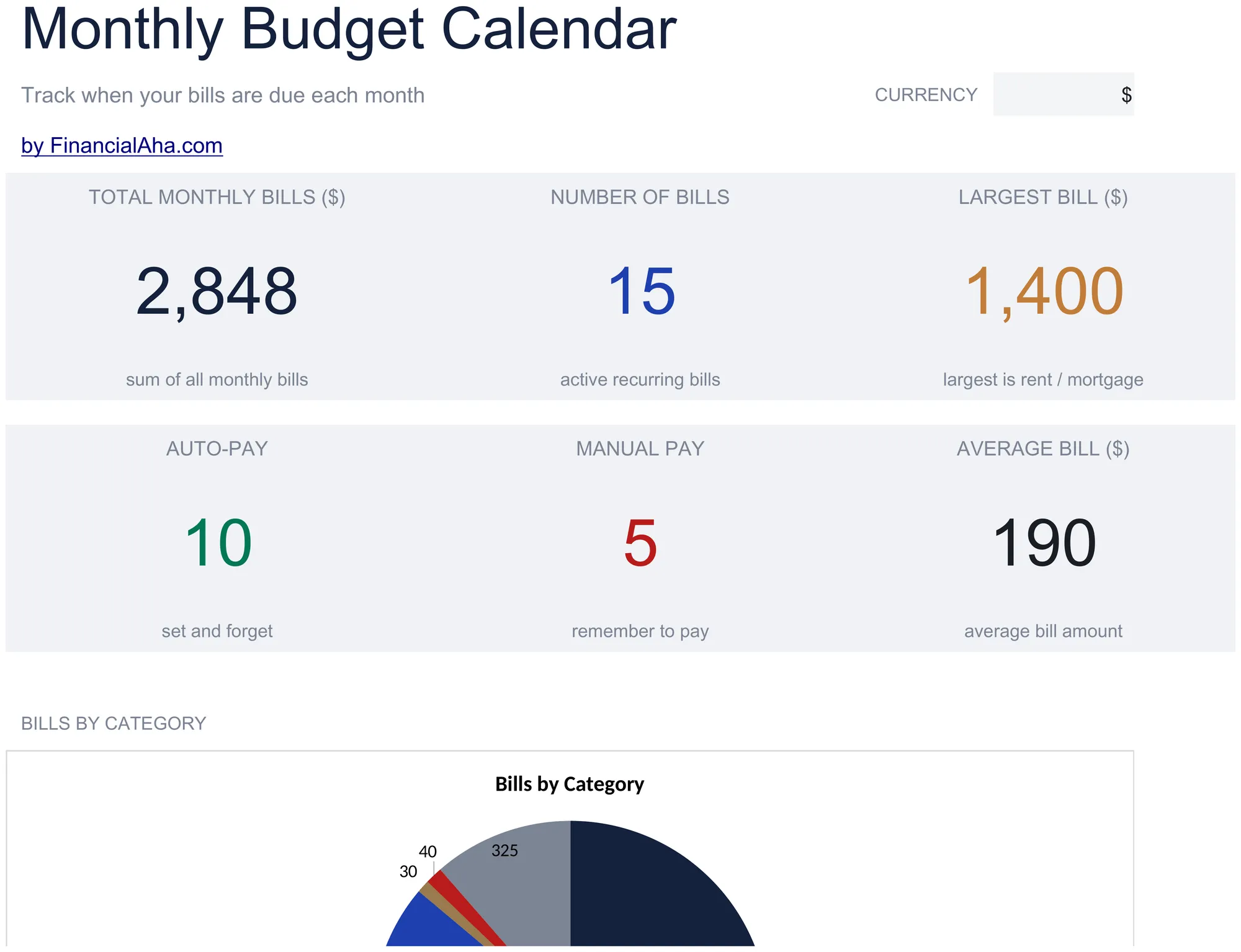
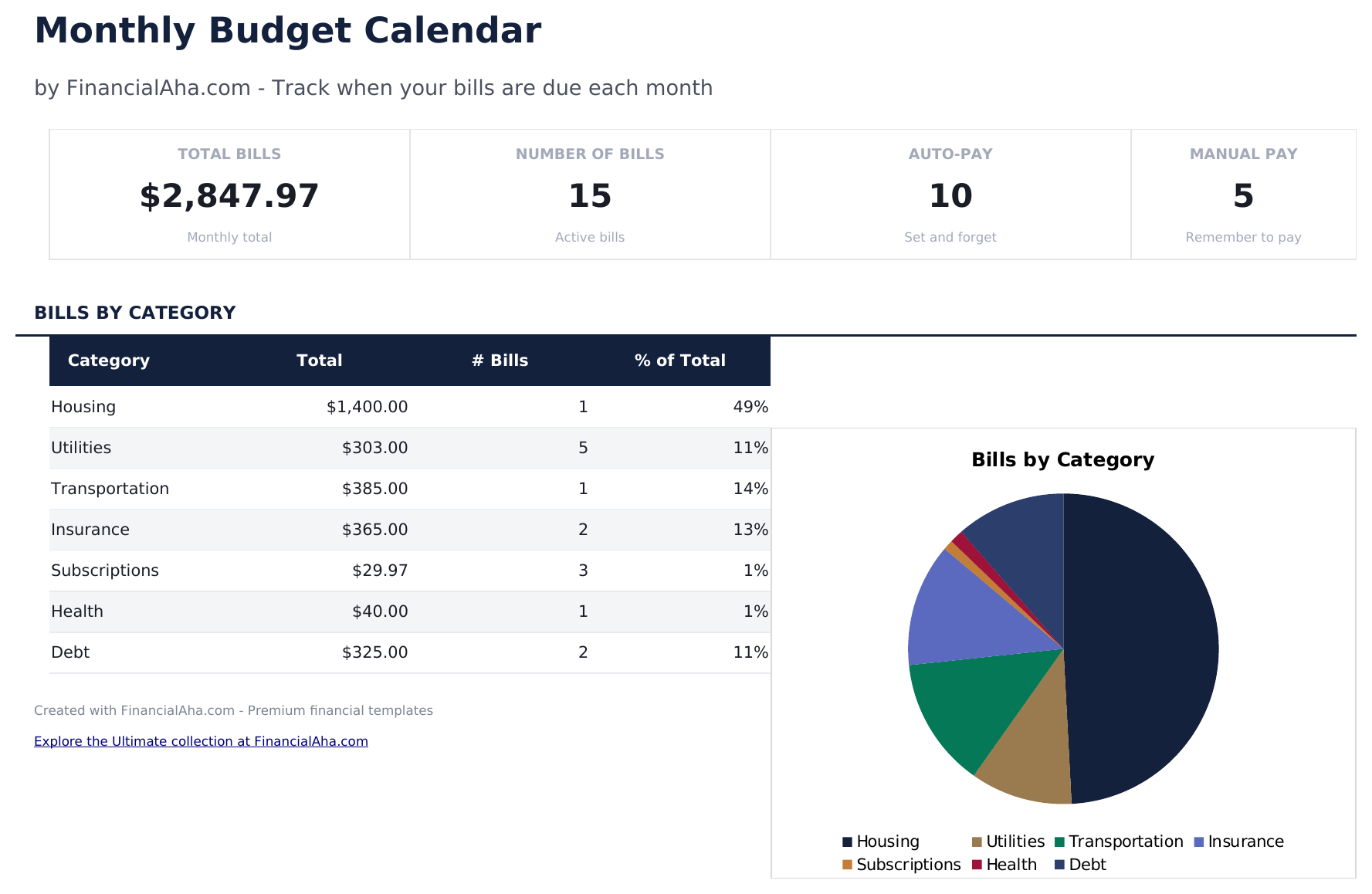
  • Dashboard with monthly payment overview showing total bills due, amounts paid, and upcoming payments
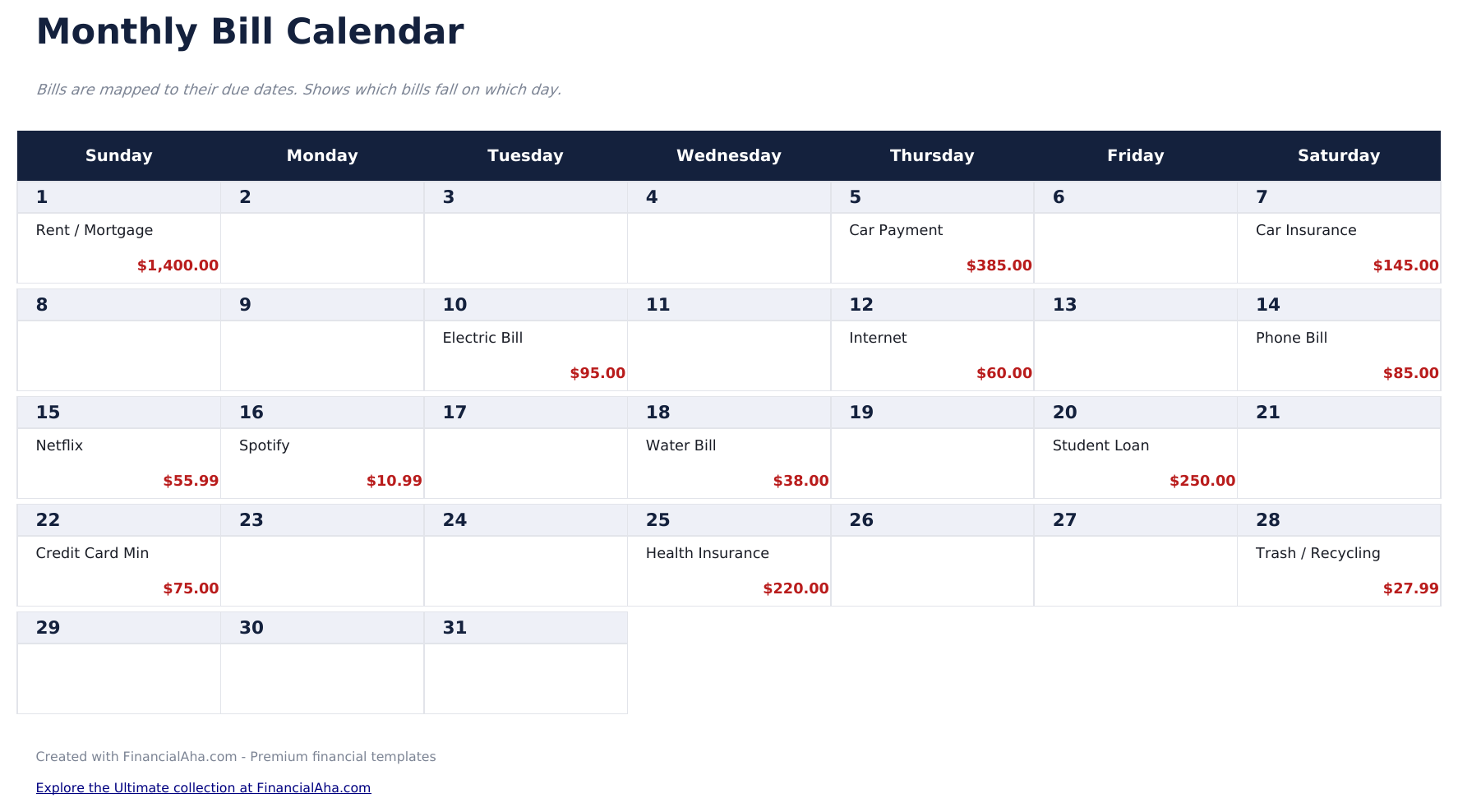
  • Calendar-based bill layout displaying due dates visually across a full month grid view
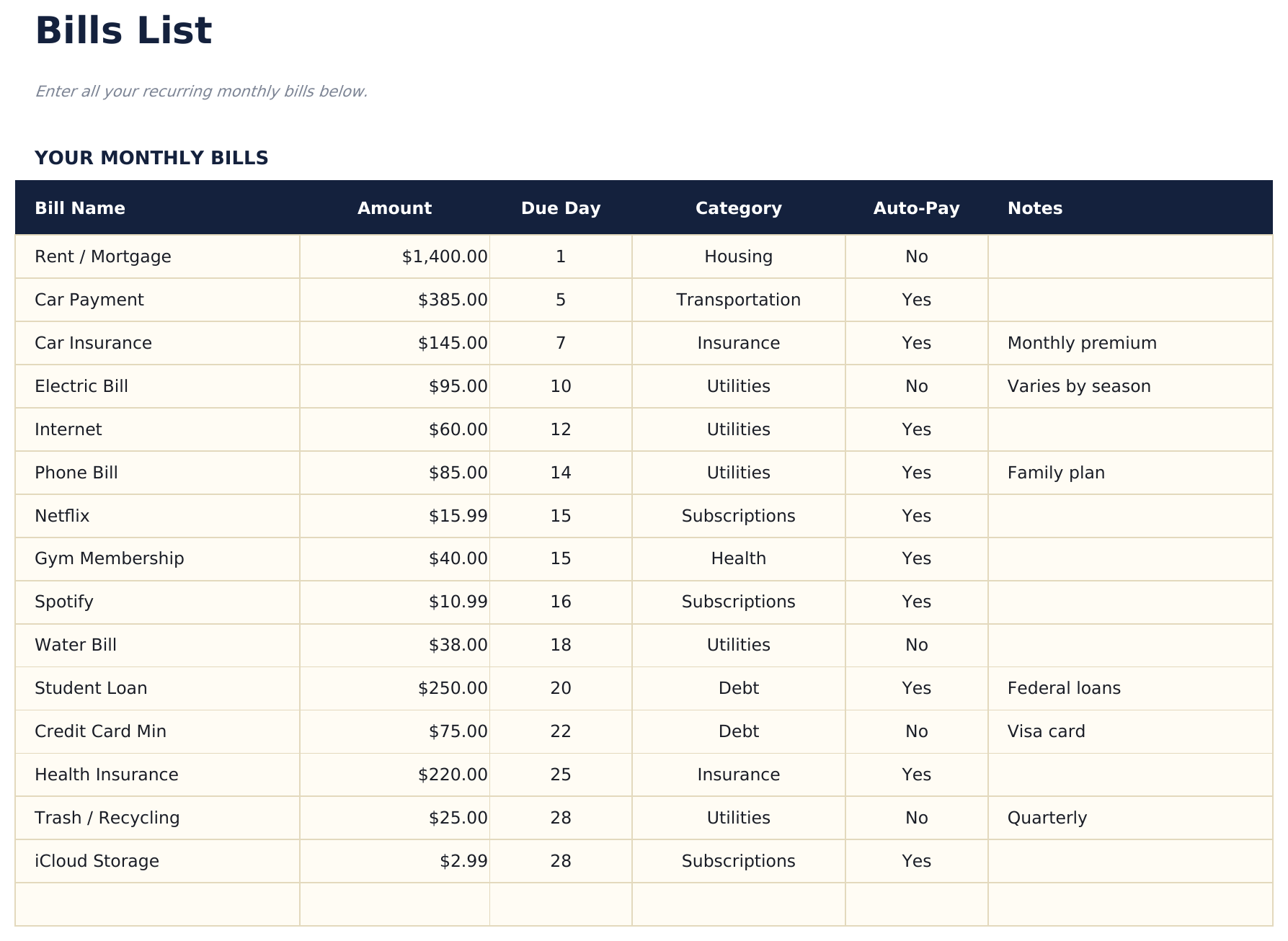
  • Bills list with due dates, payment amounts, and recurring frequency for each monthly obligation
  • Automatic monthly totals that sum all scheduled bill payments and flag upcoming due dates
  • Color-coded calendar cells and formatted bill entries for quick visual scanning of payment timing
  • Works in Microsoft Excel, Google Sheets, and LibreOffice Calc with no setup required

Como Usar Esta Planilha de Monthly Budget Calendar

1

List your bills

Enter each recurring bill with its name, amount, due date, and payment frequency in the bills list sheet.

2

View the calendar

The calendar sheet displays bills on their due dates across the month, giving you a visual timeline of upcoming payments.

3

Mark payments as made

Update the status for each bill as you pay it. The dashboard tracks how many bills are paid vs still upcoming.

4

Plan for heavy weeks

Identify weeks with multiple due dates and ensure enough funds are available. The calendar view makes payment clustering visible.

Criadas com Claude AI. Aperfeiçoadas por nós.

Usamos Claude AI para criar cada planilha, após uma pesquisa aprofundada. Depois, nossa equipe entra em ação. Refinamos o layout, testamos exaustivamente cada fórmula, corrigimos casos extremos e polimos o design até que pareça algo que nós mesmos usaríamos. A IA nos leva 80% do caminho. Os últimos 20% são puro julgamento humano.

Perguntas Frequentes

Can I add bills that are not monthly?

Yes. The bills list supports monthly, quarterly, and annual frequencies. Non-monthly bills appear on the calendar in the months they are due.

Does the calendar update automatically?

The calendar layout is pre-built for each month. Enter or adjust bill due dates in the bills list and they appear on the corresponding calendar day.

How do I handle variable bill amounts?

Enter your best estimate for variable bills like utilities or credit cards. Update the actual amount when the bill arrives.

Can I see multiple months at once?

The calendar shows one month at a time. Duplicate the calendar sheet for additional months or scroll through the bills list to see all dates.

Como abrir no Google Sheets?

Envie o arquivo .xlsx para o Google Drive e abra com o Google Sheets. Todas as fórmulas e formatações serão preservadas.

Mais modelos Essentials de Personal Budgeting

Procurando planilhas premium?

Nossas planilhas pagas incluem painéis avançados com várias abas, gráficos nativos do Excel e atualizações contínuas.

Privado e seguro

Seus dados financeiros ficam no seu dispositivo. Nos nunca os vemos.

Saiba mais →

Precisa de ajuda?

Consulte nossos guias ou entre em contato com perguntas.

Ver FAQ →