Best Value All-in-One Financial Planning Bundle
✓ Financial Planning✓ Net Worth Tracker✓ Monthly Budgeting✓ Travel Budget Planner✓ Annual Budgeting Planner✓ Monthly Expense Tracker✓ Annual Tax Planner✓ Retirement Planning
View Bundle →
Essentials Template - Excel & Google Sheets

Loan Payment Calculator Essentials Template

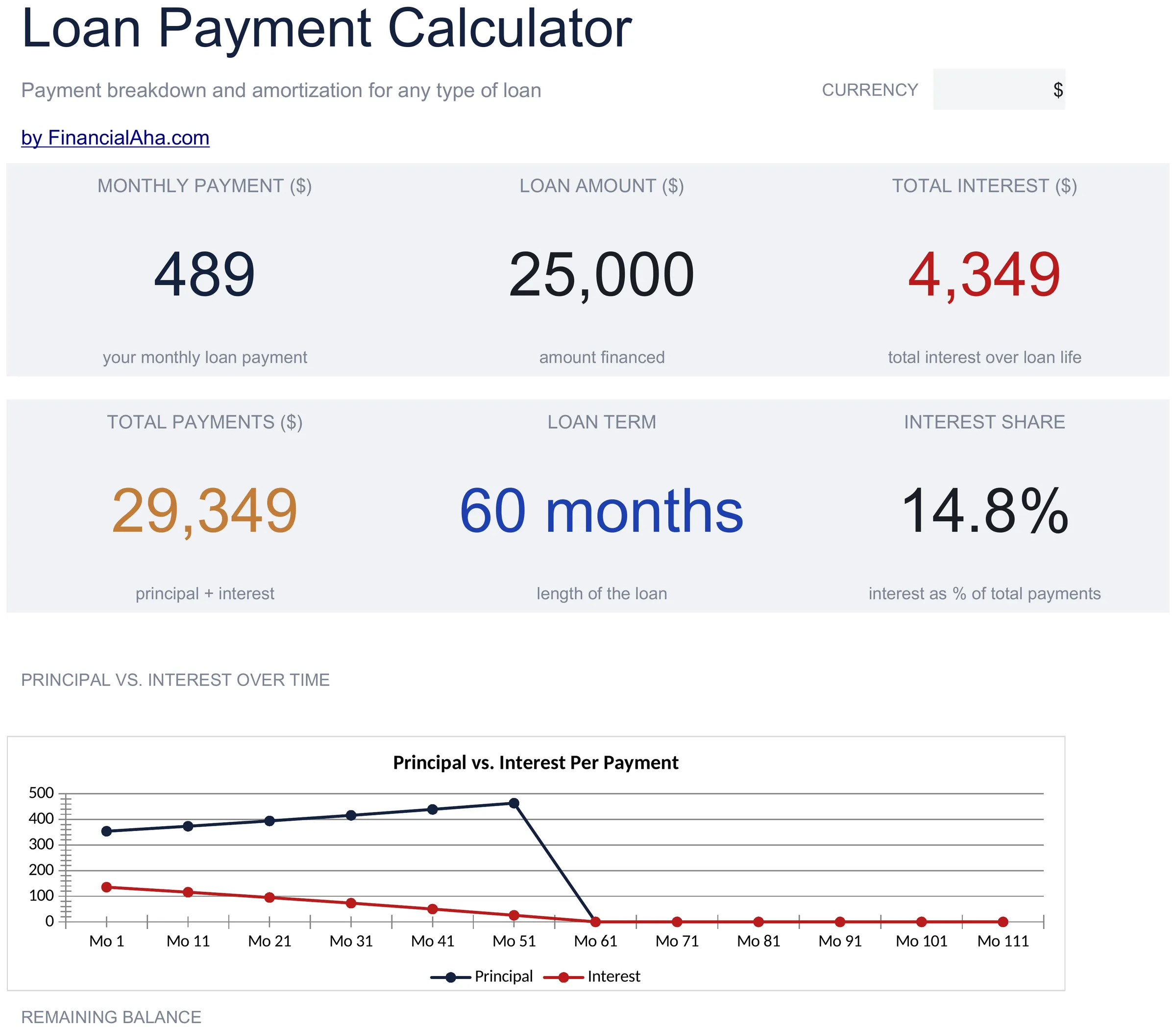
Calculate monthly payments for any fixed-rate loan. Enter amount, interest rate, and term to see payment details and total cost.

Loan Payment Calculator preview

What's Included

  • Dashboard with loan payment summary showing monthly payment, total principal, total interest, and payoff date
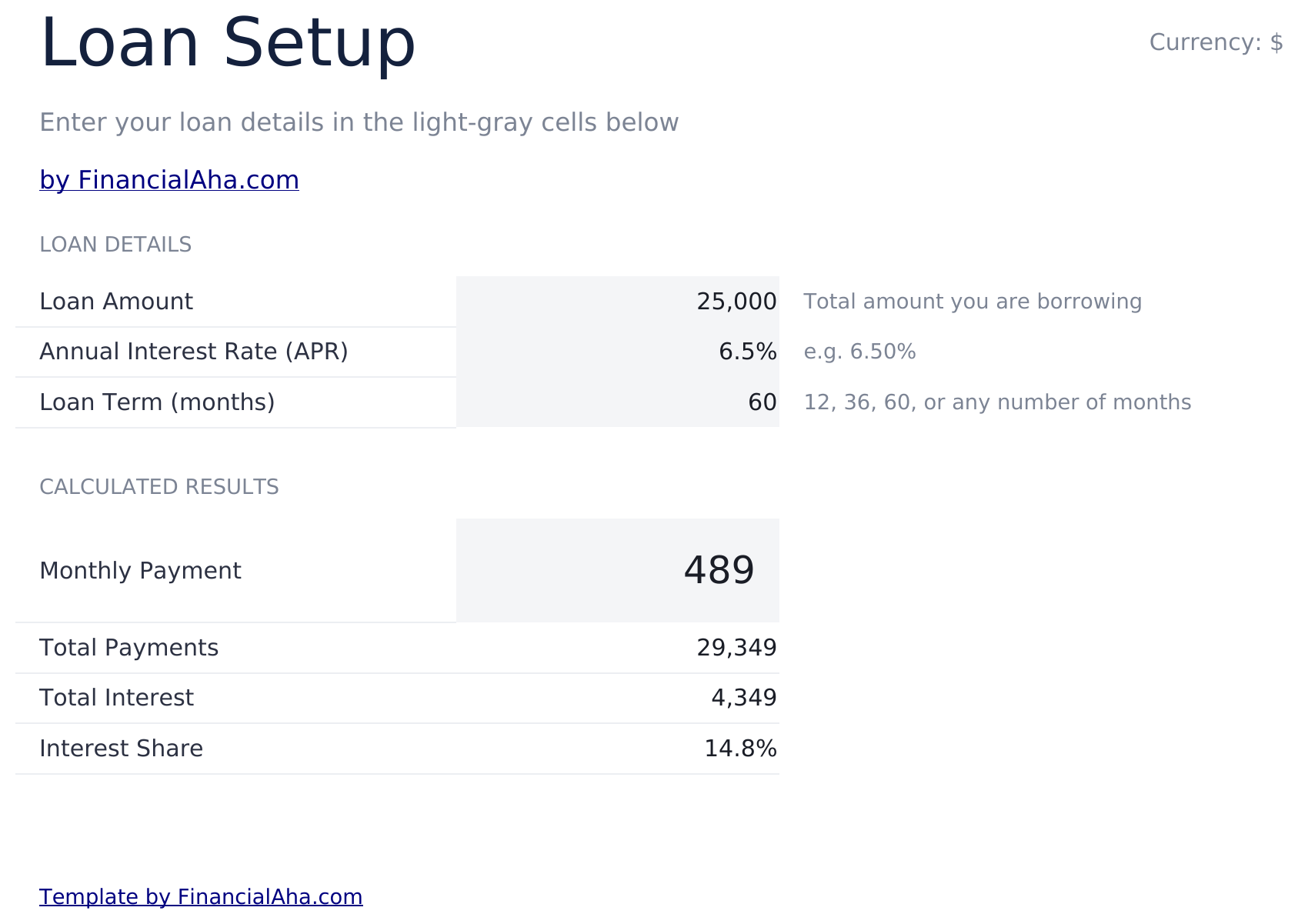
  • Calculator with flexible loan inputs for any loan amount, annual interest rate, and term in months or years
  • Monthly payment calculation using standard amortization formulas that update instantly when inputs change
  • Total interest display showing the full cost of borrowing over the entire life of the loan
  • Payoff timeline with color-coded input cells (yellow) and formula-driven result cells (blue) for clarity
  • Works in Microsoft Excel, Google Sheets, and LibreOffice Calc with no setup required

How to Use This Loan Payment Calculator Template

1

Enter loan amount

Input the total amount being borrowed. This is the principal before any interest is added.

2

Set rate and term

Enter the annual interest rate and the loan term in months or years. The payment calculates from these inputs.

3

Review the payment

The calculator displays the monthly payment amount, total interest, and total amount paid over the loan life.

4

Check the dashboard

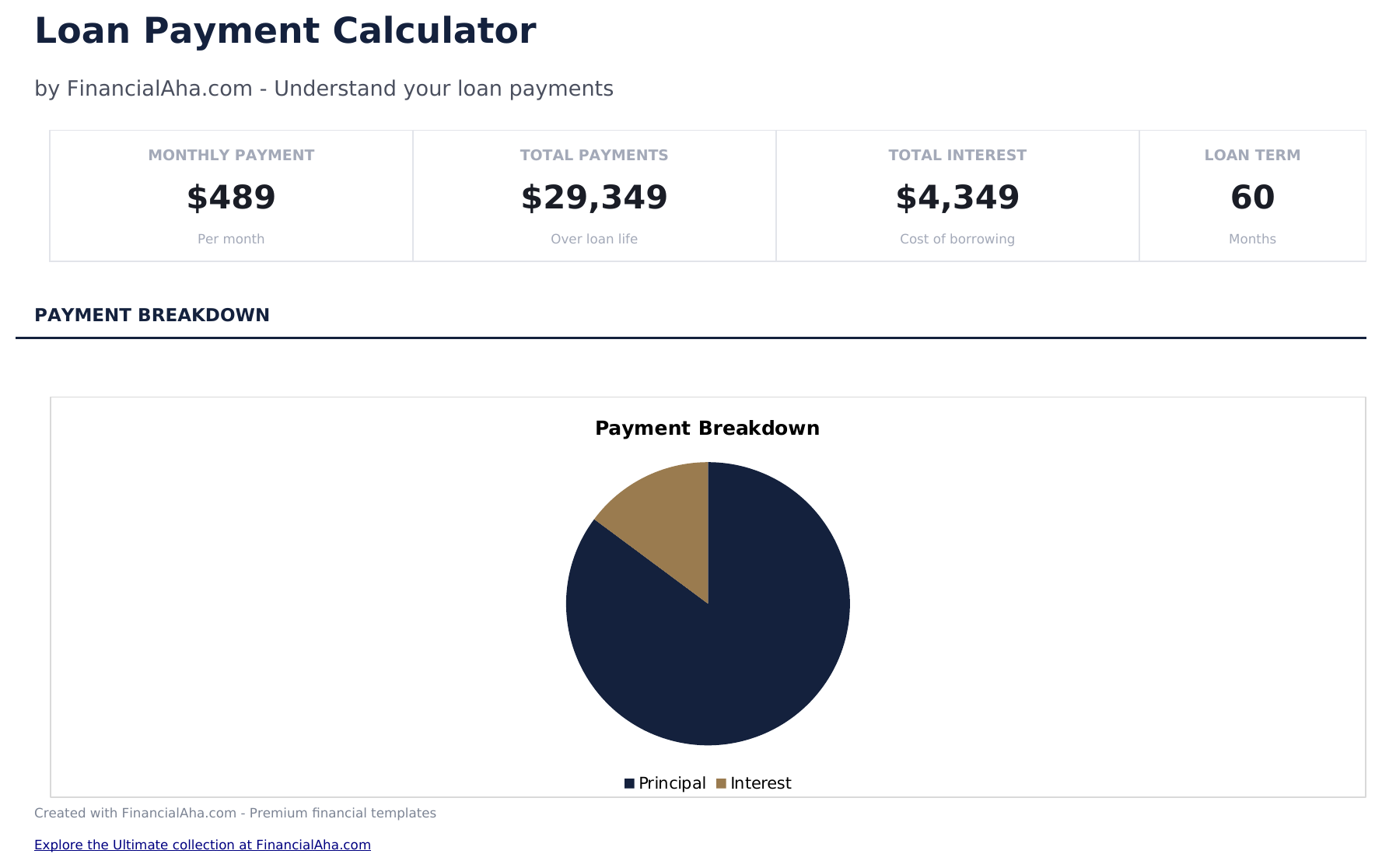
The dashboard summarizes the loan with payment amount, payoff date, and a breakdown of principal vs interest.

Built by Claude AI. Perfected by us.

We use Claude AI to draft each template, after a deep research. Then our team steps in. We refine the layout, stress-test every formula, fix edge cases, and polish the design until it feels like something we would actually use ourselves. The AI gets us 80% there. The last 20% is all human judgment.

Frequently Asked Questions

What types of loans does this cover?

Any fixed-rate loan with regular payments - personal loans, auto loans, equipment financing, or any other installment loan.

Can I enter the term in months?

Yes. The calculator accepts months or years. A 3-year loan can be entered as 36 months or 3 years.

Does a longer term lower the payment?

Yes. A longer term spreads payments over more months, reducing each payment. However, total interest increases because you are borrowing for a longer period.

Is this the same as an amortization calculator?

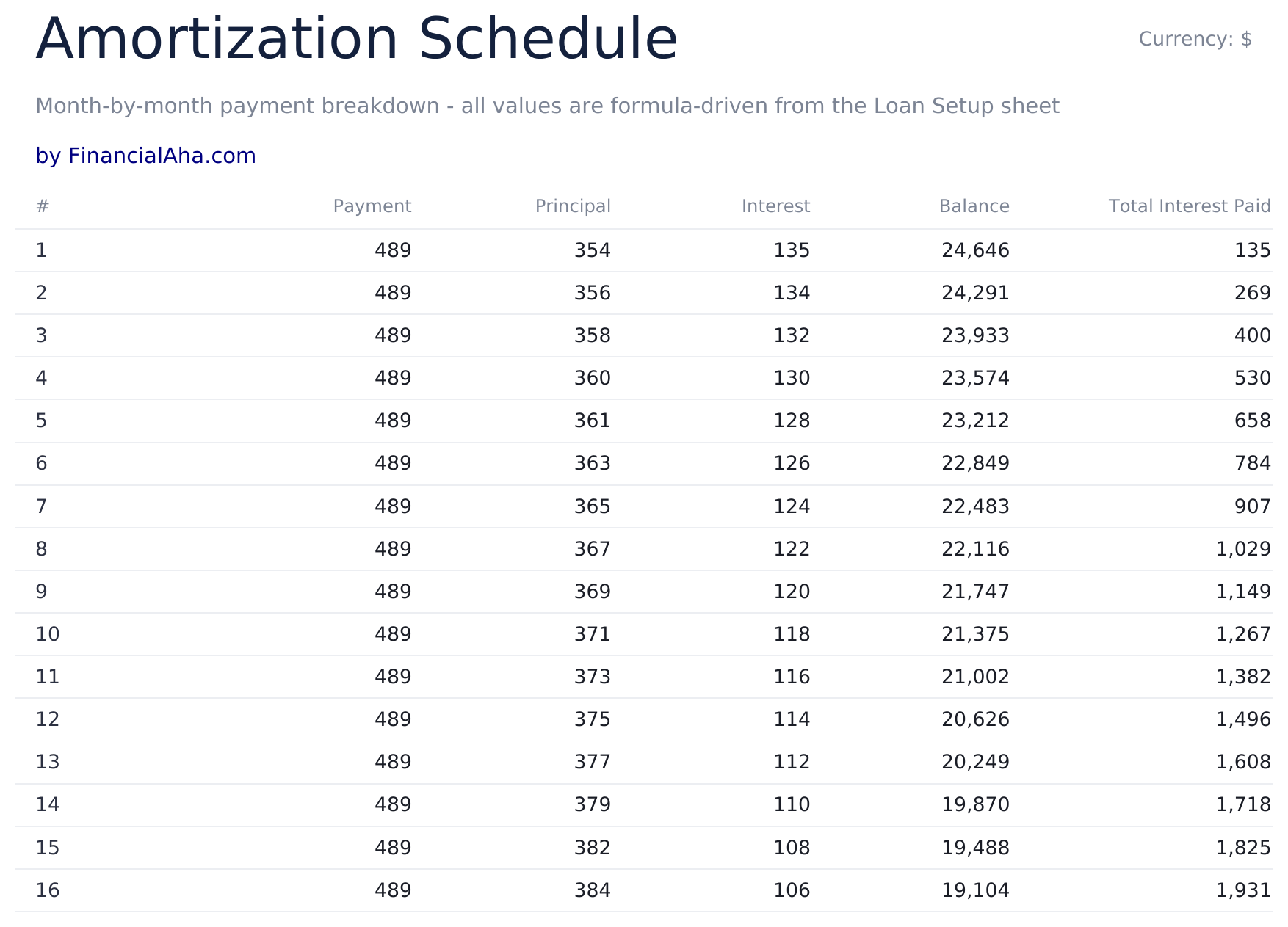
It calculates the payment amount. For a full month-by-month amortization schedule, use the Loan Amortization template.

How do I open this in Google Sheets?

Upload the .xlsx file to Google Drive, then open it with Google Sheets. All formulas and formatting will be preserved.

More Essentials Auto & Loans Templates

Looking for premium spreadsheet templates?

Our paid templates include advanced multi-sheet dashboards, native Excel charts, and ongoing updates.

Private & secure

Your financial data stays on your device. We never see it.

Learn more →

Need help?

Check our guides or reach out with questions.

View FAQ →