Best Value All-in-One Financial Planning Bundle
✓ Financial Planning✓ Net Worth Tracker✓ Monthly Budgeting✓ Travel Budget Planner✓ Annual Budgeting Planner✓ Monthly Expense Tracker✓ Annual Tax Planner✓ Retirement Planning
View Bundle →
Essentials Template - Excel & Google Sheets

Debt-to-Income Calculator Essentials Template

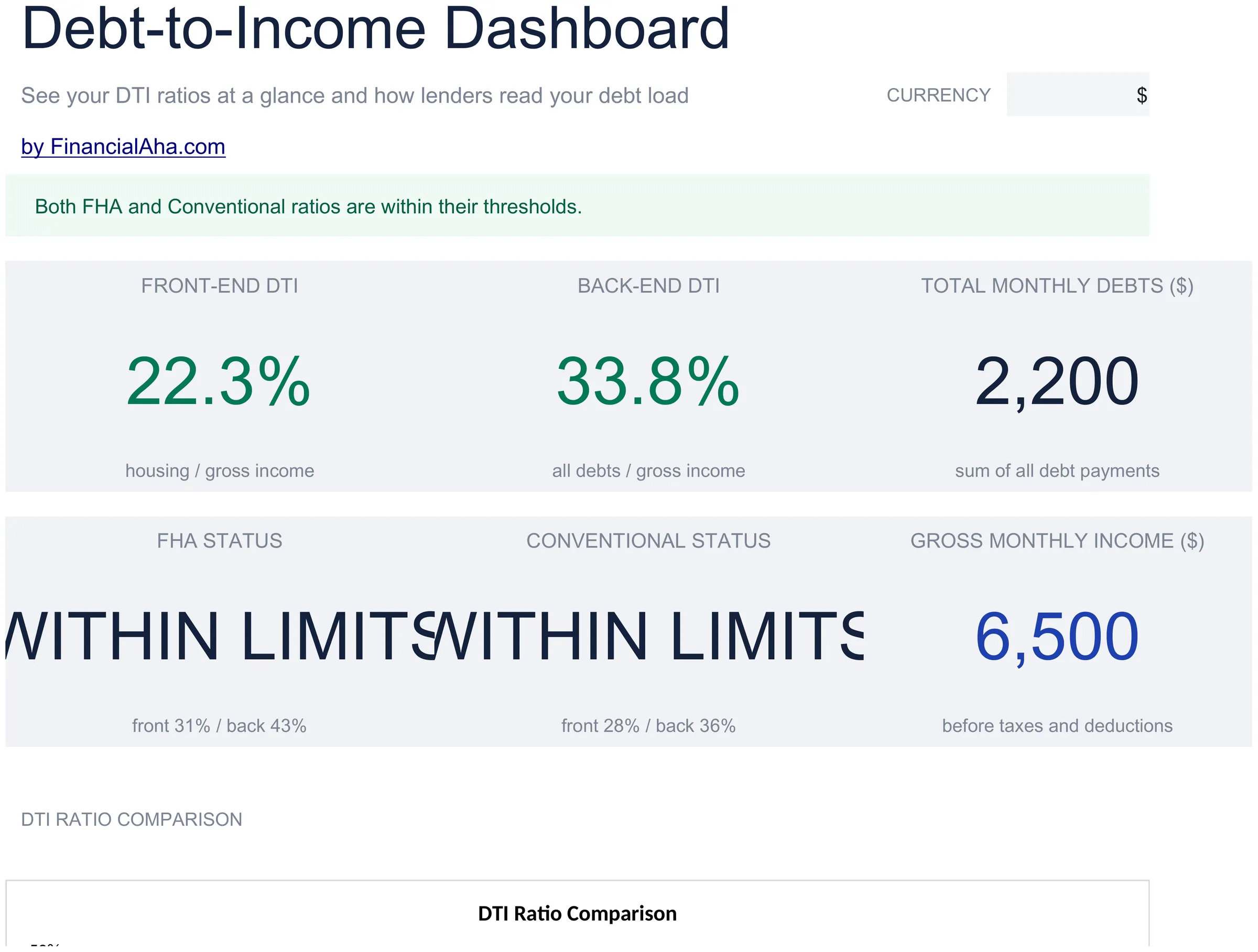
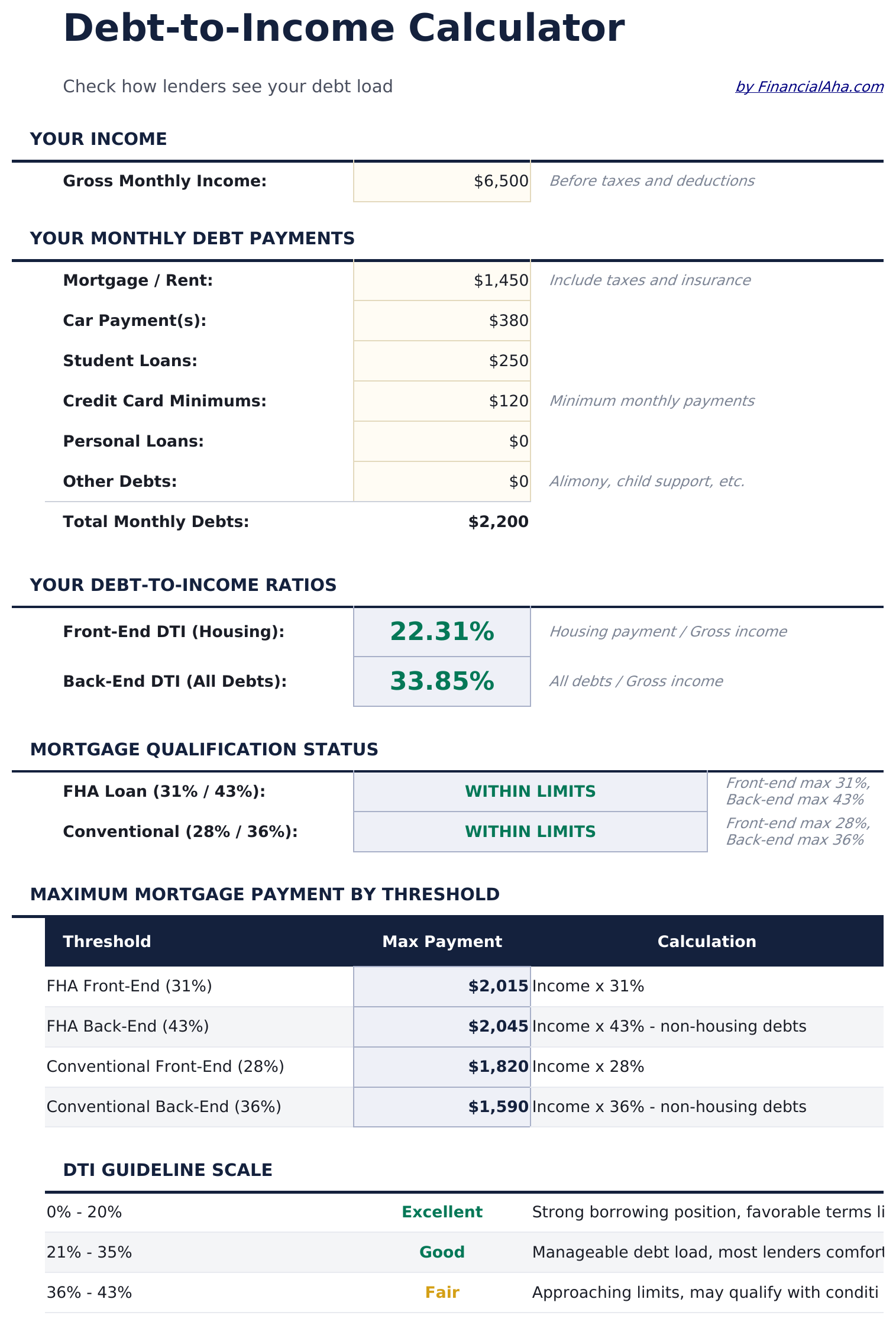
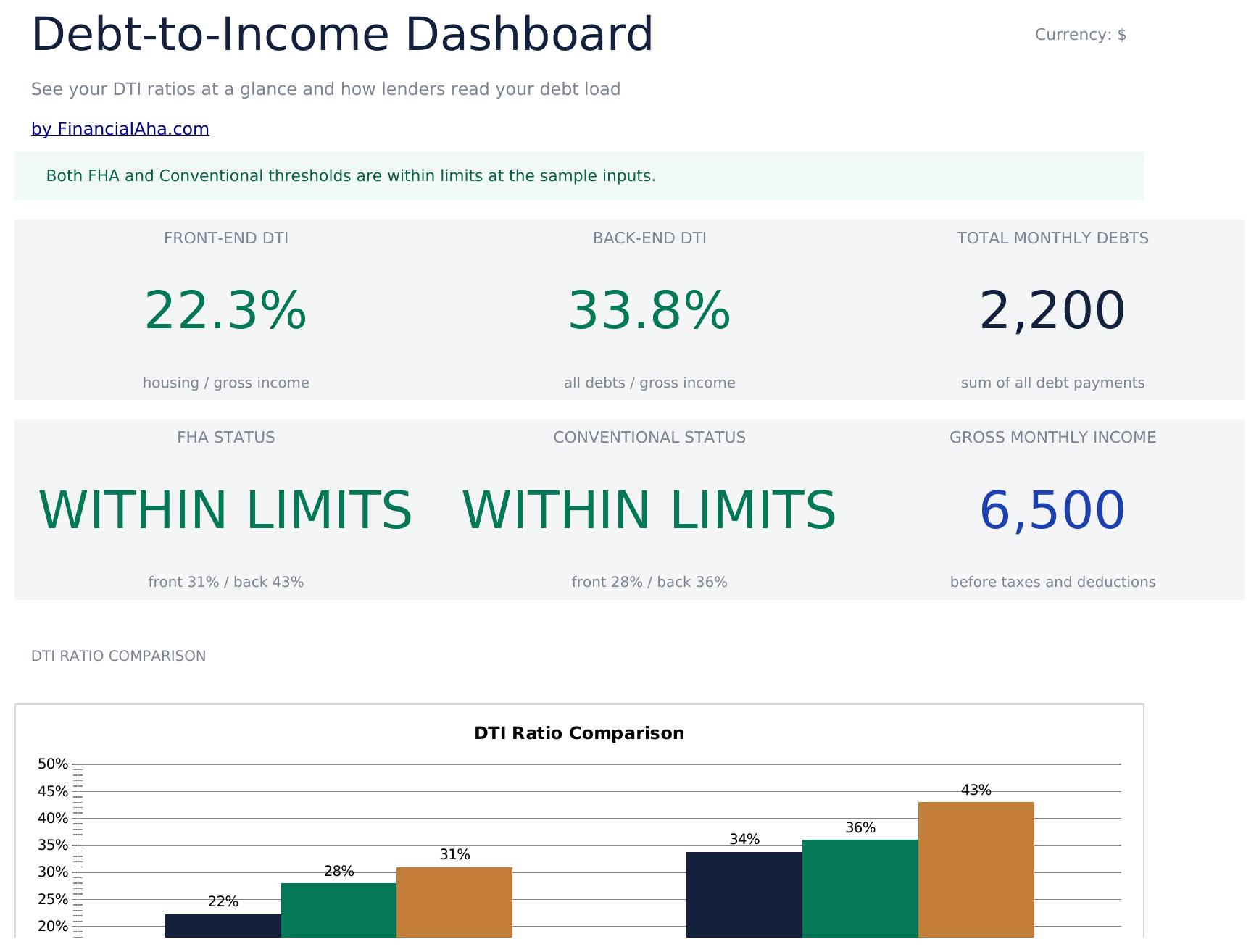
Calculate your debt-to-income ratio by listing monthly debts and income. Commonly used when evaluating mortgage or loan qualification thresholds.

Debt-to-Income Calculator preview

What's Included

  • Calculator with DTI ratio output displaying front-end and back-end percentages based on your entries
  • Monthly debt entry section for mortgage, car payments, student loans, credit cards, and other obligations
  • Gross income input fields for salary, wages, rental income, and other sources of monthly earnings
  • Front-end and back-end ratio display with common lender threshold reference values for comparison
  • Color-coded result indicators that flag whether your DTI ratio falls within typical qualification ranges
  • Works in Microsoft Excel, Google Sheets, and LibreOffice Calc with no setup required

How to Use This Debt-to-Income Calculator Template

1

Enter monthly debts

List all monthly debt payments - mortgage, car loan, student loans, credit cards, and any other obligations.

2

Enter gross income

Add all sources of monthly gross income including salary, wages, rental income, and other earnings before taxes.

3

Read your DTI ratio

The calculator displays your front-end and back-end debt-to-income ratios as percentages. Lower is generally preferable.

4

Compare to thresholds

Reference values for common lender thresholds are shown alongside your ratio so you can see how your DTI compares.

Built by Claude AI. Perfected by us.

We use Claude AI to draft each template, after a deep research. Then our team steps in. We refine the layout, stress-test every formula, fix edge cases, and polish the design until it feels like something we would actually use ourselves. The AI gets us 80% there. The last 20% is all human judgment.

Frequently Asked Questions

What is front-end vs back-end DTI?

Front-end includes only housing costs (mortgage, taxes, insurance). Back-end includes all monthly debt obligations. Lenders typically look at both ratios.

What DTI ratio do lenders prefer?

Common thresholds are 28% front-end and 36% back-end, though requirements vary by lender and loan type. The template shows these reference values for comparison.

Do I use gross or net income?

Debt-to-income ratios use gross (pre-tax) income. Enter your monthly earnings before any deductions or withholdings.

What debts should I include?

Include minimum monthly payments for mortgages, car loans, student loans, credit cards, personal loans, and any other recurring debt obligations.

How do I open this in Google Sheets?

Upload the .xlsx file to Google Drive, then open it with Google Sheets. All formulas and formatting will be preserved.

More Essentials Debt Management Templates

Looking for premium spreadsheet templates?

Our paid templates include advanced multi-sheet dashboards, native Excel charts, and ongoing updates.

Private & secure

Your financial data stays on your device. We never see it.

Learn more →

Need help?

Check our guides or reach out with questions.

View FAQ →