Free Weekly Timesheet Spreadsheet Template for Google Sheets & Excel
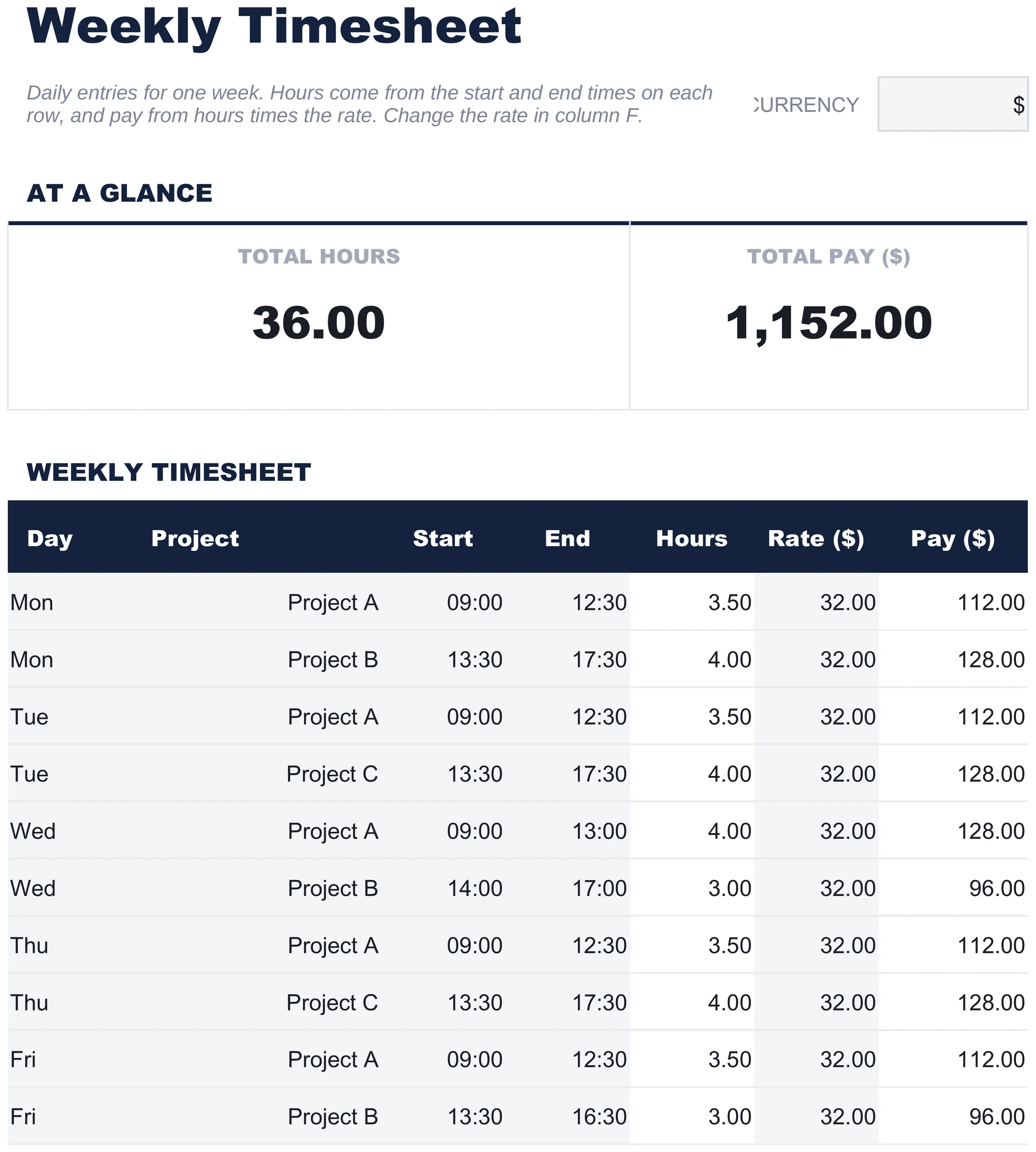
Fourteen entries across a week, each recording the day, the project, a start and an end. The Free Weekly Timesheet spreadsheet template reads the hours off the clock as end time less start time on every row, takes a rate per row so work that pays differently shares the same week, and works the pay out line by line. One working sheet and a How to Use tab. Google Sheets or Excel, one file. No macros, no VBA.
The FinancialAha Free Weekly Timesheet Spreadsheet Template is a one-sheet workbook for Google Sheets and Excel, with a How to Use guide on a second tab. It works as a Free Weekly Timesheet Excel template and a Free Weekly Timesheet Google Sheets template from the same download. This Free Weekly Timesheet spreadsheet template holds a week of time entries, each with the day, what was worked on, the hours and the rate that applies to them. No macros, no VBA.
Inside the workbook
What's inside the FinancialAha Free Weekly Timesheet spreadsheet template
The FinancialAha Free Weekly Timesheet Spreadsheet Template runs on a single working sheet, with the instructions on a tab of their own. It works in both Microsoft Excel and Google Sheets and here is what the Free Weekly Timesheet spreadsheet holds.
01of 01
Timesheet
Time entries across a week, each carrying a day, what the time went on, the start and end of the session, the hours, the rate and the pay those hours earn. More than one row per day is deliberate - a day split between two pieces of work takes two lines, which is what makes the sheet useful to anyone billing more than one thing. The rate sits on the row rather than at the top, so work that pays differently can sit in the same week. The hours come off the clock: the end time less the start time, on that row. A session that runs past midnight reads correctly rather than as a negative day. There is no break column here, so a session interrupted for lunch is split onto a second line. The Essentials build is the one with a break to deduct.
Timesheet
Included guide
How to Use
A step-by-step guide on its own tab, covering how to replace the sample values and how to change the currency. Because it ships inside the file, the instructions travel with the template wherever it is opened.
Works in both Google Sheets and Excel
Free Weekly Timesheet Spreadsheet template for Google Sheets
Upload the Free Weekly Timesheet Spreadsheet Template to Drive, right-click it, and choose "Open with Google Sheets". This Free Weekly Timesheet Google Sheets template needs no conversion step and nothing gets rewritten on the way in - the pay column recalculates exactly as it does in Excel. The currency dropdown beside the title relabels the rate and pay columns, and the whole Free Weekly Timesheet spreadsheet is small enough to open instantly.
Free Weekly Timesheet Google Sheets template setup
A shared copy of the Free Weekly Timesheet Google Sheets template lets a contractor and a client settle a week in one place, since both can see the same rows and the same rate. Sheets version history covers a figure typed over, and the Free Weekly Timesheet Spreadsheet Template fits on a screen.
Sharing the Free Weekly Timesheet Google Sheet
The Free Weekly Timesheet Google Sheet works best filled in as sessions end rather than reconstructed on a Friday. The sheet covers a week with room for split days, so a new copy each week keeps the record clean.
Free Weekly Timesheet Spreadsheet template for Excel
The Free Weekly Timesheet spreadsheet Excel download is a plain .xlsx. Excel opens this Free Weekly Timesheet Excel template directly, with no import step and no compatibility prompt, and the pay column updates the moment hours or a rate change. There are no macros and no VBA in the file, so it opens without a security warning.
Free Weekly Timesheet Excel template setup
The same Free Weekly Timesheet Excel template opens in Excel on Windows, Excel on Mac, and Excel for the web. It is also the identical file you would upload to Drive, so there is no separate Free Weekly Timesheet spreadsheet download to choose between.
Free Weekly Timesheet spreadsheet Excel notes
The Free Weekly Timesheet spreadsheet Excel file carries no macros and no VBA, so Excel opens it without a trust prompt. The same Free Weekly Timesheet spreadsheet Excel download also opens in Excel for the web, which matters when hours get logged away from a desk.
Opening the Free Weekly Timesheet spreadsheet Excel file
Nothing in the Free Weekly Timesheet Excel template is version-specific, so this Free Weekly Timesheet spreadsheet Excel workbook behaves identically in Excel on Windows, Excel on Mac, and older builds.
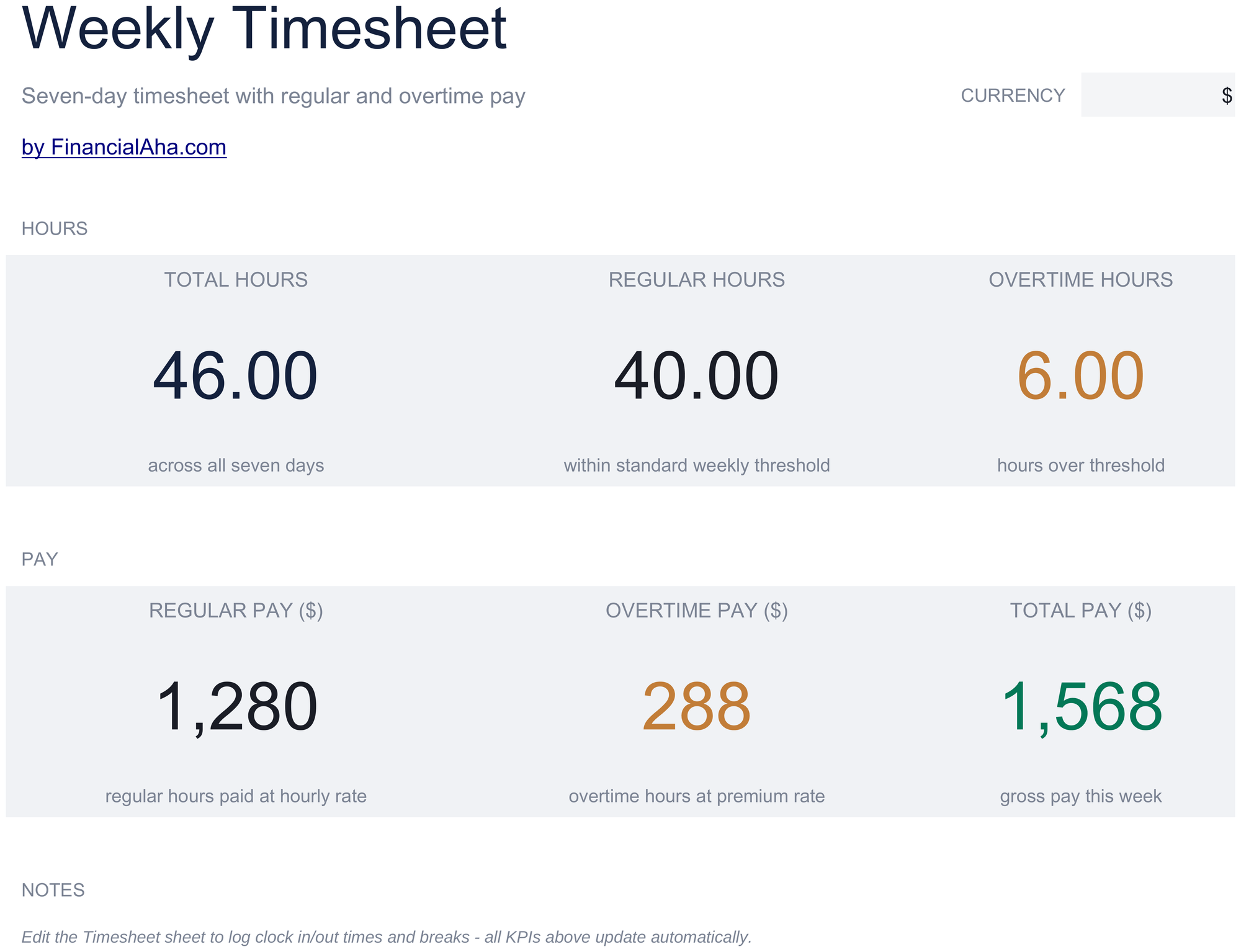
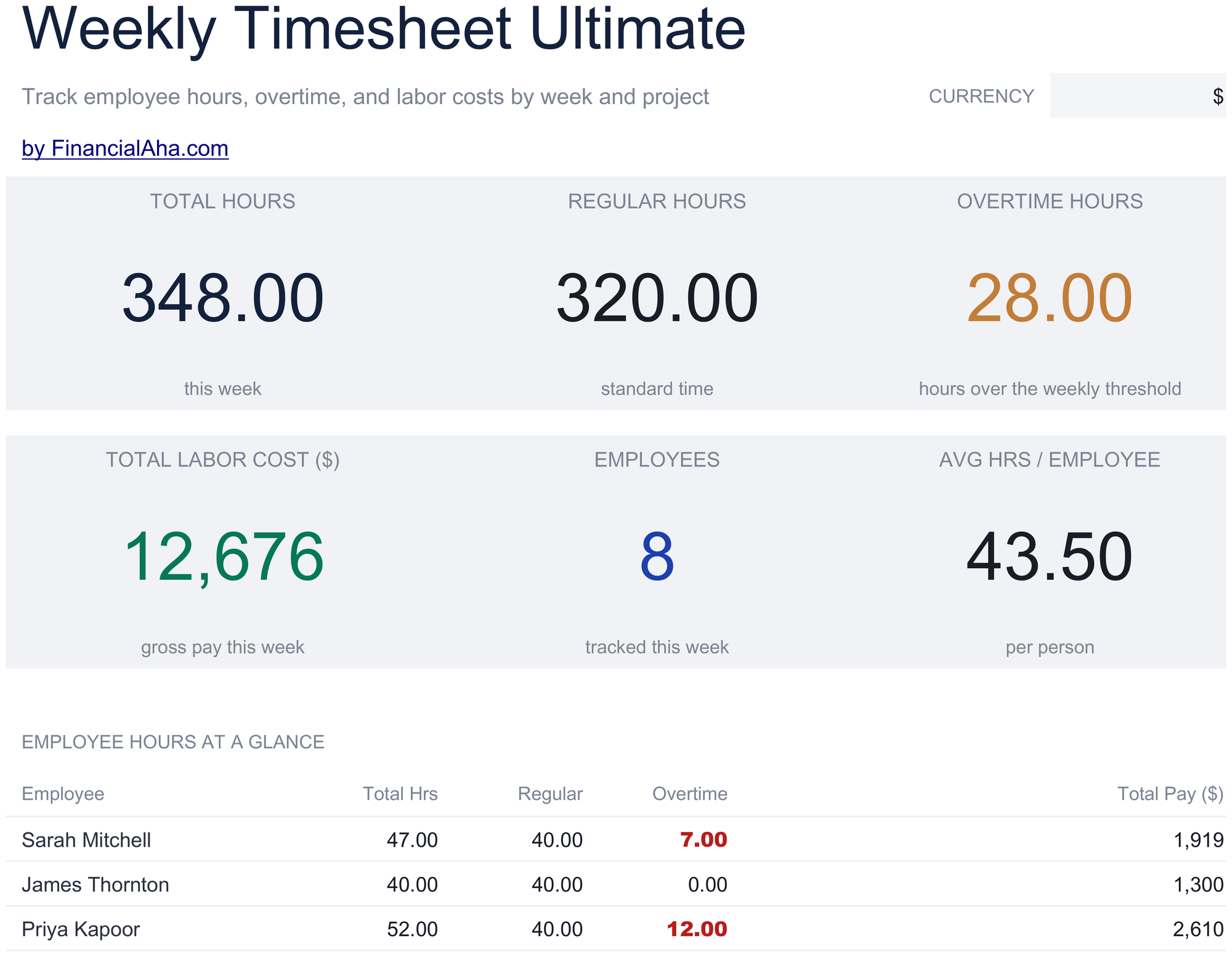
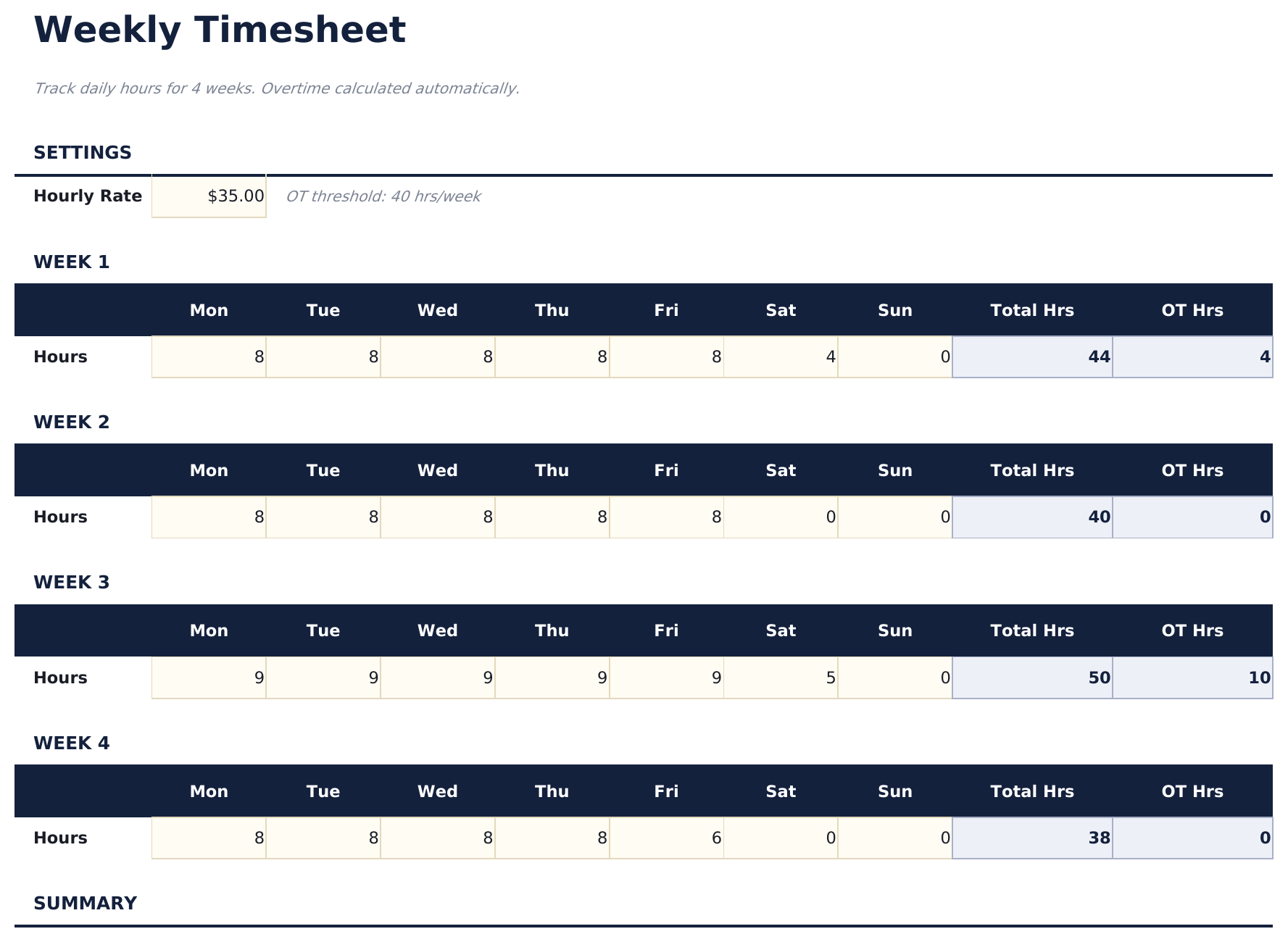
The FinancialAha Free Weekly Timesheet Spreadsheet Template covers one sheet, with a project label and a rate on every row, and hours read off the start and end times. There is no break column and no overtime. The Essentials Weekly Timesheet Spreadsheet Template for Google Sheets and Excel takes the seven days of a week, deducts a break as well, then applies a standard-hours threshold and an overtime multiplier you set, splitting the week into regular and overtime pay. The Ultimate Weekly Timesheet Spreadsheet Template scales that to fifteen people, splits their hours across eight projects, costs each project at a blended rate, analyses overtime per person against a threshold and multiplier you control, and rolls four weeks into a month.
Notes on working in the Free Weekly Timesheet spreadsheet template
The hours come off the clock: end less start, on that row. Move either time and the hours and the pay follow.
A session crossing midnight reads correctly - an end time earlier than the start counts as the next morning.
Pay is the hours on that row multiplied by the rate on that row.
The strip totals hours and pay across the week.
The dropdown beside the title relabels the rate and pay columns. It changes the label and nothing else.
How the Weekly Timesheet template works
The Free Weekly Timesheet Spreadsheet Template holds a week of time entries on one sheet, each carrying the day, what the time went on, when the session ran, the hours, the rate those hours pay and the pay itself. More than one row per day is deliberate - a day split between two pieces of work takes two lines - and the rate sits on the row, so work that pays differently can share a week. The hours are worked out from the row rather than typed: end time less start time. There is no break column, so a day split by lunch is entered as two rows rather than one.
When this template helps
01
You bill a client by the hour and want the week itemised before you invoice it.
02
You split a week across more than one project and need the hours kept apart.
03
Different work in the same week pays at different rates.
04
You want a record you own rather than a time-tracking app subscription.
Tips to get the most out of it
More than one row per day is what lets a single day be split between two projects.
The rate sits on each row, so mixed-rate work fits in one week without a second sheet.
Leaving either clock time blank leaves the row blank rather than reading as a zero-hour session.
Common mistakes to avoid
Leaving the end time blank and expecting a partial hours figure. The row reads as blank instead until both times are in.
Logging a lunch break inside one continuous session. There is no break column here, so a session split by lunch needs two rows to keep the break out of the hours.
Assuming overtime is handled. Every hour pays at its row rate; there is no threshold and no multiplier in this build.
Leaving last week in the file. The sheet covers one week, and a new copy each week keeps the record clean.
How to Use the Free Weekly Timesheet Spreadsheet Template
1
Log the session
Pick the day and name what the time went on.
2
Record when it ran
Enter the start and end so the row shows when the work happened.
3
Check the hours
Worked out from the start and end times automatically, so there is nothing to type here.
4
Set the rate
Each row carries its own rate, and the pay follows from it.
Every template starts with deep research into how people actually track the topic. We design the layout, build the formulas, and polish the design until it feels like something we would use ourselves. Along the way, we use AI to stress-test the calculations: unusual inputs, edge cases, and formula behavior, checked until the numbers hold.
Excel
Sheets
Privacy by default
Your numbers stay in your own file
Formula-driven
All calculations update automatically
Dual compatible
Works in Excel and Google Sheets
Sample data included
See the template in action right away
Frequently Asked Questions
What is the difference between the free, Essentials, and Ultimate Free Weekly Timesheet spreadsheet template?
Free is a single-sheet starter template with sample data and a How to Use guide. Essentials ($19) is the fuller build, with more worked out for you rather than typed. Ultimate ($29) goes further again, splitting the template across more working sheets and adding deeper reporting on top. What each tier holds differs by template - the comparison table on every template page lists it exactly.
Which Free Weekly Timesheet spreadsheet template should I download?
Essentials is the fuller build of this template for ongoing use, and the comparison table on this page lists exactly what it adds. The Free version is a good fit for one-off planning or trying out the layout.
Can I upgrade the Free Weekly Timesheet spreadsheet template later?
Yes. Essentials is a one-time $19 purchase with no subscription. What it adds depends on the template: some builds gain capacity and a dashboard, others richer detail in the same layout. The comparison table on this page lists the differences exactly.
Is the FinancialAha Free Weekly Timesheet Spreadsheet Template a Google Sheets template?
Yes. Upload the file to Drive and choose "Open with Google Sheets". Nothing needs rewriting in the Free Weekly Timesheet Google Sheets template, and the currency dropdown still relabels the rate and pay columns.
Is the FinancialAha Free Weekly Timesheet Spreadsheet Template an Excel template?
Yes. The download is a plain .xlsx, so the Free Weekly Timesheet Excel template opens directly in Excel with no import step. There are no macros and no VBA, so it opens without a security warning.
Will the Free Weekly Timesheet spreadsheet Excel file open in older versions of Excel?
Yes. The Free Weekly Timesheet spreadsheet Excel workbook ships as a plain .xlsx, so it opens identically in current Excel and in builds that predate dynamic arrays.
Does the FinancialAha Free Weekly Timesheet Spreadsheet Template work out hours from the start and end times?
Yes. The hours column is the end time less the start time on that row, so moving either clock time moves the hours and the pay with it. There is no break column on this build, so a day split by lunch is entered as two rows. Deducting a break automatically is what the Essentials build does.
Does the Free Weekly Timesheet spreadsheet handle overtime?
No. There is no threshold and no multiplier in this build, so every hour pays at its row's rate. The Essentials build splits a week into regular and overtime against a threshold you set.
Why does the Free Weekly Timesheet spreadsheet have more than one row per day?
So a day split between two pieces of work can take two lines. With a project label and a rate on each row, a week of mixed work fits without a second sheet.
Is the Free Weekly Timesheet spreadsheet template safe to download?
Yes. No macros, no tracking. The file is a plain .xlsx that opens directly in Excel or Google Sheets.
How do I open the Free Weekly Timesheet spreadsheet template in Google Sheets?
Upload the .xlsx file to Google Drive, then open it with Google Sheets. All formulas and formatting will be preserved.
Can I use the Free Weekly Timesheet spreadsheet template for commercial work?
All free templates are released under CC BY 4.0 (Creative Commons Attribution). You can use, modify, and share them freely - including for commercial purposes - as long as you credit FinancialAha.com. They are provided as-is and do not constitute financial advice.