What is the difference between the free, Essentials, and Ultimate Free 80/20 Budget spreadsheet template?
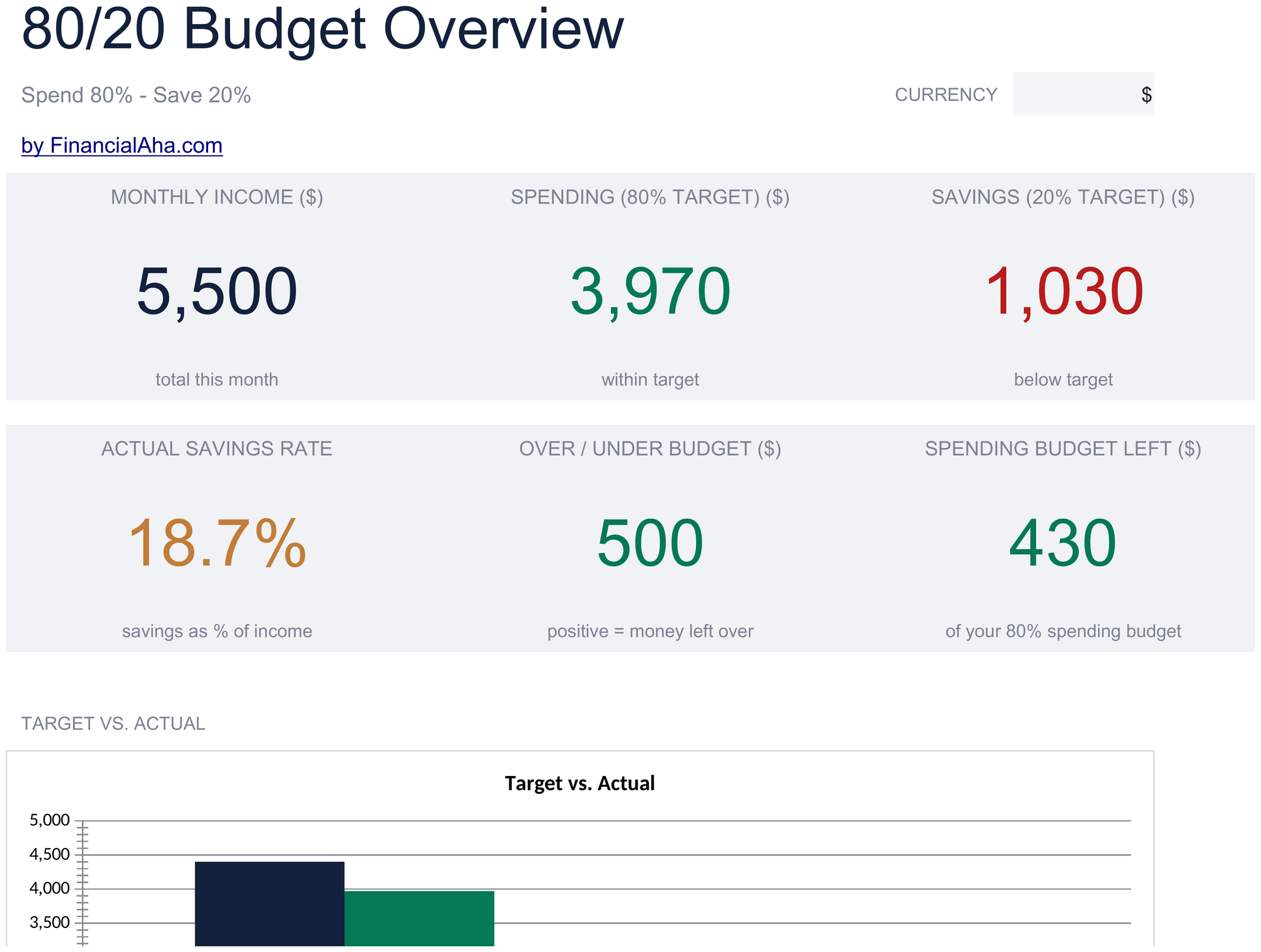
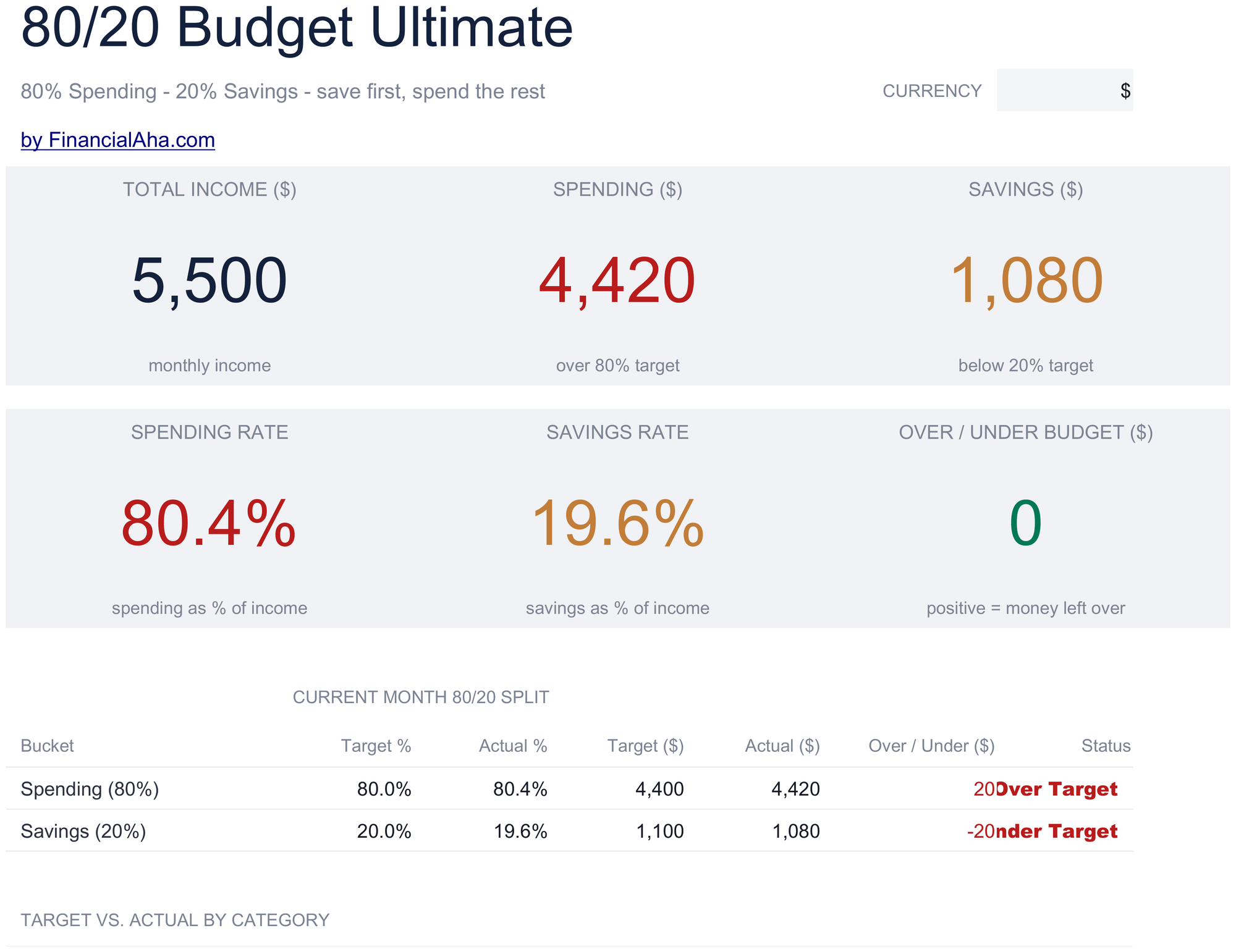
Free is a single-sheet starter template with sample data and a How to Use guide. Essentials ($19) is the fuller build, with more worked out for you rather than typed. Ultimate ($29) goes further again, splitting the template across more working sheets and adding deeper reporting on top. What each tier holds differs by template - the comparison table on every template page lists it exactly.
Which Free 80/20 Budget spreadsheet template should I download?
Essentials is the fuller build of this template for ongoing use, and the comparison table on this page lists exactly what it adds. The Free version is a good fit for one-off planning or trying out the layout.
Can I upgrade the Free 80/20 Budget spreadsheet template later?
Yes. Essentials is a one-time $19 purchase with no subscription. What it adds depends on the template: some builds gain capacity and a dashboard, others richer detail in the same layout. The comparison table on this page lists the differences exactly.
Is the FinancialAha Free 80/20 Budget Spreadsheet Template a Google Sheets template?
Yes. Upload the file to Drive and choose "Open with Google Sheets". Nothing needs rewriting in the Free 80/20 Budget Google Sheets template, and the totals recalculate exactly as they do in Excel.
Is the FinancialAha Free 80/20 Budget Spreadsheet Template an Excel template?
Yes. The download is a plain .xlsx, so the Free 80/20 Budget Excel template opens directly in Excel with no import step. There are no macros and no VBA in the file.
Will the FinancialAha Free 80/20 Budget spreadsheet Excel file open in older versions of Excel?
Yes. The Free 80/20 Budget spreadsheet Excel workbook ships as a plain .xlsx, so it opens identically in current Excel and in builds that predate dynamic arrays.
What is the difference between 80/20 and a three-bucket split?
A decision. Three buckets ask whether each purchase is a need or a want; two ask only whether the money was saved or paid off, or was not. Everything that is not being saved is spending, and the sheet is laid out that way.
Does the total at the foot show my budget?
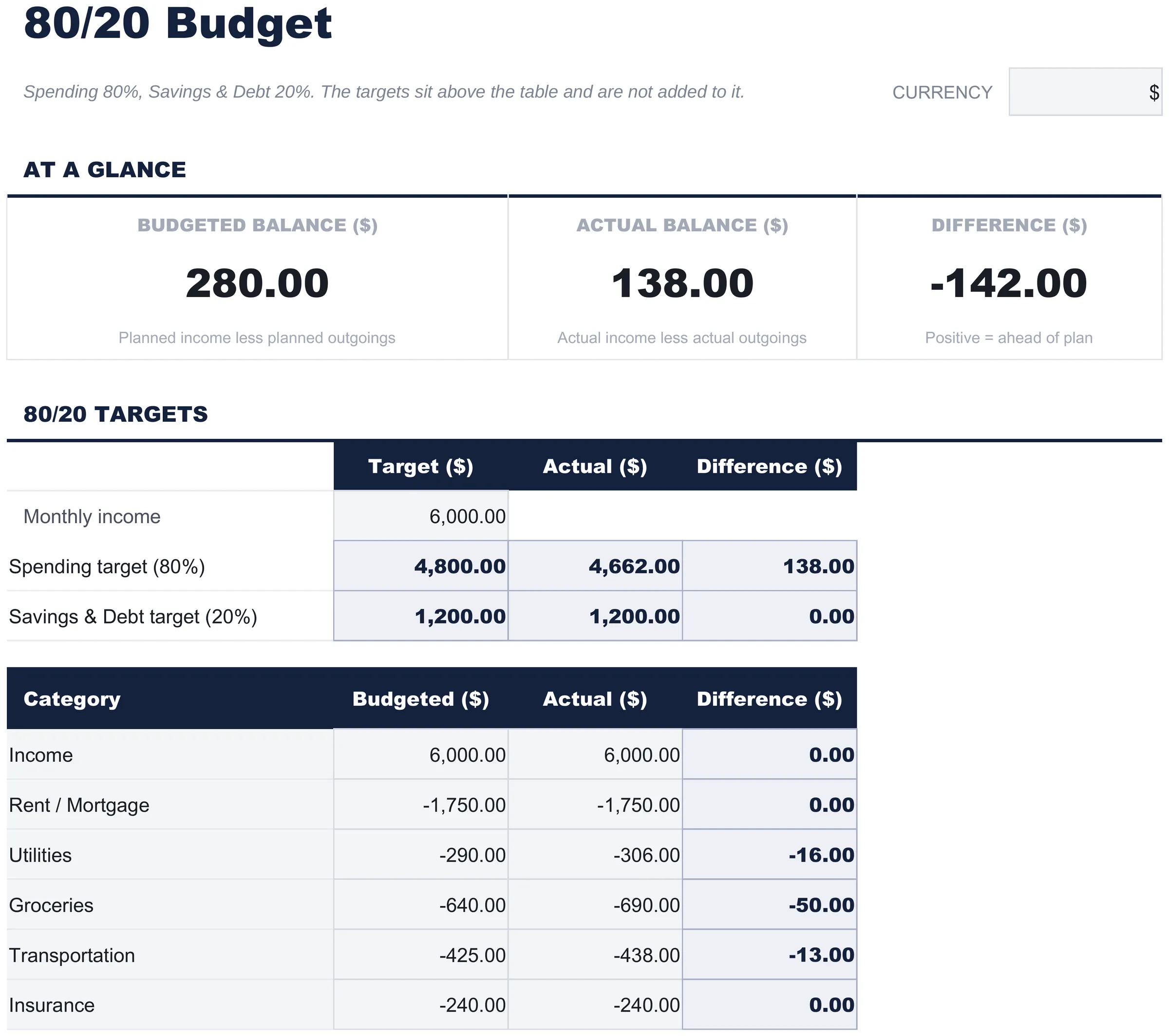
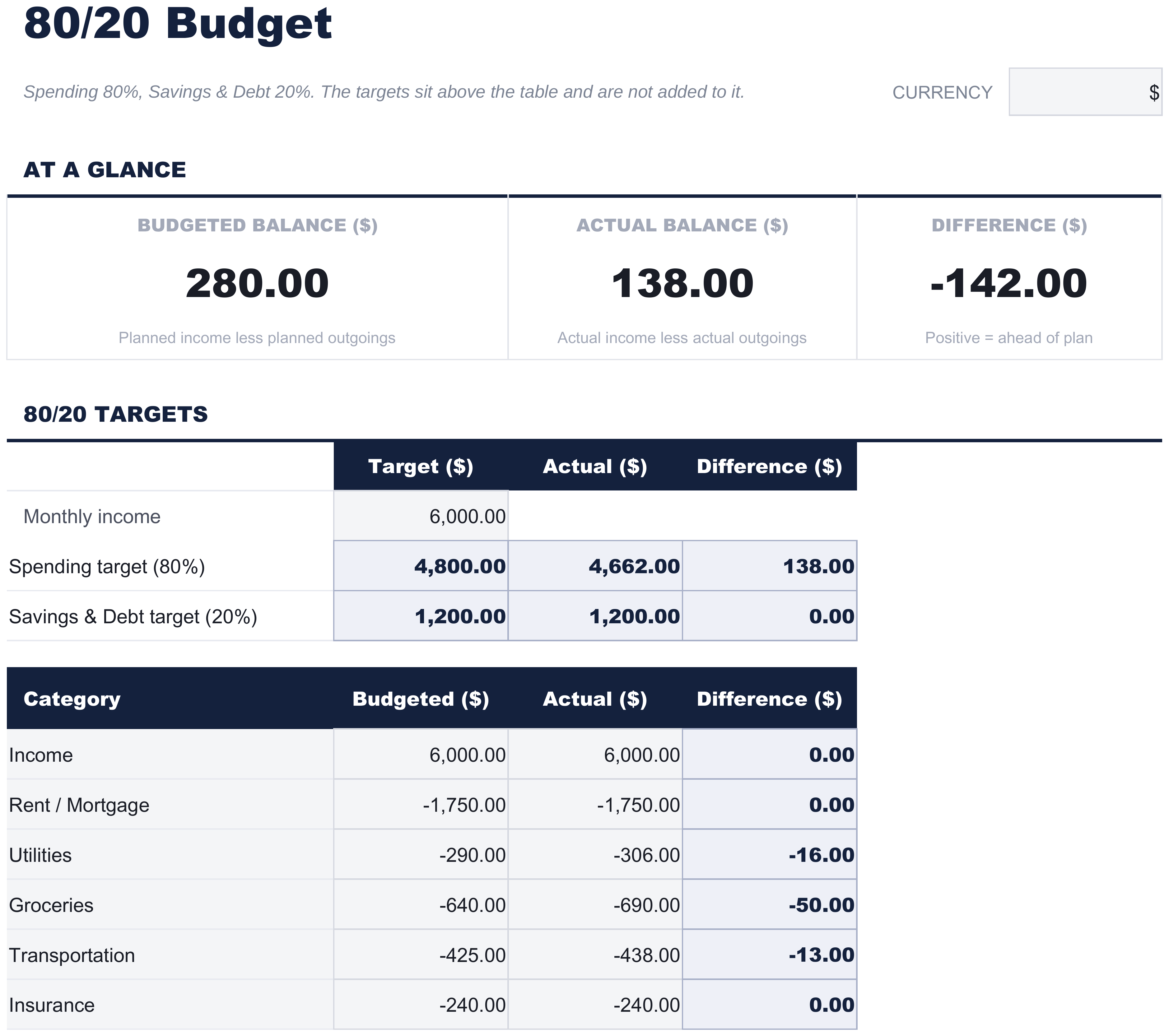
It shows what is left over. Income is entered as a positive line and the outgoings as negatives, so the foot row reads income less spending. The two target rows sit above the table and are not added into it. The per-line difference column is the part to work from.
Are the targets worked out from my income?
Yes. Put your monthly income in the targets block and both figures follow from it, at eighty percent for spending and twenty for savings and debt. The shares themselves are fixed here - the Ultimate build is the one that puts the allocation percentages in cells you can edit.
Can I rename the buckets?
Yes. The labels are text and nothing depends on them, so a split of your own works the same way as the one the file ships with.
Can I add spending lines to the FinancialAha Free 80/20 Budget spreadsheet?
Yes. Right-click a row inside the spending table and choose Insert, and the totals expand to include it. The two target rows sit inside the same block, so leave those where they are. The Essentials build works the targets out separately, which keeps the spending list to itself.
How do I open the Free 80/20 Budget spreadsheet template in Google Sheets?
Upload the .xlsx file to Google Drive, then open it with Google Sheets. All formulas and formatting will be preserved.
Can I use the Free 80/20 Budget spreadsheet template for commercial work?
All free templates are released under CC BY 4.0 (Creative Commons Attribution). You can use, modify, and share them freely - including for commercial purposes - as long as you credit FinancialAha.com. They are provided as-is and do not constitute financial advice.