Best Value All-in-One Financial Planning Bundle
✓ Financial Planning✓ Net Worth Tracker✓ Monthly Budgeting✓ Travel Budget Planner✓ Annual Budgeting Planner✓ Monthly Expense Tracker✓ Annual Tax Planner✓ Retirement Planning
View Bundle →
Pro Pro version available - Household Budget Pro
Free Download - Excel & Google Sheets

Free Household Budget Spreadsheet Template

Track household income and expenses for families or shared living situations. Covers dual incomes, shared bills, and household-specific categories.

Works in Excel and Google Sheets · CC BY 4.0
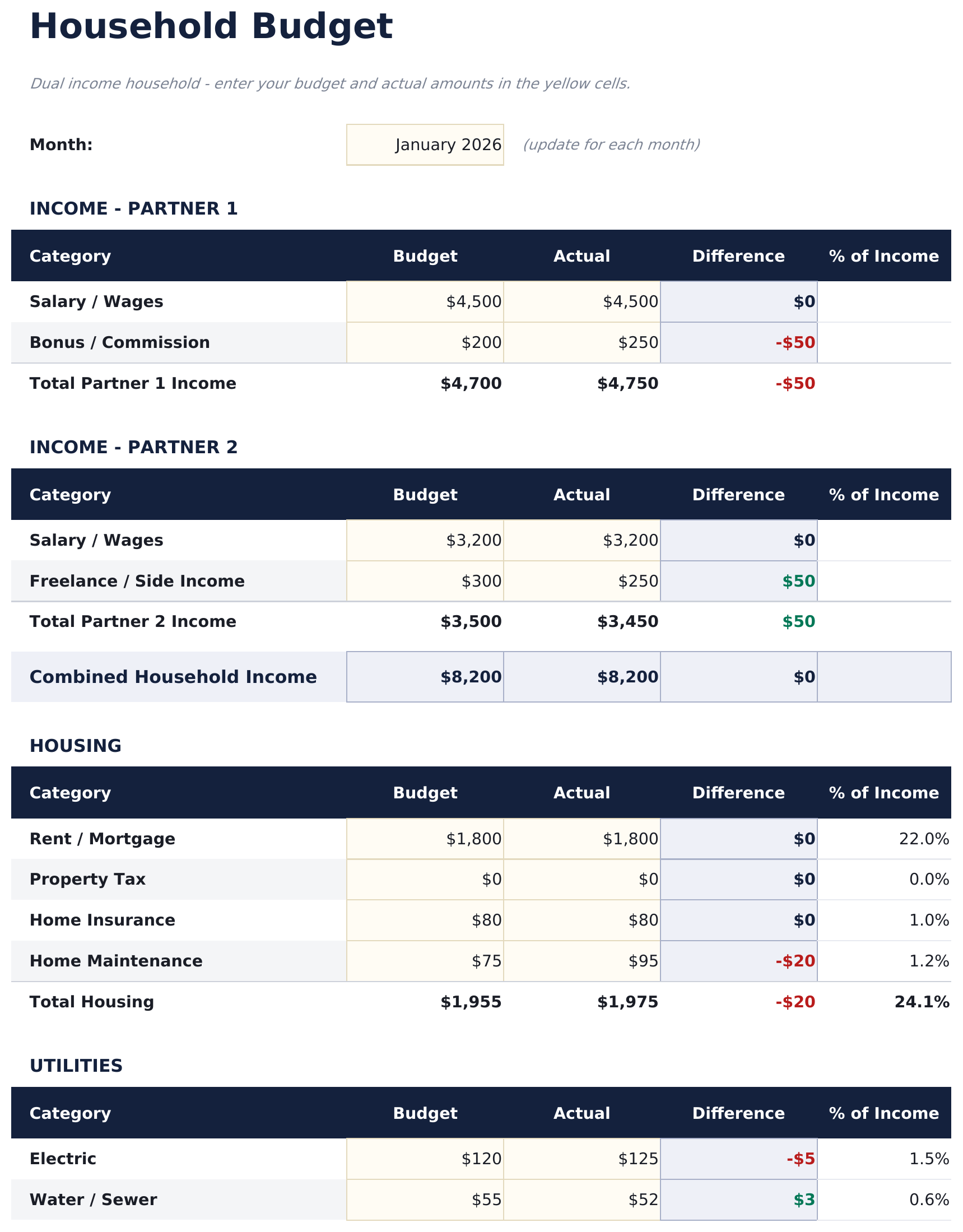
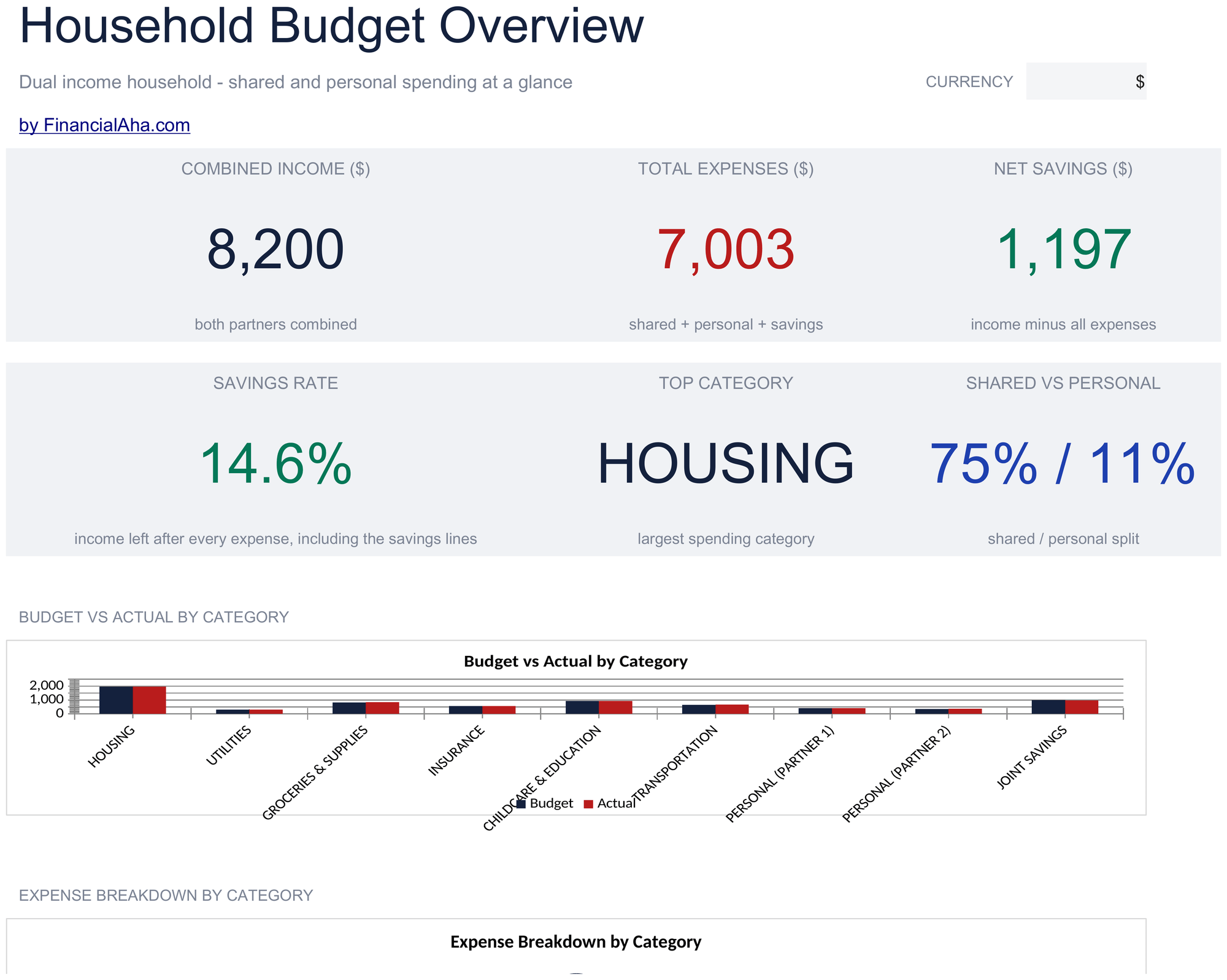
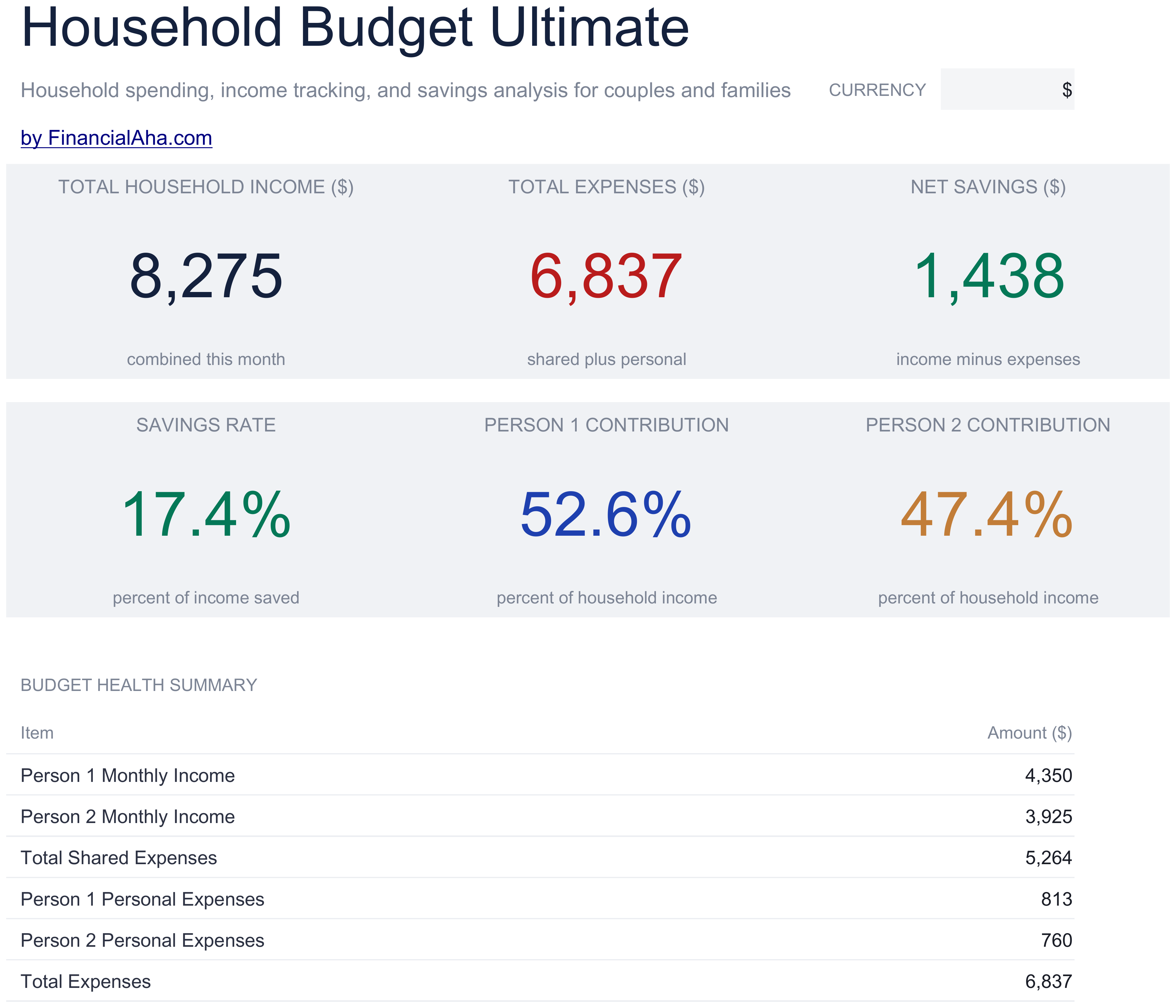
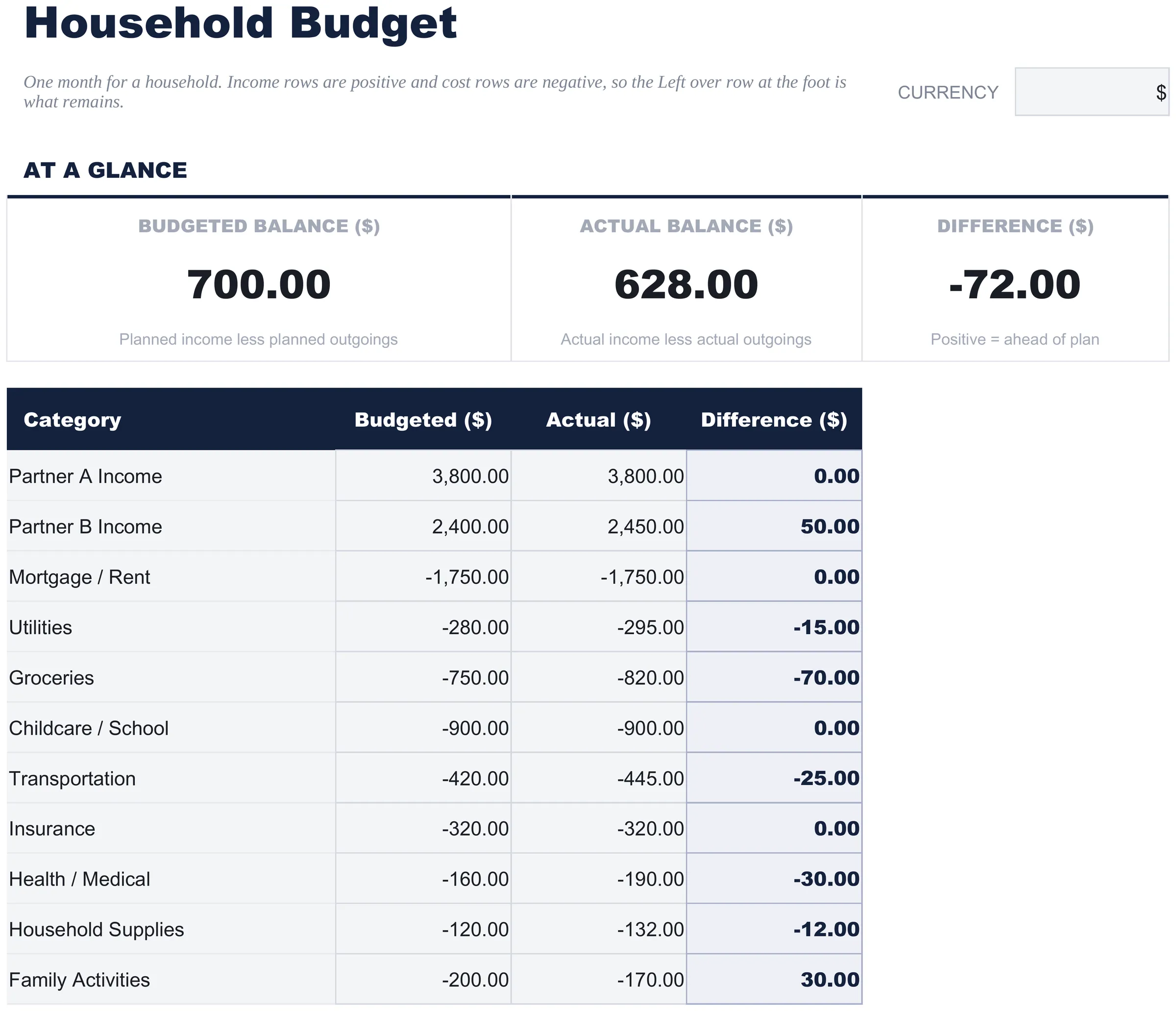
Household Budget preview

What's Included

  • Dashboard with household financial overview showing combined income, total expenses, and net balance
  • Dual income support with separate entry rows for each earner plus additional income sources
  • Household-specific expense categories including mortgage or rent, childcare, groceries, and utilities
  • Monthly budget worksheet with automatic formulas that sum shared and individual expenses
  • Color-coded cells distinguishing editable input fields from auto-calculated summary totals
  • Works in Microsoft Excel, Google Sheets, and LibreOffice Calc with no setup required
Pro Version Available

Need more from this template?

The free version covers the basics. The Pro version goes further.

Free
  • Track income and expenses for a two-person household
  • Shared expense tracking with basic 50/50 split
  • Dashboard with combined income and expense totals
  • Works in Excel and Google Sheets
Pro
  • Income Setup sheet supporting up to 4 household members with salary, side income, and other income sources per person
  • Shared Expenses sheet for household bills split between members - each row shows total cost and each person's share based on split ratio
  • Individual Expenses sheet for personal spending per household member tracked separately from shared costs
  • Split ratio input per expense category - set 50/50, 60/40, or any custom split and the template calculates each person's share automatically
  • Monthly Tracking sheet consolidating shared and individual expenses by category for each month
See what's in the Pro version One-time purchase. No subscription.

How to Use This Household Budget Template

1

List household income

Enter each earner separately - primary salary, secondary income, and any other sources. The template totals them automatically.

2

Fill in shared expenses

Add household costs like mortgage or rent, utilities, groceries, childcare, and insurance into the expense categories.

3

Review the dashboard

See combined income vs total household expenses, net balance, and which categories consume the largest share of the budget.

4

Update each month

Adjust amounts as bills and income change. The formulas recalculate totals so you can track household spending trends over time.

Built by Claude AI. Perfected by us.

We use Claude AI to draft each template, after a deep research. Then our team steps in. We refine the layout, stress-test every formula, fix edge cases, and polish the design until it feels like something we would actually use ourselves. The AI gets us 80% there. The last 20% is all human judgment.

Works in Excel and Google Sheets · CC BY 4.0

Frequently Asked Questions

Can I track two incomes separately?

Yes. The template has separate income rows for each earner plus additional rows for other household income sources like rental income or side work.

What household categories are included?

Categories include mortgage or rent, utilities, groceries, childcare, transportation, insurance, medical, entertainment, and more. You can rename or add categories to fit your household.

Is this template for families only?

No. It works for any shared living arrangement - couples, families, or roommates splitting expenses. Adjust the income and expense labels to match your situation.

How do I handle shared vs personal expenses?

You can add separate rows for personal expenses under each earner, or focus only on shared household costs. The template is flexible enough for either approach.

How do I open this in Google Sheets?

Upload the .xlsx file to Google Drive, then open it with Google Sheets. All formulas and formatting will be preserved.

What license is this template under?

All free templates are released under CC BY 4.0 (Creative Commons Attribution). You can use, modify, and share them freely - including for commercial purposes - as long as you credit FinancialAha.com. They are provided as-is and do not constitute financial advice.

More Free Personal Budgeting Templates

Looking for premium spreadsheet templates?

Our paid templates include advanced multi-sheet dashboards, native Excel charts, and ongoing updates.

Private & secure

Your financial data stays on your device. We never see it.

Learn more →

Need help?

Check our guides or reach out with questions.

View FAQ →