Beste waarde All-in-One Financieel Planningspakket
✓ Financiële Planning✓ Vermogenstracker✓ Maandelijks Budgetteren✓ Reisbudget Planner✓ Jaarlijkse Budgetplanner✓ Maandelijkse Uitgaventracker✓ Jaarlijkse Belastingplanner✓ Pensioenplanning
Bekijk bundel →
Ultimate Ultimate-versie beschikbaar - Hypotheekcalculator Ultimate
Essentials-sjabloon - Excel & Google Sheets

Home Mortgage Calculator Essentials-sjabloon

Calculate monthly mortgage payments and view a full amortization schedule. Enter loan amount, rate, and term to see payment breakdowns over the life of the loan.

Bekijk de Ultimate-versie →
Home Mortgage Calculator preview

Wat zit erin

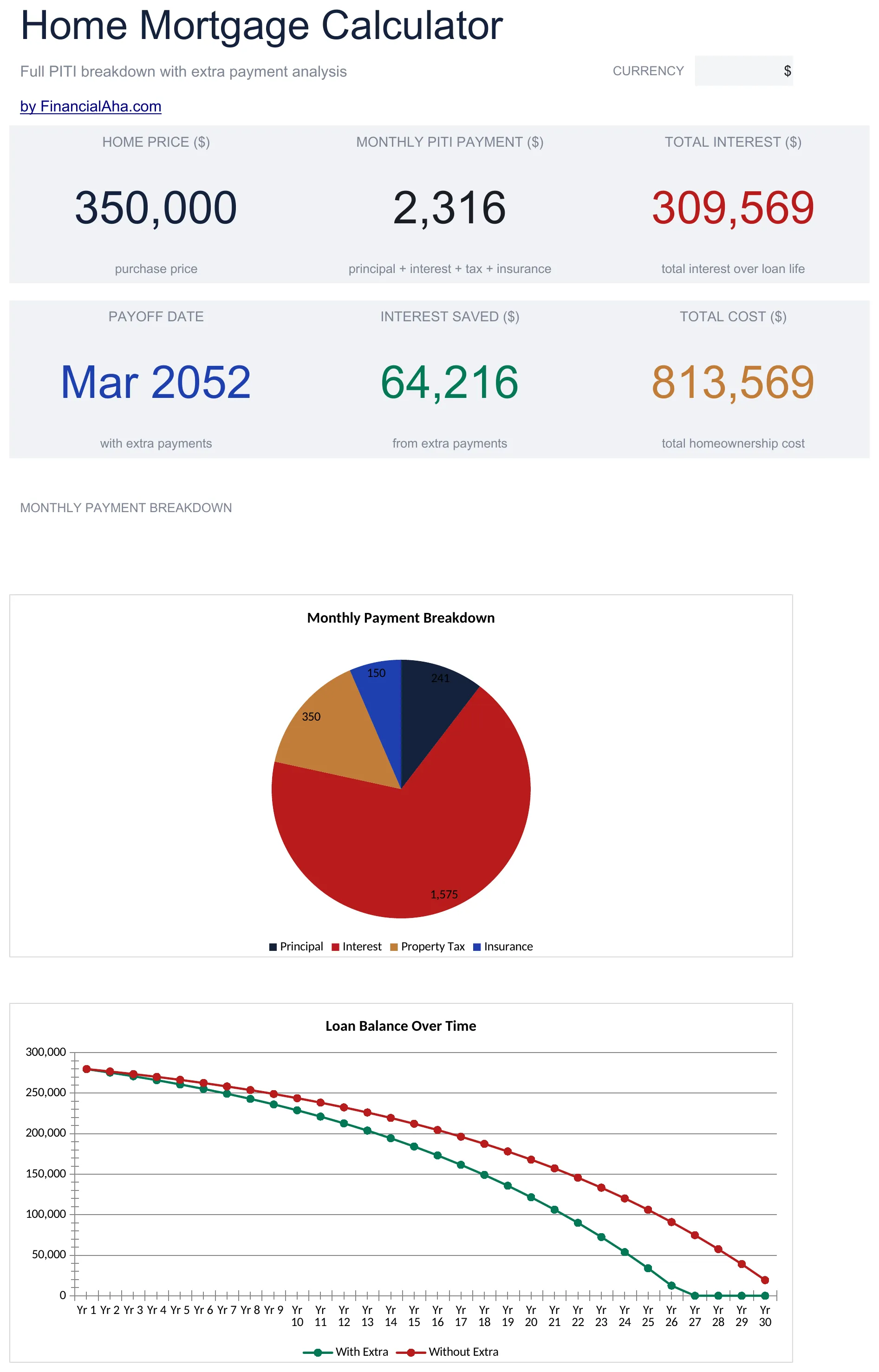
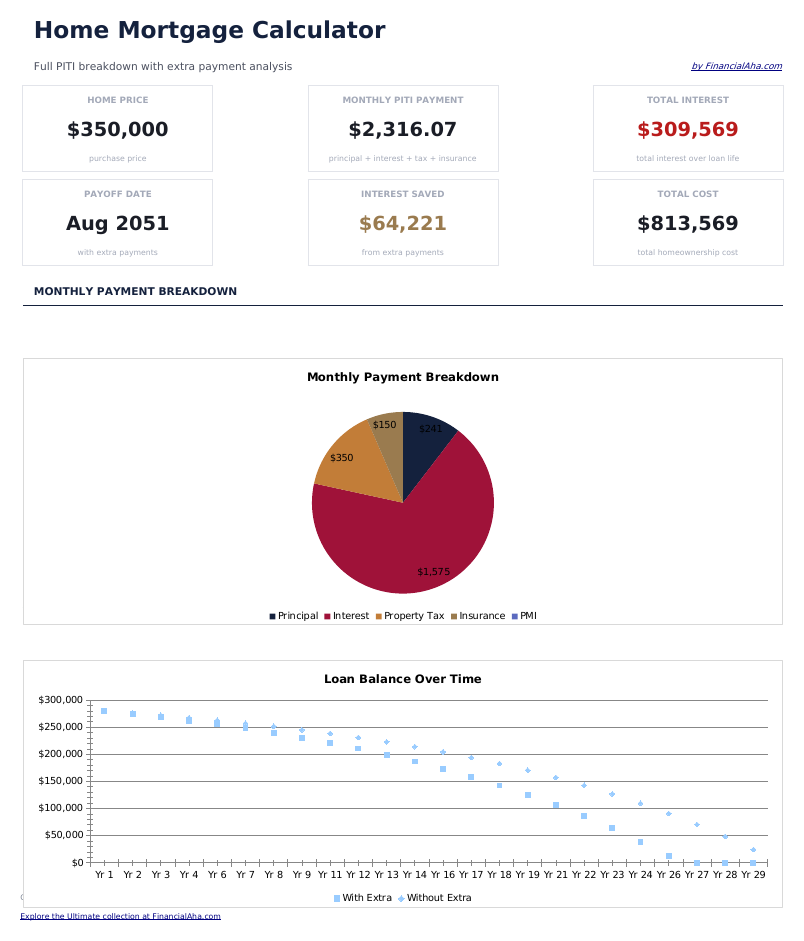
  • Dashboard with payment summary showing monthly payment amount, total interest, and total cost of the loan
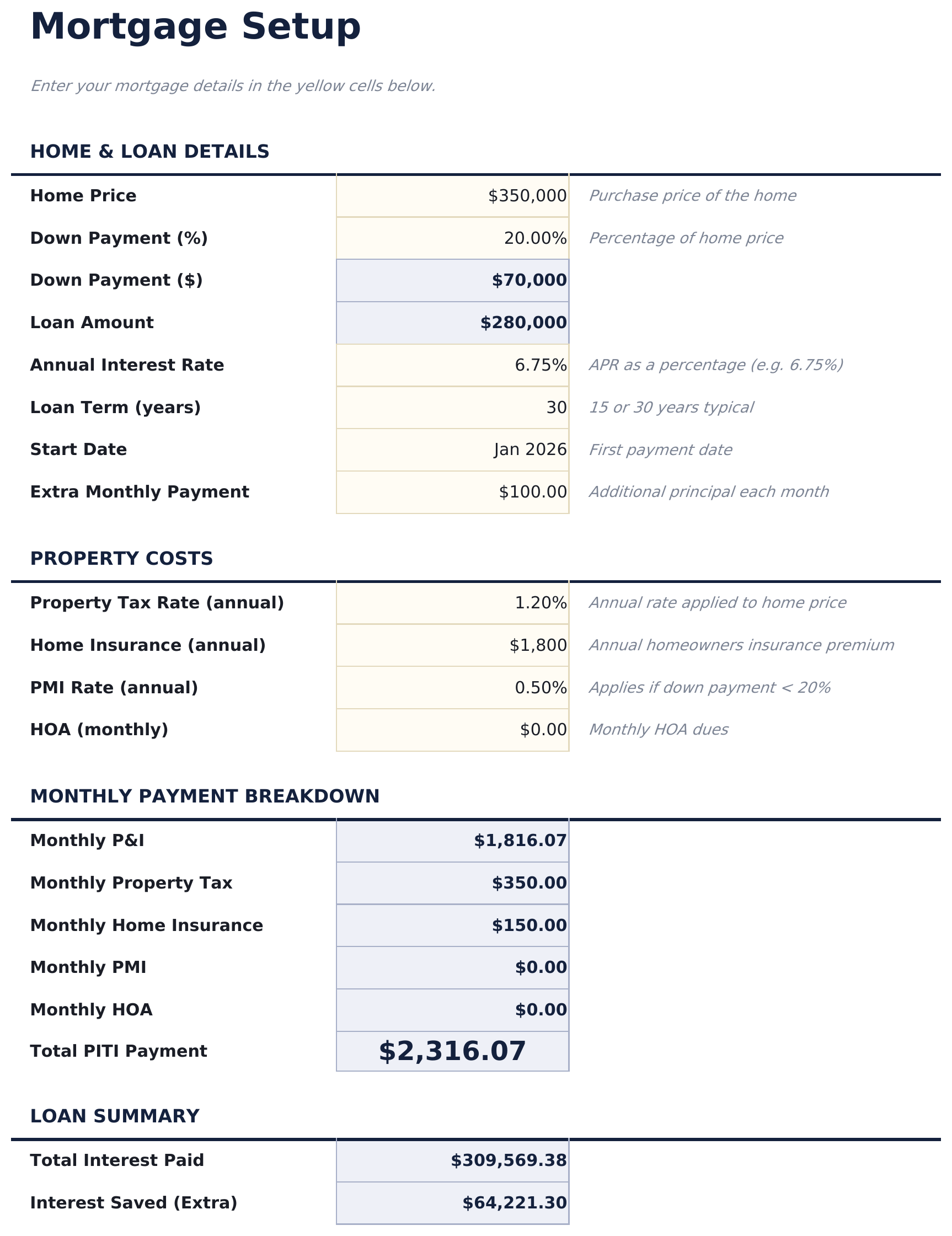
  • Mortgage setup sheet with inputs for loan amount, annual interest rate, loan term in years, and start date
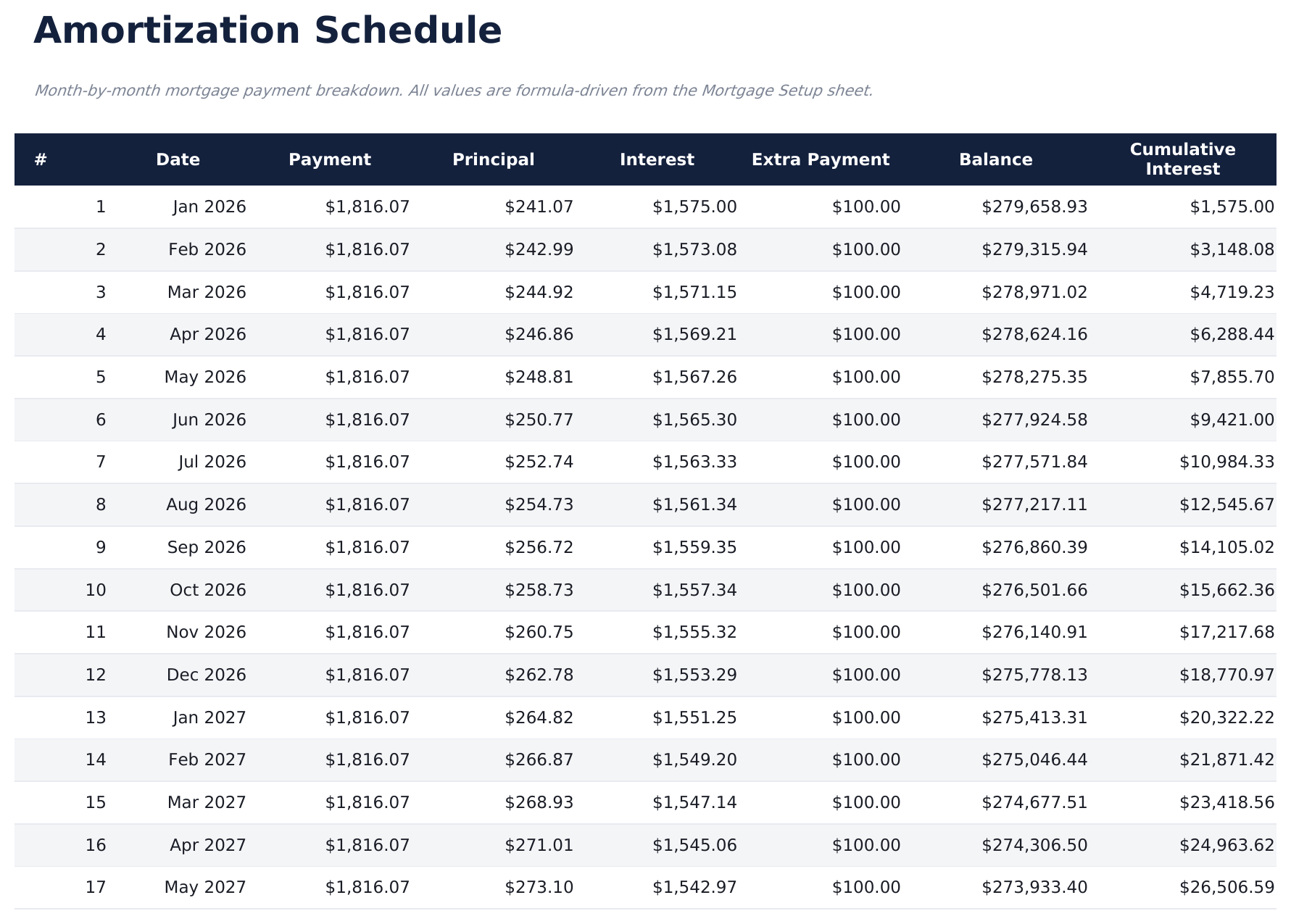
  • Full amortization schedule displaying each monthly payment with principal, interest, and remaining balance
  • Principal vs. interest breakdown per payment showing how the split shifts over the life of the mortgage
  • Total interest over loan life with color-coded input cells (yellow) and auto-calculated schedule (blue)
  • Works in Microsoft Excel, Google Sheets, and LibreOffice Calc with no setup required
Ultimate Version Available

Need more from this template?

The Essentials version covers everyday tracking. Ultimate goes further with multi-entity support, scenario analysis, and ultimate-grade reporting.

Essentials - $12
  • Dashboard with payment summary showing monthly payment amount, total interest, and total cost of the loan
  • Mortgage setup sheet with inputs for loan amount, annual interest rate, loan term in years, and start date
  • Full amortization schedule displaying each monthly payment with principal, interest, and remaining balance
  • Principal vs. interest breakdown per payment showing how the split shifts over the life of the mortgage
Ultimate - $19
  • Stel tot 3 leningscenario's in en vergelijk ze naast elkaar met leningbedrag, rentepercentage, looptijd en startdatum
  • Dashboard met 6 KPI-kaarten: beste maandelijkse betaling, beste totale rente, aantal leningen, totaal geleend bedrag, laagste tarief en beste looptijd
  • Volledig aflossingsschema voor elk scenario met betalingsnummer, datum, betalingsbedrag, aflossing, rente en resterend saldo
  • Werkblad scenariovergelijking dat alle 3 leningen rangschikt op maandelijkse betaling, totale rente, totale kosten en break-evenanalyse
  • Extra betalingsanalyse die toont hoe extra maandelijkse, jaarlijkse of eenmalige betalingen rente verminderen en de looptijd verkorten
See what's in the Ultimate version One-time purchase. No subscription.

Hoe gebruik je dit Home Mortgage Calculator sjabloon

1

Enter loan details

Input the loan amount, annual interest rate, loan term in years, and start date on the mortgage setup sheet.

2

Review monthly payment

The calculator displays your monthly payment amount including principal and interest. Taxes and insurance are not included.

3

Explore the amortization

The full schedule shows every monthly payment split between principal, interest, and remaining balance from first to last.

4

Check total interest

The dashboard shows total interest over the life of the loan alongside the total amount paid (principal plus interest).

Gebouwd door Claude AI. Verfijnd door ons.

We gebruiken Claude AI om elk sjabloon te ontwerpen, na uitgebreid onderzoek. Daarna neemt ons team het over. We verfijnen de indeling, testen elke formule grondig, lossen randgevallen op en polijsten het ontwerp totdat het iets is dat we zelf ook echt zouden gebruiken. De AI brengt ons 80% van de weg. De laatste 20% is puur menselijk oordeel.

Bekijk de Ultimate-versie →

Veelgestelde vragen

Does it include taxes and insurance?

No. The calculator covers principal and interest only. Property taxes, insurance, and PMI are separate costs not included in this calculation.

Can I enter a 15-year term?

Yes. Enter any loan term in years. Common options are 15 and 30 years, but the calculator works with any term you input.

How is the monthly payment calculated?

The calculator uses the standard amortization formula. It divides the loan into equal monthly payments that cover both principal and interest over the full term.

Can I see how much interest I pay in year one?

Yes. The amortization schedule shows each monthly payment. Sum the interest column for the first 12 rows to see your first-year interest total.

Hoe open ik dit in Google Sheets?

Upload het .xlsx-bestand naar Google Drive en open het vervolgens met Google Sheets. Alle formules en opmaak blijven behouden.

Meer Essentials-sjablonen voor Mortgage & Home

Op zoek naar premium spreadsheet-sjablonen?

Onze betaalde sjablonen bevatten geavanceerde dashboards met meerdere werkbladen, ingebouwde Excel-grafieken en doorlopende updates.

Privé & veilig

Uw financiële gegevens blijven op uw apparaat. Wij zien ze nooit.

Meer informatie →

Hulp nodig?

Bekijk onze handleidingen of neem contact op met vragen.

Bekijk FAQ →