Beste waarde All-in-One Financieel Planningspakket
✓ Financiële Planning✓ Vermogenstracker✓ Maandelijks Budgetteren✓ Reisbudget Planner✓ Jaarlijkse Budgetplanner✓ Maandelijkse Uitgaventracker✓ Jaarlijkse Belastingplanner✓ Pensioenplanning
Bekijk bundel →
Essentials-sjabloon - Excel & Google Sheets

Time Card Calculator Essentials-sjabloon

Calculate work hours from clock-in and clock-out times. Handles breaks, overtime, and weekly totals with automatic pay calculations.

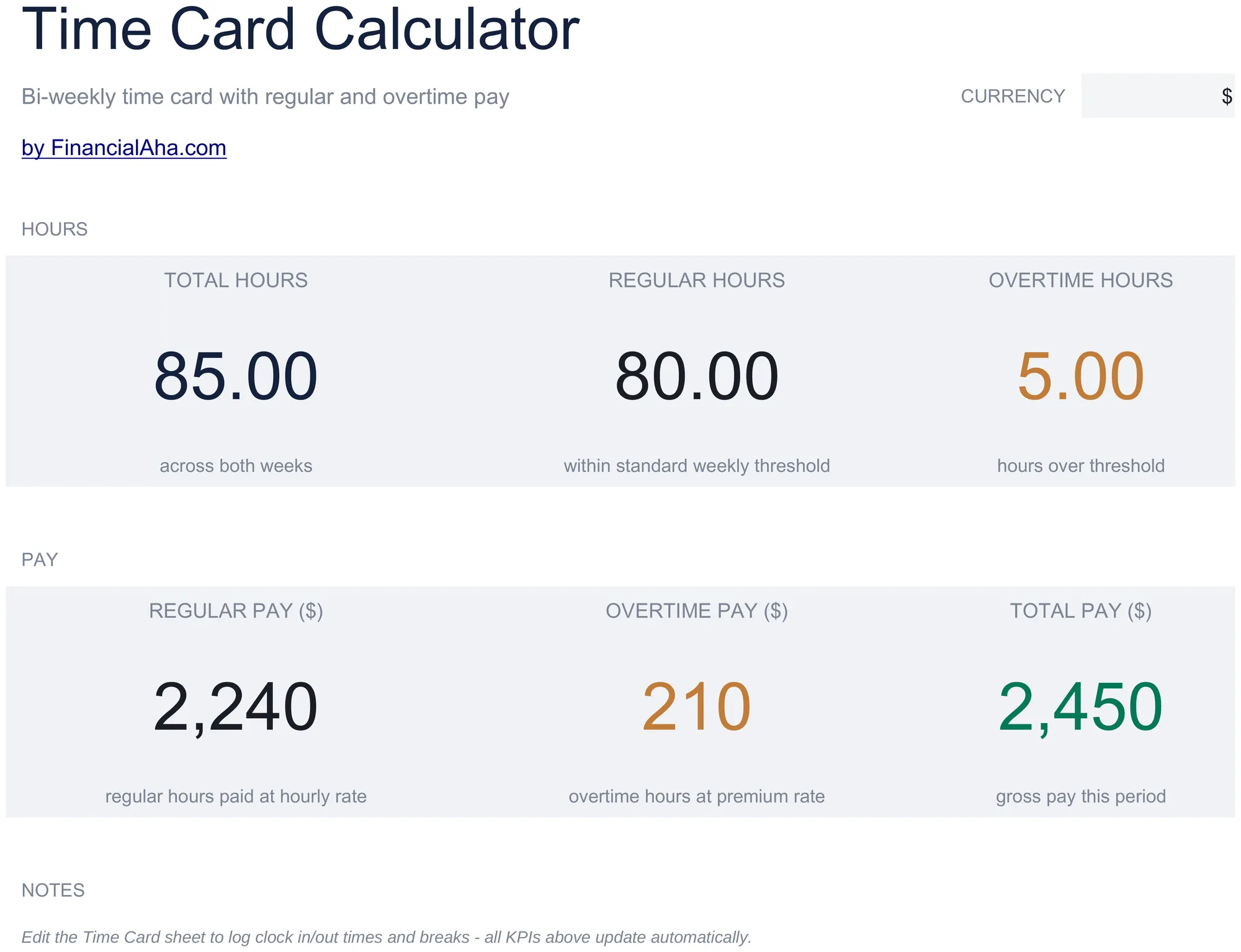
Time Card Calculator preview

Wat zit erin

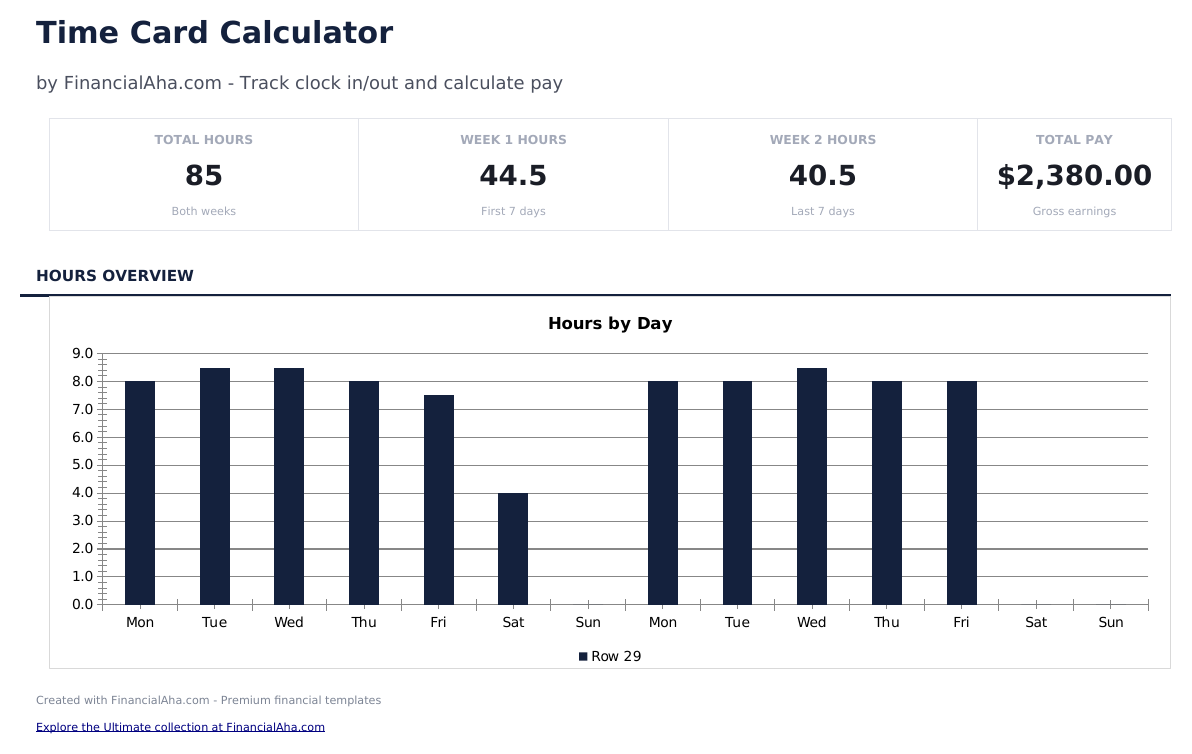
  • Dashboard with time card summary showing total hours worked, overtime hours, regular pay, and overtime pay
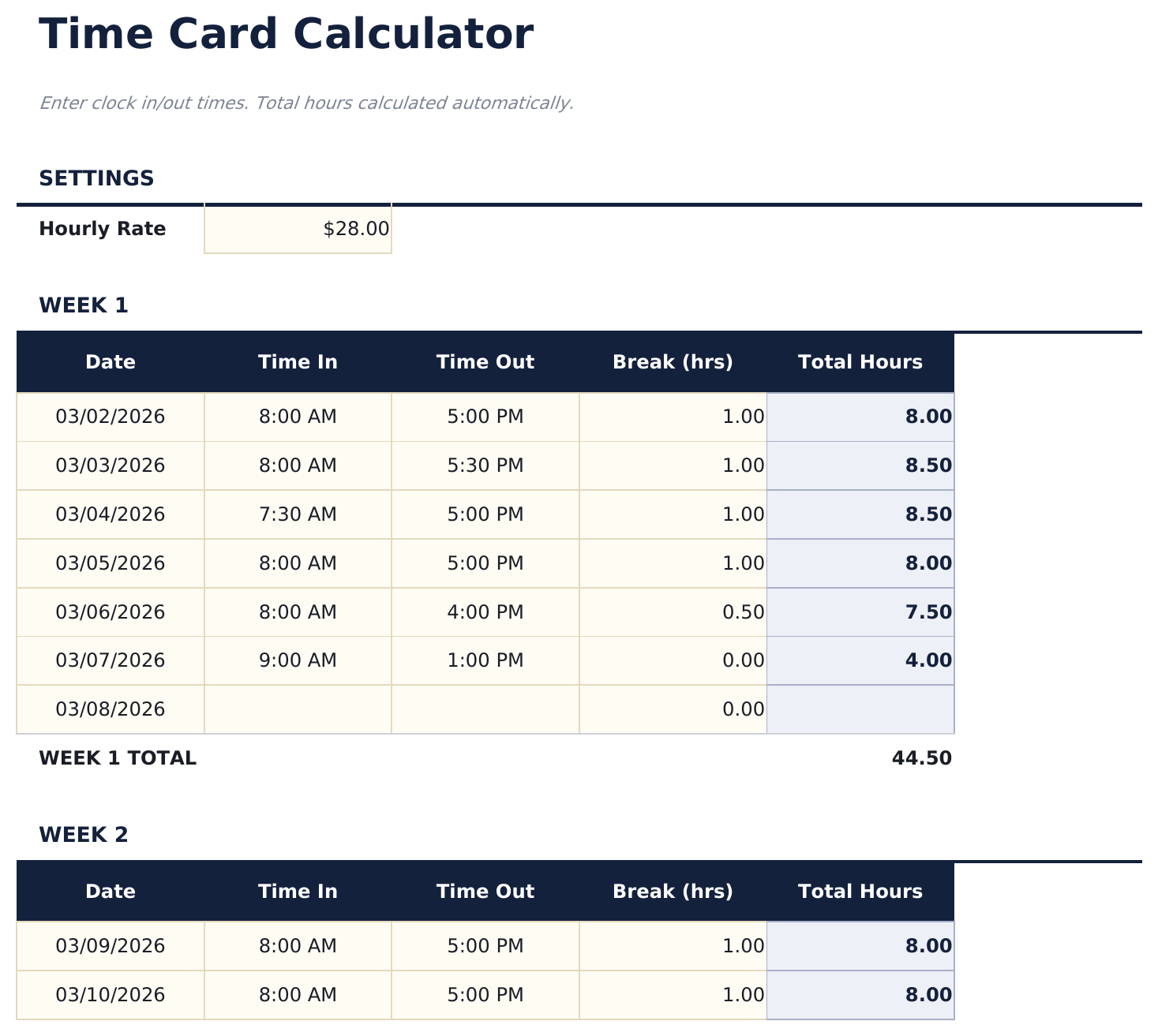
  • Time card with clock-in and clock-out entry fields for morning start, lunch break, and afternoon end times
  • Break time deductions that automatically subtract lunch and other break periods from daily worked hours
  • Overtime hour calculations that separate regular hours from overtime based on daily or weekly thresholds
  • Pay rate and total pay calculations with color-coded input cells (yellow) and auto-computed earnings (blue)
  • Works in Microsoft Excel, Google Sheets, and LibreOffice Calc with no setup required

Hoe gebruik je dit Time Card Calculator sjabloon

1

Enter clock times

Record the morning clock-in, lunch out, lunch in, and afternoon clock-out times for each day of the pay period.

2

Review daily hours

The template calculates total hours worked per day after subtracting break time from clock-in to clock-out.

3

Check overtime

Hours exceeding the daily or weekly threshold are automatically separated into regular and overtime columns.

4

See calculated pay

Enter the pay rate and the dashboard shows regular pay, overtime pay, and total earnings for the period.

Gebouwd door Claude AI. Verfijnd door ons.

We gebruiken Claude AI om elk sjabloon te ontwerpen, na uitgebreid onderzoek. Daarna neemt ons team het over. We verfijnen de indeling, testen elke formule grondig, lossen randgevallen op en polijsten het ontwerp totdat het iets is dat we zelf ook echt zouden gebruiken. De AI brengt ons 80% van de weg. De laatste 20% is puur menselijk oordeel.

Veelgestelde vragen

Does it handle lunch breaks?

Yes. Enter lunch-out and lunch-in times. The break duration is subtracted from total daily hours automatically.

Can I change the overtime threshold?

Yes. Adjust the daily or weekly overtime hour threshold to match your company policy or local labor law requirements.

What time format should I use?

Enter times in HH:MM format (for example 8:30 AM or 5:15 PM). The template converts them to calculate hours worked.

Does it handle split shifts?

The template is designed for a standard single-shift day. For split shifts, add additional clock-in and clock-out columns.

Hoe open ik dit in Google Sheets?

Upload het .xlsx-bestand naar Google Drive en open het vervolgens met Google Sheets. Alle formules en opmaak blijven behouden.

Meer Essentials-sjablonen voor Payroll & HR

Op zoek naar premium spreadsheet-sjablonen?

Onze betaalde sjablonen bevatten geavanceerde dashboards met meerdere werkbladen, ingebouwde Excel-grafieken en doorlopende updates.

Privé & veilig

Uw financiële gegevens blijven op uw apparaat. Wij zien ze nooit.

Meer informatie →

Hulp nodig?

Bekijk onze handleidingen of neem contact op met vragen.

Bekijk FAQ →