Beste waarde All-in-One Financieel Planningspakket
✓ Financiële Planning✓ Vermogenstracker✓ Maandelijks Budgetteren✓ Reisbudget Planner✓ Jaarlijkse Budgetplanner✓ Maandelijkse Uitgaventracker✓ Jaarlijkse Belastingplanner✓ Pensioenplanning
Bekijk bundel →
Ultimate Ultimate-versie beschikbaar - 80/20 Budget Ultimate
Essentials-sjabloon - Excel & Google Sheets

80/20 Budget Essentials-sjabloon

A simplified two-bucket approach - save 20% and spend the remaining 80% however needed. For those who prefer minimal budget categories.

Bekijk de Ultimate-versie →
80/20 Budget preview

Wat zit erin

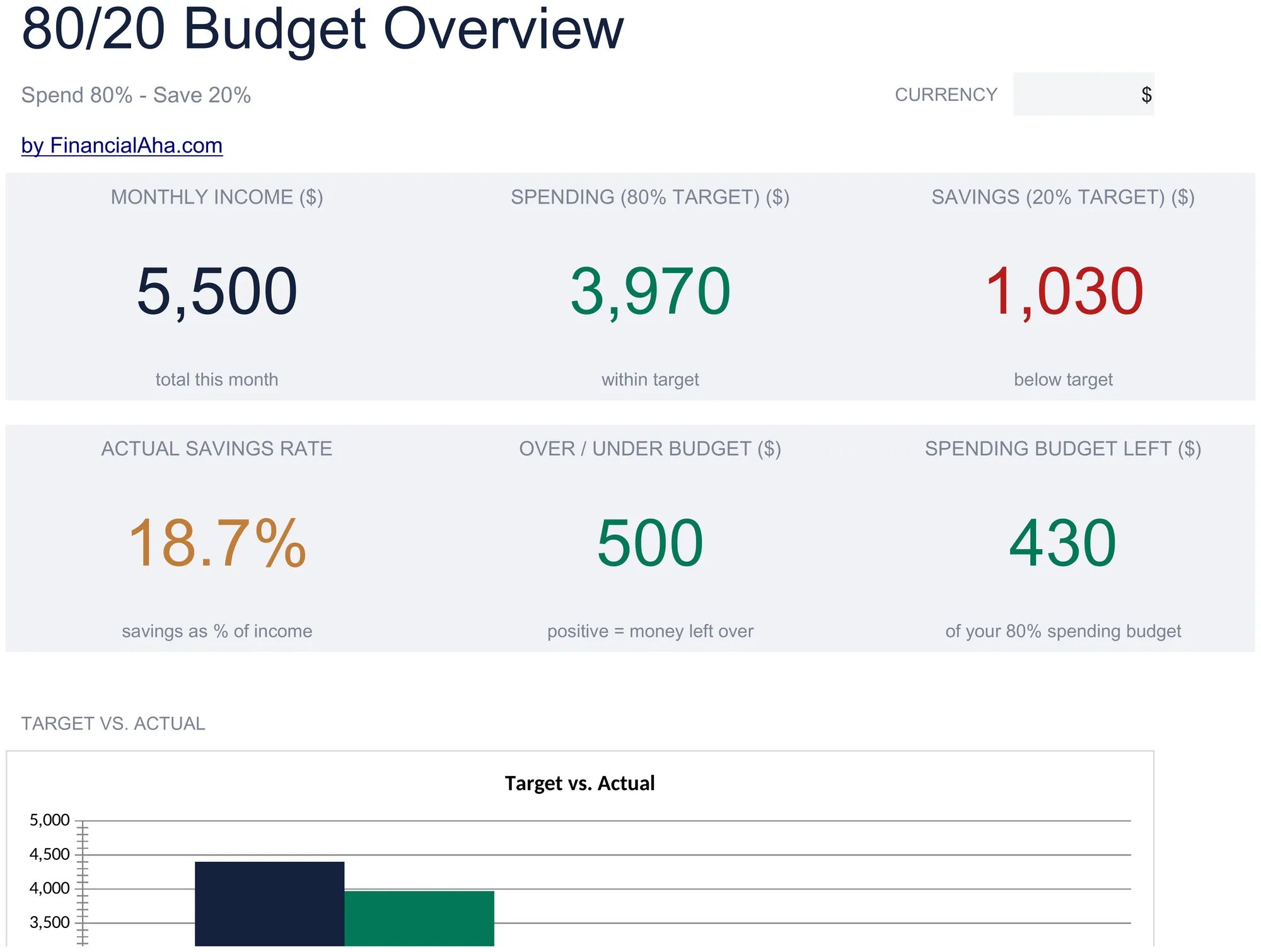
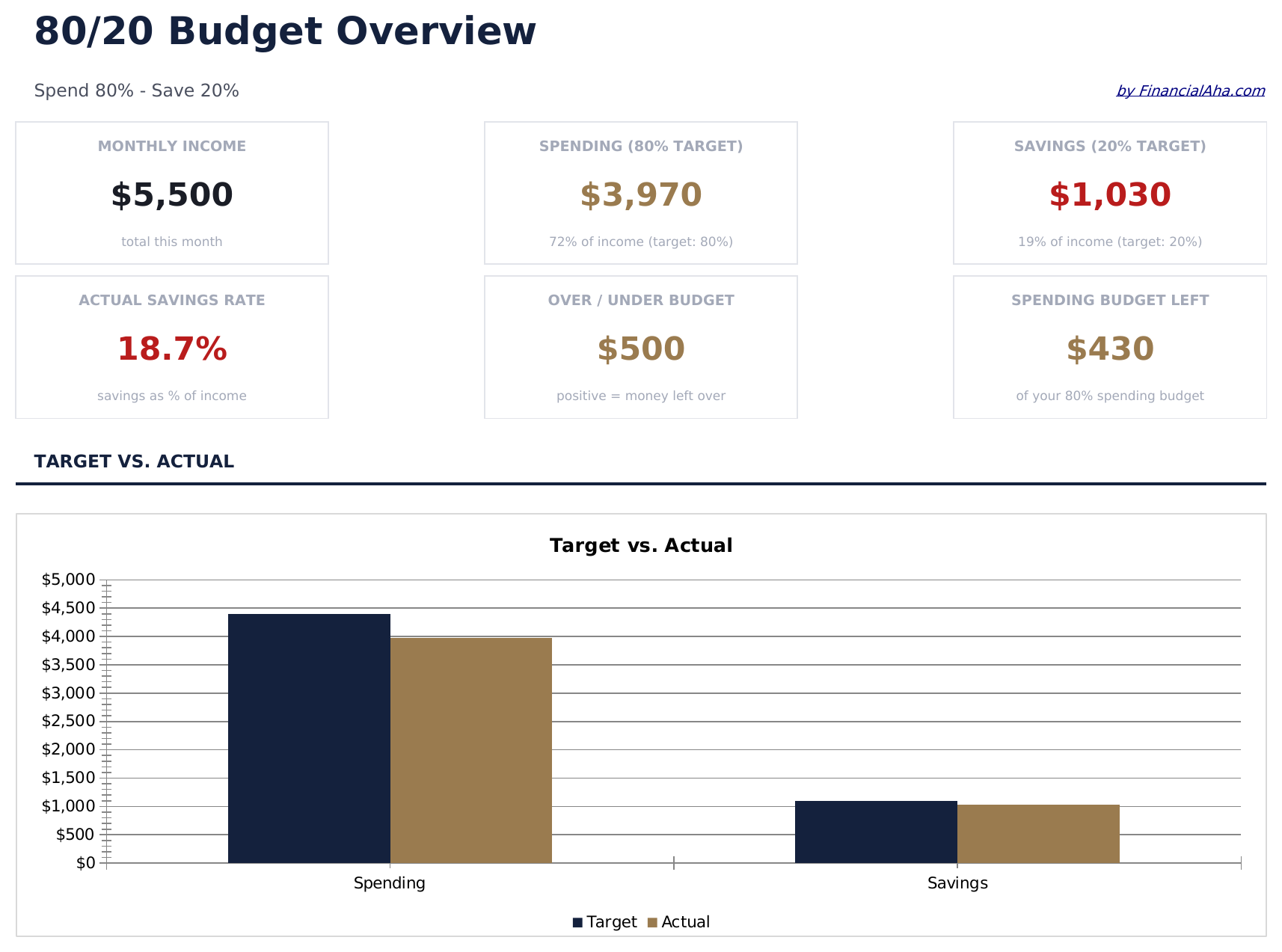
  • Dashboard with 80/20 allocation view showing total income split into spending and savings buckets
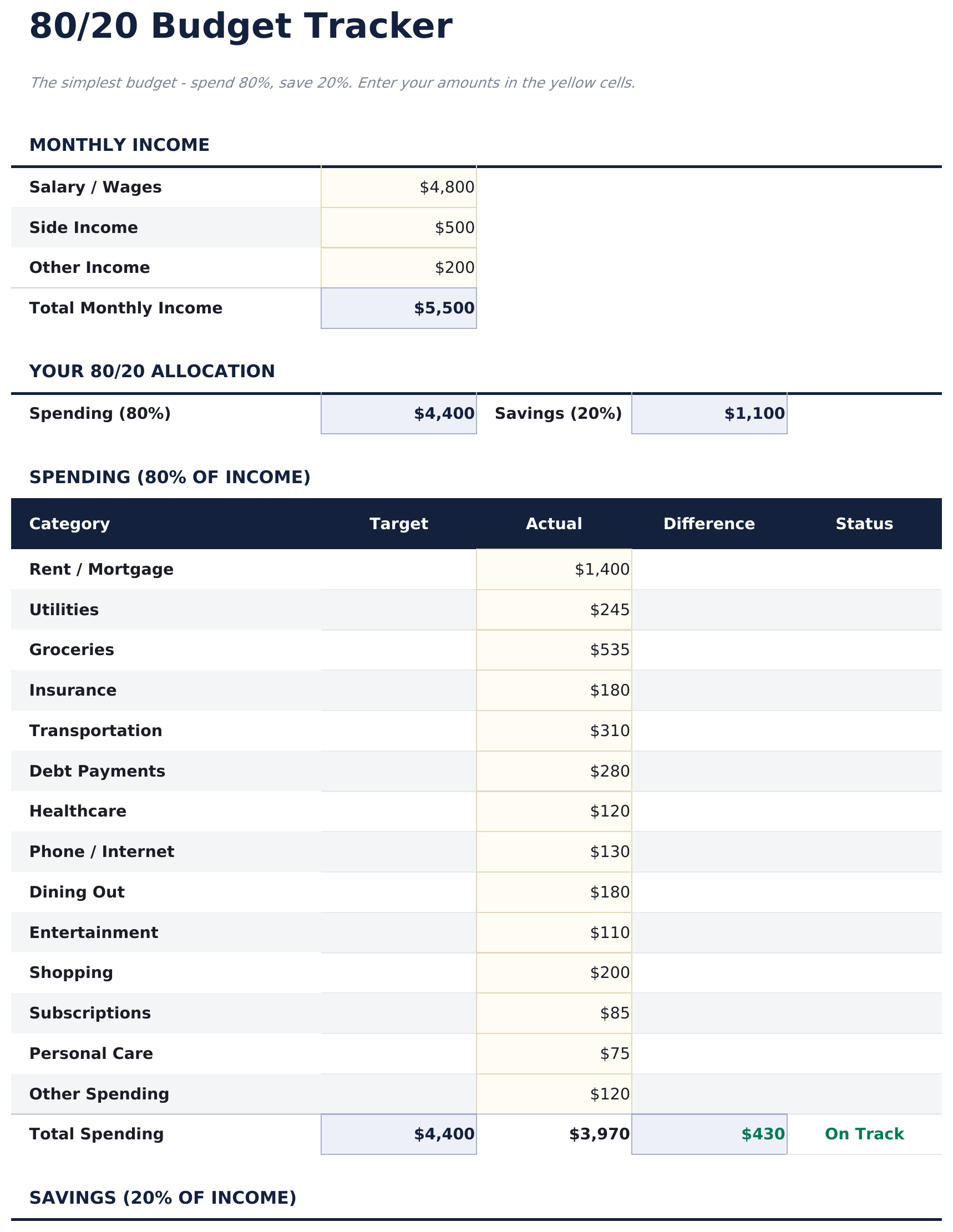
  • Two-bucket budget tracker that separates all spending (80%) from savings and investments (20%)
  • Automatic savings target calculation that updates the 20% goal whenever income amounts change
  • Flexible spending section within the 80% bucket - no rigid categories, just total spending tracked
  • Color-coded input cells and clean summary layout with automatic income-based percentage updates
  • Works in Microsoft Excel, Google Sheets, and LibreOffice Calc with no setup required
Ultimate Version Available

Need more from this template?

The Essentials version covers everyday tracking. Ultimate goes further with multi-entity support, scenario analysis, and ultimate-grade reporting.

Essentials - $12
  • Dashboard with 80/20 allocation view showing total income split into spending and savings buckets
  • Two-bucket budget tracker that separates all spending (80%) from savings and investments (20%)
  • Automatic savings target calculation that updates the 20% goal whenever income amounts change
  • Flexible spending section within the 80% bucket - no rigid categories, just total spending tracked
Ultimate - $19
  • Dashboard met 6 KPI-kaarten: maandelijks inkomen, totaal sparen, totale uitgaven, algeheel saldo, spaarpercentage en cumulatief jaarlijks sparen
  • Werkblad Budgettracker dat het 20% spaardoel en de 80% bestedingslimiet berekent uit maandelijks inkomen met werkelijk versus doel vergelijking
  • Werkblad Uitgaven voor alle levens- en leefstijluitgaven over 12 categorieën - de 80% categorie zonder verdere verplichte opsplitsingen
  • Werkblad Sparen voor bijdragen aan specifieke spaardoelen, beleggingen en noodfonds binnen de 20% categorie
  • Werkblad Maandelijkse Geschiedenis dat uitgaven- en spaartotalen registreert voor alle 12 maanden met over/onder afwijking per categorie
See what's in the Ultimate version One-time purchase. No subscription.

Hoe gebruik je dit 80/20 Budget sjabloon

1

Enter your income

Type your monthly after-tax income at the top. The template calculates the 80% spending limit and 20% savings target automatically.

2

Track total spending

Record all expenses in the spending section. The template focuses on total spending rather than detailed category breakdowns.

3

Verify your savings

Check whether the 20% savings target is met. The dashboard shows how much has been saved vs the target amount.

4

Adjust the balance

If total spending exceeds 80%, review the largest expense items. The simple two-bucket view makes it easy to see where you stand.

Gebouwd door Claude AI. Verfijnd door ons.

We gebruiken Claude AI om elk sjabloon te ontwerpen, na uitgebreid onderzoek. Daarna neemt ons team het over. We verfijnen de indeling, testen elke formule grondig, lossen randgevallen op en polijsten het ontwerp totdat het iets is dat we zelf ook echt zouden gebruiken. De AI brengt ons 80% van de weg. De laatste 20% is puur menselijk oordeel.

Bekijk de Ultimate-versie →

Veelgestelde vragen

Why only two buckets?

The 80/20 approach simplifies budgeting to one rule - save 20% and spend the rest however you need. It is designed for people who do not want detailed category tracking.

Do I need to categorize my expenses?

No. The template tracks total spending against the 80% limit. You can add categories if you want, but the core design does not require them.

Can I change the savings percentage?

Yes. The percentage fields are editable. Adjust the split to 85/15, 75/25, or any ratio that fits your situation.

Where does debt payment go?

Minimum debt payments are part of the 80% spending bucket. Extra payments beyond minimums can go in the 20% savings bucket since they build net worth.

Hoe open ik dit in Google Sheets?

Upload het .xlsx-bestand naar Google Drive en open het vervolgens met Google Sheets. Alle formules en opmaak blijven behouden.

Meer Essentials-sjablonen voor Personal Budgeting

Op zoek naar premium spreadsheet-sjablonen?

Onze betaalde sjablonen bevatten geavanceerde dashboards met meerdere werkbladen, ingebouwde Excel-grafieken en doorlopende updates.

Privé & veilig

Uw financiële gegevens blijven op uw apparaat. Wij zien ze nooit.

Meer informatie →

Hulp nodig?

Bekijk onze handleidingen of neem contact op met vragen.

Bekijk FAQ →