Beste waarde All-in-One Financieel Planningspakket
✓ Financiële Planning✓ Vermogenstracker✓ Maandelijks Budgetteren✓ Reisbudget Planner✓ Jaarlijkse Budgetplanner✓ Maandelijkse Uitgaventracker✓ Jaarlijkse Belastingplanner✓ Pensioenplanning
Bekijk bundel →
Ultimate Ultimate-versie beschikbaar - Rekeningentracker Ultimate
Essentials-sjabloon - Excel & Google Sheets

Bill Tracker Essentials-sjabloon

Keep track of recurring bills, due dates, and payment status. Useful for staying on top of monthly obligations and avoiding missed payments.

Bekijk de Ultimate-versie →
Bill Tracker preview

Wat zit erin

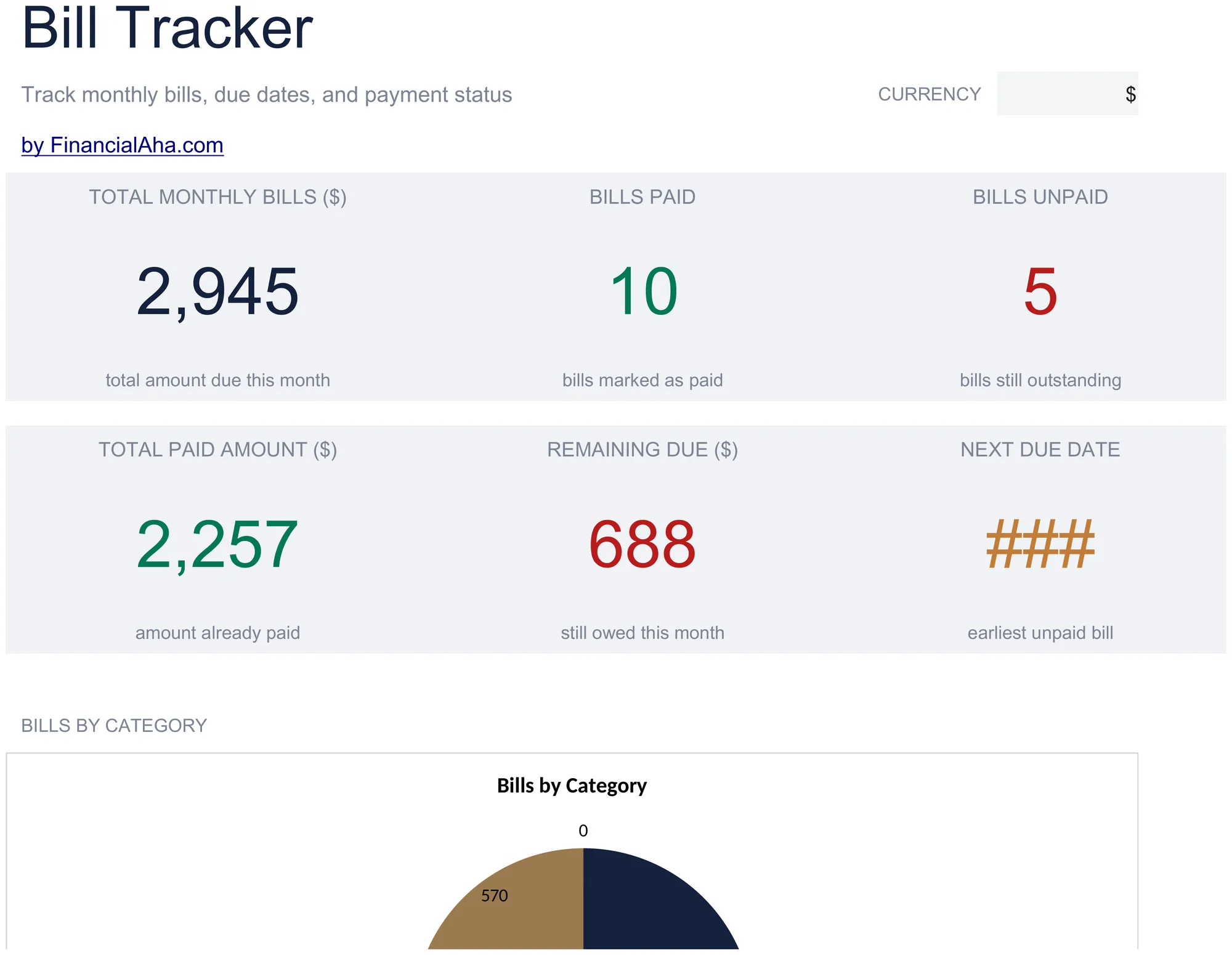
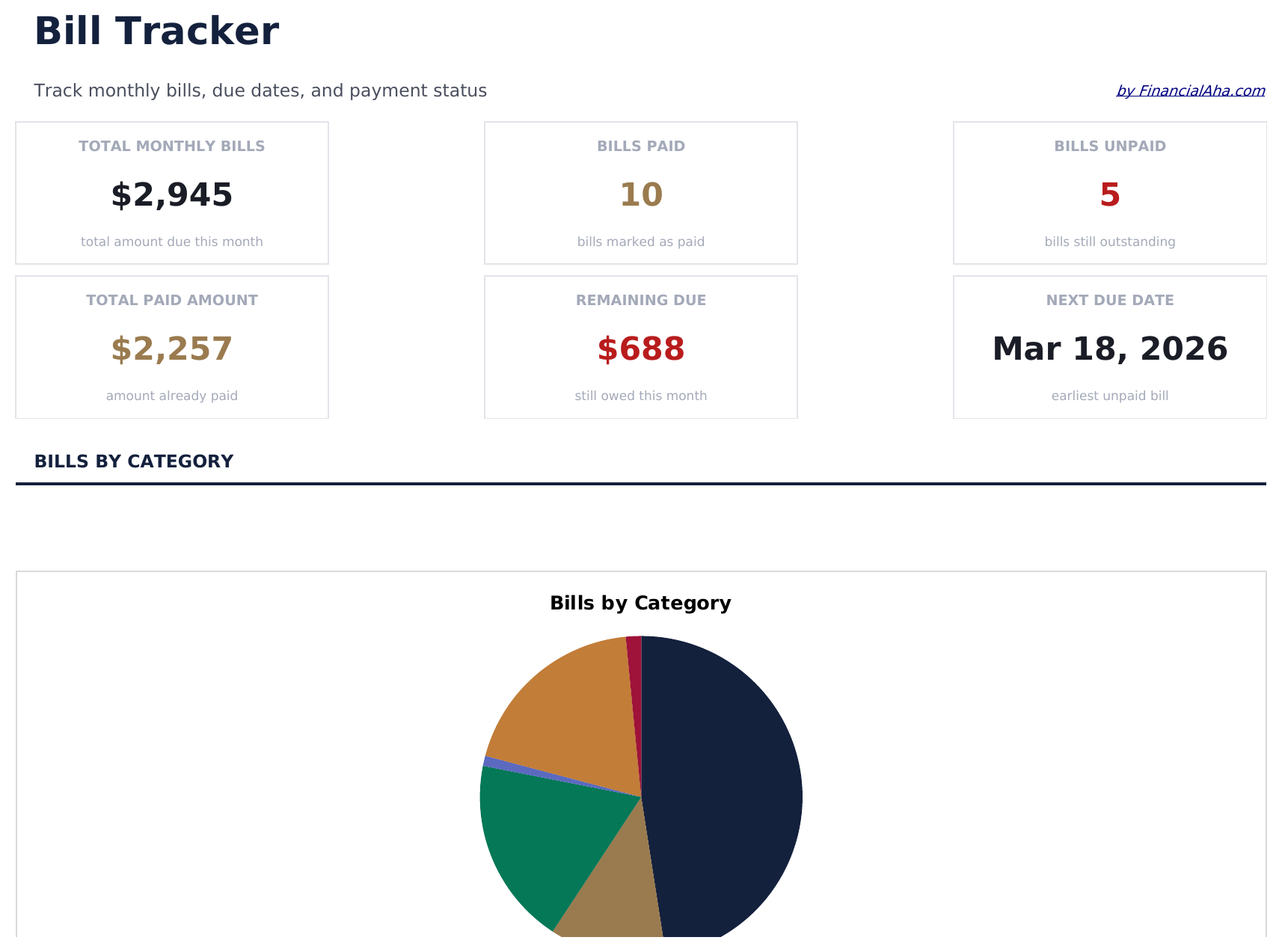
  • Dashboard with bill payment overview showing total due, total paid, and number of upcoming bills
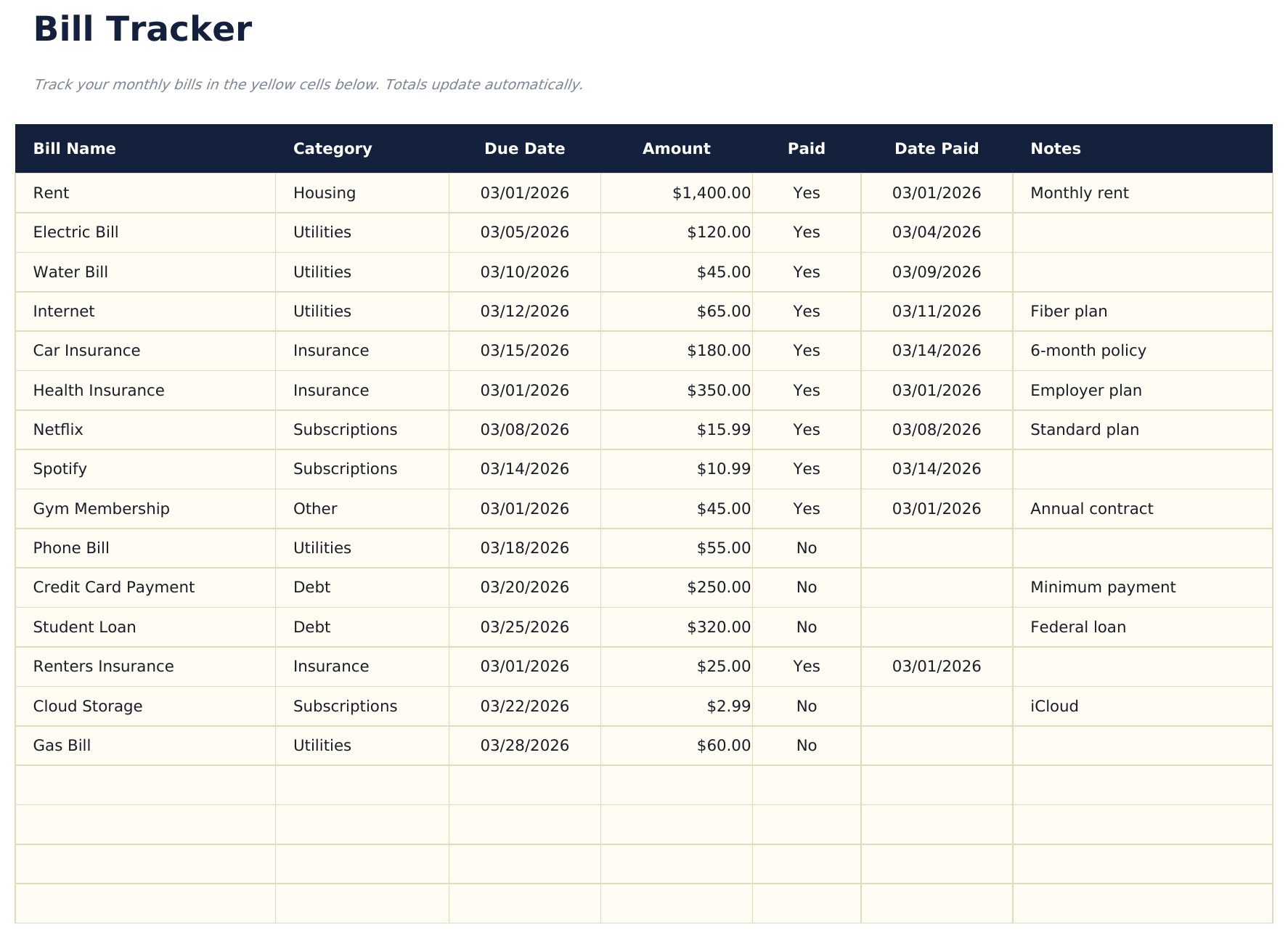
  • Bill tracker with due dates, amounts, and payment frequency columns for every recurring obligation
  • Payment status tracking with checkboxes or status fields to mark each bill as paid or pending
  • Recurring bill management supporting monthly, quarterly, and annual billing cycles in one view
  • Color-coded status indicators and formatted payment fields for quick visual scanning of due bills
  • Works in Microsoft Excel, Google Sheets, and LibreOffice Calc with no setup required
Ultimate Version Available

Need more from this template?

The Essentials version covers everyday tracking. Ultimate goes further with multi-entity support, scenario analysis, and ultimate-grade reporting.

Essentials - $12
  • Dashboard with bill payment overview showing total due, total paid, and number of upcoming bills
  • Bill tracker with due dates, amounts, and payment frequency columns for every recurring obligation
  • Payment status tracking with checkboxes or status fields to mark each bill as paid or pending
  • Recurring bill management supporting monthly, quarterly, and annual billing cycles in one view
Ultimate - $19
  • Volg tot 40 rekeningen met naam, categorie, vervaldatum, bedrag, betaalmethode, automatische incasso-status en notities
  • Dashboard met 6 KPI-kaarten: totaal maandelijkse rekeningen, rekeningen deze week verschuldigd, onbetaalde rekeningen, totaal deze maand betaald, aantal automatische incasso's en gemiddeld rekeningbedrag
  • 12-Maanden Overzicht met de betalingsstatus van elke rekening (Betaald, Onbetaald, Overgeslagen) voor elke maand van het jaar in één raster
  • Werkblad Betalingsgeschiedenis dat elke betaling registreert met betaaldatum, betaald bedrag, op-tijd-status en betaalmethode voor een volledig auditspoor
  • Werkblad Jaaroverzicht dat totaal betaald, totaal verschuldigd, betalingspercentage en grootste rekening per categorie berekent over het hele jaar
See what's in the Ultimate version One-time purchase. No subscription.

Hoe gebruik je dit Bill Tracker sjabloon

1

Add your bills

Enter each recurring bill with its name, amount, due date, and payment frequency. Include everything from rent to streaming services.

2

Update payment status

Mark each bill as paid or pending as you make payments throughout the month. The dashboard count updates automatically.

3

Monitor upcoming bills

Check due dates to see which bills are coming up next. The tracker keeps all obligations visible in one list.

4

Review monthly totals

The dashboard shows total due, total paid, and remaining amount so you know exactly how much is still outstanding.

Gebouwd door Claude AI. Verfijnd door ons.

We gebruiken Claude AI om elk sjabloon te ontwerpen, na uitgebreid onderzoek. Daarna neemt ons team het over. We verfijnen de indeling, testen elke formule grondig, lossen randgevallen op en polijsten het ontwerp totdat het iets is dat we zelf ook echt zouden gebruiken. De AI brengt ons 80% van de weg. De laatste 20% is puur menselijk oordeel.

Bekijk de Ultimate-versie →

Veelgestelde vragen

Can I track quarterly and annual bills?

Yes. The frequency column supports monthly, quarterly, and annual billing cycles. All bill types appear in one unified tracker.

How do I handle auto-pay bills?

Add them to the tracker like any other bill. Mark them as paid on their auto-pay date so your totals stay accurate.

Does it send reminders?

No. The spreadsheet does not send notifications. However, seeing all due dates in one list makes it easier to set your own reminders or calendar alerts.

Can I track bills for multiple accounts?

Yes. Add a column for the payment account or source if you pay bills from different bank accounts. The template is flexible enough to accommodate extra columns.

Hoe open ik dit in Google Sheets?

Upload het .xlsx-bestand naar Google Drive en open het vervolgens met Google Sheets. Alle formules en opmaak blijven behouden.

Meer Essentials-sjablonen voor Personal Budgeting

Op zoek naar premium spreadsheet-sjablonen?

Onze betaalde sjablonen bevatten geavanceerde dashboards met meerdere werkbladen, ingebouwde Excel-grafieken en doorlopende updates.

Privé & veilig

Uw financiële gegevens blijven op uw apparaat. Wij zien ze nooit.

Meer informatie →

Hulp nodig?

Bekijk onze handleidingen of neem contact op met vragen.

Bekijk FAQ →