Beste waarde All-in-One Financieel Planningspakket
✓ Financiële Planning✓ Vermogenstracker✓ Maandelijks Budgetteren✓ Reisbudget Planner✓ Jaarlijkse Budgetplanner✓ Maandelijkse Uitgaventracker✓ Jaarlijkse Belastingplanner✓ Pensioenplanning
Bekijk bundel →
Ultimate Ultimate-versie beschikbaar - Enveloppenbudget Ultimate
Essentials-sjabloon - Excel & Google Sheets

Envelope Budget Essentials-sjabloon

Apply the envelope budgeting method in spreadsheet form. Allocate fixed amounts to spending categories and track what remains in each envelope.

Bekijk de Ultimate-versie →
Envelope Budget preview

Wat zit erin

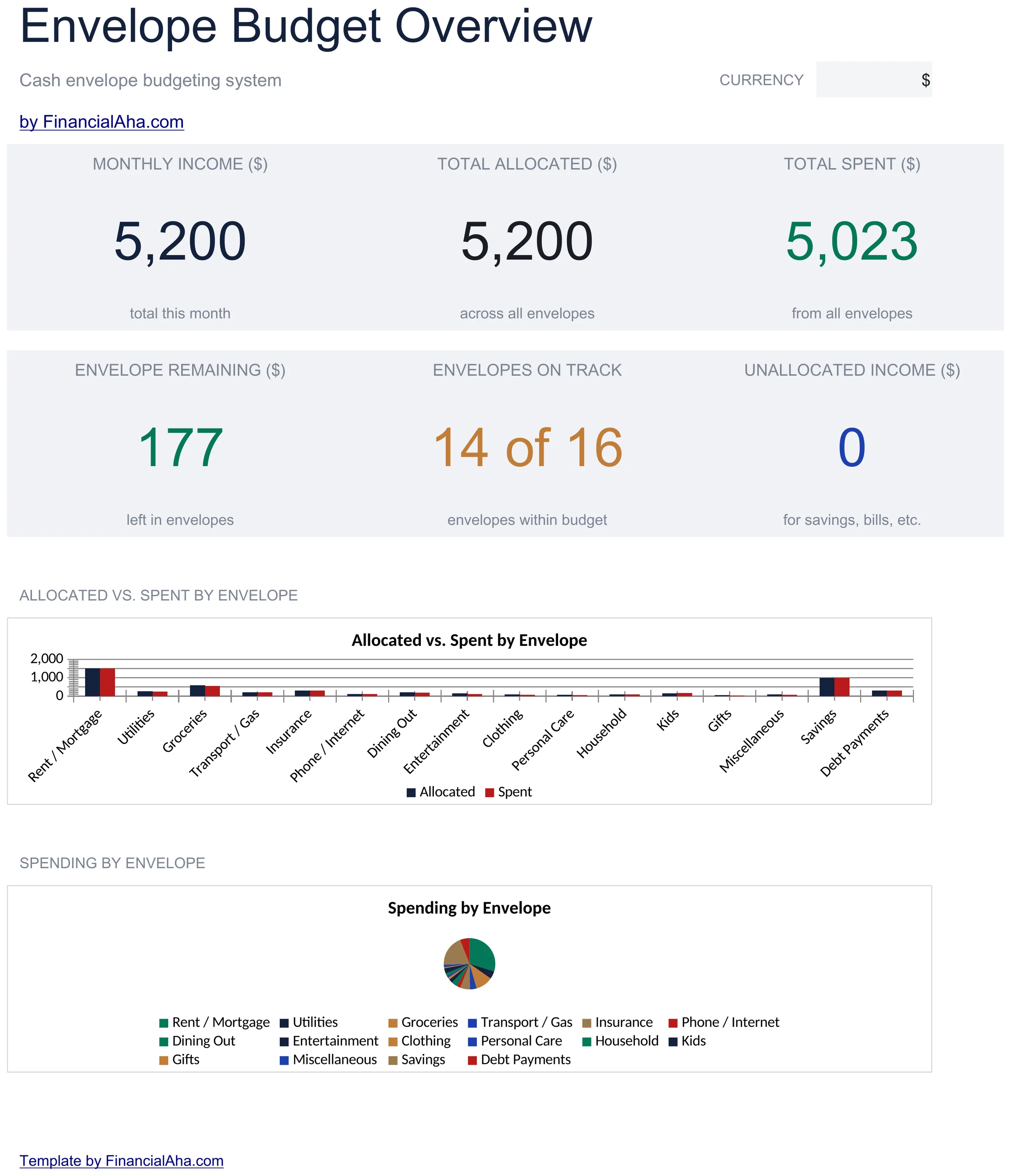
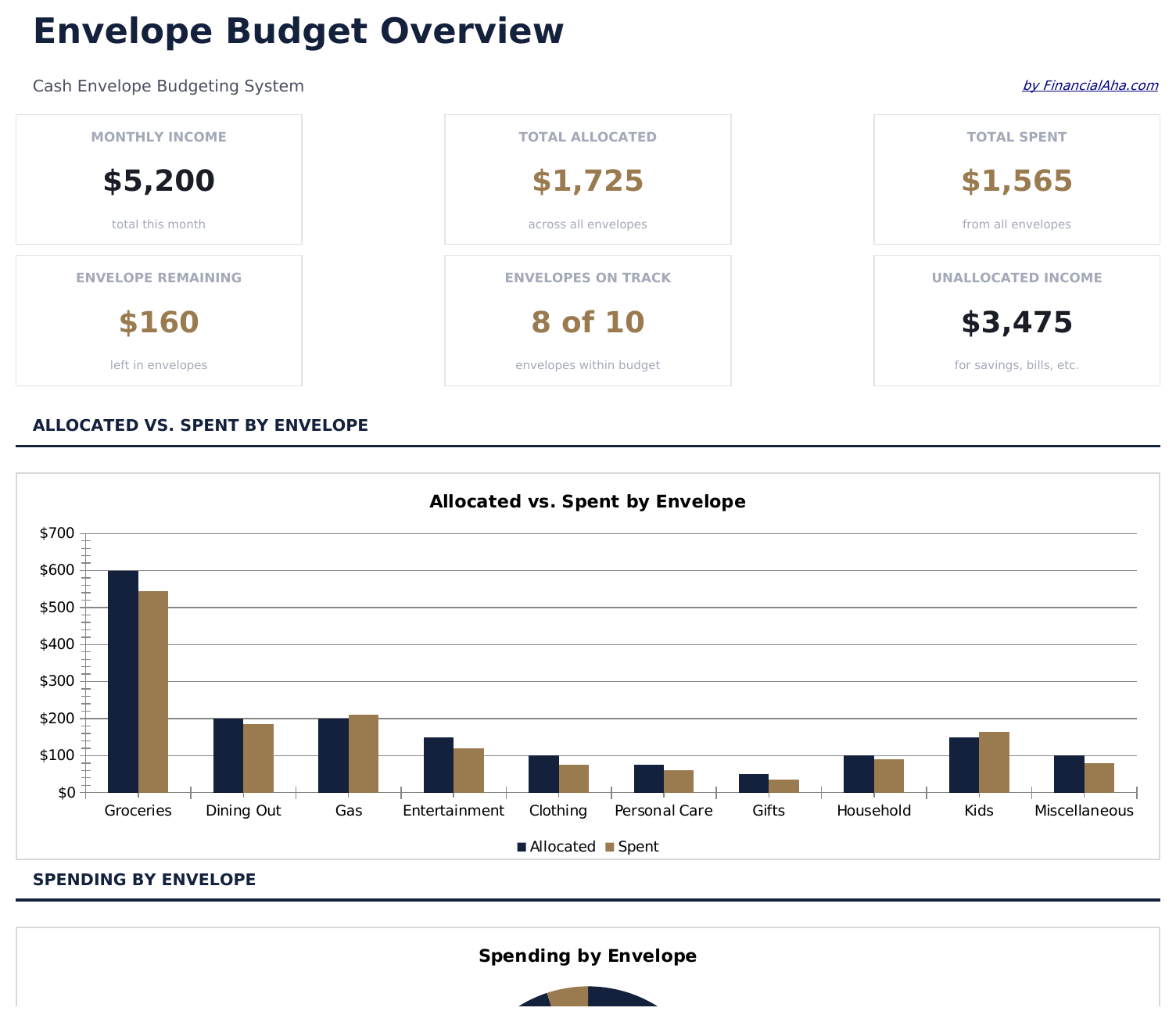
  • Dashboard showing all envelope balances at a glance with funded amounts and remaining totals
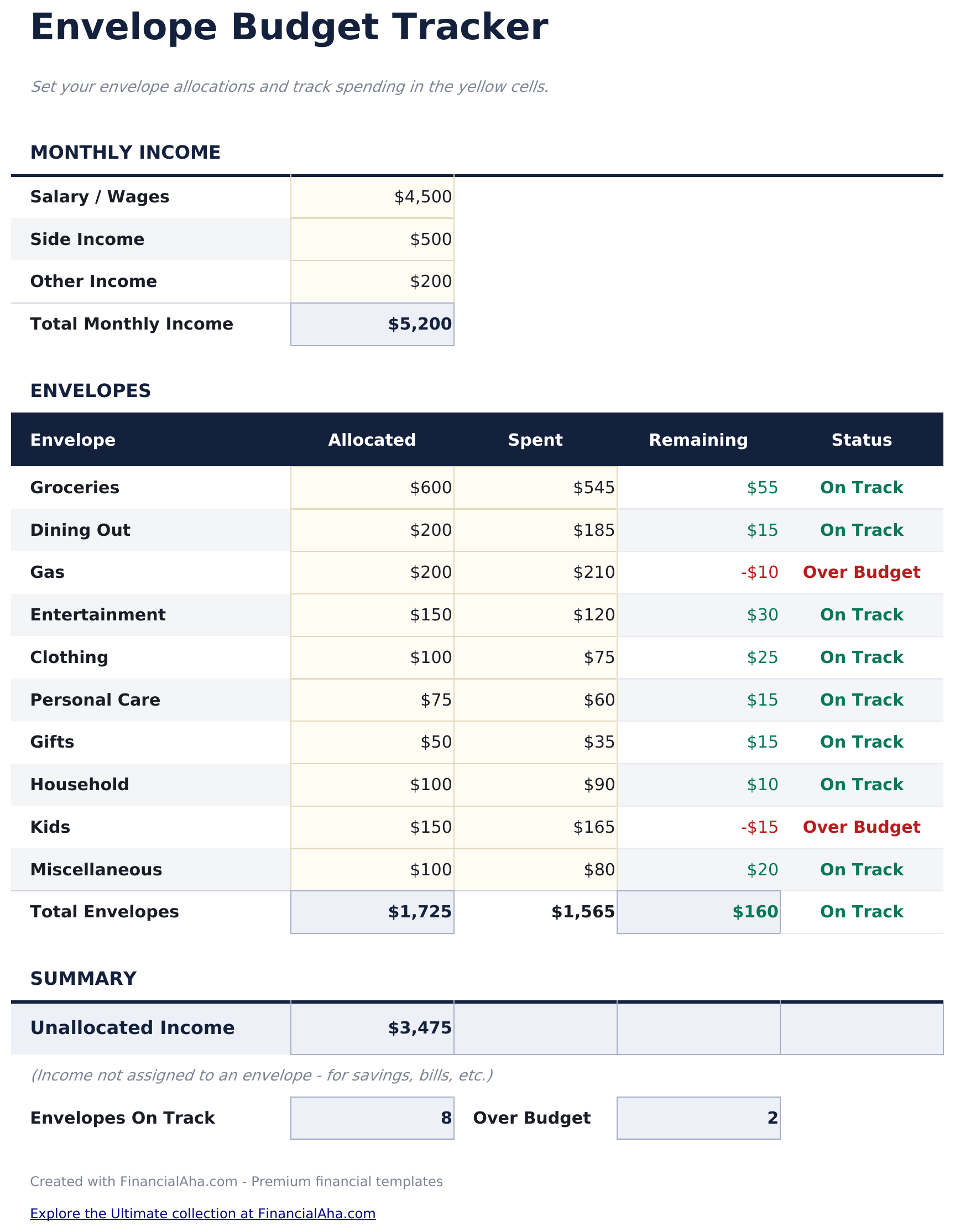
  • Envelope allocation tracker where you assign income to categories like groceries, gas, and dining
  • Spending log per envelope with date, description, and amount fields for each transaction entry
  • Automatic remaining balance per category that updates as you log spending against each envelope
  • Color-coded input cells and summary areas with support for transferring funds between envelopes
  • Works in Microsoft Excel, Google Sheets, and LibreOffice Calc with no setup required
Ultimate Version Available

Need more from this template?

The Essentials version covers everyday tracking. Ultimate goes further with multi-entity support, scenario analysis, and ultimate-grade reporting.

Essentials - $12
  • Dashboard showing all envelope balances at a glance with funded amounts and remaining totals
  • Envelope allocation tracker where you assign income to categories like groceries, gas, and dining
  • Spending log per envelope with date, description, and amount fields for each transaction entry
  • Automatic remaining balance per category that updates as you log spending against each envelope
Ultimate - $19
  • Werkblad Envelopinstellingen voor het aanmaken van tot 15 enveloppen met naam, categorie en maandelijks financieringsbedrag
  • Werkblad Maandelijkse Enveloppen dat het beginsaldo, uitgaven tot nu toe, transfers in/uit en resterend saldo toont voor elke envelop van de huidige maand
  • Uitgavenlogboek voor het registreren van elke transactie met datum, envelop, omschrijving en bedrag - tot 150 invoeren per maand - saldi worden automatisch bijgewerkt
  • Werkblad Fondstransfers voor het verplaatsen van geld tussen enveloppen halverwege de maand - elke transfer registreert de bronenvelop, doelenvelop, bedrag, datum en reden
  • Dashboard met 6 KPI-kaarten: totaal gefinancierd deze maand, totaal besteed, totaal resterend over alle enveloppen, aantal transacties, aantal transfers en enveloppen op nul
See what's in the Ultimate version One-time purchase. No subscription.

Hoe gebruik je dit Envelope Budget sjabloon

1

Create your envelopes

Name each envelope - groceries, dining, gas, entertainment, or any category. Set a funded amount for each one.

2

Allocate your income

Distribute your paycheck across envelopes. The dashboard shows how much is funded and how much remains to allocate.

3

Log spending per envelope

Each time you spend, record the date, description, and amount against the correct envelope. The remaining balance updates instantly.

4

Stop when an envelope is empty

When an envelope balance hits zero, spending in that category is done for the period. Transfer funds between envelopes if needed.

Gebouwd door Claude AI. Verfijnd door ons.

We gebruiken Claude AI om elk sjabloon te ontwerpen, na uitgebreid onderzoek. Daarna neemt ons team het over. We verfijnen de indeling, testen elke formule grondig, lossen randgevallen op en polijsten het ontwerp totdat het iets is dat we zelf ook echt zouden gebruiken. De AI brengt ons 80% van de weg. De laatste 20% is puur menselijk oordeel.

Bekijk de Ultimate-versie →

Veelgestelde vragen

How many envelopes can I create?

The template supports as many envelopes as you need. Add new rows for additional categories - there is no fixed limit on the number of spending envelopes.

Can I transfer money between envelopes?

Yes. The template supports transfers between envelopes. Deduct from one and add to another to keep the overall budget balanced.

What happens when an envelope runs out?

The remaining balance shows zero or negative. At that point, you can stop spending in that category or transfer funds from another envelope to cover it.

How often do I refill the envelopes?

Most people refill each pay period - weekly, biweekly, or monthly. Reset the funded amounts and start fresh each cycle.

Hoe open ik dit in Google Sheets?

Upload het .xlsx-bestand naar Google Drive en open het vervolgens met Google Sheets. Alle formules en opmaak blijven behouden.

Meer Essentials-sjablonen voor Personal Budgeting

Op zoek naar premium spreadsheet-sjablonen?

Onze betaalde sjablonen bevatten geavanceerde dashboards met meerdere werkbladen, ingebouwde Excel-grafieken en doorlopende updates.

Privé & veilig

Uw financiële gegevens blijven op uw apparaat. Wij zien ze nooit.

Meer informatie →

Hulp nodig?

Bekijk onze handleidingen of neem contact op met vragen.

Bekijk FAQ →