超值优惠 一站式财务规划套餐
✓ 财务规划✓ 净资产追踪器✓ 月度预算✓ 旅行预算规划器✓ 年度预算规划器✓ 月度支出追踪器✓ 年度税务规划器✓ 退休规划
查看套餐 →
Ultimate Ultimate 版本可用 - 专业版 60/20/20 预算
Essentials 模板 - Excel 和 Google Sheets

60/20/20 Budget Essentials 模板

Structure spending with 60% for committed expenses, 20% for financial goals, and 20% for flexible spending. A security-first budgeting approach.

查看 Ultimate 版本 →
60/20/20 Budget preview

包含内容

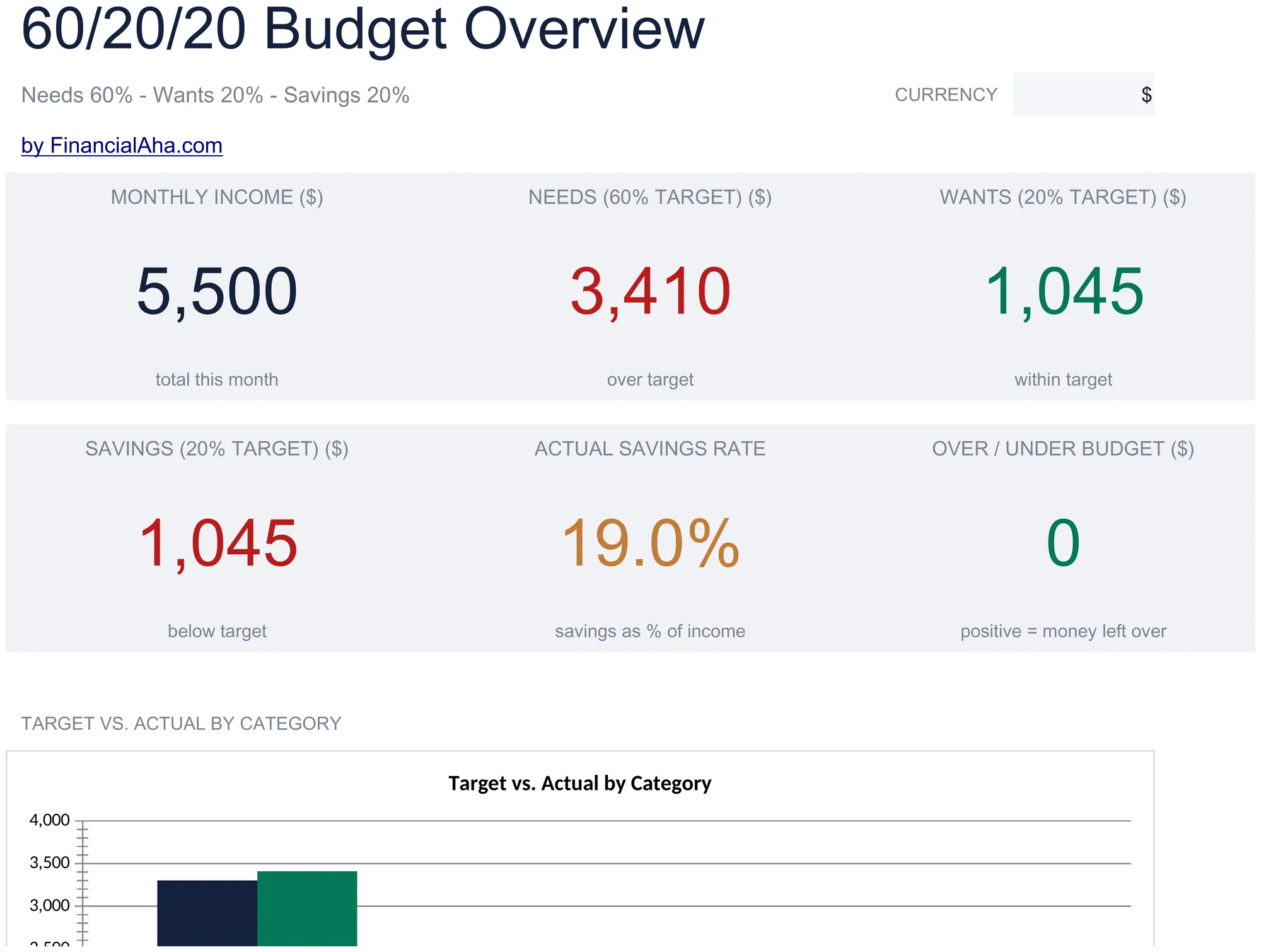
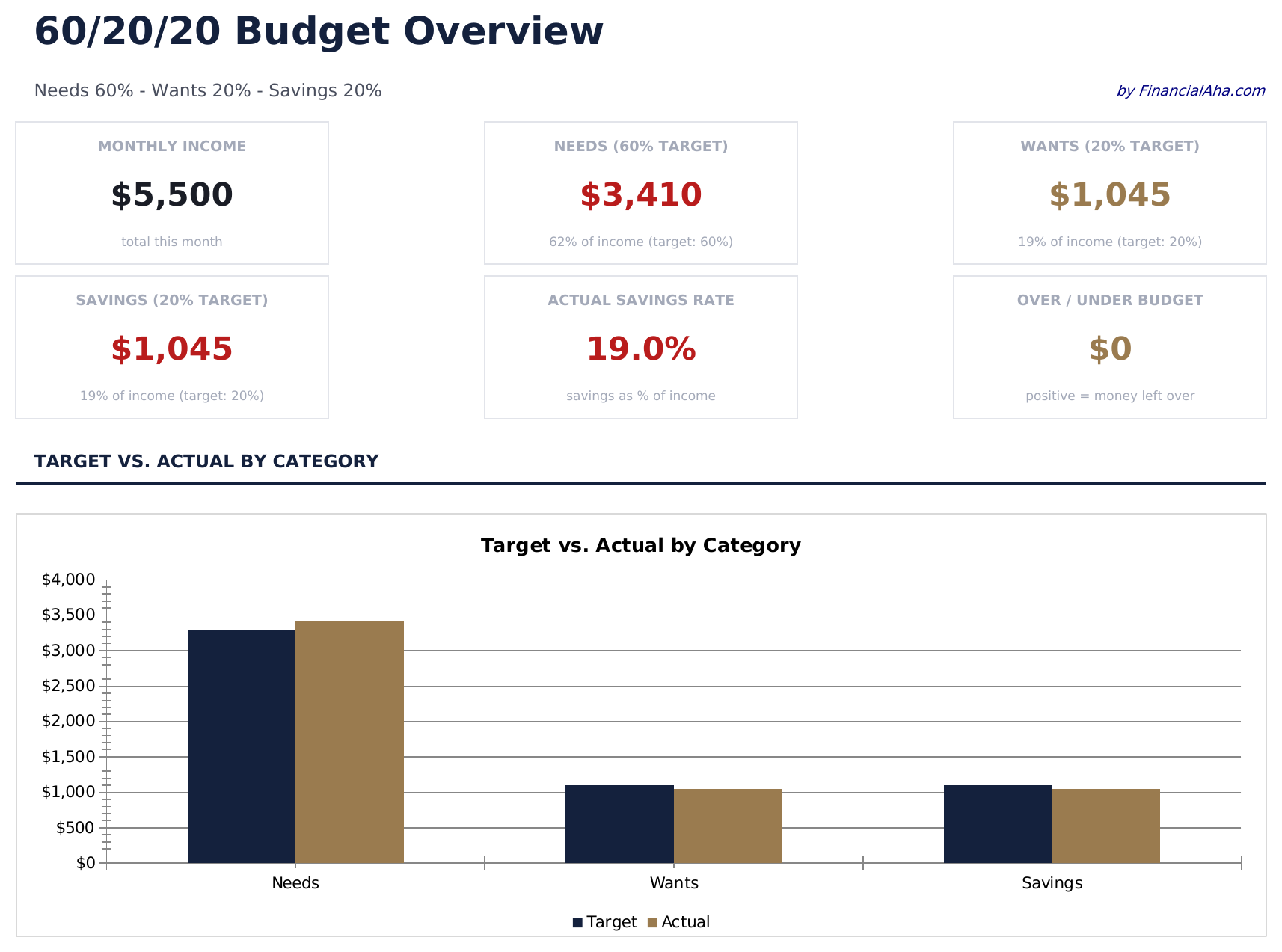
  • Dashboard with 60/20/20 allocation view splitting income into committed, goals, and flexible buckets
  • Automatic percentage calculations that compute target amounts for each bucket based on total income
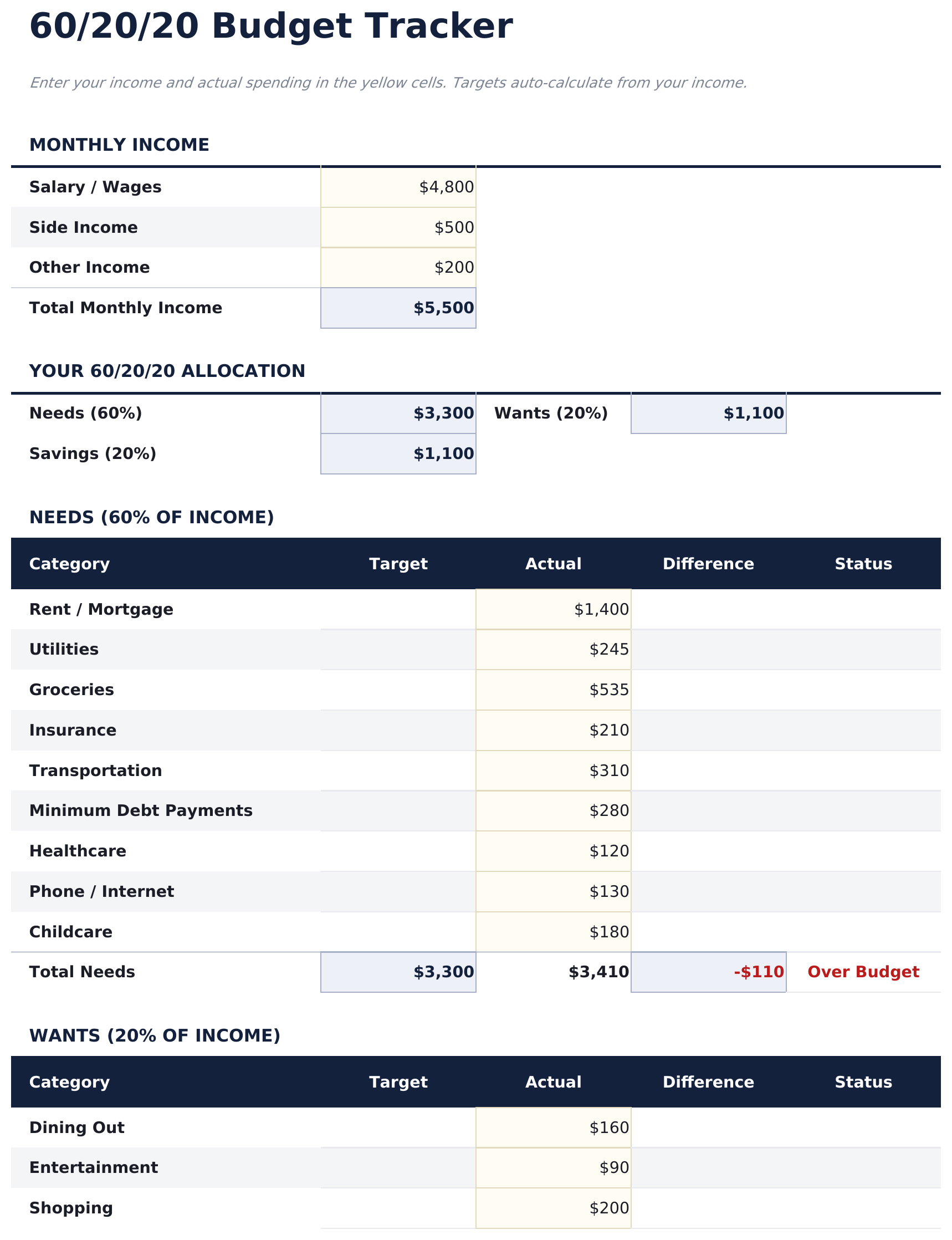
  • Budget tracker with category breakdowns for housing, insurance, debt payments, and savings goals
  • Income-based target amounts with variance tracking showing how actual spending compares to each bucket
  • Color-coded input cells and formatted result areas for a clean, professional budget layout
  • Works in Microsoft Excel, Google Sheets, and LibreOffice Calc with no setup required
Ultimate Version Available

Need more from this template?

The Essentials version covers everyday tracking. Ultimate goes further with multi-entity support, scenario analysis, and ultimate-grade reporting.

Essentials - $12
  • Dashboard with 60/20/20 allocation view splitting income into committed, goals, and flexible buckets
  • Automatic percentage calculations that compute target amounts for each bucket based on total income
  • Budget tracker with category breakdowns for housing, insurance, debt payments, and savings goals
  • Income-based target amounts with variance tracking showing how actual spending compares to each bucket
Ultimate - $19
  • 仪表板包含6个关键指标卡片:月收入、生活支出总额、财务目标总额、灵活消费总额、总余额和已追踪月数
  • 预算追踪工作表从月收入计算60%、20%和20%的金额目标,包含实际与目标对比
  • 生活支出工作表用于固定和必要费用 - 租金、水电、杂货、保险、交通 - 包含小计和60%目标追踪
  • 财务目标工作表用于储蓄、投资、债务偿还和特定储蓄目标,包含20%目标追踪和每个目标的进度
  • 灵活消费工作表用于可自由支配的生活方式支出,包含子类别和20%目标追踪
See what's in the Ultimate version One-time purchase. No subscription.

如何使用这个60/20/20 Budget模板

1

Enter your income

Type your monthly after-tax income. The template calculates 60%, 20%, and 20% target amounts for each bucket automatically.

2

Fill in committed expenses

Add fixed costs like housing, insurance, utilities, and debt payments into the 60% committed expenses bucket.

3

Assign goals and flexible spending

Put savings and investment amounts in the 20% goals bucket, and discretionary spending in the 20% flexible bucket.

4

Review the variance

The dashboard shows how each bucket compares to its target. Adjust spending or savings amounts to move closer to the 60/20/20 split.

由 Claude AI 构建,经我们精心打磨。

我们使用 Claude AI 在深入研究后起草每个模板。然后由团队接手,优化布局、全面测试每个公式、修复边界情况,并打磨设计,直到达到我们自己愿意使用的标准。AI 完成了 80% 的工作,最后 20% 靠的是人工判断。

查看 Ultimate 版本 →

常见问题

What goes in the 60% committed bucket?

Committed expenses are obligations you cannot easily change month to month - rent or mortgage, insurance premiums, loan payments, utilities, and transportation costs.

What is the difference between goals and flexible?

Goals (20%) cover savings, investments, and debt payoff beyond minimums. Flexible (20%) is for discretionary items like dining, entertainment, and shopping.

Can I customize the percentages?

Yes. The percentage cells are editable. You can change 60/20/20 to any split that works for your financial situation.

How does this differ from 50/30/20?

The 60/20/20 approach allocates more to committed expenses and less to discretionary spending compared to 50/30/20. It suits people with higher fixed costs.

如何在 Google Sheets 中打开?

将 .xlsx 文件上传到 Google Drive,然后使用 Google Sheets 打开。所有公式和格式都会保留。

更多 Personal Budgeting Essentials 模板

在寻找付费电子表格模板?

我们的付费模板包含高级多工作表仪表盘、原生 Excel 图表,并持续更新。

私密且安全

您的财务数据保留在您的设备上。我们永远看不到。

了解更多 →

需要帮助?

查看我们的指南或提出问题。

查看常见问题 →