Paycheck Budget Essentials 模板
Align budget planning with pay dates. Map each paycheck to specific bills and expenses for clearer cash flow timing.
包含内容
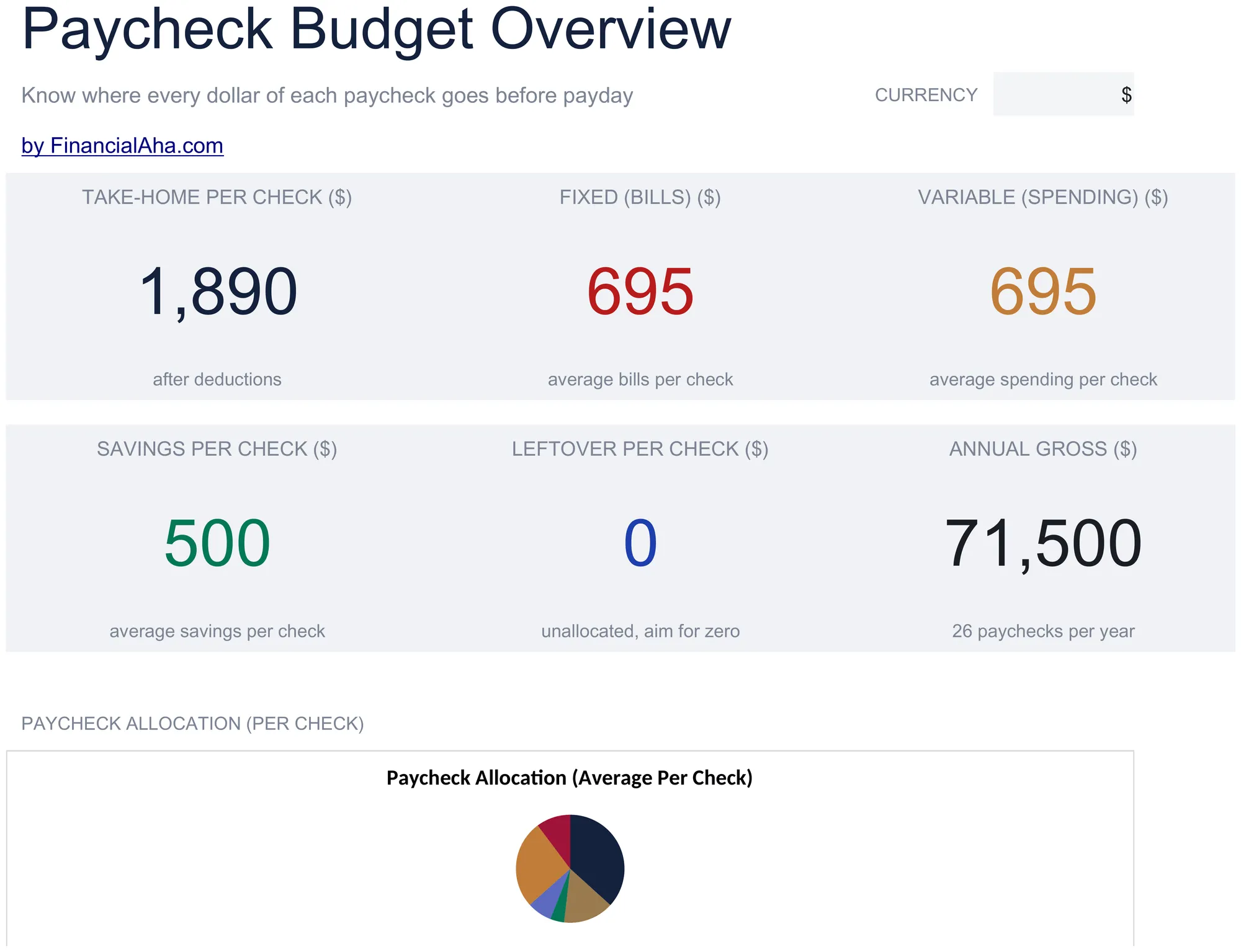
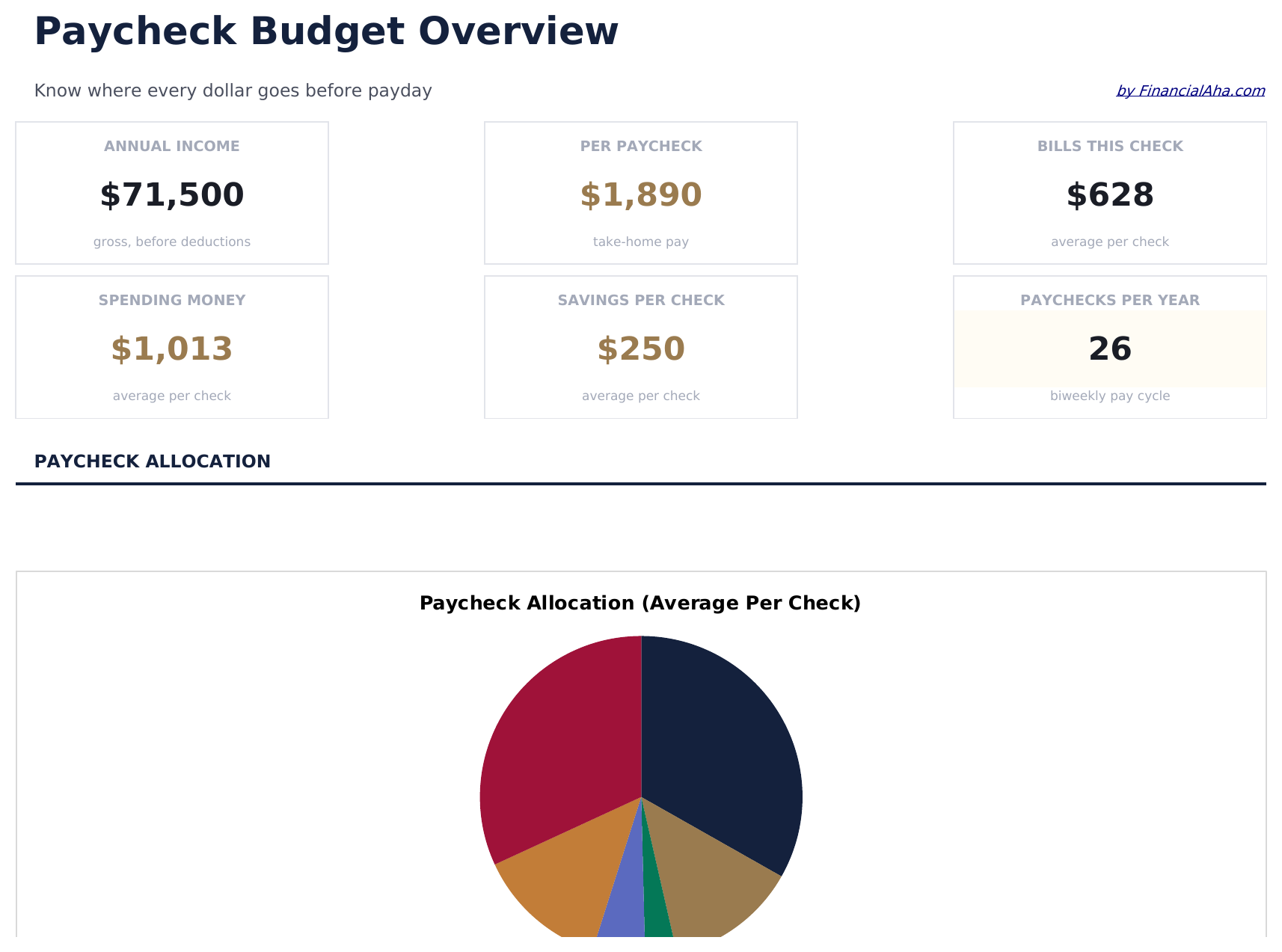
- Dashboard with paycheck allocation view showing how each paycheck is distributed across expenses
- Paycheck-to-expense mapping that assigns specific bills and costs to individual pay periods
- Bill due date alignment columns so you can match payment dates to the correct paycheck cycle
- Remaining balance per paycheck calculated automatically after all assigned expenses are deducted
- Supports biweekly, semi-monthly, and monthly pay schedules with color-coded input fields
- Works in Microsoft Excel, Google Sheets, and LibreOffice Calc with no setup required
Need more from this template?
The Essentials version covers everyday tracking. Ultimate goes further with multi-entity support, scenario analysis, and ultimate-grade reporting.
- Dashboard with paycheck allocation view showing how each paycheck is distributed across expenses
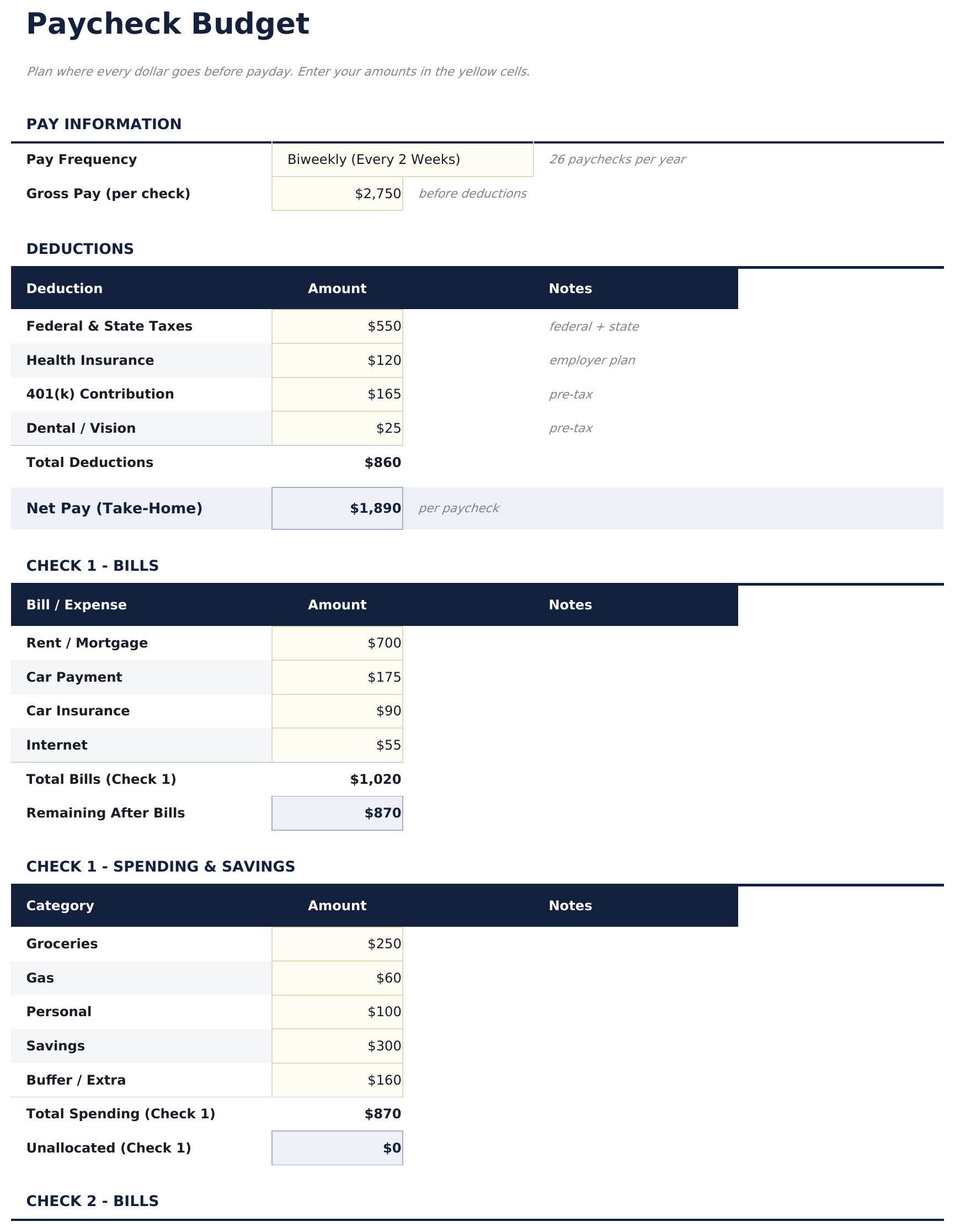
- Paycheck-to-expense mapping that assigns specific bills and costs to individual pay periods
- Bill due date alignment columns so you can match payment dates to the correct paycheck cycle
- Remaining balance per paycheck calculated automatically after all assigned expenses are deducted
- 薪资设置工作表输入发薪频率、发薪日和每次工资的税后金额 - 支持周薪、双周薪和半月薪
- 工资1预算工作表将支出和储蓄分配到当月第一次工资,包含剩余余额追踪
- 工资2预算工作表将剩余支出和储蓄分配到第二次工资,包含月末最终余额
- 月度概览合并两次工资为单一月度视图 - 总收入、总支出和当月净储蓄
- 年度视图显示所有12个月的计划和实际总额,包含年度收入、支出和储蓄汇总
预览
查看此模板的内容


如何使用这个Paycheck Budget模板
Enter paycheck details
Add each paycheck amount and pay date. The template supports biweekly, semi-monthly, and monthly pay schedules.
Assign bills to paychecks
Map each bill or expense to the specific paycheck that will cover it, aligning due dates with pay dates.
Check remaining per paycheck
The remaining balance per paycheck updates automatically after all assigned bills are deducted, showing what is left for discretionary spending.
Adjust for timing
Move expenses between paychecks if one period is overloaded. The goal is to balance obligations evenly across pay periods.
由 Claude AI 构建,经我们精心打磨。
我们使用 Claude AI 在深入研究后起草每个模板。然后由团队接手,优化布局、全面测试每个公式、修复边界情况,并打磨设计,直到达到我们自己愿意使用的标准。AI 完成了 80% 的工作,最后 20% 靠的是人工判断。
常见问题
Does this work for biweekly pay?
Yes. The template supports biweekly, semi-monthly, and monthly pay schedules. Enter each paycheck with its date and the bills assigned to that period.
How do I handle months with an extra paycheck?
Add a new paycheck entry for the bonus pay period. Assign expenses or savings goals to it just like any other paycheck.
Can I assign one bill across two paychecks?
The template assigns each bill to one paycheck. For large bills, some people split the amount by saving half from each paycheck toward that bill.
What if a bill is due before my next paycheck?
Assign that bill to the previous paycheck so the funds are set aside early. The due date alignment columns help identify timing conflicts.
如何在 Google Sheets 中打开?
将 .xlsx 文件上传到 Google Drive,然后使用 Google Sheets 打开。所有公式和格式都会保留。
更多 Personal Budgeting Essentials 模板
Monthly Budget
Track monthly income and expenses across categories. A straightforward starting point for anyone looking to get a clear picture of where money goes each month.
$1250/30/20 Budget
Organize spending into needs, wants, and savings using the 50/30/20 framework. Useful for those who prefer a percentage-based approach to budgeting.
$12Zero-Based Budget
Assign every dollar of income to a specific category until the balance reaches zero. Designed for people who want full control over each dollar.
$12Household Budget
Track household income and expenses for families or shared living situations. Covers dual incomes, shared bills, and household-specific categories.
$12