Tax Deduction Tracker Essentials 模板
Log tax-deductible expenses throughout the year. Organize deductions by category for easier tax preparation.
包含内容
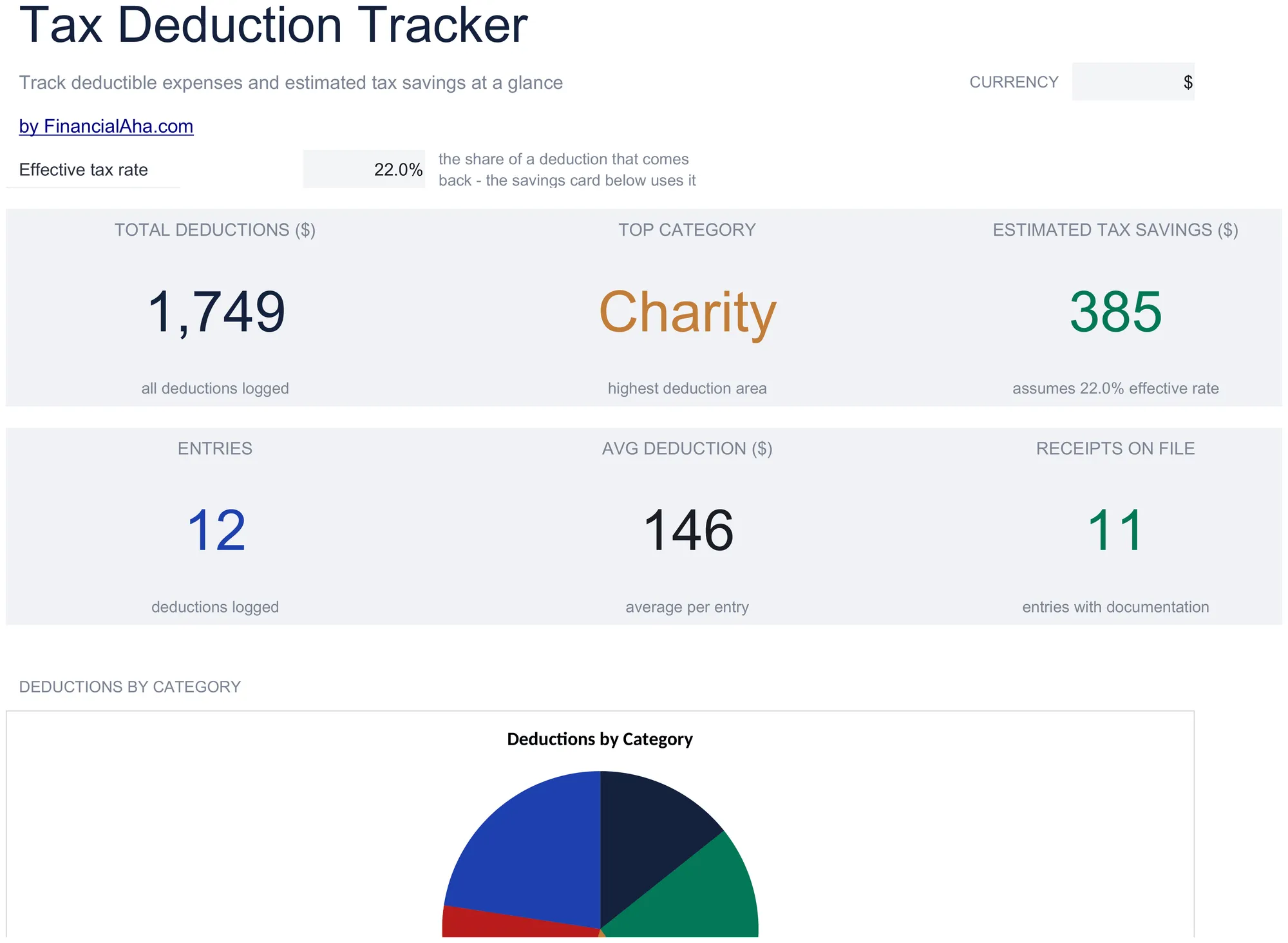
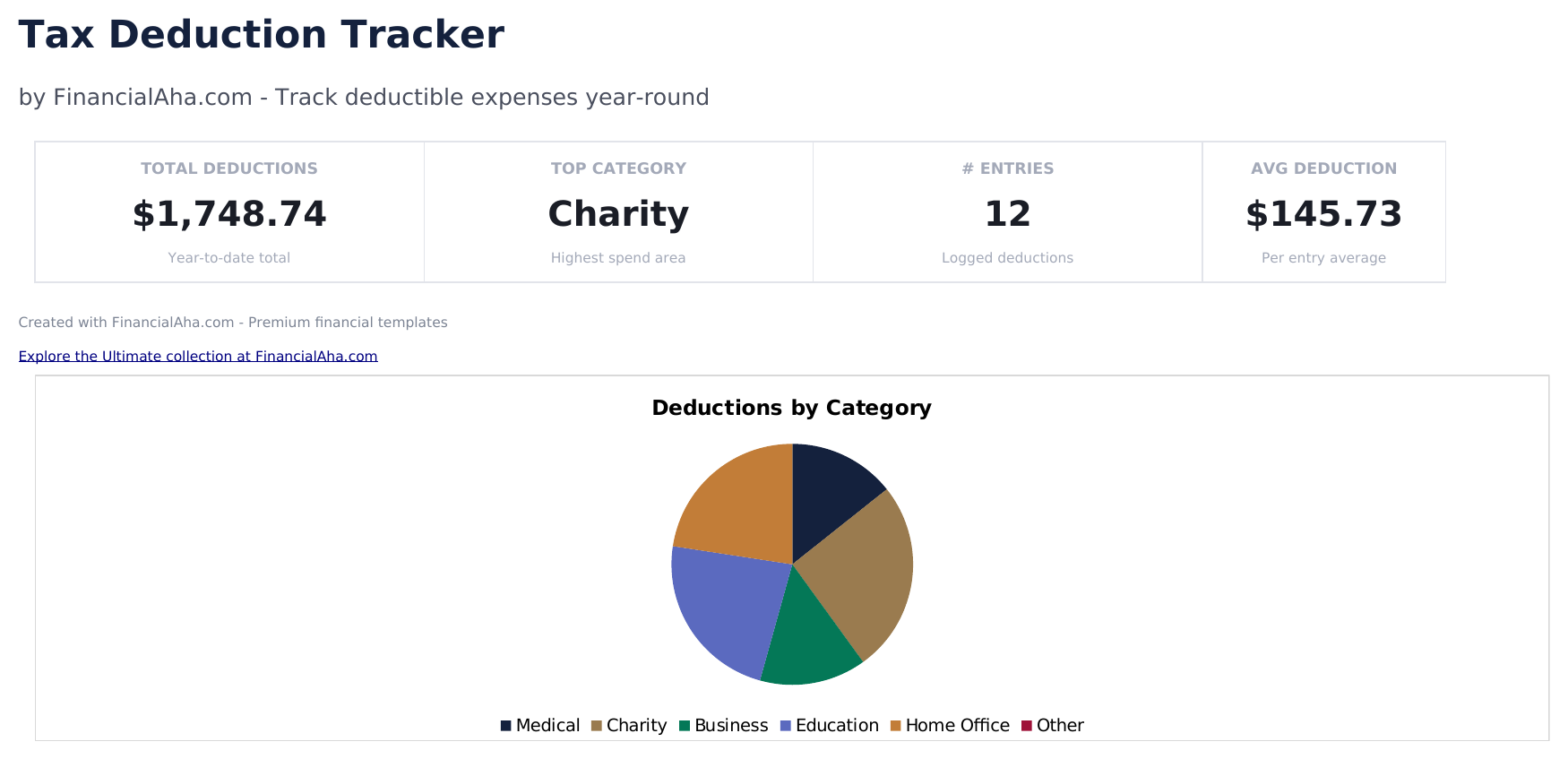
- Dashboard with deduction totals by category showing medical, charitable, business, education, and other deduction sums
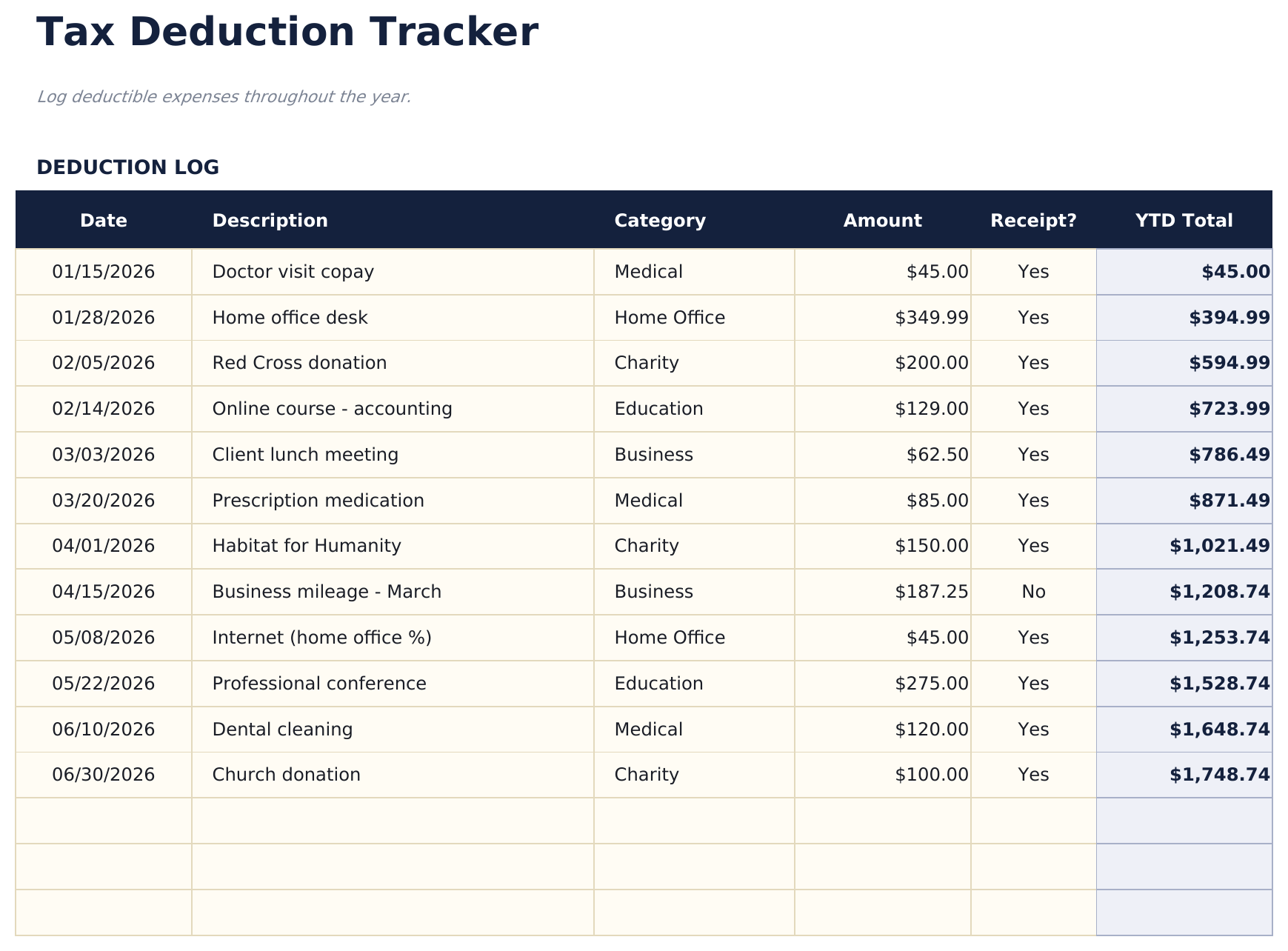
- Deductions log with date, payee, description, amount, and category columns for recording each deductible expense
- Category groupings matching common tax form line items such as Schedule A, Schedule C, and education credits
- Receipt reference tracking with fields for receipt number or file name linked to each deduction entry
- Annual deduction summary with color-coded input cells (yellow) and auto-calculated category totals (blue)
- Works in Microsoft Excel, Google Sheets, and LibreOffice Calc with no setup required
Need more from this template?
The Essentials version covers everyday tracking. Ultimate goes further with multi-entity support, scenario analysis, and ultimate-grade reporting.
- Dashboard with deduction totals by category showing medical, charitable, business, education, and other deduction sums
- Deductions log with date, payee, description, amount, and category columns for recording each deductible expense
- Category groupings matching common tax form line items such as Schedule A, Schedule C, and education credits
- Receipt reference tracking with fields for receipt number or file name linked to each deduction entry
- 记录多达150项扣除,包括日期、描述、类别、税表(下拉菜单)、金额和收据状态
- 仪表盘包含6个KPI卡片:扣除总额、估计节税金额、扣除数量、最大类别、季度总额和平均扣除金额
- 类别汇总表,显示每个类别的扣除总额和数量及占总额的百分比
- 税表分类明细表,按税表对扣除进行分组 - Schedule A、Schedule C、Schedule E和其他 - 包含每个税表的小计
- 季度汇总,显示各季度扣除总额、季度环比对比和年初至今的累计总额
预览
查看此模板的内容


如何使用这个Tax Deduction Tracker模板
Log each deduction
Enter the date, payee, description, amount, and category for every tax-deductible expense throughout the year.
Categorize by tax form
Assign each deduction to the matching tax category - Schedule A itemized, Schedule C business, education credits, or other.
Attach receipt references
Record the receipt number or file name for each entry so documentation is easy to find at tax time.
Review category totals
The dashboard shows deduction totals by category, making it easy to transfer figures to tax forms or share with a preparer.
由 Claude AI 构建,经我们精心打磨。
我们使用 Claude AI 在深入研究后起草每个模板。然后由团队接手,优化布局、全面测试每个公式、修复边界情况,并打磨设计,直到达到我们自己愿意使用的标准。AI 完成了 80% 的工作,最后 20% 靠的是人工判断。
常见问题
What categories are included?
Categories include medical, charitable giving, mortgage interest, state and local taxes, business expenses, and education. Rename or add categories for your situation.
Do I need to track receipts?
The IRS requires documentation for deductions. The receipt reference field links each entry to its proof of payment for audit preparedness.
When should I start tracking?
Start at the beginning of the tax year and log deductible expenses throughout the year. Doing it as expenses occur is easier than reconstructing at year end.
Does it tell me if I should itemize?
The template totals your deductions so you can compare to the standard deduction. If your total exceeds the standard deduction, itemizing may be beneficial.
如何在 Google Sheets 中打开?
将 .xlsx 文件上传到 Google Drive,然后使用 Google Sheets 打开。所有公式和格式都会保留。
更多 Tax Planning Essentials 模板
Self-Employment Tax Calculator
Estimate self-employment tax liability based on net earnings. Calculate Social Security and Medicare taxes for self-employed individuals.
$12Quarterly Tax Payment Tracker
Track estimated quarterly tax payments with due dates and amounts. Monitor payment history and remaining obligations for the tax year.
$12Donation and Giving Tracker
Log charitable donations and contributions throughout the year. Track deductible giving amounts for tax preparation purposes.
$121099 Income Tracker
Track income from multiple 1099 sources in one place. Organize non-employee income by payer for accurate tax reporting.
$12