أفضل قيمة حزمة التخطيط المالي الشاملة
✓ التخطيط المالي✓ متتبع صافي الثروة✓ الميزانية الشهرية✓ مخطط ميزانية السفر✓ مخطط الميزانية السنوية✓ متتبع النفقات الشهرية✓ مخطط الضرائب السنوي✓ تخطيط التقاعد
عرض الحزمة →
احترافي النسخة الاحترافية متوفرة - متتبع الاشتراكات Ultimate
قالب احترافي - Excel و Google Sheets

Subscription Tracker قالب Essentials

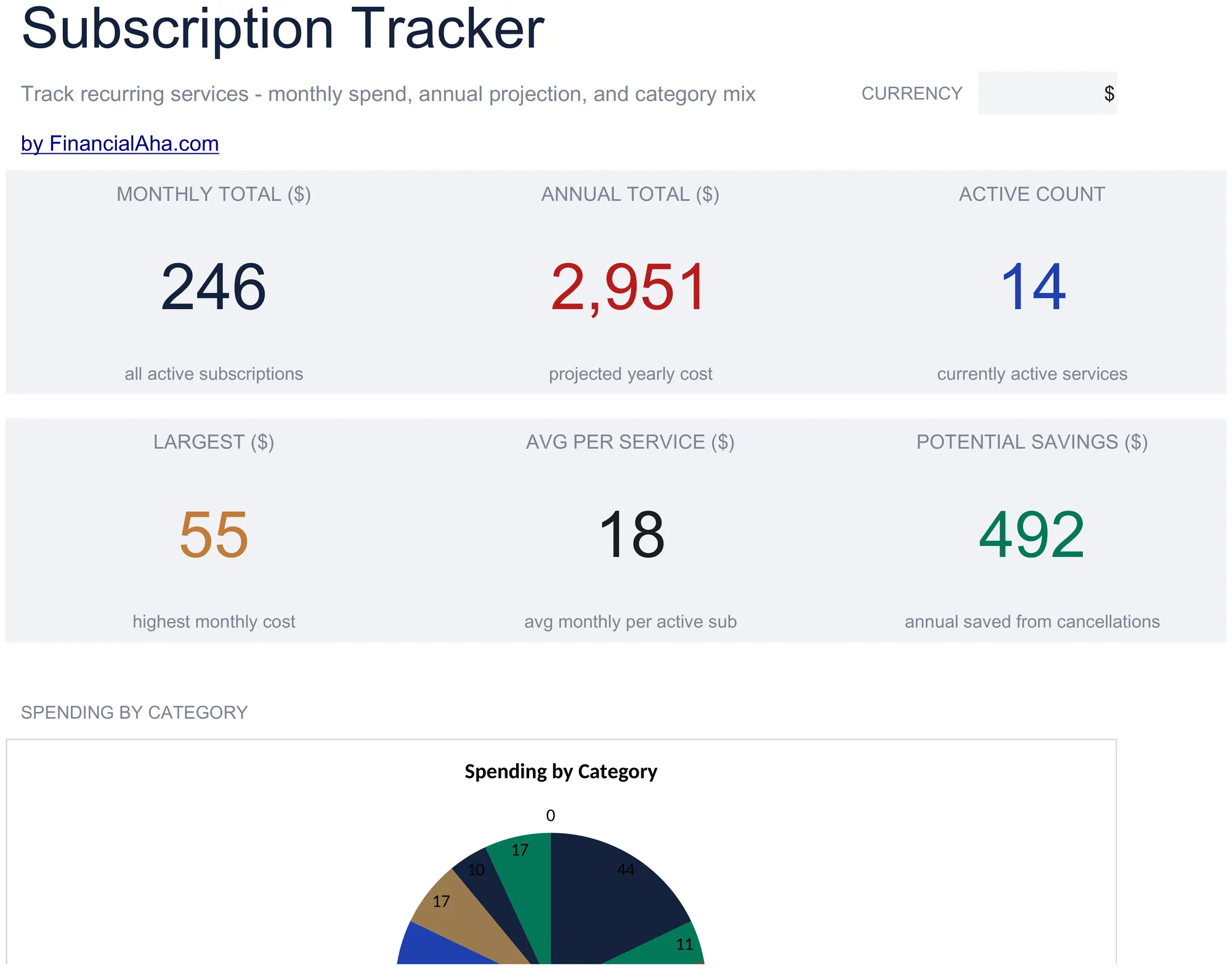
Log all active subscriptions with renewal dates and costs. See total monthly and annual subscription spending at a glance.

عرض نسخة Ultimate ←
Subscription Tracker preview

ماذا يتضمن

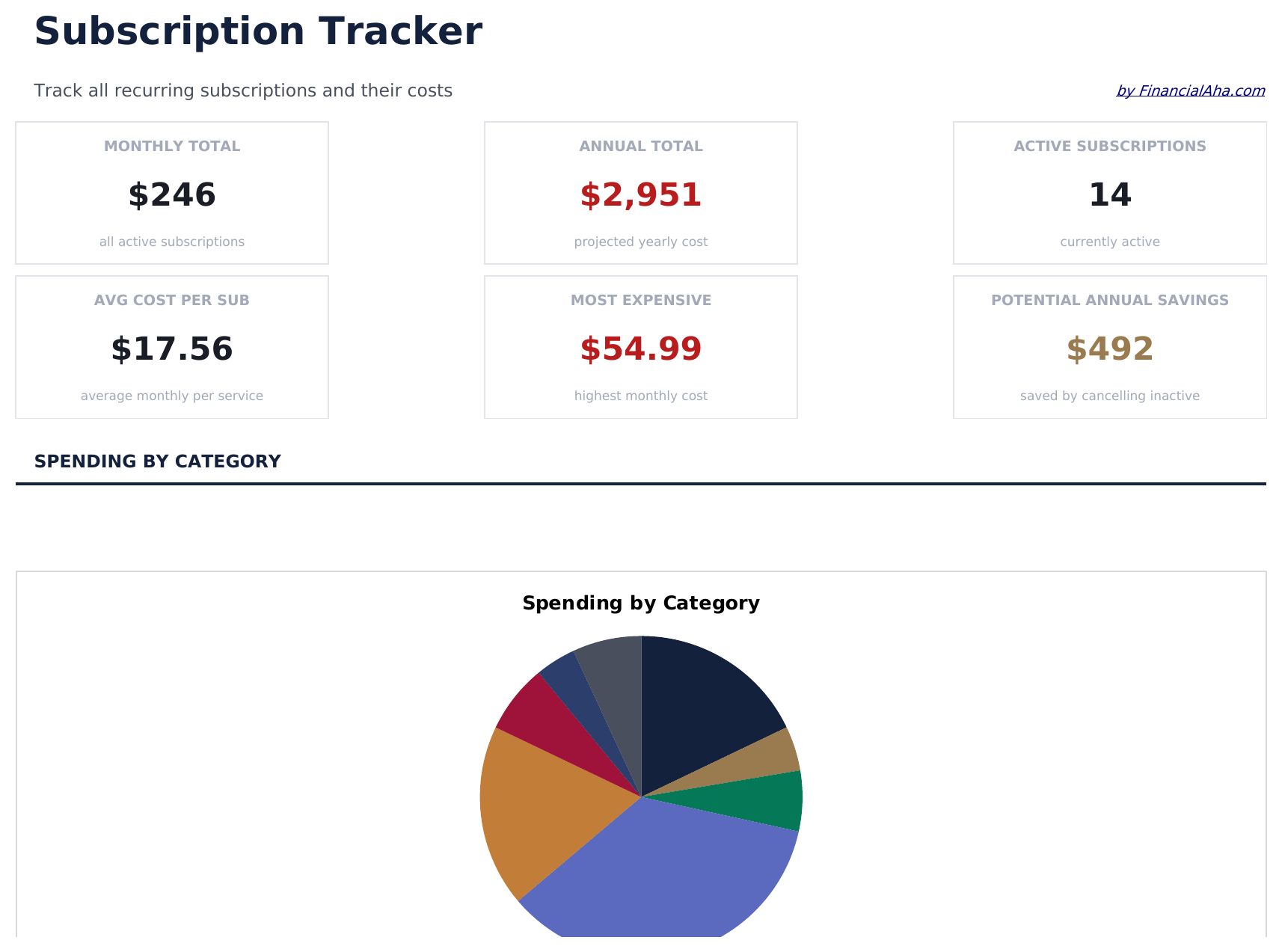
  • Dashboard with subscription spending summary showing total monthly cost, annual cost, and active count
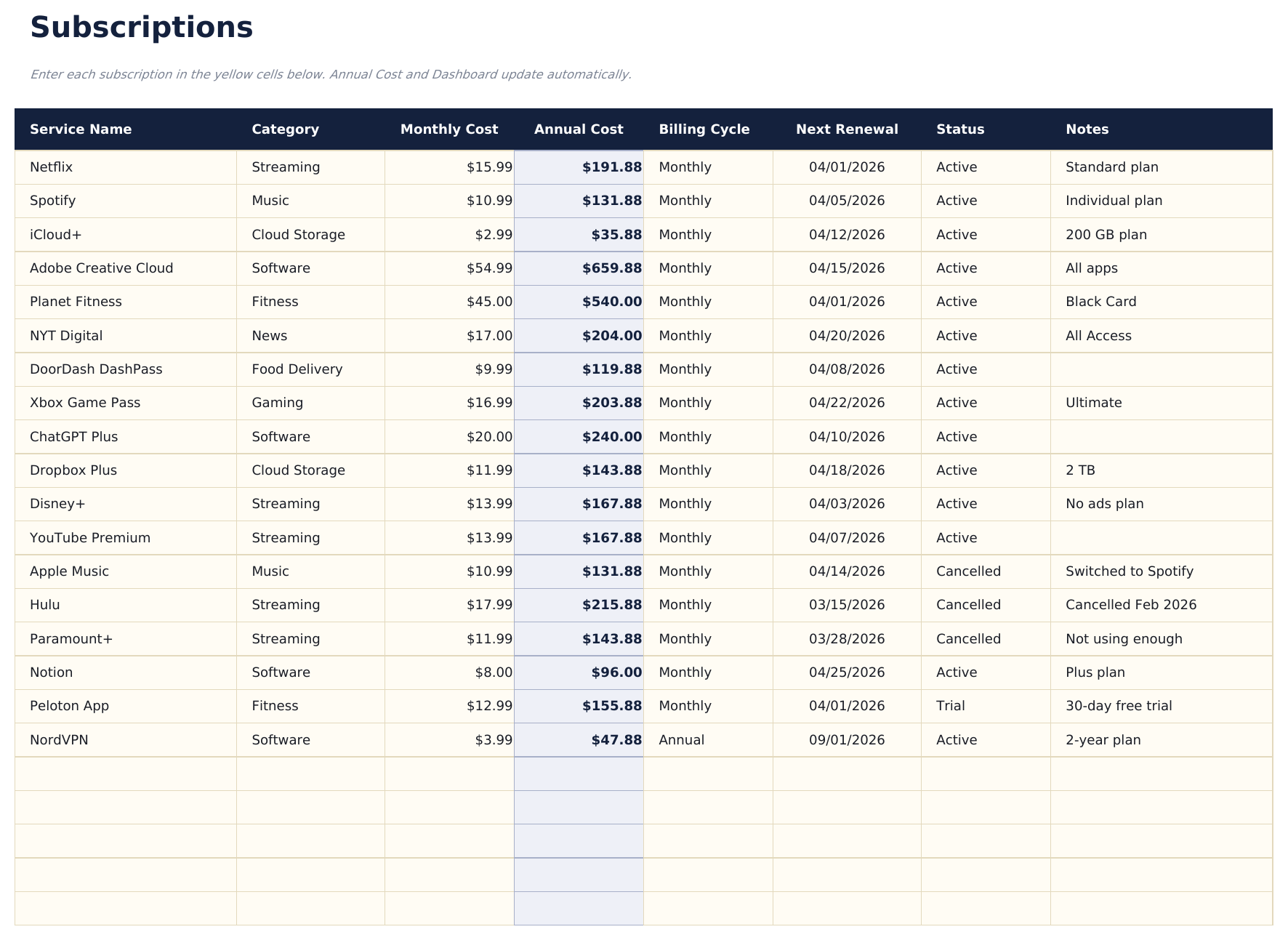
  • Subscription list with service name, renewal date, billing cycle, and cost per period for each entry
  • Monthly and annual cost calculations that automatically convert between billing frequencies
  • Category grouping for subscriptions like streaming, software, fitness, news, and cloud storage
  • Color-coded status indicators for active vs. cancelled subscriptions with formatted cost columns
  • Works in Microsoft Excel, Google Sheets, and LibreOffice Calc with no setup required
Ultimate Version Available

Need more from this template?

The Essentials version covers everyday tracking. Ultimate goes further with multi-entity support, scenario analysis, and ultimate-grade reporting.

Essentials - $12
  • Dashboard with subscription spending summary showing total monthly cost, annual cost, and active count
  • Subscription list with service name, renewal date, billing cycle, and cost per period for each entry
  • Monthly and annual cost calculations that automatically convert between billing frequencies
  • Category grouping for subscriptions like streaming, software, fitness, news, and cloud storage
Ultimate - $19
  • تتبع حتى 50 اشتراكاً نشطاً مع الاسم والفئة ودورة الفوترة والتكلفة الشهرية والتكلفة السنوية وتاريخ التجديد والحالة
  • لوحة معلومات مع 6 بطاقات KPI: إجمالي التكلفة الشهرية، إجمالي التكلفة السنوية، عدد الاشتراكات، الفئة الأغلى، التجديدات القادمة (خلال 30 يوماً)، والاشتراكات غير النشطة
  • ورقة تحليل الفئات تعرض التكلفة الشهرية والسنوية وعدد الاشتراكات ونسبة الإنفاق الإجمالي لكل فئة
  • ورقة التوقعات السنوية تحسب تكلفة 12 شهراً مستقبلية لكل اشتراك وإجماليات الفئات بناءً على دورة الفوترة والسعر الحالي
  • ورقة سجل الأسعار لتسجيل تغييرات الأسعار لكل اشتراك عبر الزمن - تعرض السعر الأصلي والسعر الحالي والزيادة التراكمية
See what's in the Ultimate version One-time purchase. No subscription.

كيفية استخدام قالب Subscription Tracker هذا

1

List all subscriptions

Enter every active subscription - streaming, software, fitness, news, cloud storage, and any recurring service you pay for.

2

Add billing details

For each subscription, record the renewal date, billing cycle (monthly or annual), and cost per period.

3

Review total costs

The dashboard shows your total monthly and annual subscription spending so you can see the combined impact.

4

Audit and cancel

Flag subscriptions you no longer use. The tracker makes unused or duplicate services easy to spot and cancel.

صُممت بواسطة Claude AI. أتقنّاها نحن.

نستخدم Claude AI لصياغة كل قالب بعد بحث معمّق. ثم يتدخل فريقنا. نحسّن التصميم، ونختبر كل صيغة، ونعالج الحالات الاستثنائية، وننقّح التصميم حتى يصبح شيئاً نستخدمه نحن فعلاً. الذكاء الاصطناعي يوصلنا إلى 80%. الـ 20% المتبقية هي حكم بشري بالكامل.

عرض نسخة Ultimate ←

الأسئلة الشائعة

Does it convert annual to monthly costs?

Yes. The template automatically converts between billing frequencies. An annual subscription is divided by 12 to show the effective monthly cost.

How do I mark a cancelled subscription?

Change the status to cancelled. The template distinguishes active from cancelled subscriptions and excludes cancelled ones from the spending totals.

Can I group subscriptions by category?

Yes. Categories like streaming, software, fitness, and news help organize subscriptions. You can filter or sort by category to review spending in each area.

How often does it need updating?

Update it when you add, cancel, or change a subscription. A monthly review helps catch forgotten services or price increases.

كيف أفتح هذا في Google Sheets؟

ارفع ملف .xlsx إلى Google Drive، ثم افتحه باستخدام Google Sheets. جميع الصيغ والتنسيقات ستبقى محفوظة.

المزيد من قوالب Essentials في Personal Budgeting

تبحث عن قوالب جداول بيانات احترافية؟

القوالب المدفوعة تشمل لوحات معلومات متعددة الأوراق متقدمة، ورسوم بيانية أصلية في Excel، وتحديثات مستمرة.

خاص وآمن

بياناتك المالية تبقى على جهازك. نحن لا نراها أبداً.

تعرف على المزيد →

هل تحتاج مساعدة؟

راجع أدلتنا أو تواصل معنا لأي أسئلة.

عرض الأسئلة الشائعة →