Beste waarde All-in-One Financieel Planningspakket
✓ Financiële Planning✓ Vermogenstracker✓ Maandelijks Budgetteren✓ Reisbudget Planner✓ Jaarlijkse Budgetplanner✓ Maandelijkse Uitgaventracker✓ Jaarlijkse Belastingplanner✓ Pensioenplanning
Bekijk bundel →
Ultimate Ultimate-versie beschikbaar - Abonnemententracker Ultimate
Essentials-sjabloon - Excel & Google Sheets

Subscription Tracker Essentials-sjabloon

Log all active subscriptions with renewal dates and costs. See total monthly and annual subscription spending at a glance.

Bekijk de Ultimate-versie →
Subscription Tracker preview

Wat zit erin

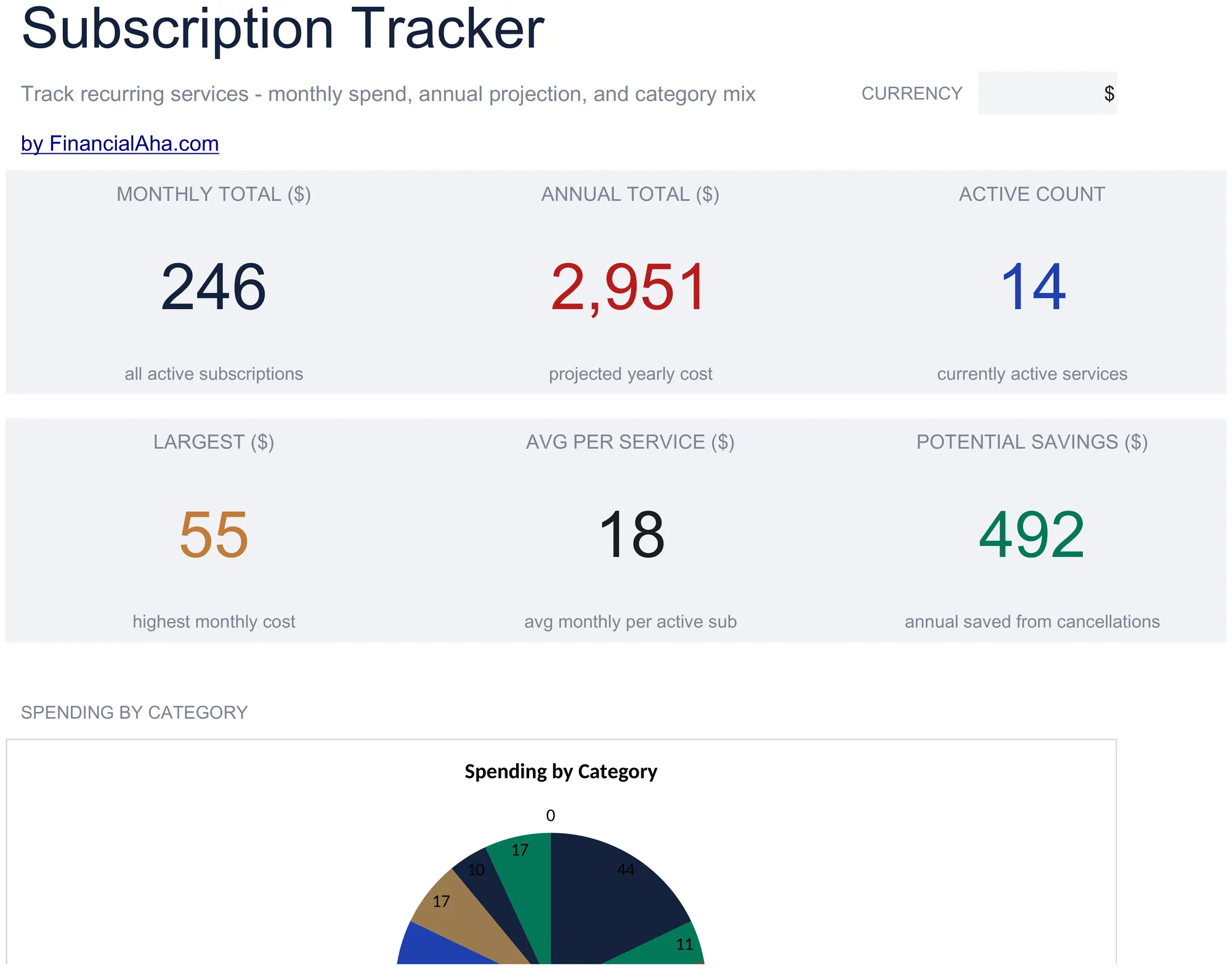
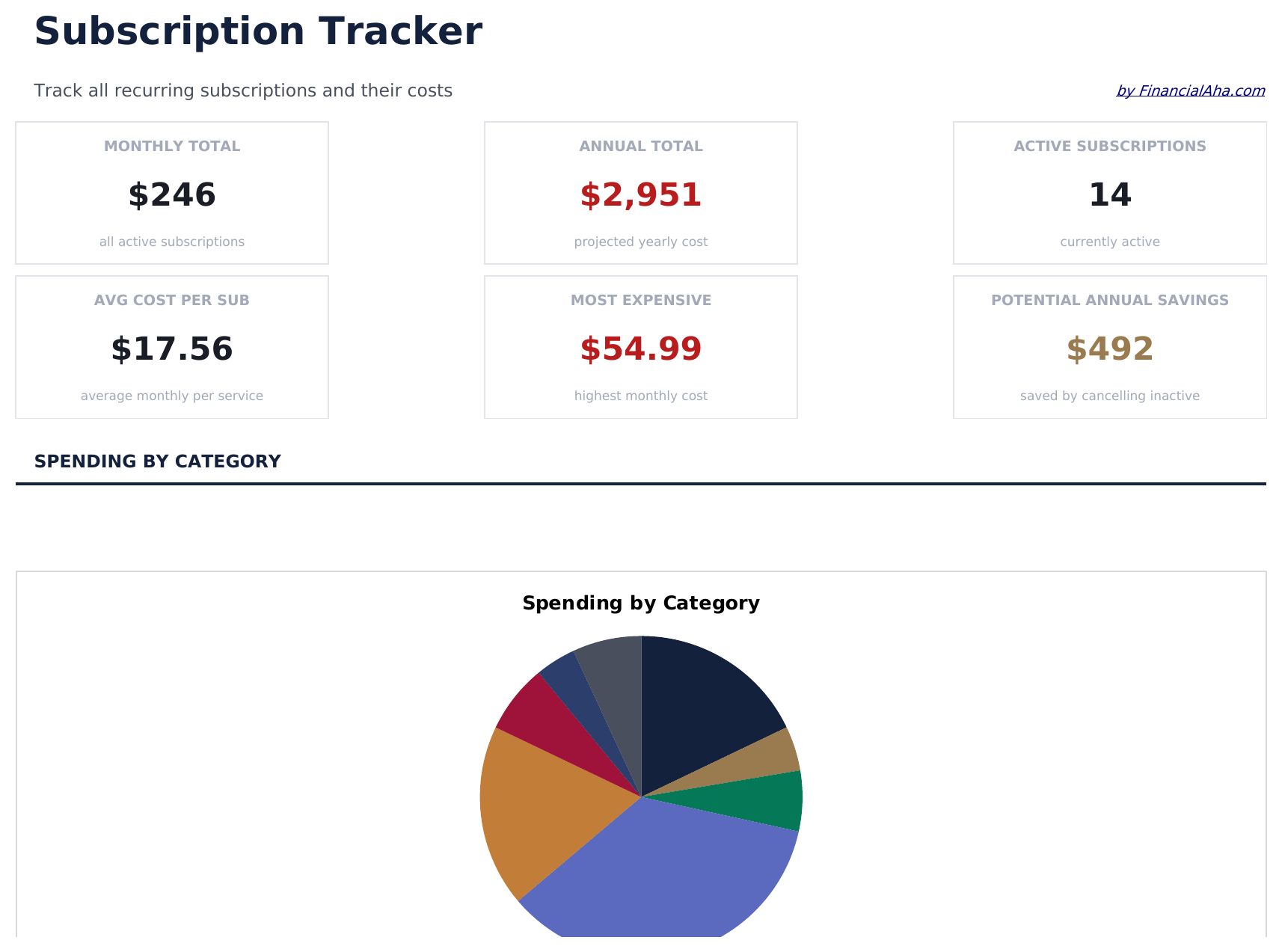
  • Dashboard with subscription spending summary showing total monthly cost, annual cost, and active count
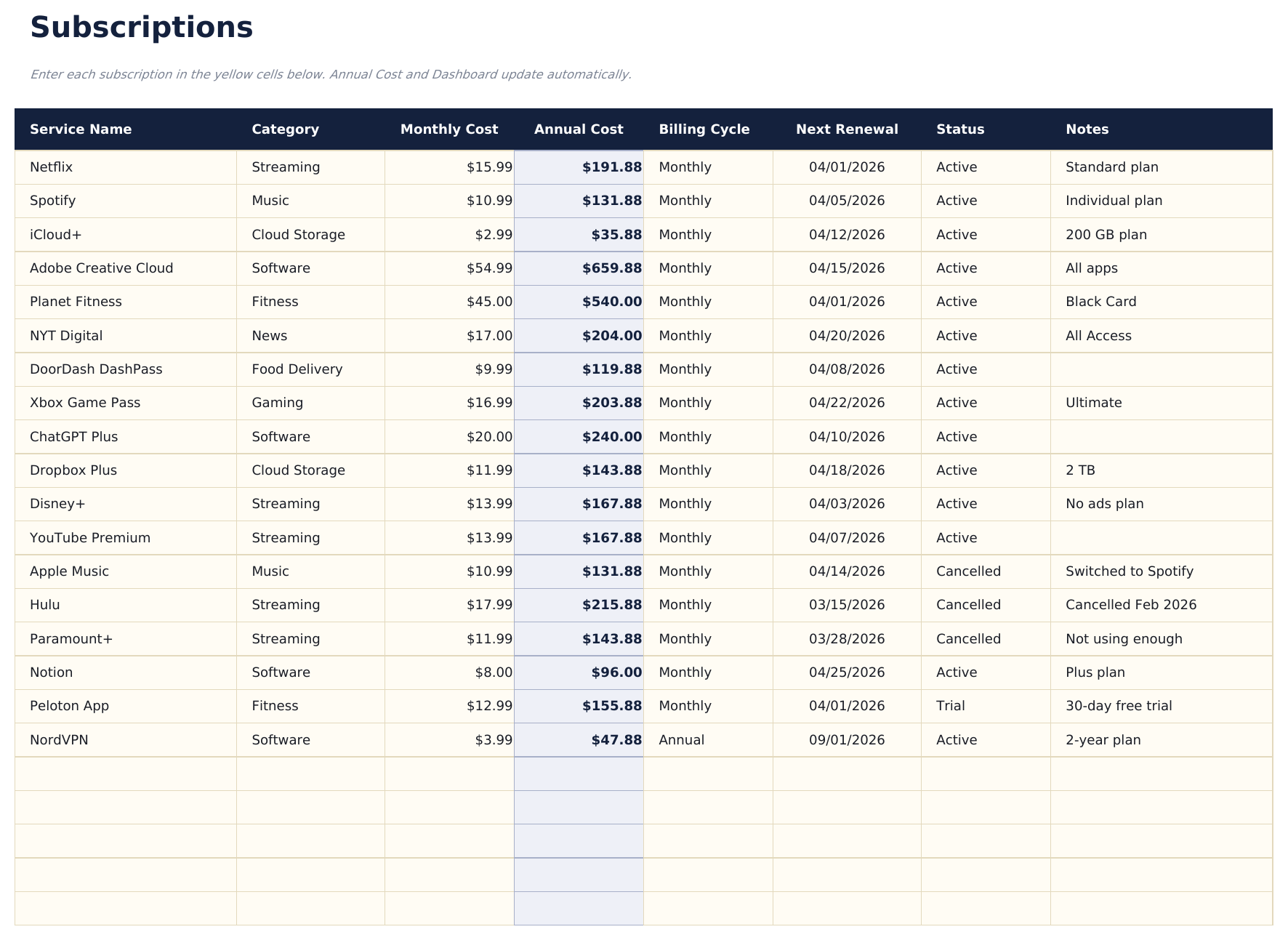
  • Subscription list with service name, renewal date, billing cycle, and cost per period for each entry
  • Monthly and annual cost calculations that automatically convert between billing frequencies
  • Category grouping for subscriptions like streaming, software, fitness, news, and cloud storage
  • Color-coded status indicators for active vs. cancelled subscriptions with formatted cost columns
  • Works in Microsoft Excel, Google Sheets, and LibreOffice Calc with no setup required
Ultimate Version Available

Need more from this template?

The Essentials version covers everyday tracking. Ultimate goes further with multi-entity support, scenario analysis, and ultimate-grade reporting.

Essentials - $12
  • Dashboard with subscription spending summary showing total monthly cost, annual cost, and active count
  • Subscription list with service name, renewal date, billing cycle, and cost per period for each entry
  • Monthly and annual cost calculations that automatically convert between billing frequencies
  • Category grouping for subscriptions like streaming, software, fitness, news, and cloud storage
Ultimate - $19
  • Volg tot 50 actieve abonnementen met naam, categorie, factuurcyclus, maandelijkse kosten, jaarlijkse kosten, verlengingsdatum en status
  • Dashboard met 6 KPI-kaarten: totale maandelijkse kosten, totale jaarlijkse kosten, aantal abonnementen, duurste categorie, aanstaande verlengingen (komende 30 dagen) en inactieve abonnementen
  • Werkblad Categorie-uitsplitsing met maandelijkse kosten, jaarlijkse kosten, aantal abonnementen en percentage van totale uitgaven per categorie
  • Werkblad Jaarlijkse Projecties dat 12-maands vooruitberekende kosten per abonnement en categorietotalen berekent op basis van factuurcyclus en huidige prijs
  • Werkblad Prijsgeschiedenis voor het registreren van prijswijzigingen per abonnement in de loop der tijd - toont oorspronkelijke prijs, huidige prijs en cumulatieve prijsstijging
See what's in the Ultimate version One-time purchase. No subscription.

Hoe gebruik je dit Subscription Tracker sjabloon

1

List all subscriptions

Enter every active subscription - streaming, software, fitness, news, cloud storage, and any recurring service you pay for.

2

Add billing details

For each subscription, record the renewal date, billing cycle (monthly or annual), and cost per period.

3

Review total costs

The dashboard shows your total monthly and annual subscription spending so you can see the combined impact.

4

Audit and cancel

Flag subscriptions you no longer use. The tracker makes unused or duplicate services easy to spot and cancel.

Gebouwd door Claude AI. Verfijnd door ons.

We gebruiken Claude AI om elk sjabloon te ontwerpen, na uitgebreid onderzoek. Daarna neemt ons team het over. We verfijnen de indeling, testen elke formule grondig, lossen randgevallen op en polijsten het ontwerp totdat het iets is dat we zelf ook echt zouden gebruiken. De AI brengt ons 80% van de weg. De laatste 20% is puur menselijk oordeel.

Bekijk de Ultimate-versie →

Veelgestelde vragen

Does it convert annual to monthly costs?

Yes. The template automatically converts between billing frequencies. An annual subscription is divided by 12 to show the effective monthly cost.

How do I mark a cancelled subscription?

Change the status to cancelled. The template distinguishes active from cancelled subscriptions and excludes cancelled ones from the spending totals.

Can I group subscriptions by category?

Yes. Categories like streaming, software, fitness, and news help organize subscriptions. You can filter or sort by category to review spending in each area.

How often does it need updating?

Update it when you add, cancel, or change a subscription. A monthly review helps catch forgotten services or price increases.

Hoe open ik dit in Google Sheets?

Upload het .xlsx-bestand naar Google Drive en open het vervolgens met Google Sheets. Alle formules en opmaak blijven behouden.

Meer Essentials-sjablonen voor Personal Budgeting

Op zoek naar premium spreadsheet-sjablonen?

Onze betaalde sjablonen bevatten geavanceerde dashboards met meerdere werkbladen, ingebouwde Excel-grafieken en doorlopende updates.

Privé & veilig

Uw financiële gegevens blijven op uw apparaat. Wij zien ze nooit.

Meer informatie →

Hulp nodig?

Bekijk onze handleidingen of neem contact op met vragen.

Bekijk FAQ →