Best Value All-in-One Financial Planning Bundle
✓ Financial Planning✓ Net Worth Tracker✓ Monthly Budgeting✓ Travel Budget Planner✓ Annual Budgeting Planner✓ Monthly Expense Tracker✓ Annual Tax Planner✓ Retirement Planning
View Bundle →
Ultimate Ultimate version available - Subscription Tracker Ultimate
Essentials Template - Excel & Google Sheets

Subscription Tracker Essentials Template

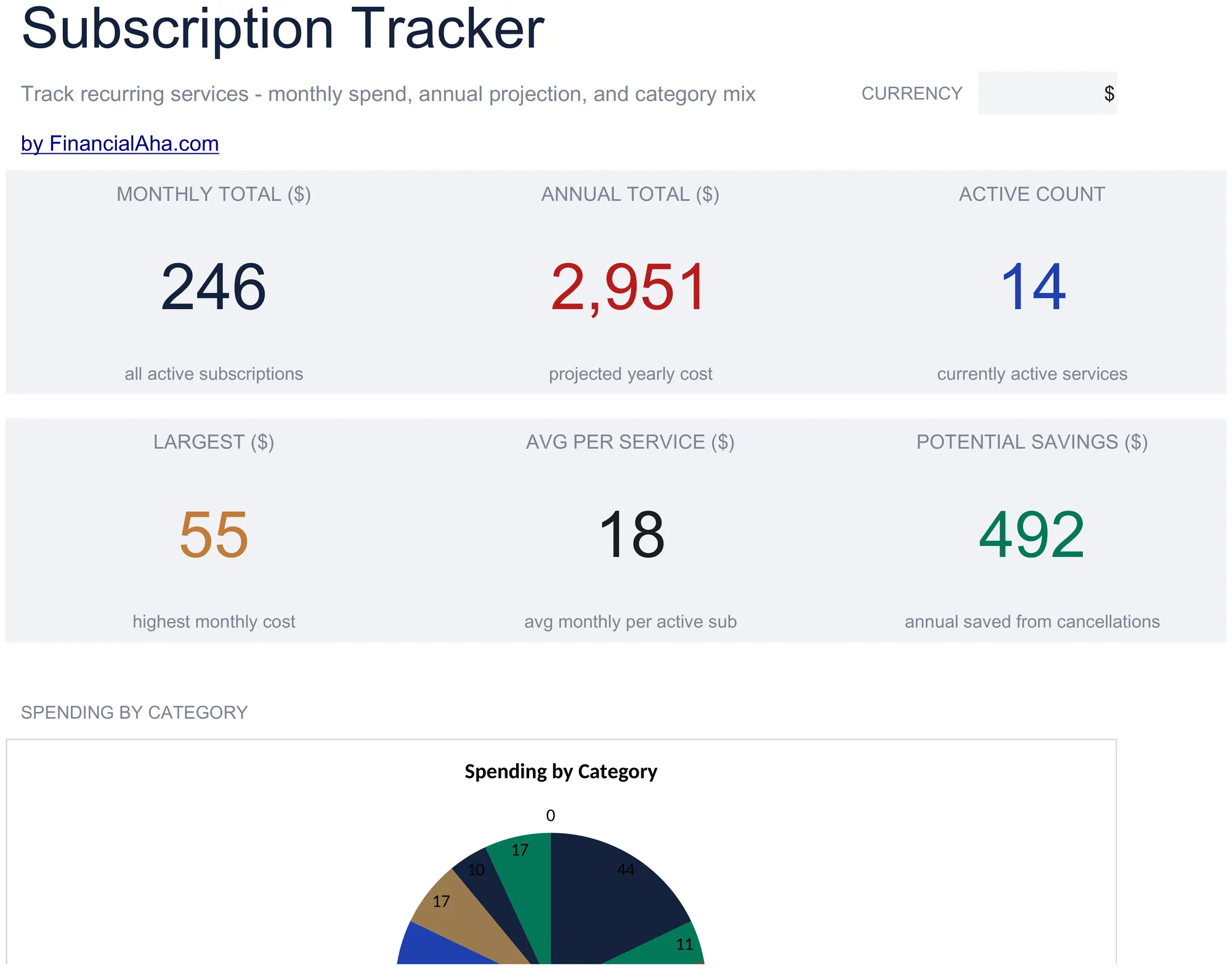
Log all active subscriptions with renewal dates and costs. See total monthly and annual subscription spending at a glance.

See Ultimate version →
Subscription Tracker preview

What's Included

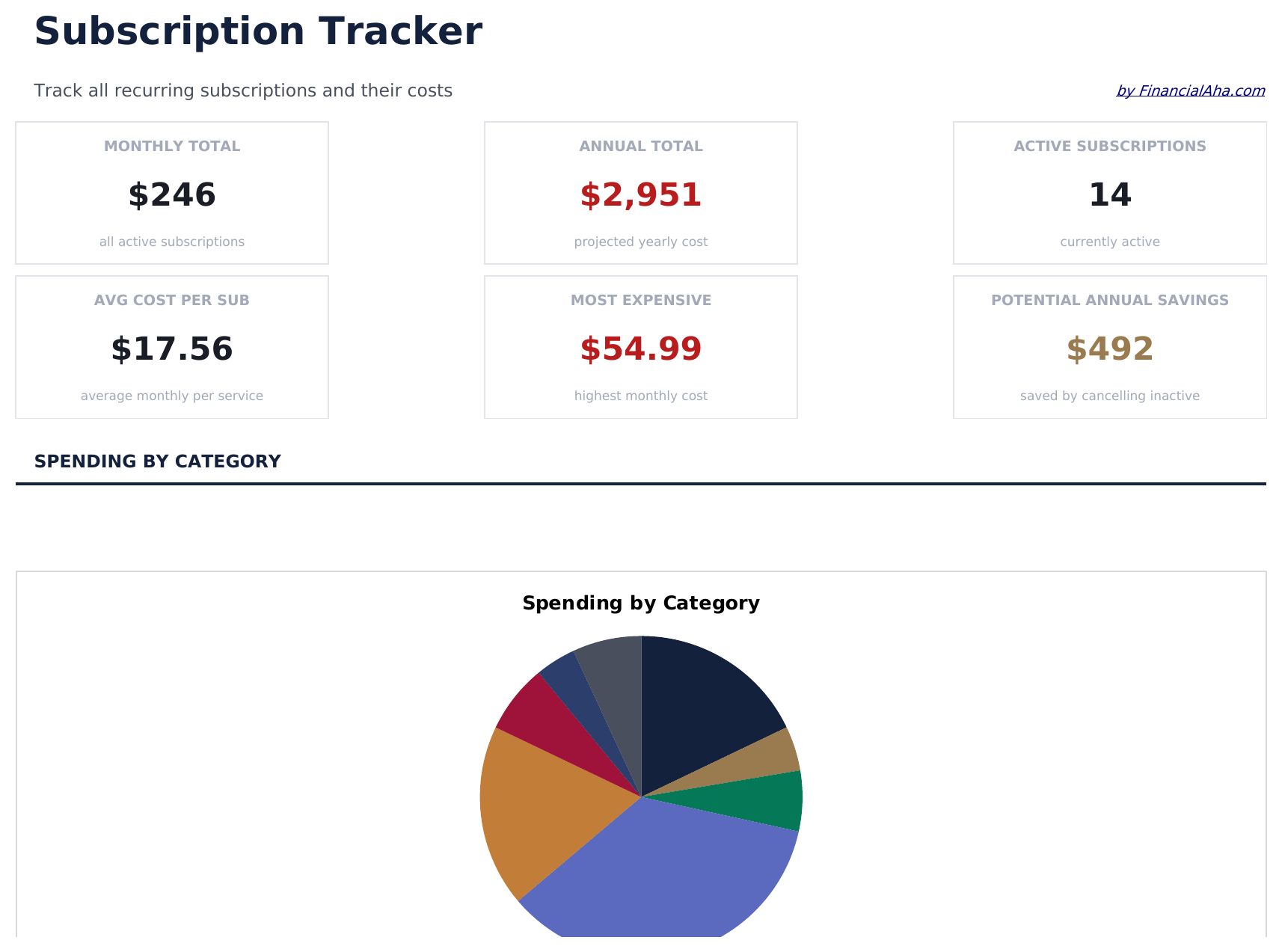
  • Dashboard with subscription spending summary showing total monthly cost, annual cost, and active count
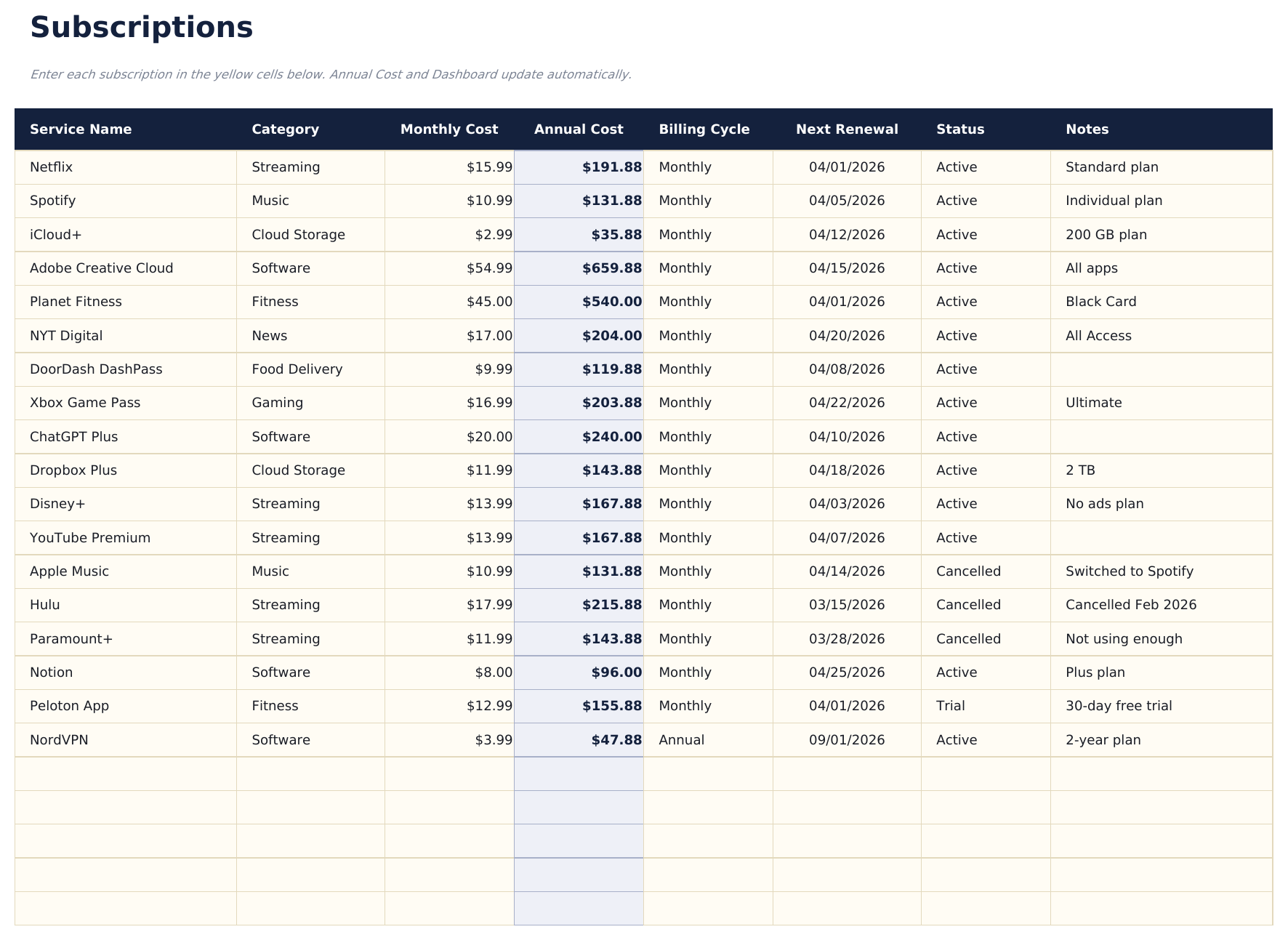
  • Subscription list with service name, renewal date, billing cycle, and cost per period for each entry
  • Monthly and annual cost calculations that automatically convert between billing frequencies
  • Category grouping for subscriptions like streaming, software, fitness, news, and cloud storage
  • Color-coded status indicators for active vs. cancelled subscriptions with formatted cost columns
  • Works in Microsoft Excel, Google Sheets, and LibreOffice Calc with no setup required
Ultimate Version Available

Need more from this template?

The Essentials version covers everyday tracking. Ultimate goes further with multi-entity support, scenario analysis, and ultimate-grade reporting.

Essentials - $12
  • Dashboard with subscription spending summary showing total monthly cost, annual cost, and active count
  • Subscription list with service name, renewal date, billing cycle, and cost per period for each entry
  • Monthly and annual cost calculations that automatically convert between billing frequencies
  • Category grouping for subscriptions like streaming, software, fitness, news, and cloud storage
Ultimate - $19
  • Track up to 50 active subscriptions with name, category, billing cycle, monthly cost, annual cost, renewal date, and status
  • Dashboard with 6 KPI cards: total monthly cost, total annual cost, subscription count, most expensive category, upcoming renewals (next 30 days), and inactive subscriptions
  • Category Breakdown sheet showing monthly cost, annual cost, subscription count, and percent of total spend per category
  • Annual Projections sheet calculating 12-month forward cost per subscription and category totals based on billing cycle and current price
  • Price History sheet for logging price changes per subscription over time - shows original price, current price, and cumulative price increase
See what's in the Ultimate version One-time purchase. No subscription.

How to Use This Subscription Tracker Template

1

List all subscriptions

Enter every active subscription - streaming, software, fitness, news, cloud storage, and any recurring service you pay for.

2

Add billing details

For each subscription, record the renewal date, billing cycle (monthly or annual), and cost per period.

3

Review total costs

The dashboard shows your total monthly and annual subscription spending so you can see the combined impact.

4

Audit and cancel

Flag subscriptions you no longer use. The tracker makes unused or duplicate services easy to spot and cancel.

Built by Claude AI. Perfected by us.

We use Claude AI to draft each template, after a deep research. Then our team steps in. We refine the layout, stress-test every formula, fix edge cases, and polish the design until it feels like something we would actually use ourselves. The AI gets us 80% there. The last 20% is all human judgment.

See Ultimate version →

Frequently Asked Questions

Does it convert annual to monthly costs?

Yes. The template automatically converts between billing frequencies. An annual subscription is divided by 12 to show the effective monthly cost.

How do I mark a cancelled subscription?

Change the status to cancelled. The template distinguishes active from cancelled subscriptions and excludes cancelled ones from the spending totals.

Can I group subscriptions by category?

Yes. Categories like streaming, software, fitness, and news help organize subscriptions. You can filter or sort by category to review spending in each area.

How often does it need updating?

Update it when you add, cancel, or change a subscription. A monthly review helps catch forgotten services or price increases.

How do I open this in Google Sheets?

Upload the .xlsx file to Google Drive, then open it with Google Sheets. All formulas and formatting will be preserved.

More Essentials Personal Budgeting Templates

Looking for premium spreadsheet templates?

Our paid templates include advanced multi-sheet dashboards, native Excel charts, and ongoing updates.

Private & secure

Your financial data stays on your device. We never see it.

Learn more →

Need help?

Check our guides or reach out with questions.

View FAQ →