Bester Wert All-in-One Finanzplanungs-Bundle
✓ Finanzplanung✓ Vermögens-Tracker✓ Monatliches Budget✓ Reisebudget-Planer✓ Jahresbudget-Planer✓ Monatlicher Ausgaben-Tracker✓ Jährlicher Steuerplaner✓ Altersvorsorgeplanung
Bundle ansehen →
Essentials-Vorlage - Excel & Google Sheets

Balance Transfer Calculator Essentials-Vorlage

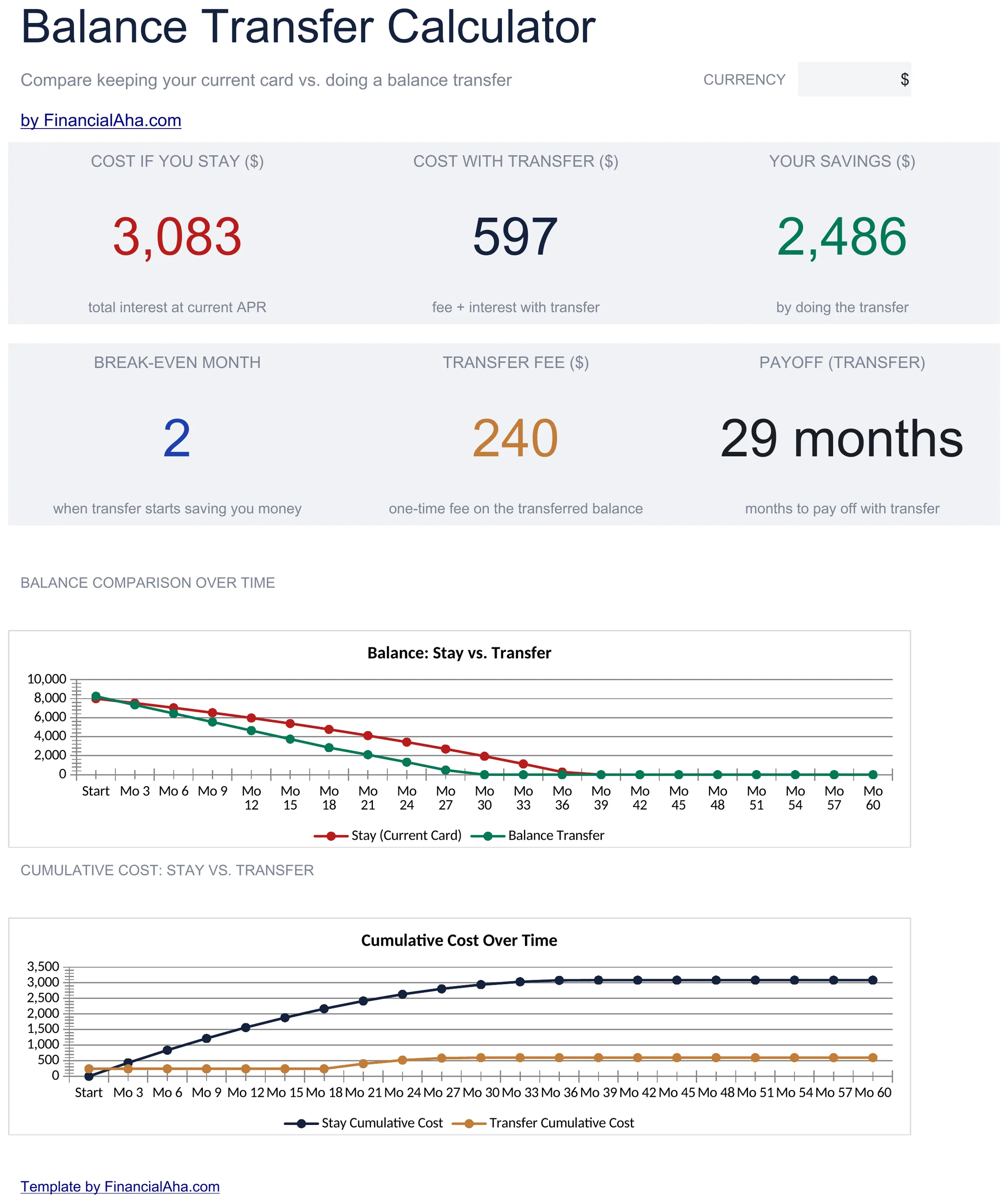
Compare the cost of keeping current credit card debt versus transferring to a lower-rate card. Factor in transfer fees, promotional rates, and payoff timelines.

Balance Transfer Calculator preview

Was enthalten ist

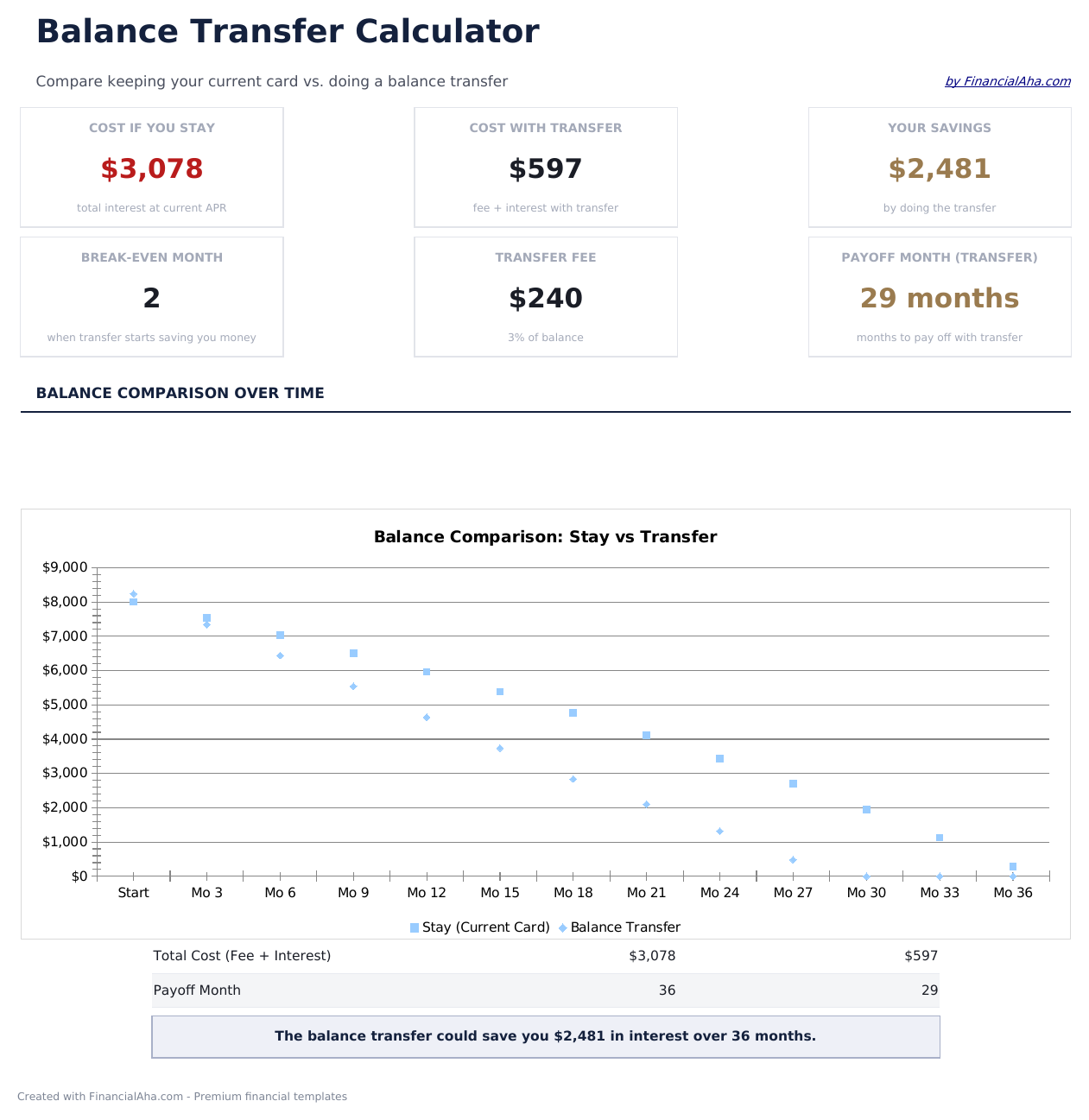
  • Dashboard with transfer savings summary showing total interest saved, fee cost, and net benefit
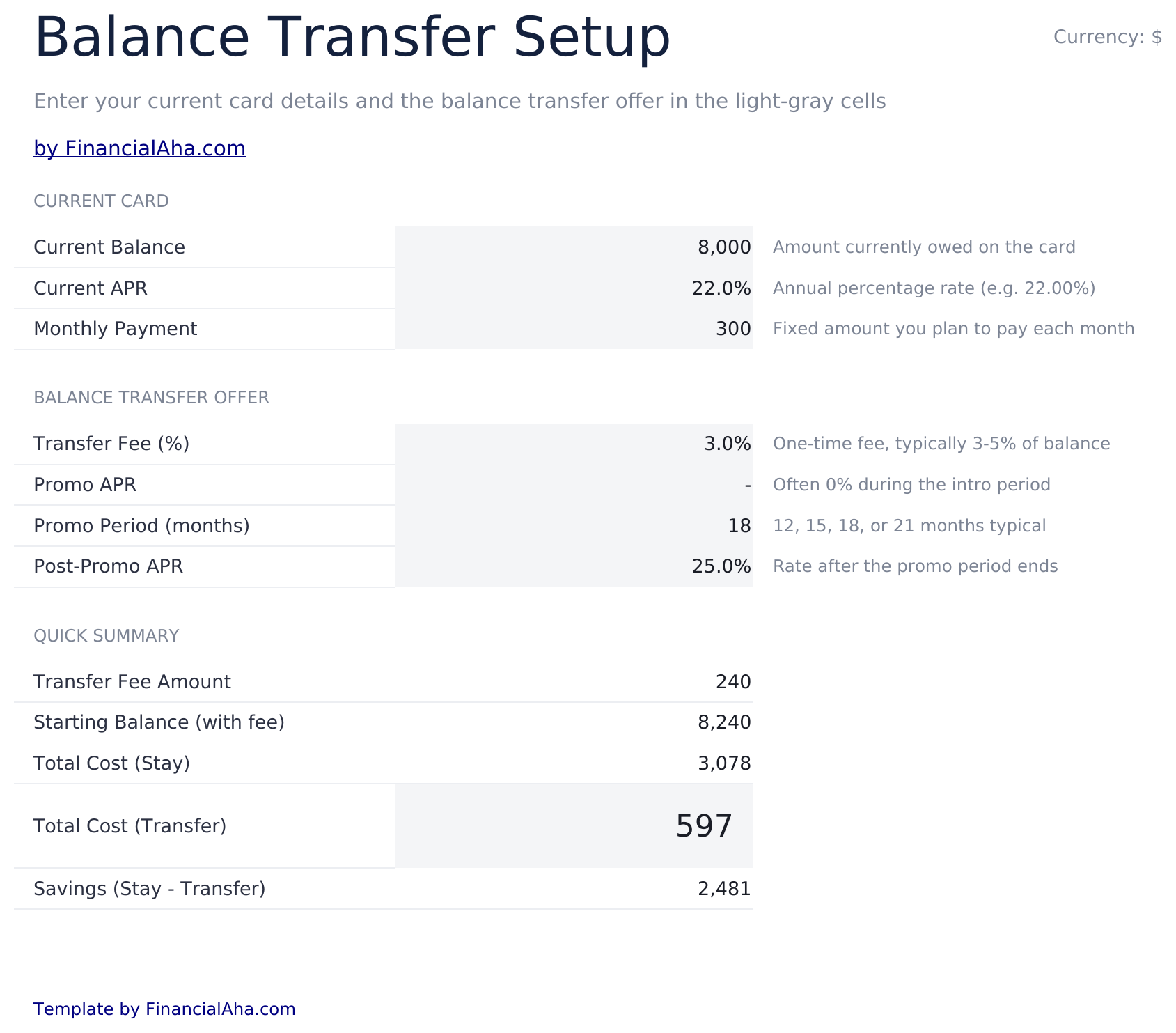
  • Current vs. transfer setup inputs for entering existing APR, new promotional rate, and balance amount
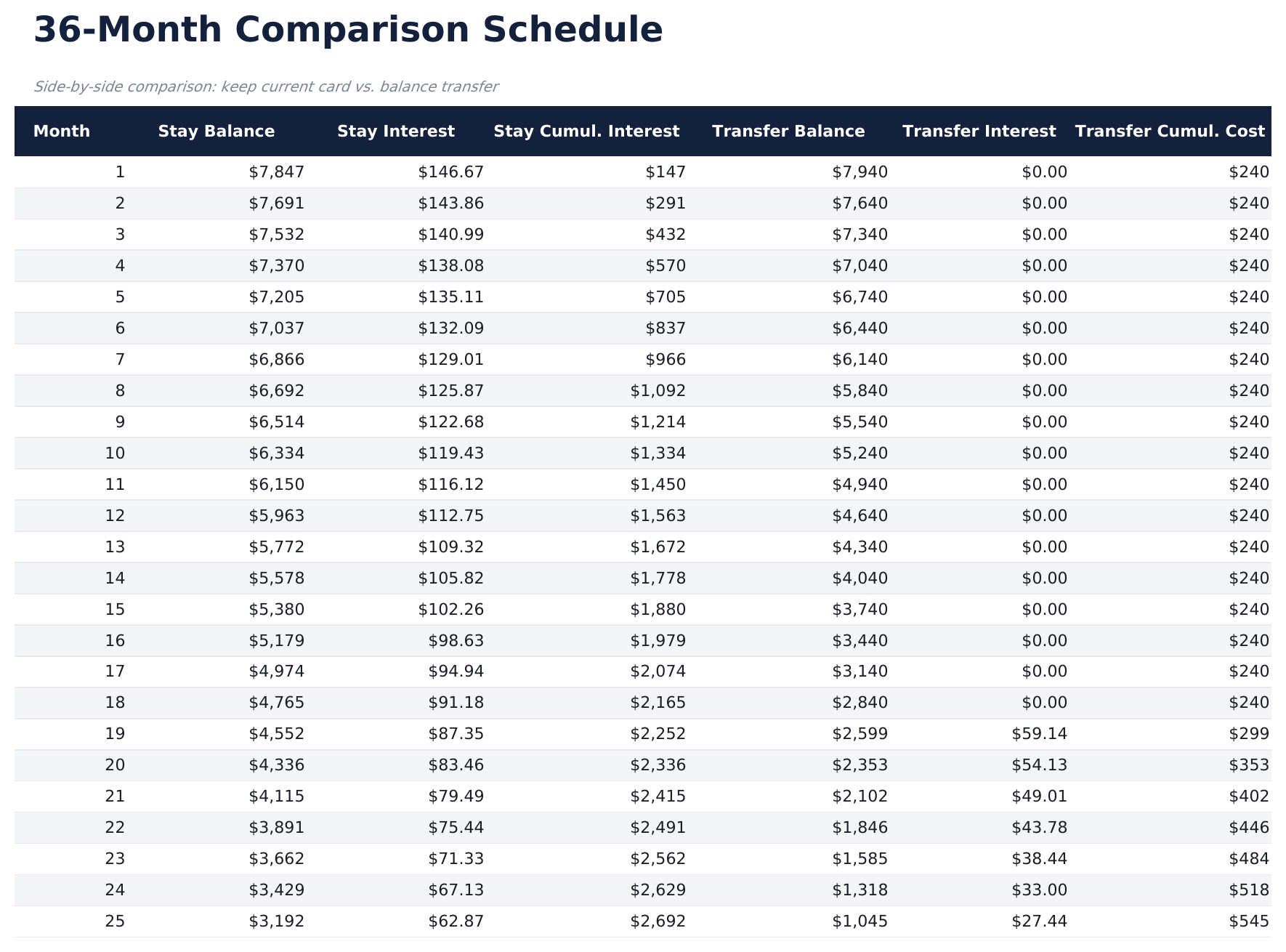
  • Comparison schedule with monthly costs for both scenarios displayed side by side over the payoff term
  • Transfer fee calculations that factor in the percentage-based fee and subtract it from total savings
  • Break-even timeline showing the exact month when transfer savings exceed the upfront fee cost
  • Works in Microsoft Excel, Google Sheets, and LibreOffice Calc with no setup required

So verwenden Sie diese Balance Transfer Calculator-Vorlage

1

Enter current card details

Input your existing card balance, APR, and monthly payment amount on the setup sheet.

2

Enter transfer terms

Add the promotional rate, promotional period length, regular rate after promo, and transfer fee percentage.

3

Review the comparison

The schedule shows monthly costs side by side for keeping the current card vs transferring to the new one.

4

Check the break-even point

The dashboard shows the exact month when transfer savings exceed the fee, so you can see if the transfer is worthwhile.

Erstellt von Claude AI. Verfeinert von uns.

Wir verwenden Claude AI, um jede Vorlage nach gründlicher Recherche zu entwerfen. Dann greift unser Team ein. Wir verfeinern das Layout, testen jede Formel auf Herz und Nieren, beheben Grenzfälle und polieren das Design, bis es sich anfühlt wie etwas, das wir selbst verwenden würden. Die KI bringt uns 80 % ans Ziel. Die letzten 20 % sind rein menschliches Urteilsvermögen.

Häufig gestellte Fragen

How is the transfer fee calculated?

The calculator multiplies your balance by the transfer fee percentage (typically 3% to 5%) and adds it to the transferred balance or shows it as an upfront cost.

What happens after the promotional rate ends?

The schedule shows payments at the regular rate after the promotional period expires. Total interest includes both the promo and post-promo periods.

Does it compare total cost over the full payoff?

Yes. The comparison runs until the balance is fully paid off, showing total interest and total payments for both the current card and the transfer option.

Can I compare multiple transfer offers?

The template compares one transfer offer against your current card. Duplicate the sheet to compare additional offers side by side.

Wie öffne ich diese Vorlage in Google Sheets?

Laden Sie die .xlsx-Datei auf Google Drive hoch und öffnen Sie sie mit Google Sheets. Alle Formeln und Formatierungen bleiben erhalten.

Weitere Essentials-Vorlagen: Debt Management

Auf der Suche nach Premium-Tabellenvorlagen?

Unsere kostenpflichtigen Vorlagen umfassen erweiterte mehrseitige Dashboards, native Excel-Diagramme und laufende Aktualisierungen.

Privat & sicher

Ihre Finanzdaten bleiben auf Ihrem Gerät. Wir sehen sie nie.

Mehr erfahren →

Brauchen Sie Hilfe?

Schauen Sie in unsere Anleitungen oder kontaktieren Sie uns.

FAQ ansehen →