Balance Transfer Calculator Essentials 模板
Compare the cost of keeping current credit card debt versus transferring to a lower-rate card. Factor in transfer fees, promotional rates, and payoff timelines.
包含内容
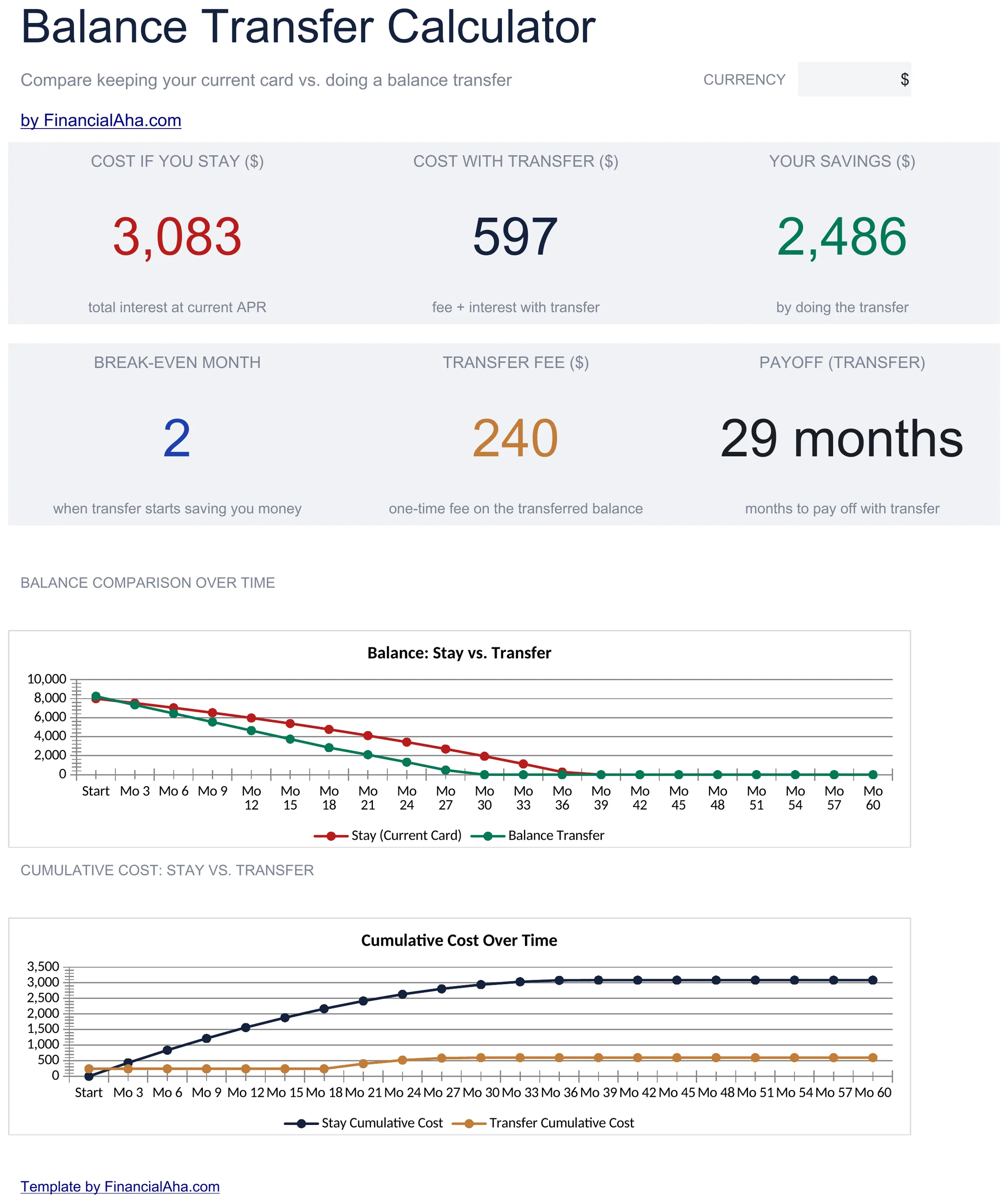
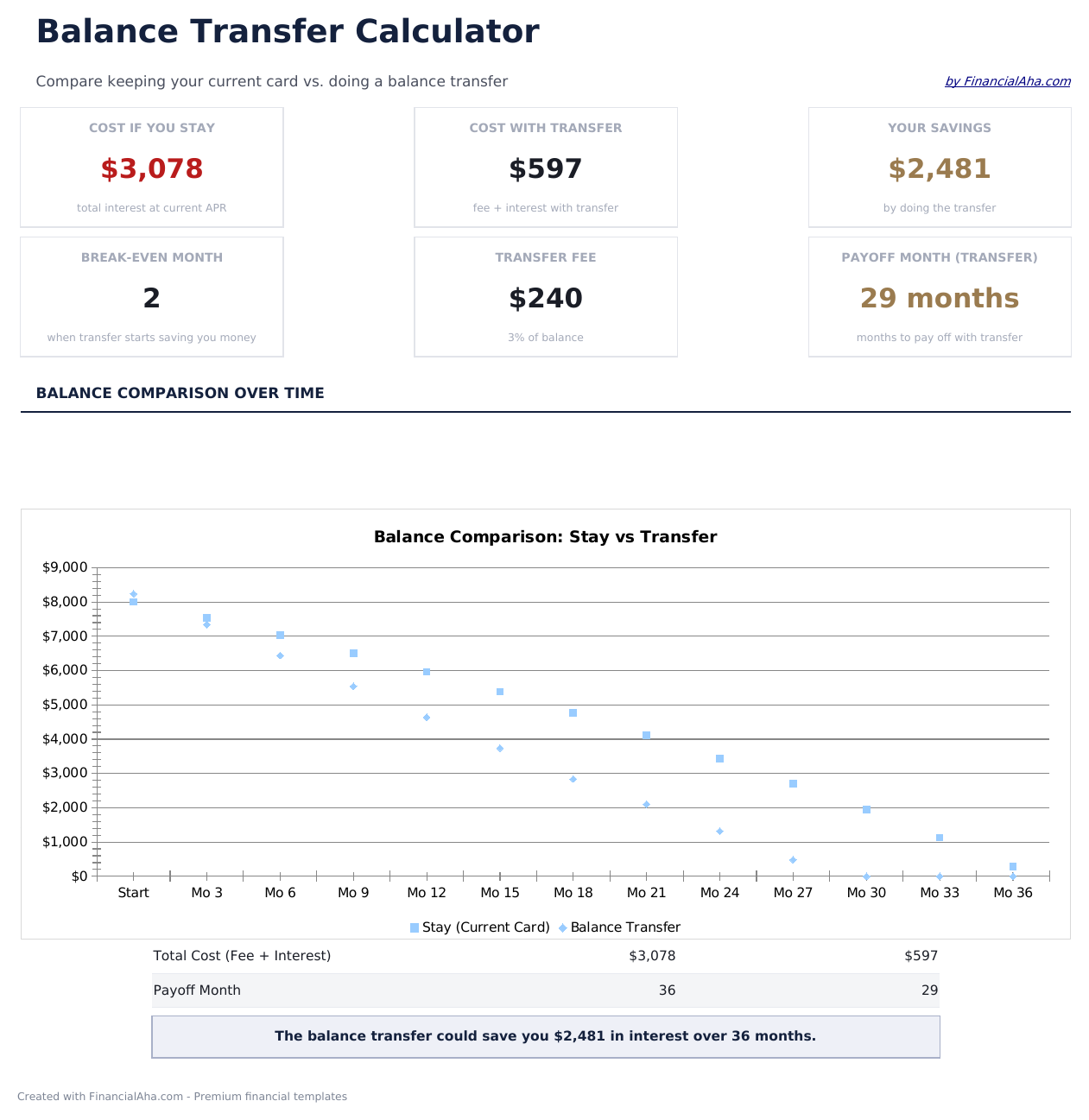
- Dashboard with transfer savings summary showing total interest saved, fee cost, and net benefit
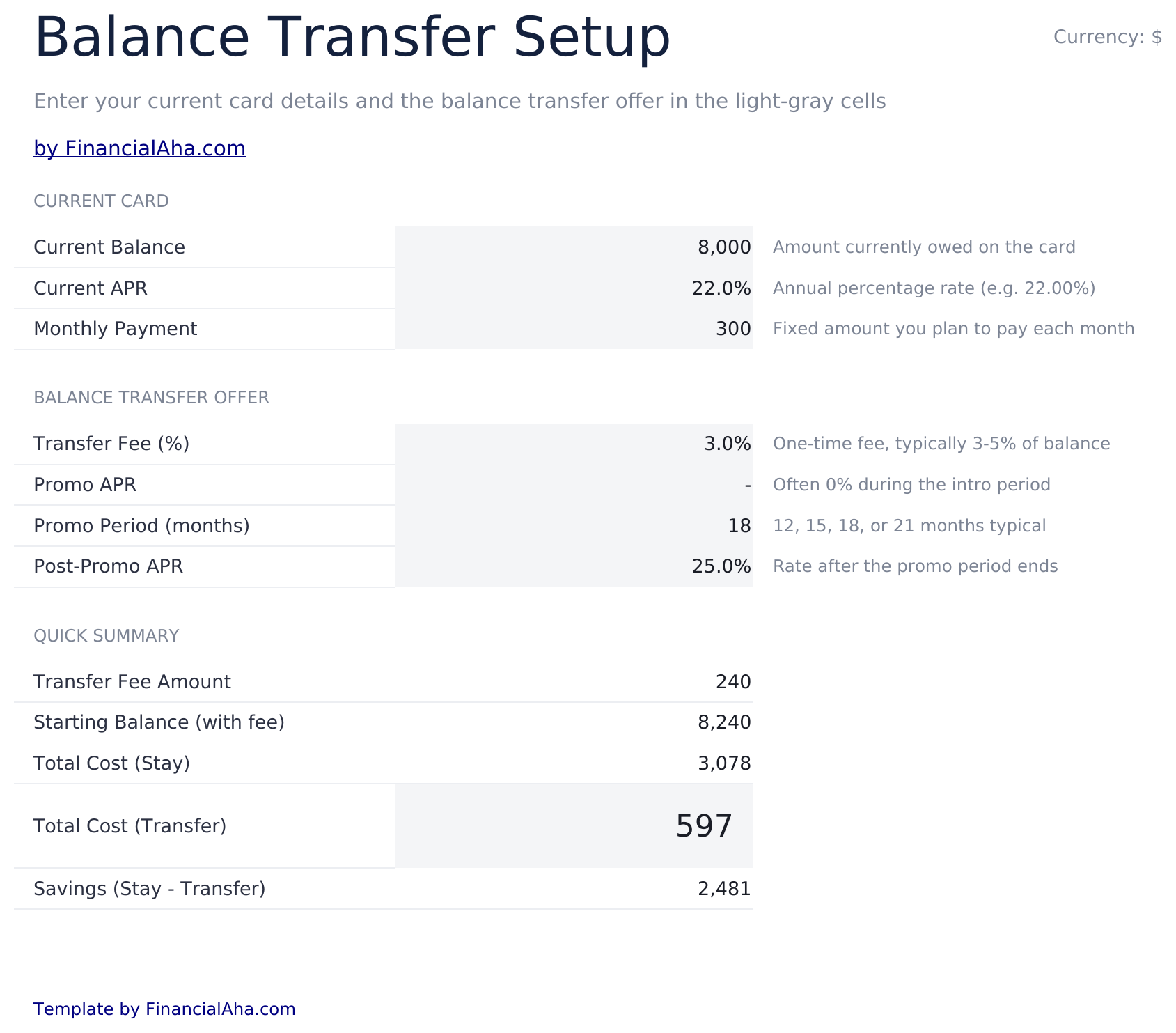
- Current vs. transfer setup inputs for entering existing APR, new promotional rate, and balance amount
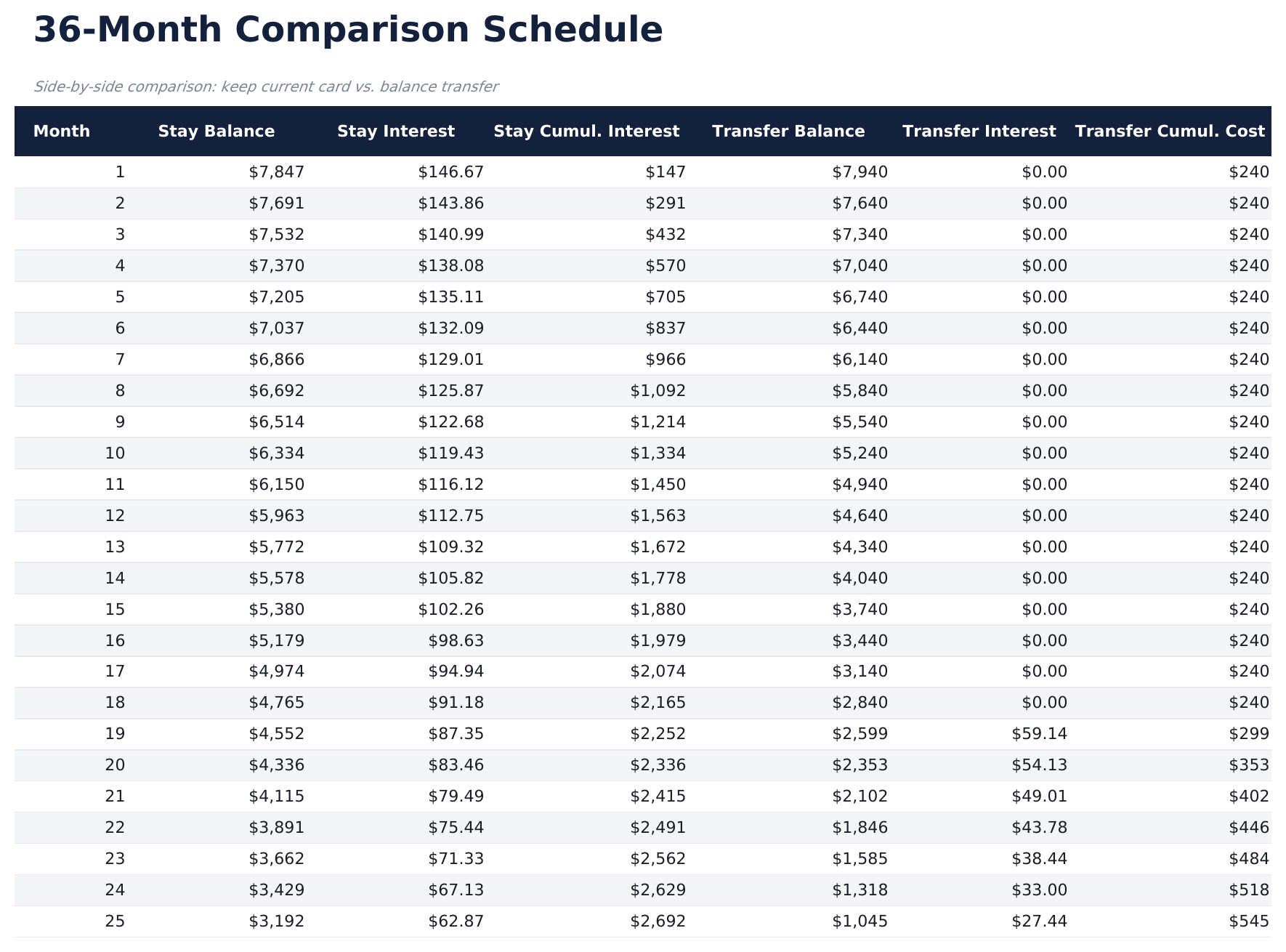
- Comparison schedule with monthly costs for both scenarios displayed side by side over the payoff term
- Transfer fee calculations that factor in the percentage-based fee and subtract it from total savings
- Break-even timeline showing the exact month when transfer savings exceed the upfront fee cost
- Works in Microsoft Excel, Google Sheets, and LibreOffice Calc with no setup required
预览
查看此模板的内容


如何使用这个Balance Transfer Calculator模板
Enter current card details
Input your existing card balance, APR, and monthly payment amount on the setup sheet.
Enter transfer terms
Add the promotional rate, promotional period length, regular rate after promo, and transfer fee percentage.
Review the comparison
The schedule shows monthly costs side by side for keeping the current card vs transferring to the new one.
Check the break-even point
The dashboard shows the exact month when transfer savings exceed the fee, so you can see if the transfer is worthwhile.
由 Claude AI 构建,经我们精心打磨。
我们使用 Claude AI 在深入研究后起草每个模板。然后由团队接手,优化布局、全面测试每个公式、修复边界情况,并打磨设计,直到达到我们自己愿意使用的标准。AI 完成了 80% 的工作,最后 20% 靠的是人工判断。
常见问题
How is the transfer fee calculated?
The calculator multiplies your balance by the transfer fee percentage (typically 3% to 5%) and adds it to the transferred balance or shows it as an upfront cost.
What happens after the promotional rate ends?
The schedule shows payments at the regular rate after the promotional period expires. Total interest includes both the promo and post-promo periods.
Does it compare total cost over the full payoff?
Yes. The comparison runs until the balance is fully paid off, showing total interest and total payments for both the current card and the transfer option.
Can I compare multiple transfer offers?
The template compares one transfer offer against your current card. Duplicate the sheet to compare additional offers side by side.
如何在 Google Sheets 中打开?
将 .xlsx 文件上传到 Google Drive,然后使用 Google Sheets 打开。所有公式和格式都会保留。
更多 Debt Management Essentials 模板
Debt Payoff Calculator
Compare snowball and avalanche payoff strategies side by side. Enter multiple debts and see projected payoff timelines and total interest for each method.
$12Credit Card Payoff
Calculate how long it takes to pay off credit card debt at various payment amounts. See the impact of paying more than the minimum each month.
$12Debt Snowball
Plan debt payoff using the snowball method - pay off smallest balances first. Track progress as each debt is eliminated and payments roll into the next.
$12Line of Credit Tracker
Track draws, payments, and balances on a line of credit. Works for HELOCs, business credit lines, or personal lines of credit.
$12