超值优惠 一站式财务规划套餐
✓ 财务规划✓ 净资产追踪器✓ 月度预算✓ 旅行预算规划器✓ 年度预算规划器✓ 月度支出追踪器✓ 年度税务规划器✓ 退休规划
查看套餐 →
Ultimate Ultimate 版本可用 - 专业版债务还清计算器
Essentials 模板 - Excel 和 Google Sheets

Debt Payoff Calculator Essentials 模板

Compare snowball and avalanche payoff strategies side by side. Enter multiple debts and see projected payoff timelines and total interest for each method.

查看 Ultimate 版本 →
Debt Payoff Calculator preview

包含内容

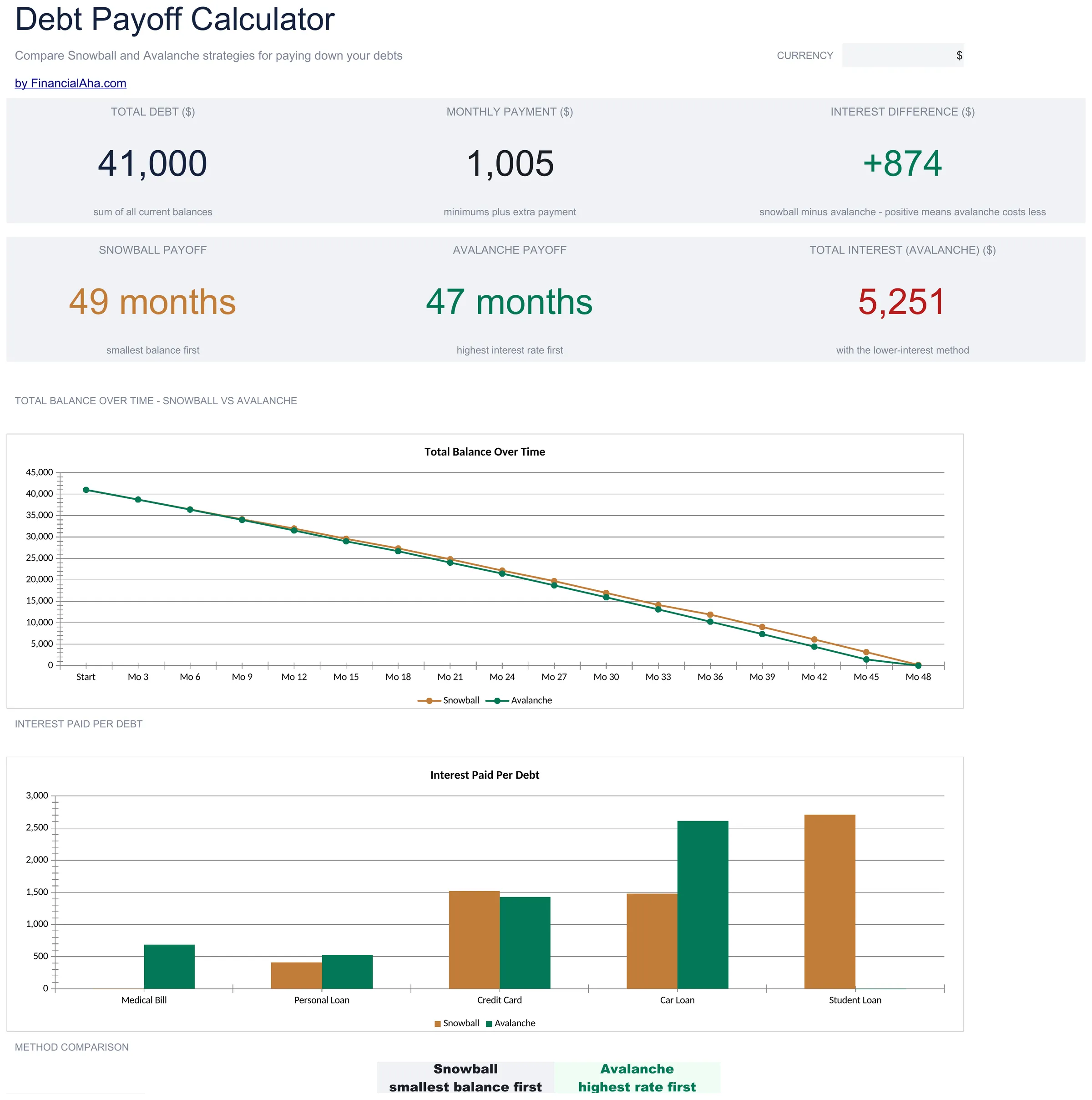
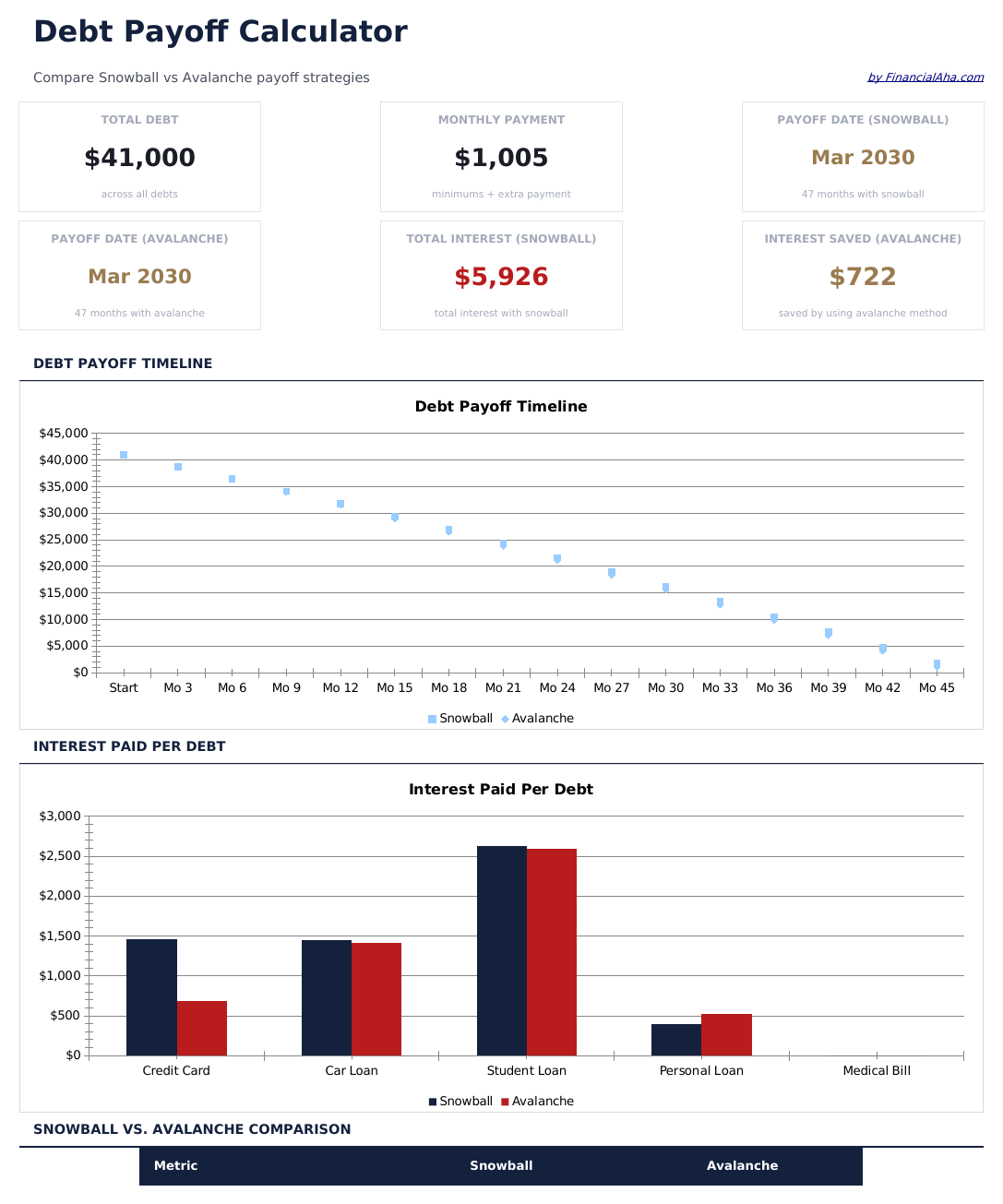
  • Dashboard with payoff timeline overview showing total debt, projected payoff date, and interest saved
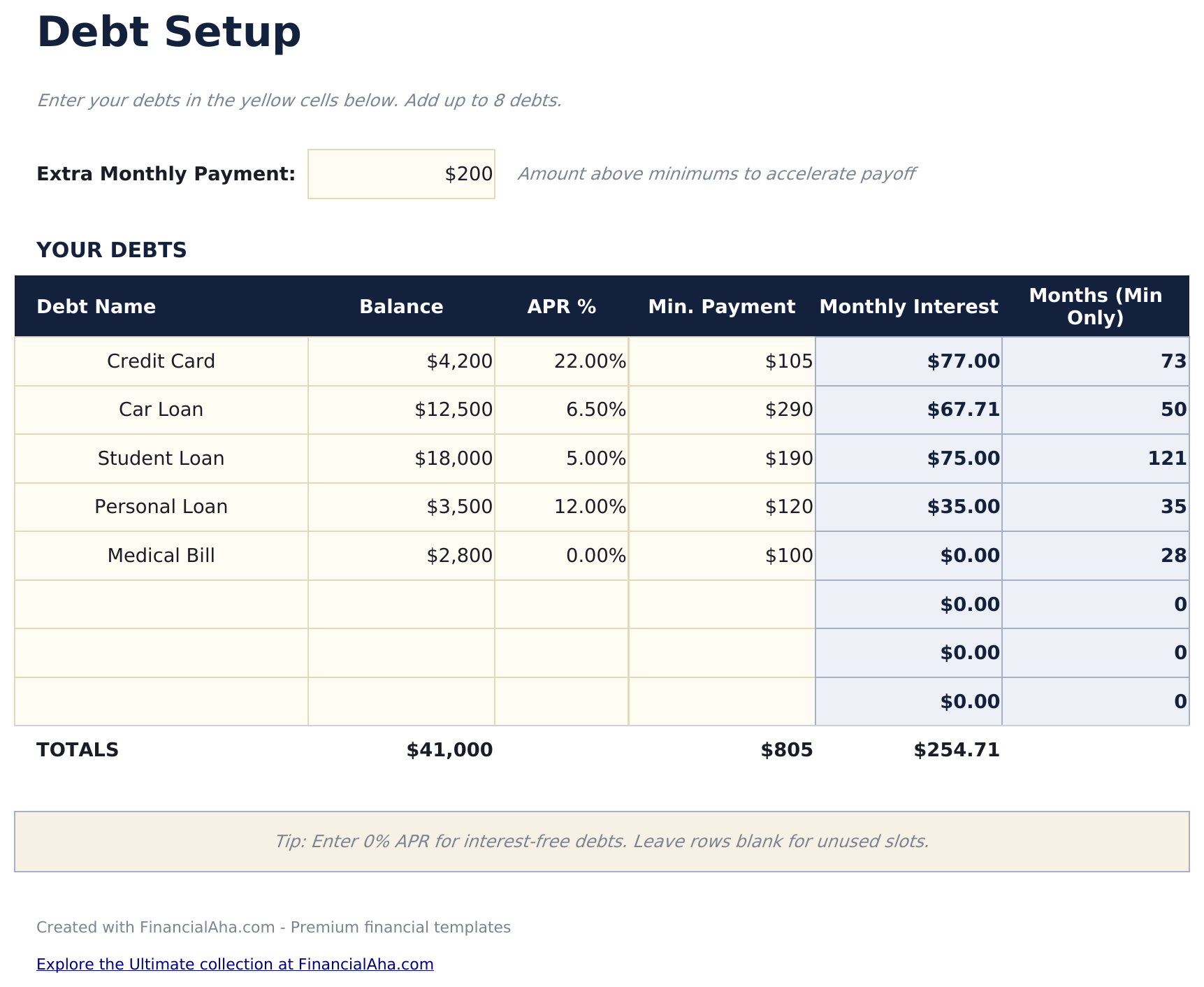
  • Debt setup sheet for entering multiple accounts with balances, interest rates, and minimum payments
  • Snowball and avalanche comparison showing side-by-side timelines and total interest for each strategy
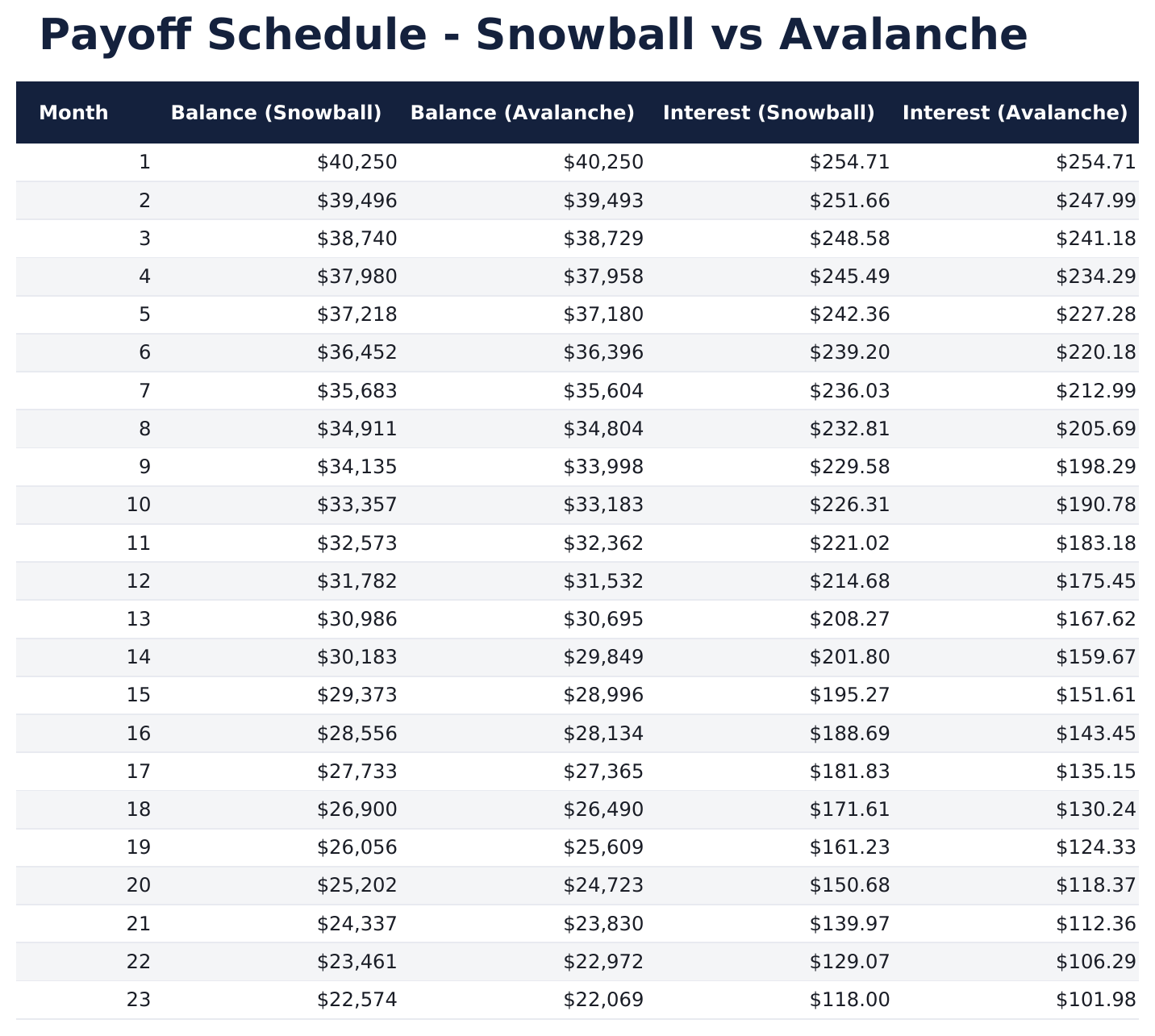
  • Payoff schedule with month-by-month breakdown of payments, principal reduction, and remaining balance
  • Color-coded input cells (yellow) and auto-calculated projections (blue) for clear data entry
  • Works in Microsoft Excel, Google Sheets, and LibreOffice Calc with no setup required
Ultimate Version Available

Need more from this template?

The Essentials version covers everyday tracking. Ultimate goes further with multi-entity support, scenario analysis, and ultimate-grade reporting.

Essentials - $12
  • Dashboard with payoff timeline overview showing total debt, projected payoff date, and interest saved
  • Debt setup sheet for entering multiple accounts with balances, interest rates, and minimum payments
  • Snowball and avalanche comparison showing side-by-side timelines and total interest for each strategy
  • Payoff schedule with month-by-month breakdown of payments, principal reduction, and remaining balance
Ultimate - $19
  • 追踪多达20个债务账户,包含名称、余额、利率、最低还款额和债权人详情
  • 仪表板包含6个关键指标:总债务、月还款总额、预计还清日期、总利息、剩余债务数和最高利率账户
  • 雪球法与雪崩法并排对比,显示每种策略的还款时间线和总利息
  • 逐月还款计划,包含每个账户的还款分配、本金减少、利息费用和剩余余额
  • 额外还款模型,展示每月增加还款额如何加速还清并减少总利息
See what's in the Ultimate version One-time purchase. No subscription.

如何使用这个Debt Payoff Calculator模板

1

Enter your debts

List each debt with its name, balance, interest rate, and minimum payment on the debt setup sheet.

2

Choose a strategy

The template compares snowball (smallest balance first) and avalanche (highest rate first) side by side. Review both timelines.

3

Set extra payments

Enter any additional monthly amount beyond minimums. The calculator shows how extra payments accelerate payoff.

4

Review the schedule

The payoff schedule displays month-by-month payments, principal reduction, and projected freedom date for each strategy.

由 Claude AI 构建,经我们精心打磨。

我们使用 Claude AI 在深入研究后起草每个模板。然后由团队接手,优化布局、全面测试每个公式、修复边界情况,并打磨设计,直到达到我们自己愿意使用的标准。AI 完成了 80% 的工作,最后 20% 靠的是人工判断。

查看 Ultimate 版本 →

常见问题

What is the difference between snowball and avalanche?

Snowball pays off the smallest balance first for quicker wins. Avalanche targets the highest interest rate first to minimize total interest paid.

How many debts can I enter?

The template supports multiple debts. Add rows to the debt setup sheet for each account - credit cards, loans, medical bills, or any other debt.

Does it show total interest paid?

Yes. The dashboard shows total interest for both the snowball and avalanche strategies so you can compare the cost of each approach.

Can I add extra payments later?

Yes. Update the extra payment amount at any time and the entire payoff schedule recalculates with the new amount.

如何在 Google Sheets 中打开?

将 .xlsx 文件上传到 Google Drive,然后使用 Google Sheets 打开。所有公式和格式都会保留。

更多 Debt Management Essentials 模板

在寻找付费电子表格模板?

我们的付费模板包含高级多工作表仪表盘、原生 Excel 图表,并持续更新。

私密且安全

您的财务数据保留在您的设备上。我们永远看不到。

了解更多 →

需要帮助?

查看我们的指南或提出问题。

查看常见问题 →