Bester Wert All-in-One Finanzplanungs-Bundle
✓ Finanzplanung✓ Vermögens-Tracker✓ Monatliches Budget✓ Reisebudget-Planer✓ Jahresbudget-Planer✓ Monatlicher Ausgaben-Tracker✓ Jährlicher Steuerplaner✓ Altersvorsorgeplanung
Bundle ansehen →
Ultimate Ultimate-Version verfügbar - Wöchentliche Arbeitszeiterfassung Ultimate
Essentials-Vorlage - Excel & Google Sheets

Timesheet - Weekly Essentials-Vorlage

Track employee hours worked on a weekly basis. Log daily start and end times with automatic total hour calculations.

Timesheet - Weekly preview

Was enthalten ist

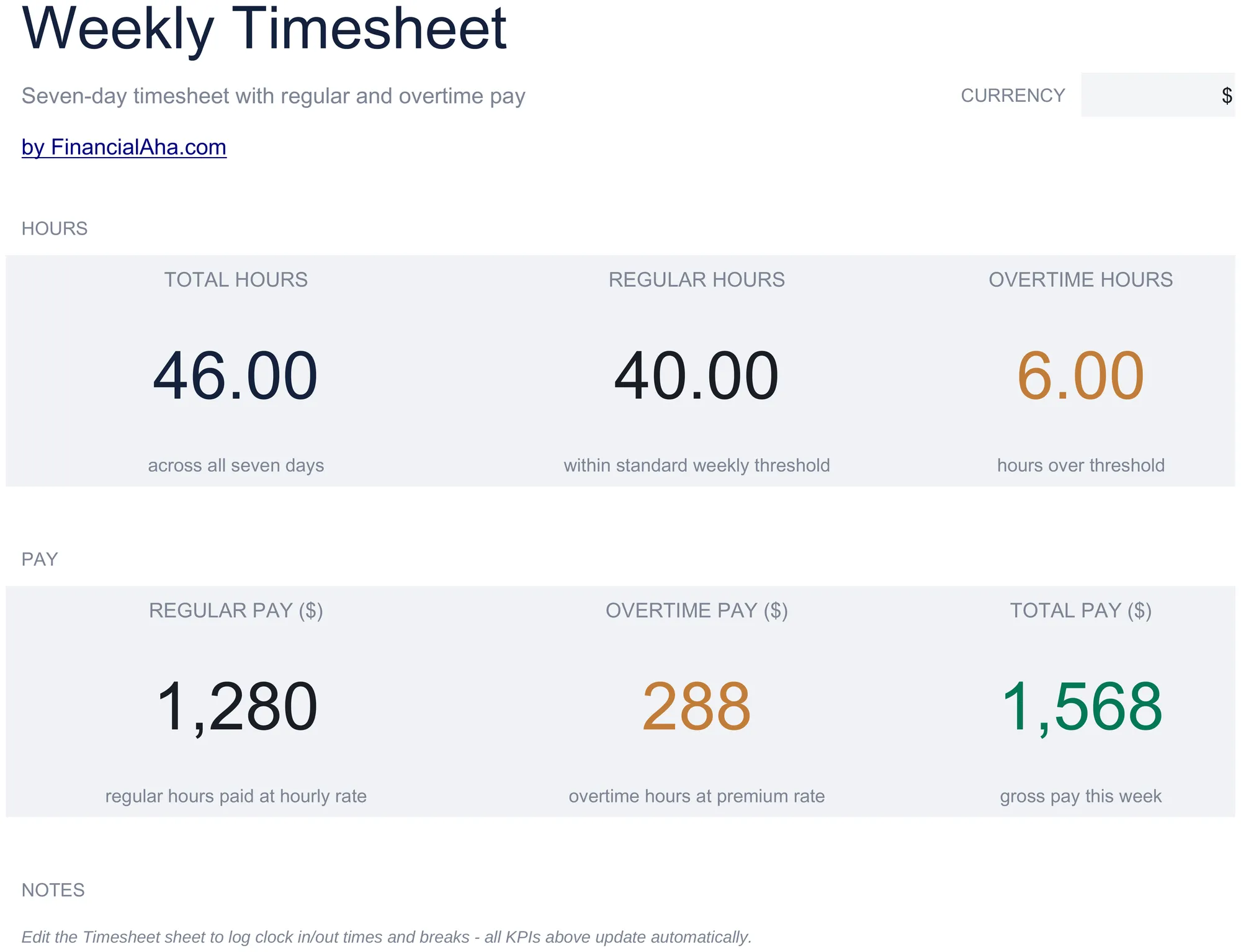
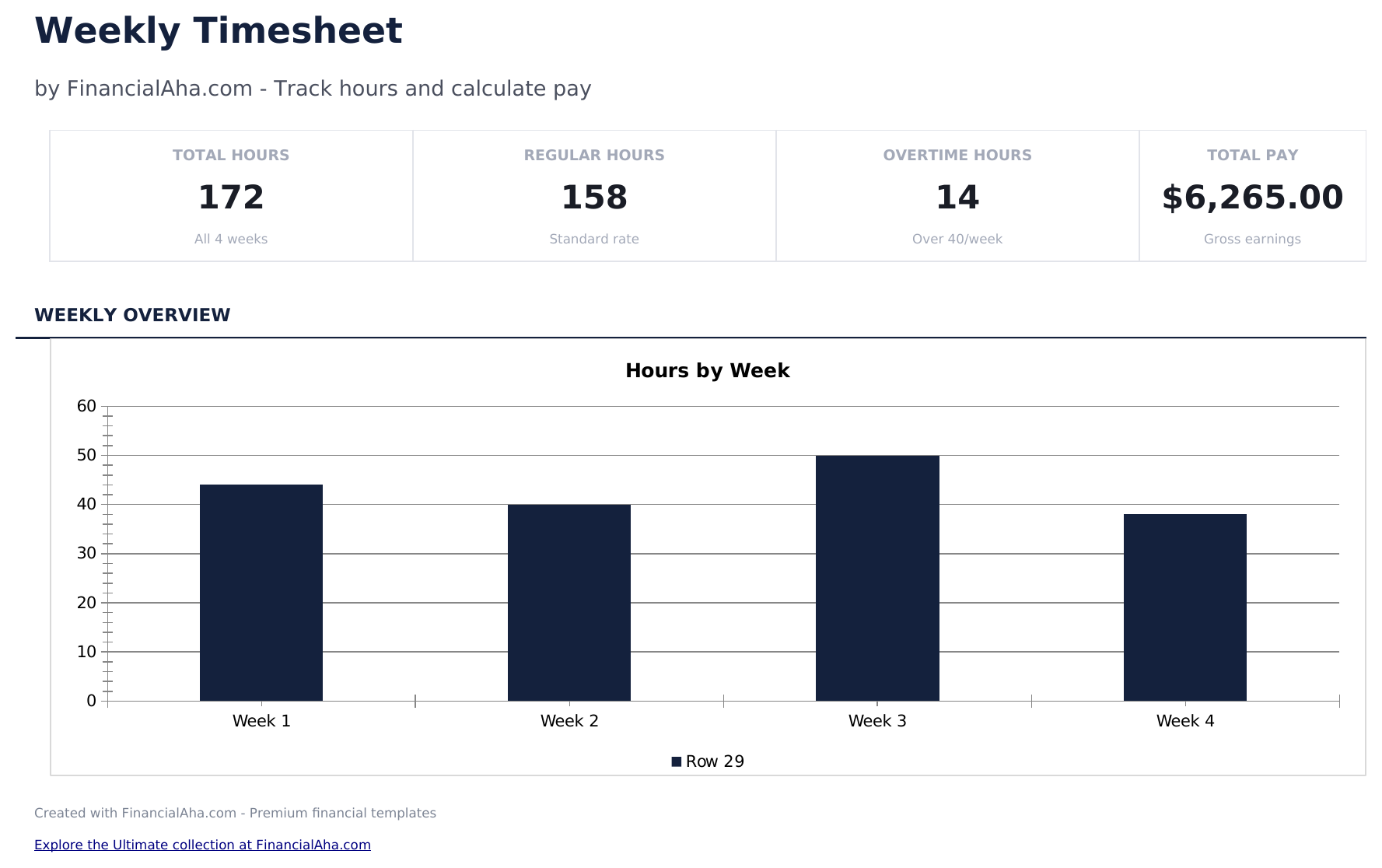
  • Dashboard with weekly hours summary showing total regular hours, overtime hours, and total hours per employee
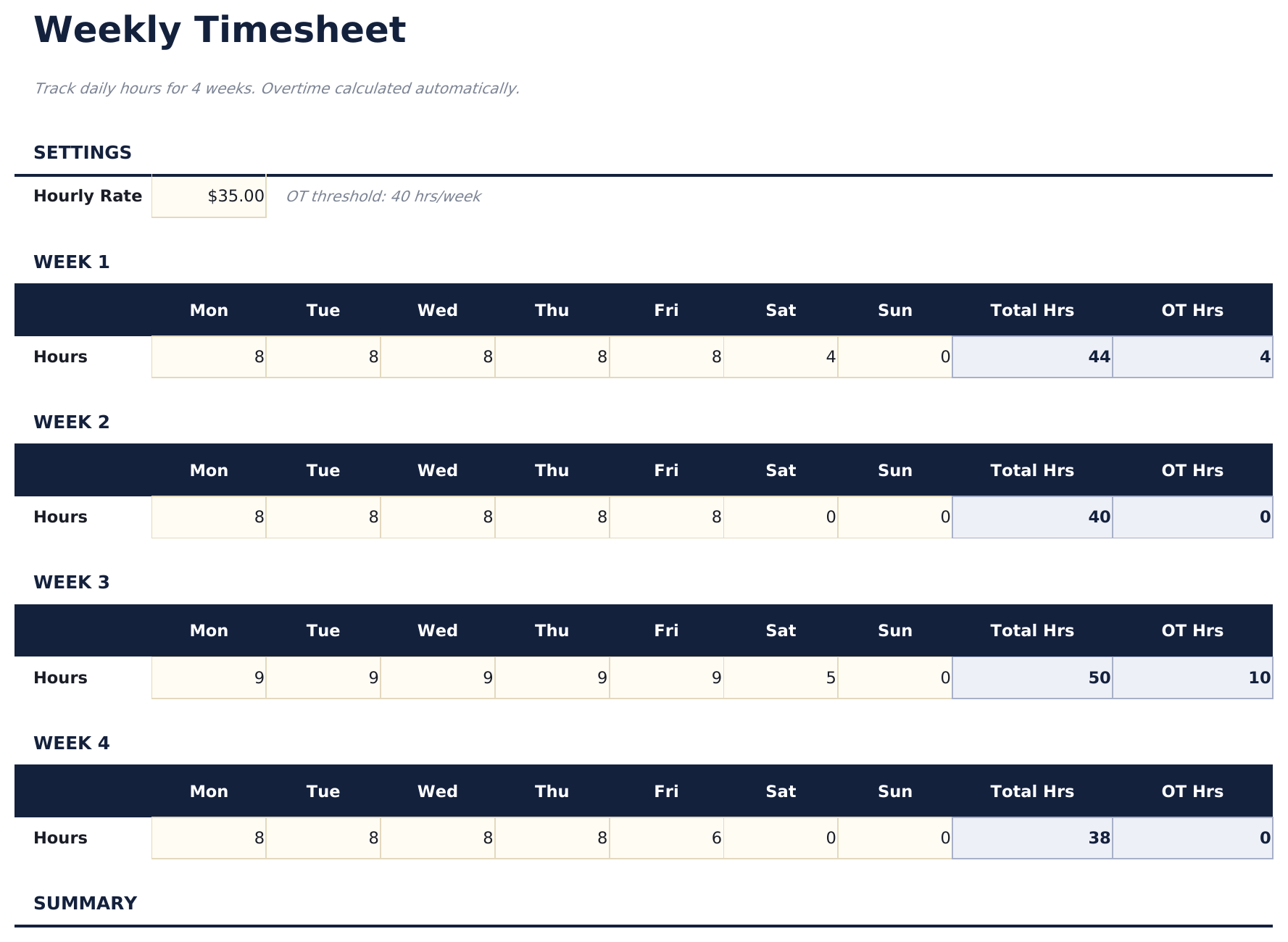
  • Weekly timesheet with daily rows for Monday through Sunday including start time, end time, and break duration
  • Start and end time fields with automatic daily hour calculations that subtract breaks from total worked time
  • Overtime tracking that flags hours exceeding 40 per week or 8 per day depending on your tracking preference
  • Color-coded input cells (yellow) and auto-calculated hour totals (blue) with supervisor approval section
  • Works in Microsoft Excel, Google Sheets, and LibreOffice Calc with no setup required
Ultimate Version Available

Need more from this template?

The Essentials version covers everyday tracking. Ultimate goes further with multi-entity support, scenario analysis, and ultimate-grade reporting.

Essentials - $12
  • Dashboard with weekly hours summary showing total regular hours, overtime hours, and total hours per employee
  • Weekly timesheet with daily rows for Monday through Sunday including start time, end time, and break duration
  • Start and end time fields with automatic daily hour calculations that subtract breaks from total worked time
  • Overtime tracking that flags hours exceeding 40 per week or 8 per day depending on your tracking preference
Ultimate - $19
  • Erfassen Sie wöchentliche Stunden für bis zu 15 Mitarbeiter mit täglichen Stundeneinträgen, Projektcodes und Notizen pro Tag
  • Dashboard mit 6 KPI-Karten: Gesamtstunden diese Woche, Gesamtmitarbeiter, Überstunden, fakturierbare Stunden, Gesamtlohnkosten und durchschnittliche Stunden pro Mitarbeiter
  • Projektzuordnungsblatt zeigt erfasste Stunden pro Mitarbeiter pro Projekt mit Kostenberechnung basierend auf Stundensatz
  • Monatliche Zusammenfassung aggregiert wöchentliche Zeiterfassungsdaten in monatliche Summen pro Mitarbeiter: reguläre Stunden, Überstunden, Gesamtstunden und Bruttogehalt
  • Überstundenanalyse kennzeichnet Mitarbeiter mit mehr als 40 Wochenstunden, zeigt Überstunden und zusätzliche Kosten zum 1,5-fachen Satz
See what's in the Ultimate version One-time purchase. No subscription.

So verwenden Sie diese Timesheet - Weekly-Vorlage

1

Enter employee details

Fill in the employee name, department, and the week start date at the top of the timesheet.

2

Log daily hours

For each day, enter the start time, end time, and break duration. Daily hours calculate automatically.

3

Review weekly total

The template sums all daily hours and separates regular hours from overtime based on the weekly threshold.

4

Submit for approval

The dashboard shows the weekly summary. Print and submit with a supervisor signature for payroll processing.

Erstellt von Claude AI. Verfeinert von uns.

Wir verwenden Claude AI, um jede Vorlage nach gründlicher Recherche zu entwerfen. Dann greift unser Team ein. Wir verfeinern das Layout, testen jede Formel auf Herz und Nieren, beheben Grenzfälle und polieren das Design, bis es sich anfühlt wie etwas, das wir selbst verwenden würden. Die KI bringt uns 80 % ans Ziel. Die letzten 20 % sind rein menschliches Urteilsvermögen.

Häufig gestellte Fragen

How is overtime calculated?

Hours exceeding 40 per week (or 8 per day) are flagged as overtime. You can adjust the threshold based on your company policy.

Does it handle break time?

Yes. Enter break duration for each day and the template subtracts it from the total time between start and end.

Can I use it for multiple employees?

Each sheet covers one employee per week. Duplicate the sheet for each team member and update the employee name.

Does it calculate pay?

The template focuses on hours. For pay calculations, combine the weekly hours with the Employee Payroll or Time Card Calculator template.

Wie öffne ich diese Vorlage in Google Sheets?

Laden Sie die .xlsx-Datei auf Google Drive hoch und öffnen Sie sie mit Google Sheets. Alle Formeln und Formatierungen bleiben erhalten.

Weitere Essentials-Vorlagen: Payroll & HR

Auf der Suche nach Premium-Tabellenvorlagen?

Unsere kostenpflichtigen Vorlagen umfassen erweiterte mehrseitige Dashboards, native Excel-Diagramme und laufende Aktualisierungen.

Privat & sicher

Ihre Finanzdaten bleiben auf Ihrem Gerät. Wir sehen sie nie.

Mehr erfahren →

Brauchen Sie Hilfe?

Schauen Sie in unsere Anleitungen oder kontaktieren Sie uns.

FAQ ansehen →