Timesheet - Weekly Essentials 模板
Track employee hours worked on a weekly basis. Log daily start and end times with automatic total hour calculations.
包含内容
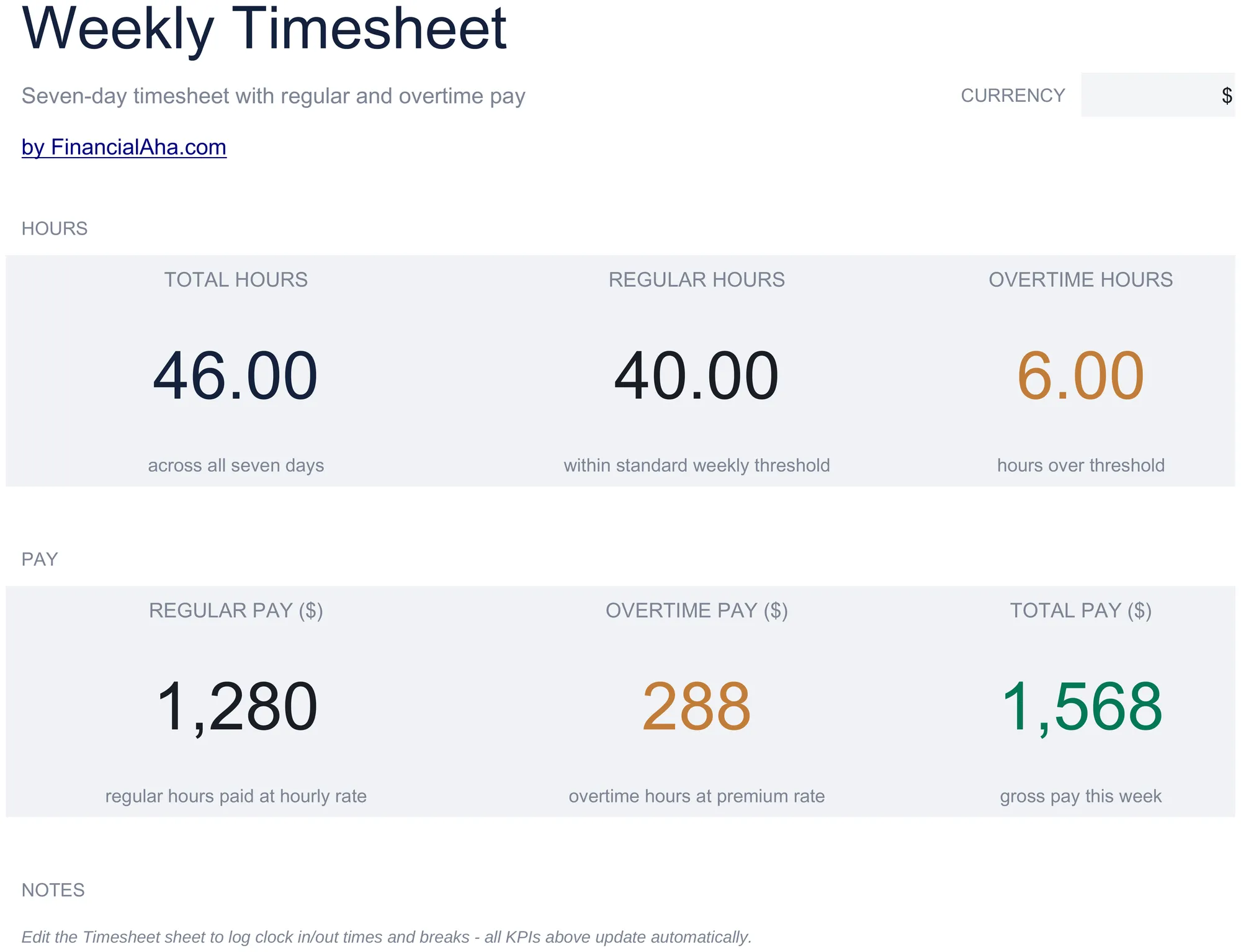
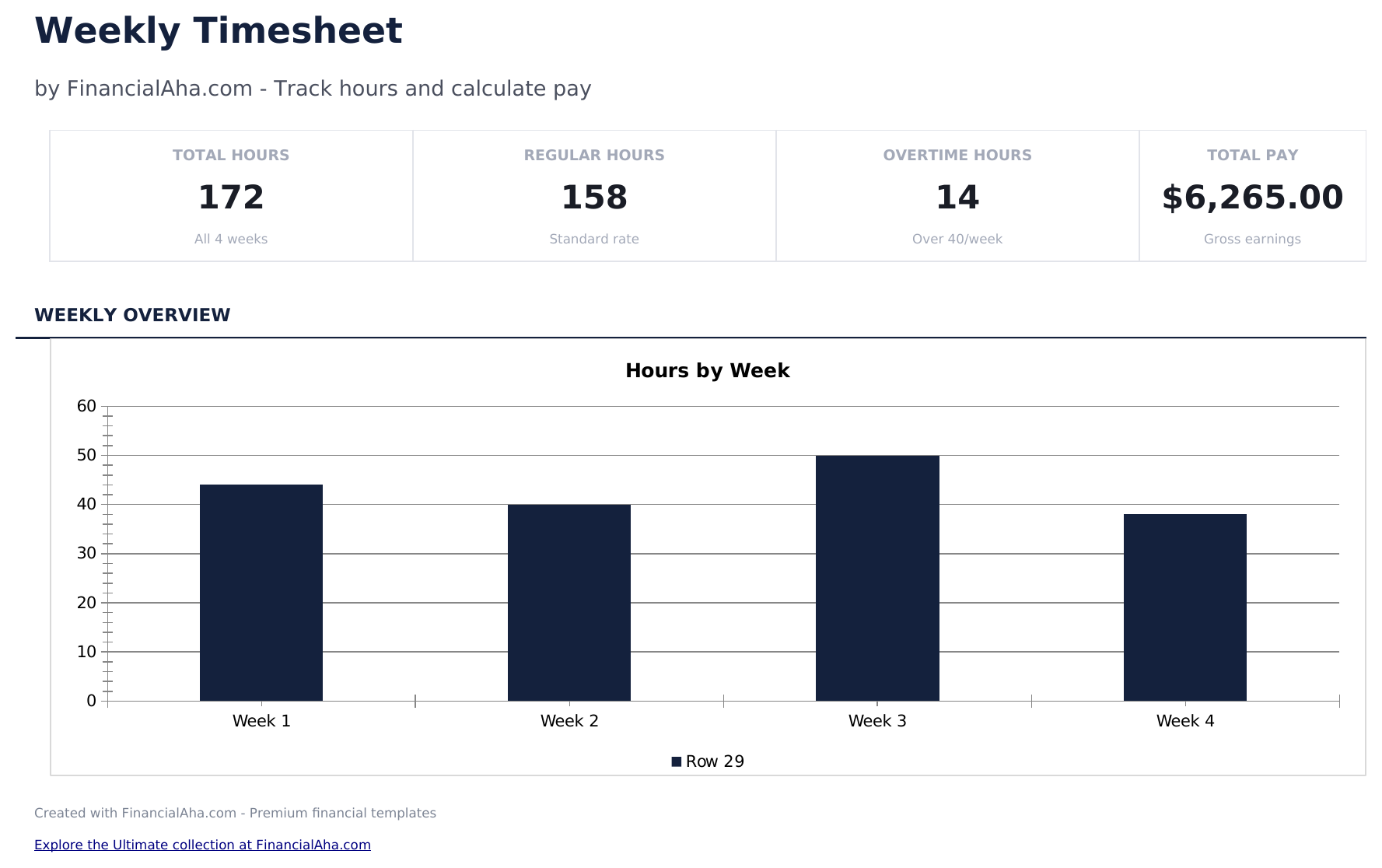
- Dashboard with weekly hours summary showing total regular hours, overtime hours, and total hours per employee
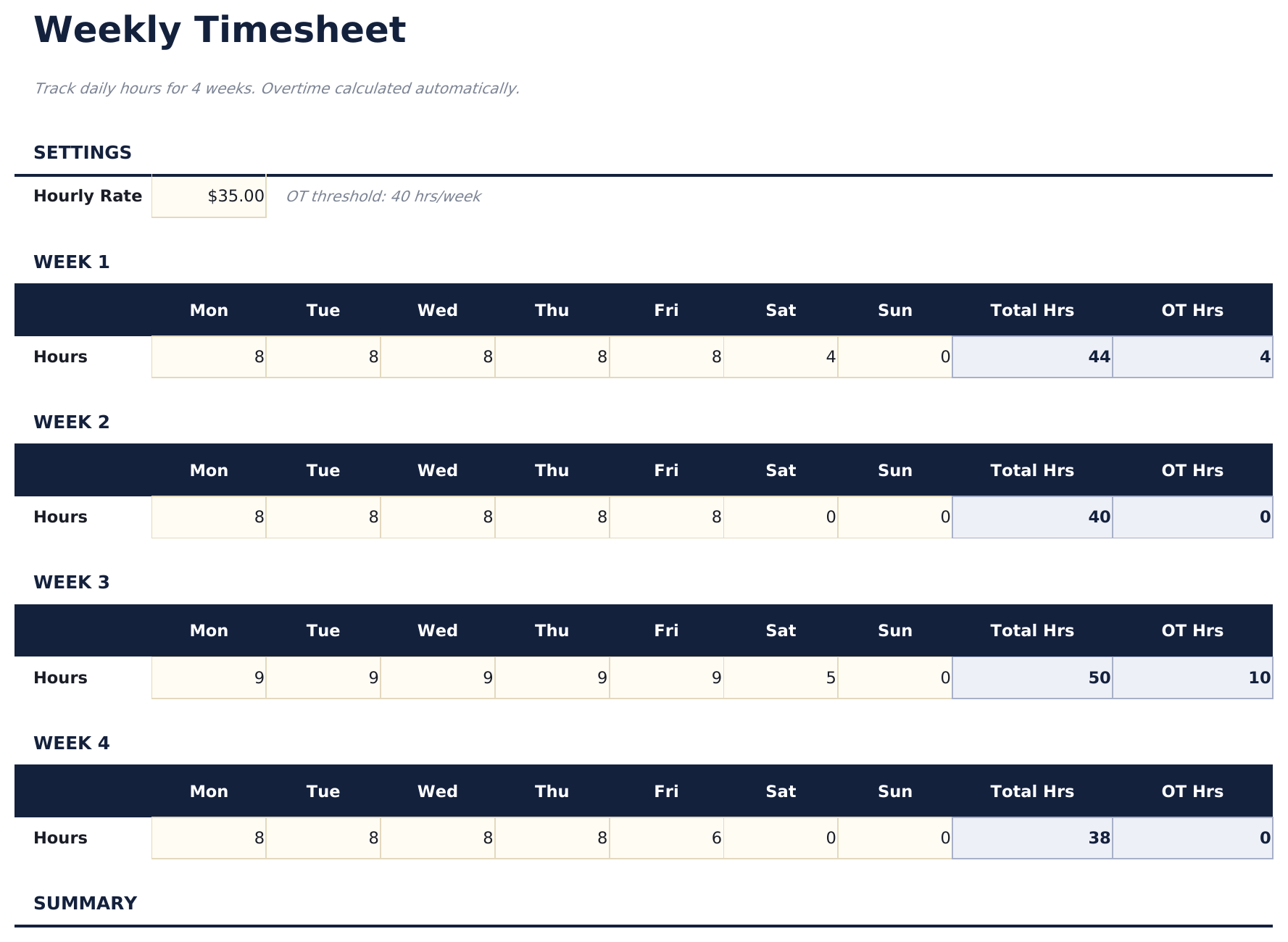
- Weekly timesheet with daily rows for Monday through Sunday including start time, end time, and break duration
- Start and end time fields with automatic daily hour calculations that subtract breaks from total worked time
- Overtime tracking that flags hours exceeding 40 per week or 8 per day depending on your tracking preference
- Color-coded input cells (yellow) and auto-calculated hour totals (blue) with supervisor approval section
- Works in Microsoft Excel, Google Sheets, and LibreOffice Calc with no setup required
Need more from this template?
The Essentials version covers everyday tracking. Ultimate goes further with multi-entity support, scenario analysis, and ultimate-grade reporting.
- Dashboard with weekly hours summary showing total regular hours, overtime hours, and total hours per employee
- Weekly timesheet with daily rows for Monday through Sunday including start time, end time, and break duration
- Start and end time fields with automatic daily hour calculations that subtract breaks from total worked time
- Overtime tracking that flags hours exceeding 40 per week or 8 per day depending on your tracking preference
- 跟踪最多15名员工的每周工时,含每日工时输入、项目代码和每日备注
- 仪表板包含6个KPI卡片:本周总工时、总员工数、加班工时、可计费工时、总薪资成本和人均平均工时
- 项目分配表显示每位员工每个项目的记录工时,并基于小时费率计算成本
- 月度汇总将每周工时数据汇总为每位员工的月度总计:正常工时、加班工时、总工时和总薪资
- 加班分析标记每周超过40小时的员工,显示加班工时和按1.5倍费率计算的额外成本
预览
查看此模板的内容


如何使用这个Timesheet - Weekly模板
Enter employee details
Fill in the employee name, department, and the week start date at the top of the timesheet.
Log daily hours
For each day, enter the start time, end time, and break duration. Daily hours calculate automatically.
Review weekly total
The template sums all daily hours and separates regular hours from overtime based on the weekly threshold.
Submit for approval
The dashboard shows the weekly summary. Print and submit with a supervisor signature for payroll processing.
由 Claude AI 构建,经我们精心打磨。
我们使用 Claude AI 在深入研究后起草每个模板。然后由团队接手,优化布局、全面测试每个公式、修复边界情况,并打磨设计,直到达到我们自己愿意使用的标准。AI 完成了 80% 的工作,最后 20% 靠的是人工判断。
常见问题
How is overtime calculated?
Hours exceeding 40 per week (or 8 per day) are flagged as overtime. You can adjust the threshold based on your company policy.
Does it handle break time?
Yes. Enter break duration for each day and the template subtracts it from the total time between start and end.
Can I use it for multiple employees?
Each sheet covers one employee per week. Duplicate the sheet for each team member and update the employee name.
Does it calculate pay?
The template focuses on hours. For pay calculations, combine the weekly hours with the Employee Payroll or Time Card Calculator template.
如何在 Google Sheets 中打开?
将 .xlsx 文件上传到 Google Drive,然后使用 Google Sheets 打开。所有公式和格式都会保留。
更多 Payroll & HR Essentials 模板
Employee Payroll
Calculate employee pay with deductions, taxes, and net pay. Process payroll for multiple employees with automatic calculations.
$12Payslip Template
Generate individual pay stubs showing earnings, deductions, and net pay. Standard payslip format for employee pay documentation.
$12Time Card Calculator
Calculate work hours from clock-in and clock-out times. Handles breaks, overtime, and weekly totals with automatic pay calculations.
$12Vacation PTO Tracker
Track paid time off balances, accruals, and usage for employees. Monitor remaining PTO across vacation, sick, and personal days.
$12