Bester Wert All-in-One Finanzplanungs-Bundle
✓ Finanzplanung✓ Vermögens-Tracker✓ Monatliches Budget✓ Reisebudget-Planer✓ Jahresbudget-Planer✓ Monatlicher Ausgaben-Tracker✓ Jährlicher Steuerplaner✓ Altersvorsorgeplanung
Bundle ansehen →
Essentials-Vorlage - Excel & Google Sheets

Money Management for Kids Essentials-Vorlage

A simple money tracker designed for children learning about finances. Log allowance, earnings, spending, and savings with easy-to-follow layout.

Money Management for Kids preview

Was enthalten ist

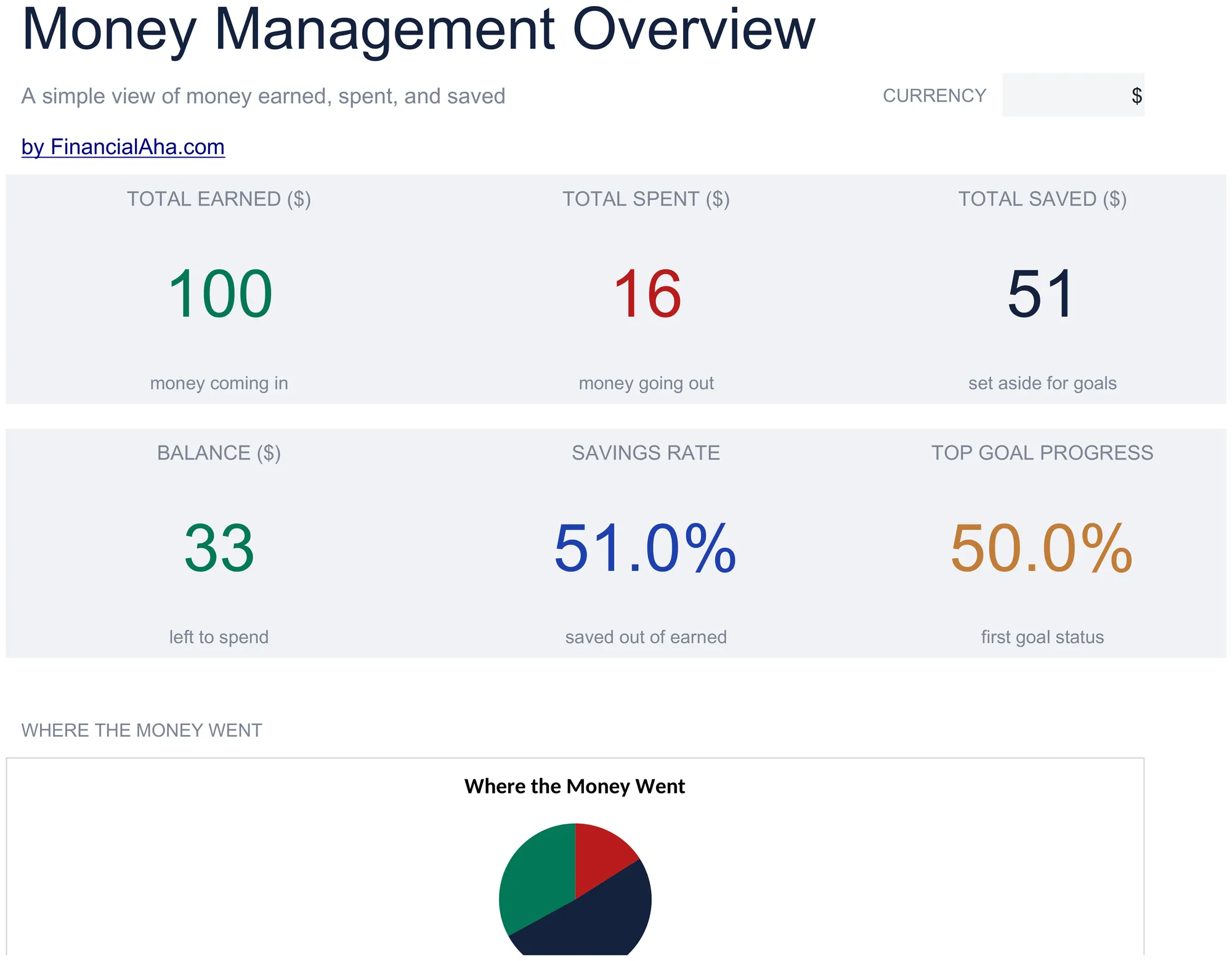
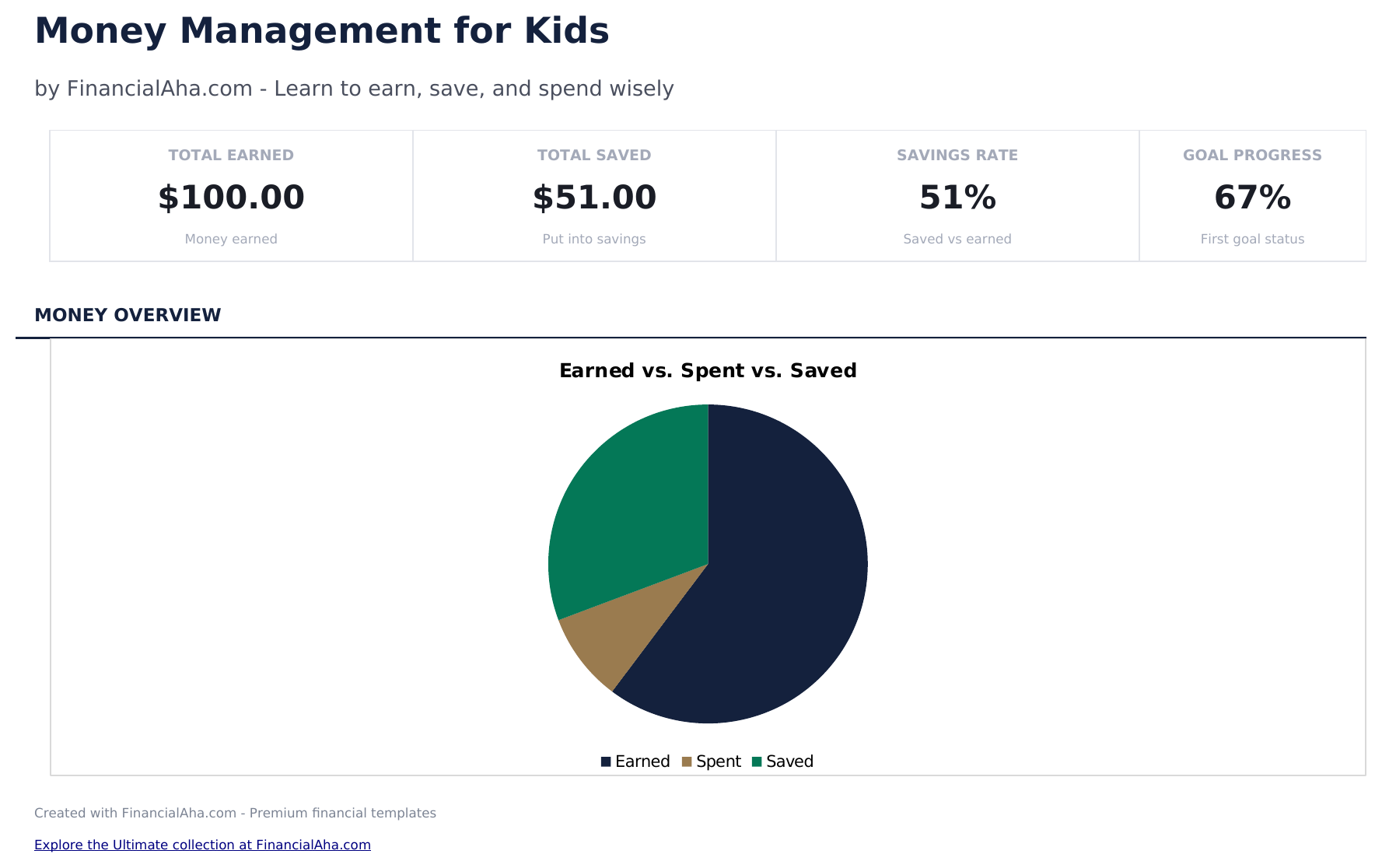
  • Dashboard with savings and spending overview showing total earned, total spent, total saved, and current balance
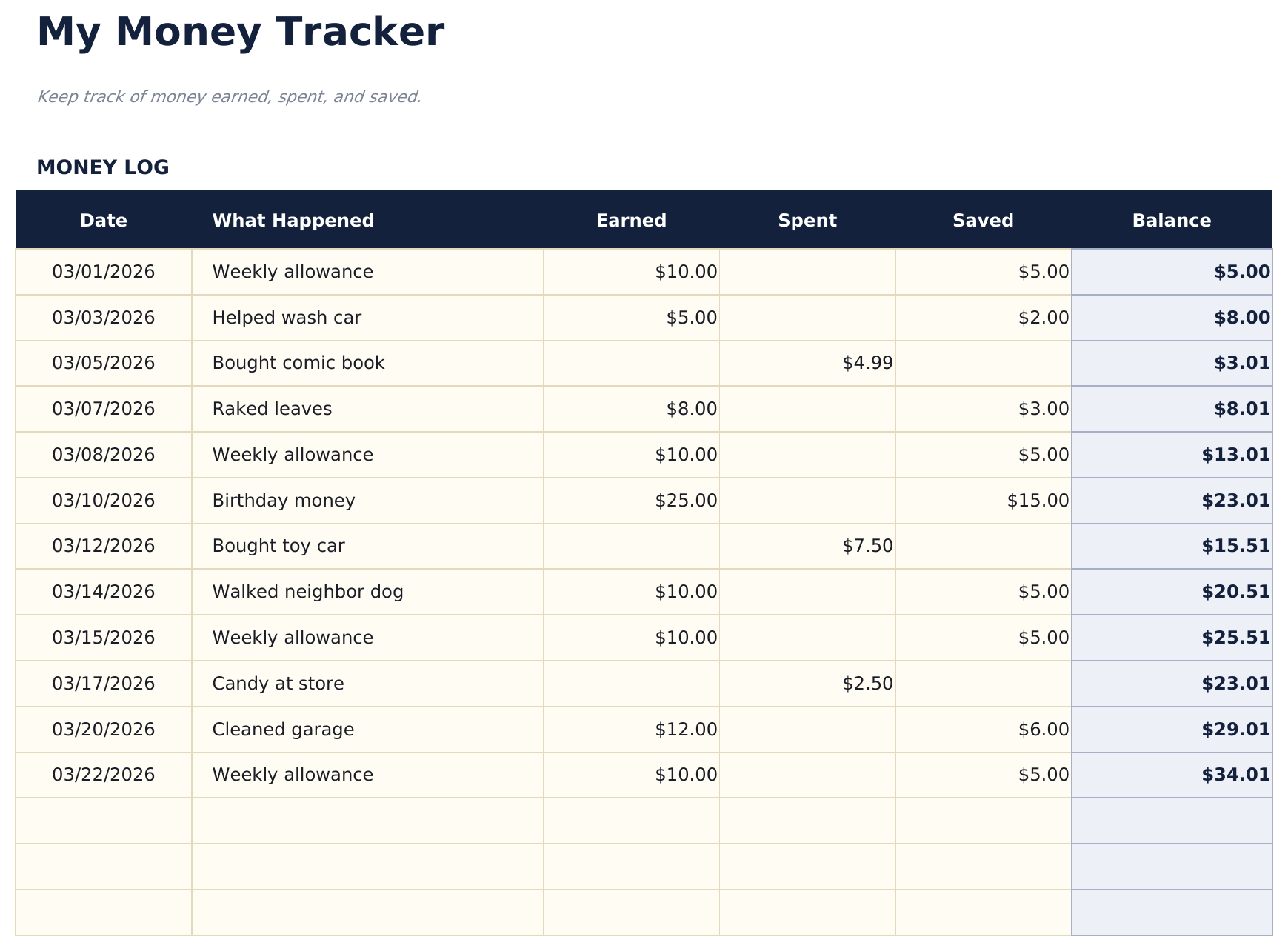
  • Money tracker with simple categories like allowance, chores, birthday money, toys, snacks, and savings deposits
  • Allowance and earnings logging with date, source, and amount columns designed for young learners to fill in
  • Spending and savings tracking with separate sections so kids can see how much goes to purchases vs. savings
  • Visual progress toward savings goals with color-coded cells and simple layout designed for children
  • Works in Microsoft Excel, Google Sheets, and LibreOffice Calc with no setup required

So verwenden Sie diese Money Management for Kids-Vorlage

1

Set up the tracker

Enter the child name and starting balance. The template uses simple categories that kids can understand.

2

Log money received

Record allowance, birthday money, chores earnings, or other income with the date, source, and amount.

3

Track spending

When the child spends money, enter what they bought, the date, and the amount. The balance updates automatically.

4

Review savings progress

The dashboard shows total earned, total spent, total saved, and the current balance with visual progress toward savings goals.

Erstellt von Claude AI. Verfeinert von uns.

Wir verwenden Claude AI, um jede Vorlage nach gründlicher Recherche zu entwerfen. Dann greift unser Team ein. Wir verfeinern das Layout, testen jede Formel auf Herz und Nieren, beheben Grenzfälle und polieren das Design, bis es sich anfühlt wie etwas, das wir selbst verwenden würden. Die KI bringt uns 80 % ans Ziel. Die letzten 20 % sind rein menschliches Urteilsvermögen.

Häufig gestellte Fragen

What age is this designed for?

The template uses simple language and categories suitable for children ages 6 and up. Parents can help younger children with data entry.

Does it teach saving?

Yes. The savings section separates money set aside from money available to spend. Kids can set a savings goal and track progress toward it.

What spending categories are included?

Simple categories include toys, snacks, games, books, and savings. Rename them to match what your child actually spends on.

Can parents and kids use it together?

Yes. The layout is simple enough for kids to enter amounts while parents can review the dashboard and help with the savings goals section.

Wie öffne ich diese Vorlage in Google Sheets?

Laden Sie die .xlsx-Datei auf Google Drive hoch und öffnen Sie sie mit Google Sheets. Alle Formeln und Formatierungen bleiben erhalten.

Weitere Essentials-Vorlagen: Special Purpose

Auf der Suche nach Premium-Tabellenvorlagen?

Unsere kostenpflichtigen Vorlagen umfassen erweiterte mehrseitige Dashboards, native Excel-Diagramme und laufende Aktualisierungen.

Privat & sicher

Ihre Finanzdaten bleiben auf Ihrem Gerät. Wir sehen sie nie.

Mehr erfahren →

Brauchen Sie Hilfe?

Schauen Sie in unsere Anleitungen oder kontaktieren Sie uns.

FAQ ansehen →