Melhor valor Pacote Completo de Planejamento Financeiro
✓ Planejamento Financeiro✓ Rastreador de Patrimonio Liquido✓ Orcamento Mensal✓ Planejador de Orcamento de Viagem✓ Planejador de Orcamento Anual✓ Rastreador de Despesas Mensais✓ Planejador Anual de Impostos✓ Planejamento de Aposentadoria
Ver pacote →
Planilha Essentials - Excel e Google Sheets

Money Management for Kids Modelo Essentials

A simple money tracker designed for children learning about finances. Log allowance, earnings, spending, and savings with easy-to-follow layout.

Money Management for Kids preview

O Que Está Incluído

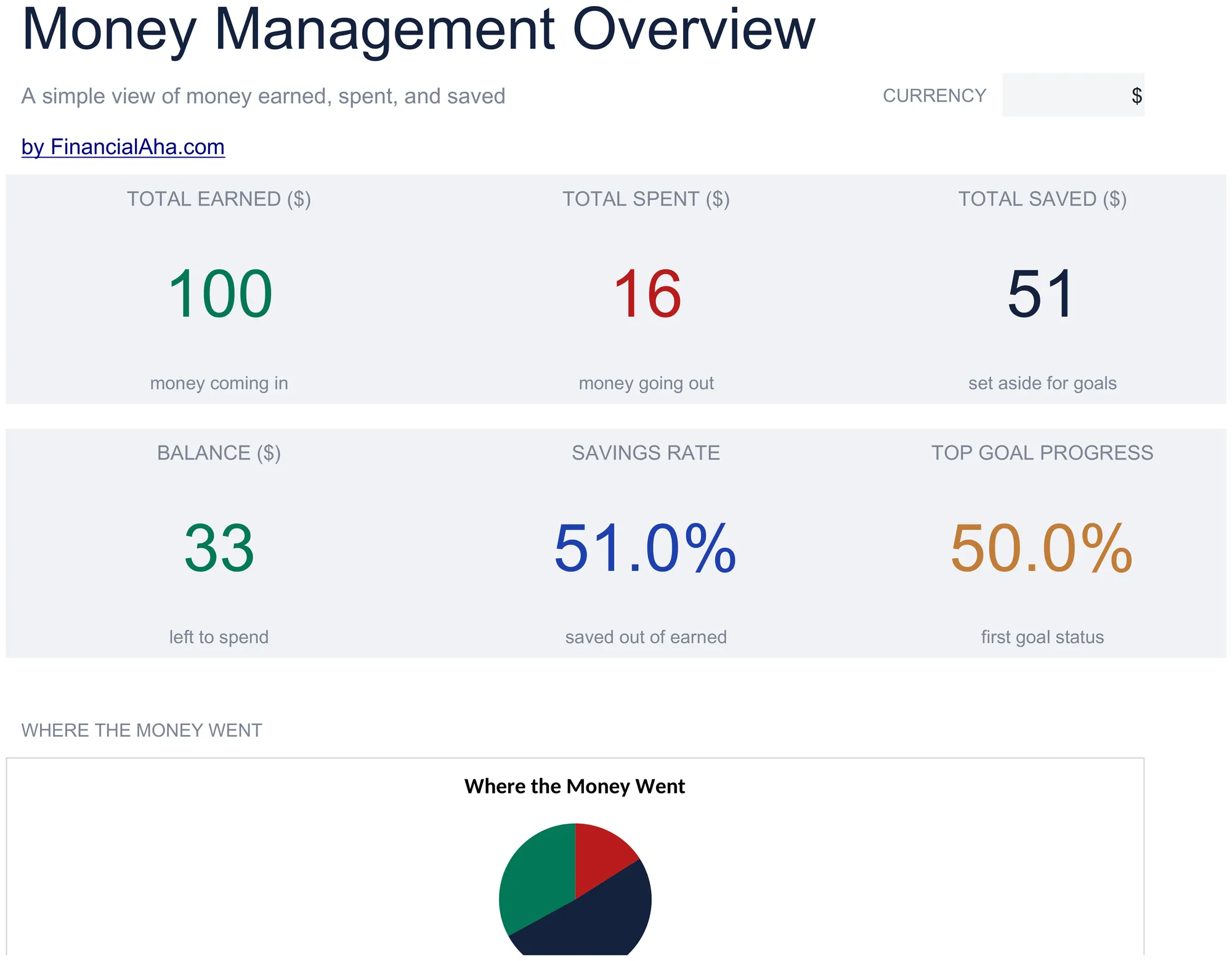
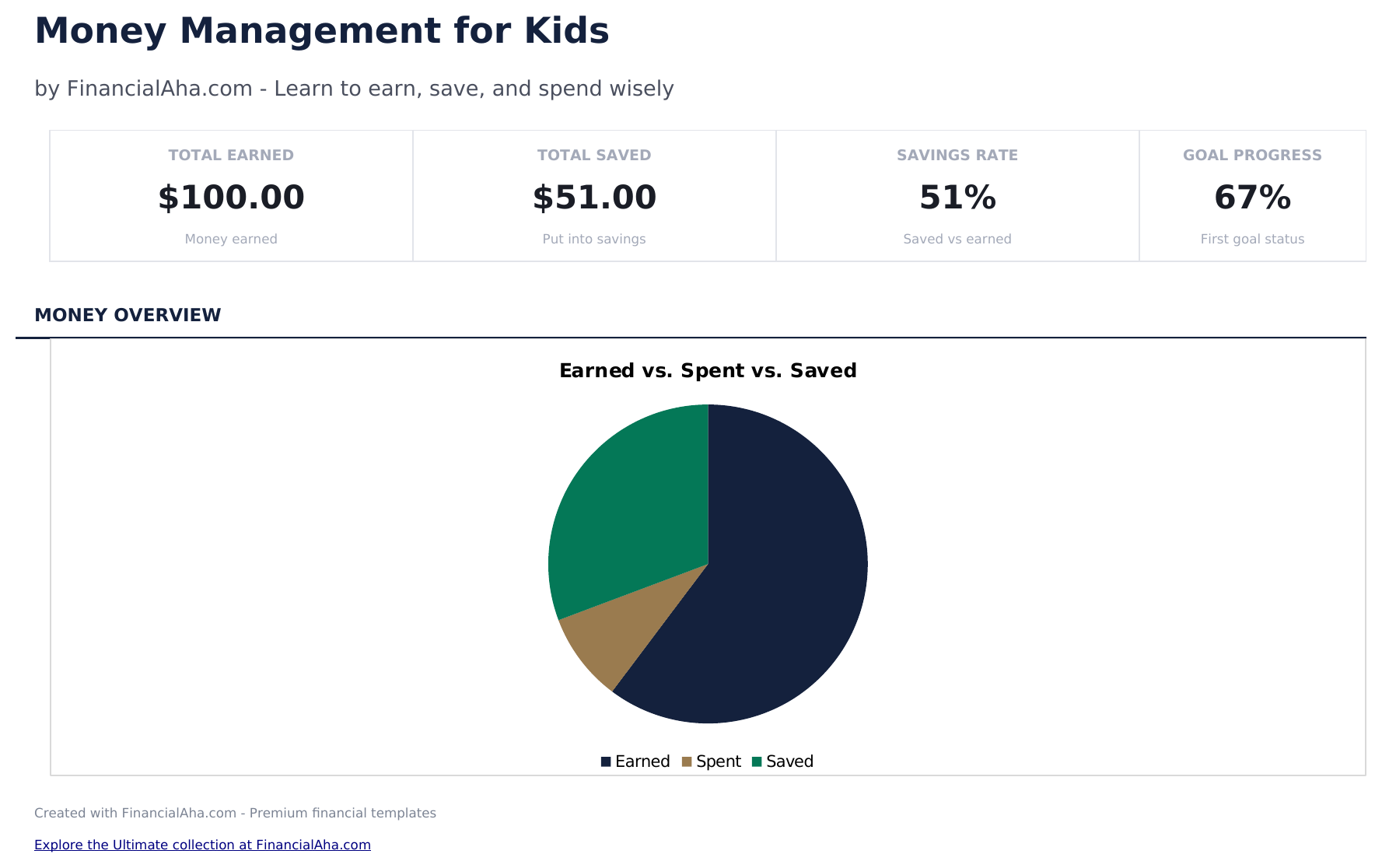
  • Dashboard with savings and spending overview showing total earned, total spent, total saved, and current balance
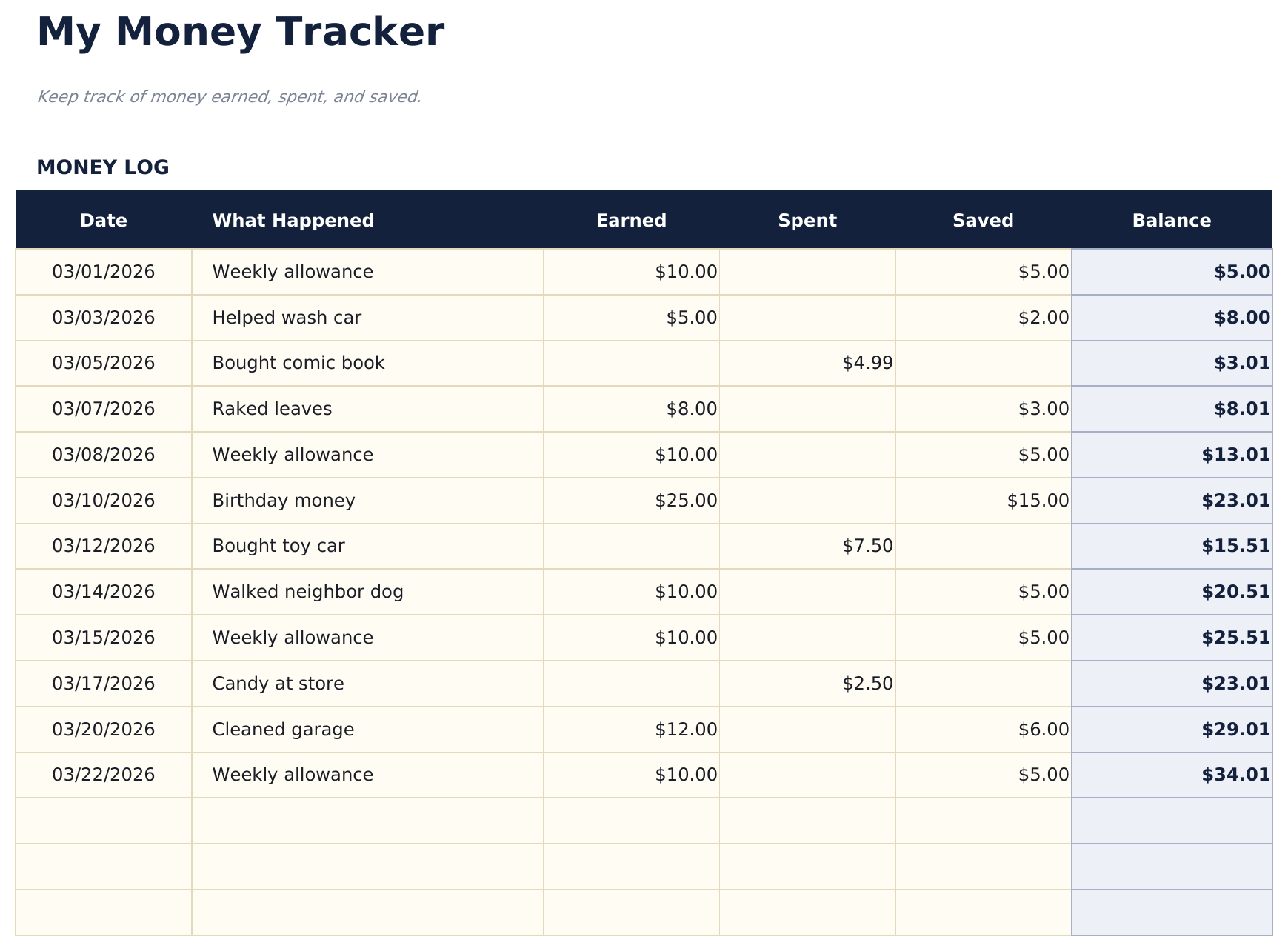
  • Money tracker with simple categories like allowance, chores, birthday money, toys, snacks, and savings deposits
  • Allowance and earnings logging with date, source, and amount columns designed for young learners to fill in
  • Spending and savings tracking with separate sections so kids can see how much goes to purchases vs. savings
  • Visual progress toward savings goals with color-coded cells and simple layout designed for children
  • Works in Microsoft Excel, Google Sheets, and LibreOffice Calc with no setup required

Como Usar Esta Planilha de Money Management for Kids

1

Set up the tracker

Enter the child name and starting balance. The template uses simple categories that kids can understand.

2

Log money received

Record allowance, birthday money, chores earnings, or other income with the date, source, and amount.

3

Track spending

When the child spends money, enter what they bought, the date, and the amount. The balance updates automatically.

4

Review savings progress

The dashboard shows total earned, total spent, total saved, and the current balance with visual progress toward savings goals.

Criadas com Claude AI. Aperfeiçoadas por nós.

Usamos Claude AI para criar cada planilha, após uma pesquisa aprofundada. Depois, nossa equipe entra em ação. Refinamos o layout, testamos exaustivamente cada fórmula, corrigimos casos extremos e polimos o design até que pareça algo que nós mesmos usaríamos. A IA nos leva 80% do caminho. Os últimos 20% são puro julgamento humano.

Perguntas Frequentes

What age is this designed for?

The template uses simple language and categories suitable for children ages 6 and up. Parents can help younger children with data entry.

Does it teach saving?

Yes. The savings section separates money set aside from money available to spend. Kids can set a savings goal and track progress toward it.

What spending categories are included?

Simple categories include toys, snacks, games, books, and savings. Rename them to match what your child actually spends on.

Can parents and kids use it together?

Yes. The layout is simple enough for kids to enter amounts while parents can review the dashboard and help with the savings goals section.

Como abrir no Google Sheets?

Envie o arquivo .xlsx para o Google Drive e abra com o Google Sheets. Todas as fórmulas e formatações serão preservadas.

Mais modelos Essentials de Special Purpose

Procurando planilhas premium?

Nossas planilhas pagas incluem painéis avançados com várias abas, gráficos nativos do Excel e atualizações contínuas.

Privado e seguro

Seus dados financeiros ficam no seu dispositivo. Nos nunca os vemos.

Saiba mais →

Precisa de ajuda?

Consulte nossos guias ou entre em contato com perguntas.

Ver FAQ →