Mejor valor Paquete Todo-en-Uno de Planificación Financiera
✓ Planificación Financiera✓ Rastreador de Patrimonio Neto✓ Presupuesto Mensual✓ Planificador de Presupuesto de Viaje✓ Planificador de Presupuesto Anual✓ Rastreador de Gastos Mensuales✓ Planificador de Impuestos Anual✓ Planificación de Jubilación
Ver paquete →
Plantilla Essentials - Excel y Google Sheets

Mileage Tracking Log Plantilla Essentials

Log business miles driven with dates, destinations, and purposes. Calculate mileage reimbursement using standard rate per mile.

Mileage Tracking Log preview

Qué incluye

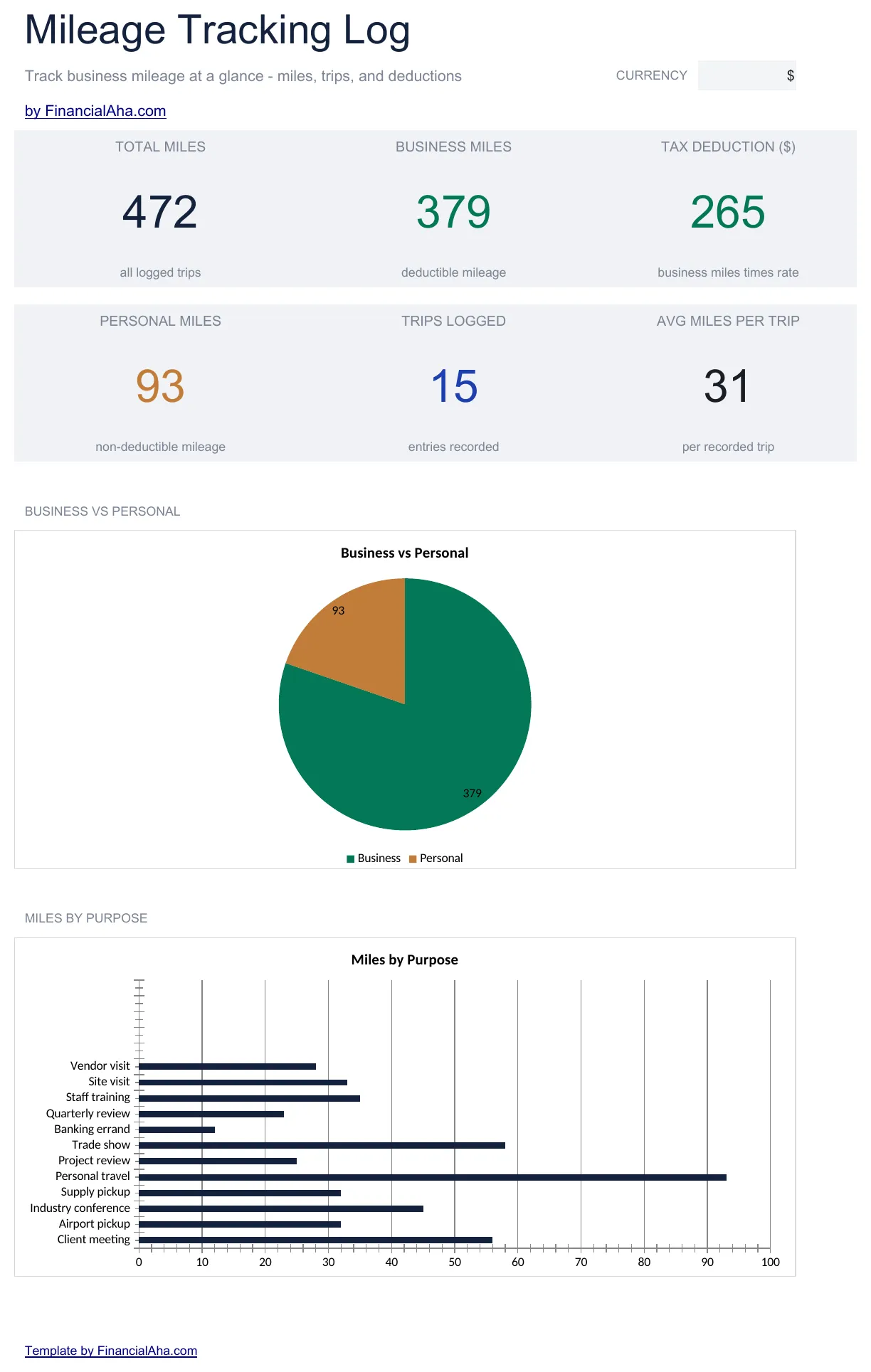
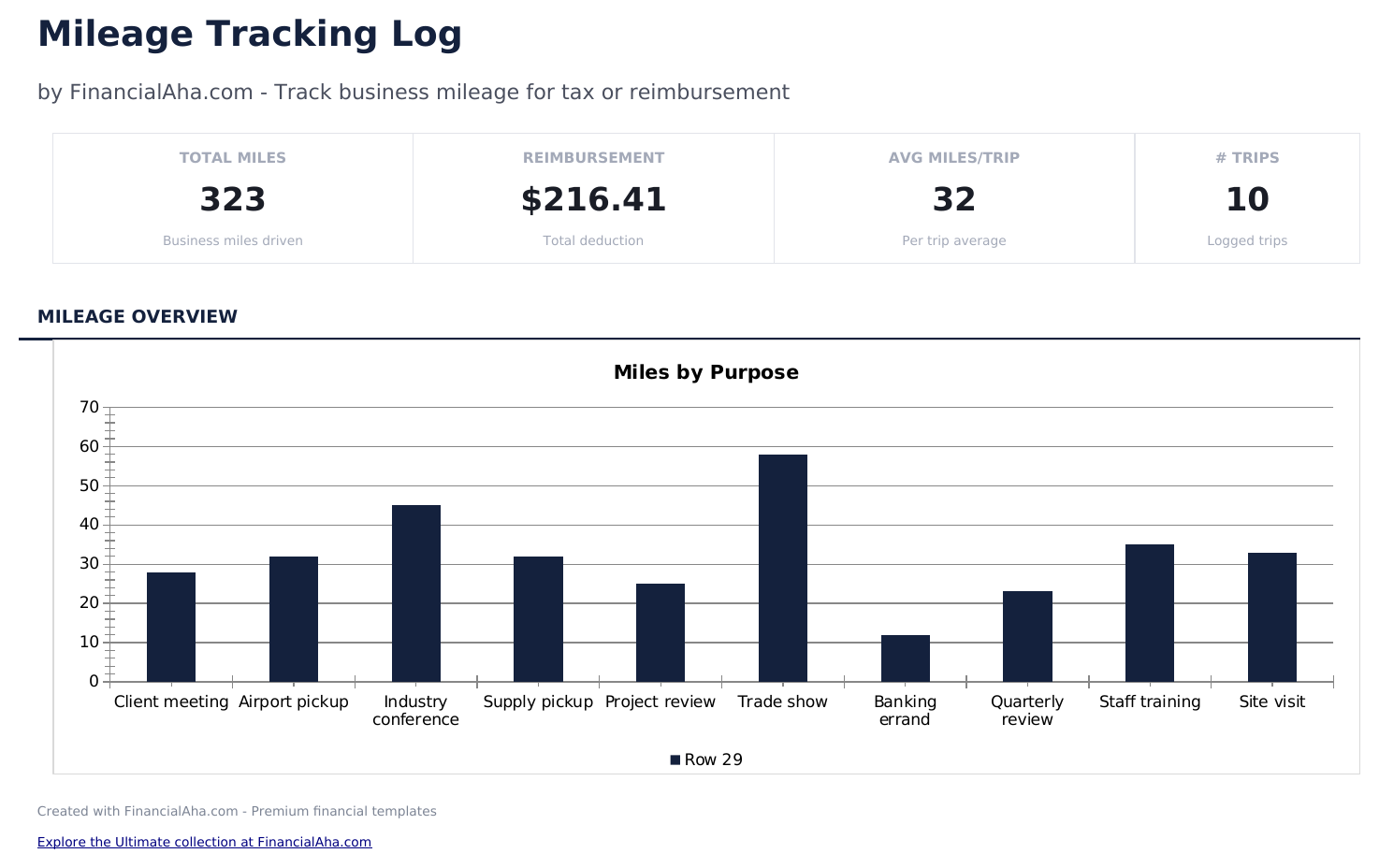
  • Dashboard with mileage summary showing total miles driven, total reimbursement amount, and average trip distance
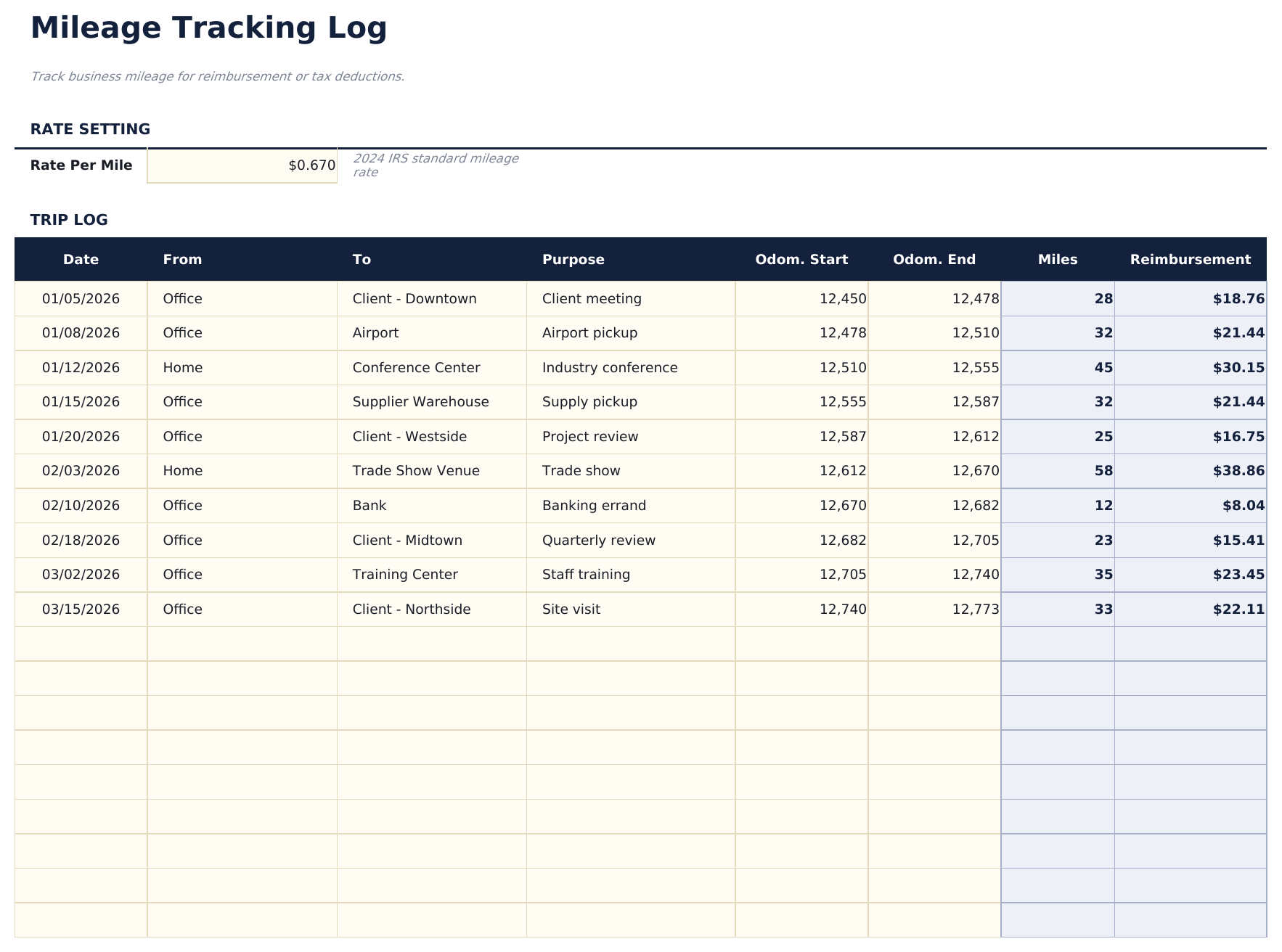
  • Mileage log with date, starting location, destination, purpose of trip, and round-trip distance for each entry
  • Automatic reimbursement calculations that multiply miles driven by the standard rate for each logged trip
  • Standard mileage rate input field - update the IRS rate once and all trip reimbursements recalculate instantly
  • Monthly and annual totals with color-coded input cells (yellow) and auto-calculated amounts (blue)
  • Works in Microsoft Excel, Google Sheets, and LibreOffice Calc with no setup required

Cómo usar esta plantilla de Mileage Tracking Log

1

Set the mileage rate

Enter the current IRS standard mileage rate (or your company rate) once. All trip reimbursements use this rate.

2

Log each trip

Record the date, starting location, destination, purpose, and round-trip distance for every business trip.

3

Review reimbursement totals

The template multiplies each trip distance by the rate. Monthly and annual totals show your total reimbursement amount.

4

Check the dashboard

See total miles driven, total reimbursement, and average trip distance for the period on the dashboard.

Creadas por Claude AI. Perfeccionadas por nosotros.

Usamos Claude AI para crear el borrador de cada plantilla, después de una investigación profunda. Luego nuestro equipo interviene. Refinamos el diseño, probamos cada fórmula a fondo, corregimos casos especiales y pulimos el diseño hasta que se siente como algo que realmente usaríamos nosotros mismos. La IA nos lleva al 80%. El último 20% es criterio humano.

Preguntas frecuentes

What mileage rate should I use?

Use the current IRS standard mileage rate for tax deductions, or your employer reimbursement rate. Update the rate field whenever it changes.

Do I need to log start and end odometer?

The template uses trip distance rather than odometer readings. Enter the total round-trip miles for each business trip.

What trip purpose should I note?

Record the business reason for each trip - client meeting, delivery, site visit, or other work purpose. This supports deduction or reimbursement claims.

Can I track personal and business miles separately?

Only log business miles in this template. The IRS requires separation of personal and business driving for mileage deduction claims.

¿Cómo abro esto en Google Sheets?

Sube el archivo .xlsx a Google Drive y luego ábrelo con Google Sheets. Todas las fórmulas y el formato se conservarán.

Más plantillas Essentials de Business Finance

¿Buscas plantillas premium?

Nuestras plantillas de pago incluyen paneles avanzados con múltiples hojas, gráficos nativos de Excel y actualizaciones continuas.

Privado y seguro

Sus datos financieros permanecen en su dispositivo. Nunca los vemos.

Saber más →

¿Necesita ayuda?

Consulte nuestras guías o contáctenos con preguntas.

Ver FAQ →