Mejor valor Paquete Todo-en-Uno de Planificación Financiera
✓ Planificación Financiera✓ Rastreador de Patrimonio Neto✓ Presupuesto Mensual✓ Planificador de Presupuesto de Viaje✓ Planificador de Presupuesto Anual✓ Rastreador de Gastos Mensuales✓ Planificador de Impuestos Anual✓ Planificación de Jubilación
Ver paquete →
Plantilla Essentials - Excel y Google Sheets

Price List Template Plantilla Essentials

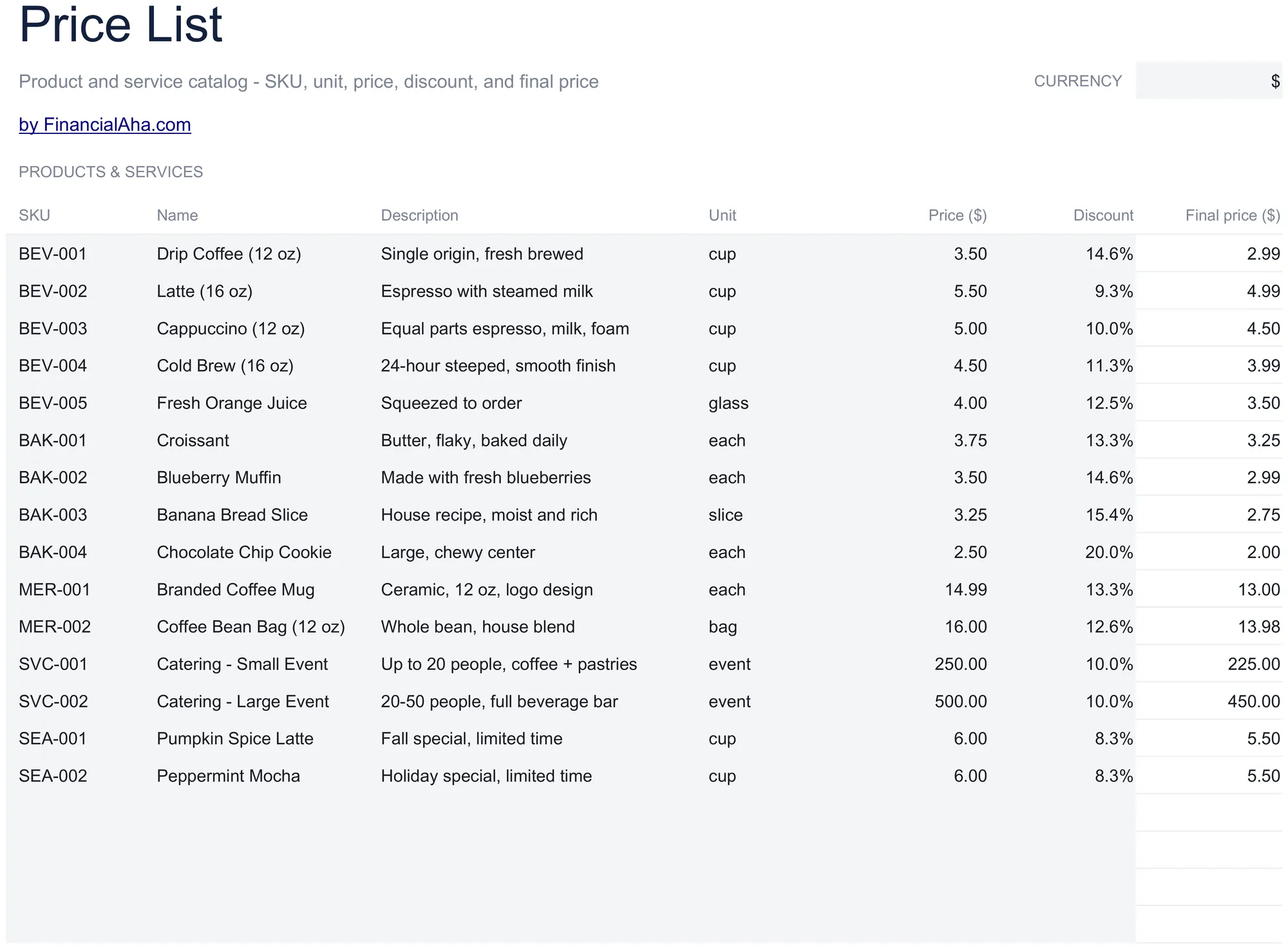
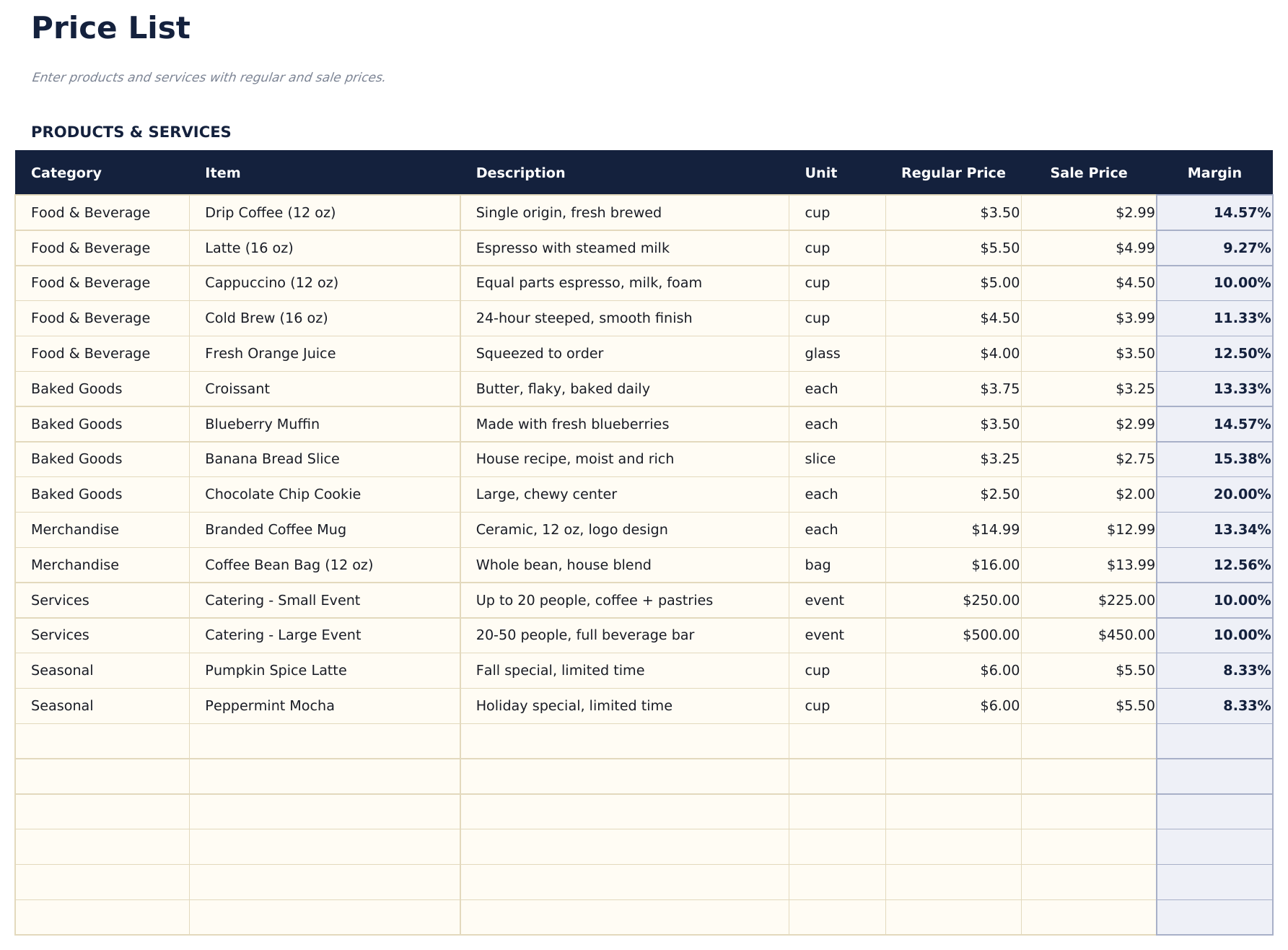
Create a structured price list for products or services. Organize items by category with descriptions, quantities, and pricing.

Price List Template preview

Qué incluye

  • Clean price list layout with item name, description, unit of measure, and price per unit in organized columns
  • Product or service categories with section headers to group related items like parts, labor, and packages
  • Description and pricing columns with space for detailed product or service information alongside each price
  • Quantity and unit fields supporting per-item, per-hour, per-project, and custom unit-of-measure entries
  • Print-ready professional format with color-coded sections that is easy to customize and share with clients
  • Works in Microsoft Excel, Google Sheets, and LibreOffice Calc with no setup required

Cómo usar esta plantilla de Price List Template

1

Organize by category

Group your products or services under section headers - parts, labor, packages, or any categories that fit your business.

2

Enter item details

For each item, add the name, description, unit of measure, and price per unit.

3

Set units and pricing

Choose the appropriate unit for each item - per item, per hour, per project, or custom. Enter the corresponding price.

4

Share with clients

Print or export the price list to PDF. The professional format is ready to share with customers and prospects.

Creadas por Claude AI. Perfeccionadas por nosotros.

Usamos Claude AI para crear el borrador de cada plantilla, después de una investigación profunda. Luego nuestro equipo interviene. Refinamos el diseño, probamos cada fórmula a fondo, corregimos casos especiales y pulimos el diseño hasta que se siente como algo que realmente usaríamos nosotros mismos. La IA nos lleva al 80%. El último 20% es criterio humano.

Preguntas frecuentes

Can I add product images?

The template is text-based with columns for descriptions and pricing. You can insert images in Excel or Google Sheets, but the layout is optimized for text.

Can I include quantity discounts?

Add a discount column or separate pricing tiers per item. List the standard price and any volume-based discounts alongside.

How do I update prices?

Edit the price column directly. If you need to track effective dates, add a column for the date the new price takes effect.

Can I use this for services and products?

Yes. The template works for any type of offering. Mix products and services in the same list or group them under separate section headers.

¿Cómo abro esto en Google Sheets?

Sube el archivo .xlsx a Google Drive y luego ábrelo con Google Sheets. Todas las fórmulas y el formato se conservarán.

Más plantillas Essentials de Business Finance

¿Buscas plantillas premium?

Nuestras plantillas de pago incluyen paneles avanzados con múltiples hojas, gráficos nativos de Excel y actualizaciones continuas.

Privado y seguro

Sus datos financieros permanecen en su dispositivo. Nunca los vemos.

Saber más →

¿Necesita ayuda?

Consulte nuestras guías o contáctenos con preguntas.

Ver FAQ →