Mejor valor Paquete Todo-en-Uno de Planificación Financiera
✓ Planificación Financiera✓ Rastreador de Patrimonio Neto✓ Presupuesto Mensual✓ Planificador de Presupuesto de Viaje✓ Planificador de Presupuesto Anual✓ Rastreador de Gastos Mensuales✓ Planificador de Impuestos Anual✓ Planificación de Jubilación
Ver paquete →
Plantilla Essentials - Excel y Google Sheets

Project Budget Plantilla Essentials

Plan and track costs for a specific project. Break down the budget by task, phase, or category with actual vs. planned comparisons.

Project Budget preview

Qué incluye

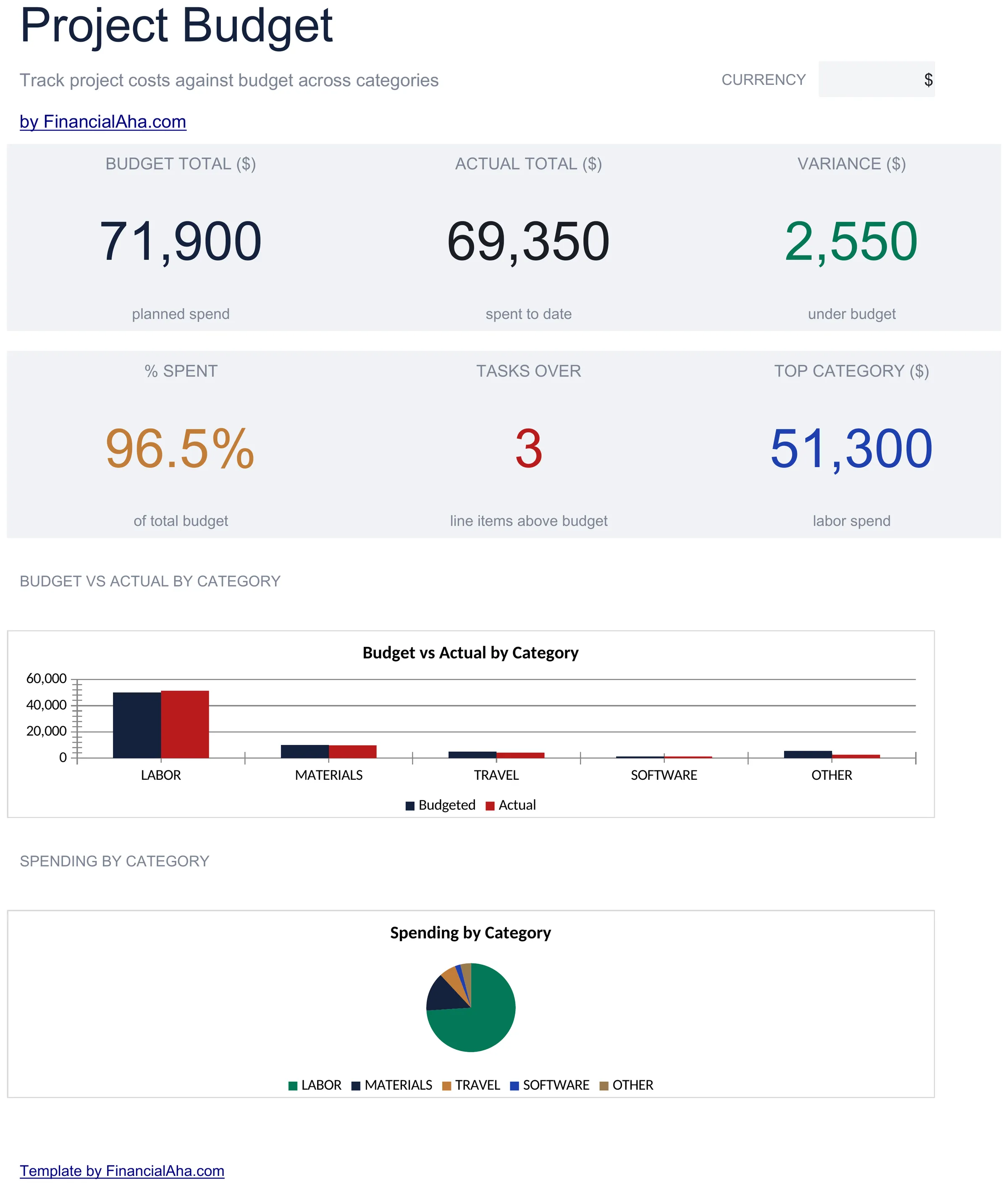
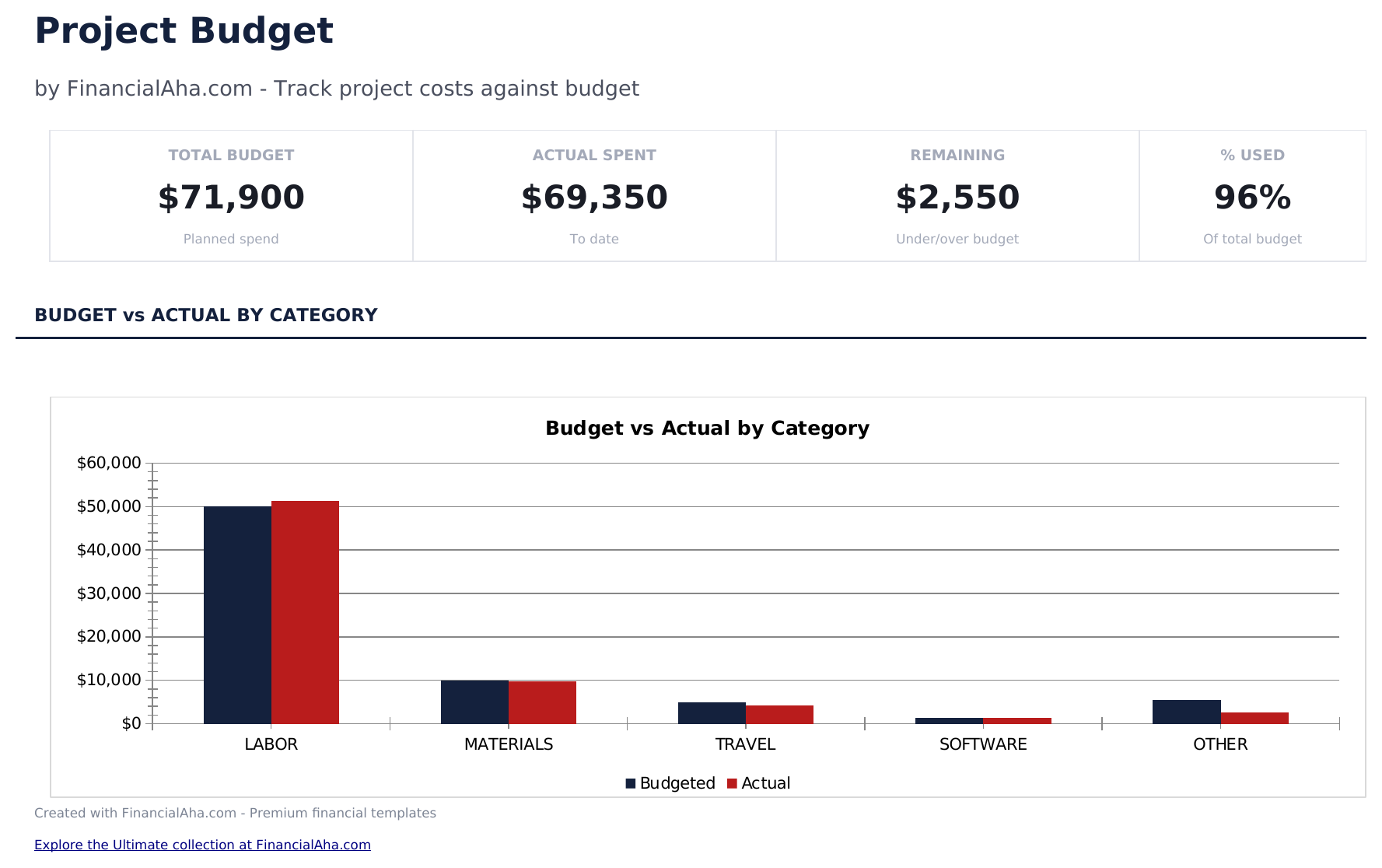
  • Dashboard with project budget overview showing total planned cost, actual spent, variance, and remaining budget
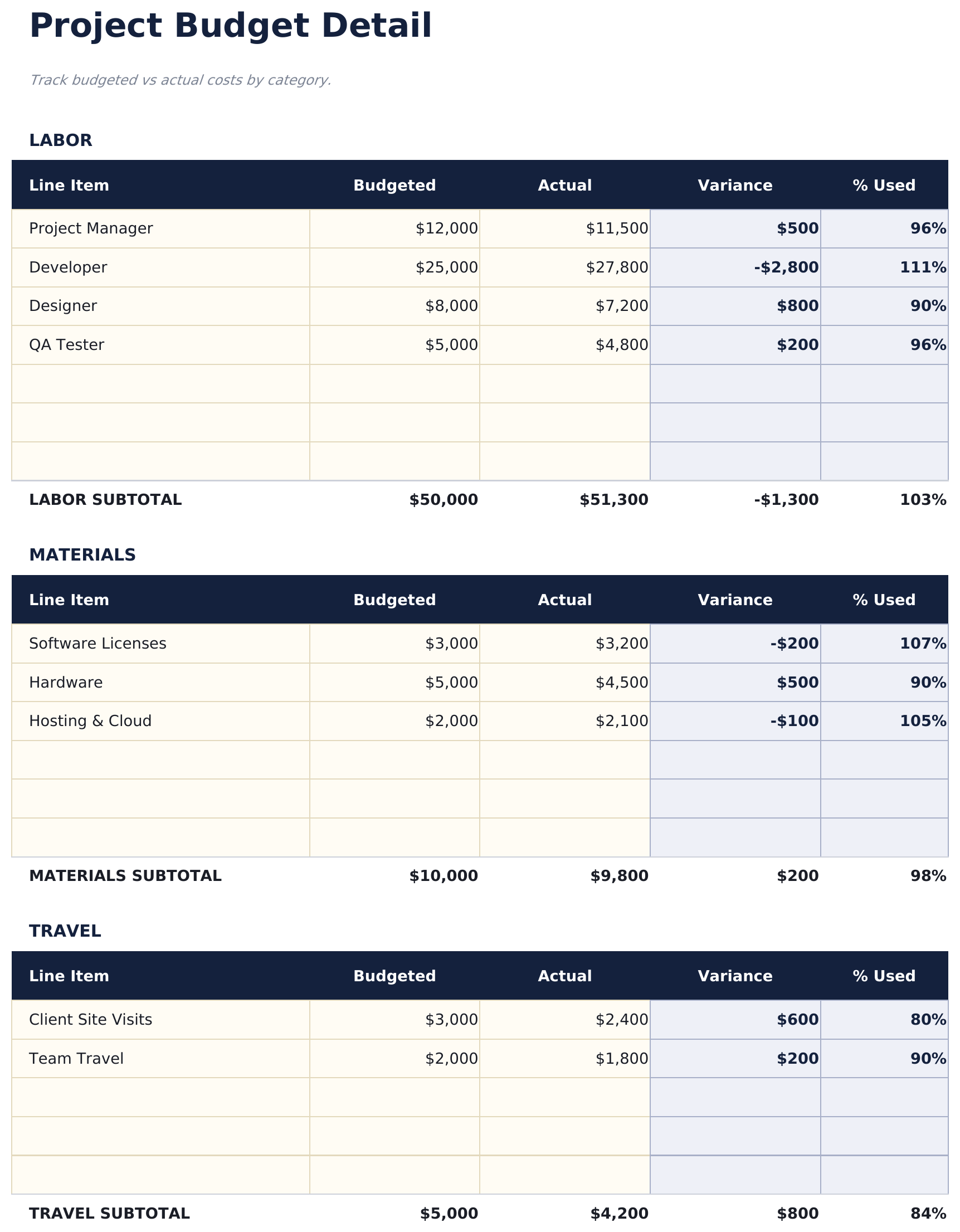
  • Budget detail sheet organized by task or phase with planned amount, actual amount, and variance per line item
  • Planned vs. actual cost tracking with automatic variance calculations that flag over-budget line items
  • Percentage complete column so you can track budget consumption alongside project progress milestones
  • Remaining budget display with color-coded variance indicators (green for under, red for over budget)
  • Works in Microsoft Excel, Google Sheets, and LibreOffice Calc with no setup required

Cómo usar esta plantilla de Project Budget

1

Define budget line items

List each task, phase, or cost category with the planned budget amount on the budget detail sheet.

2

Enter actual costs

As expenses occur, enter actual amounts alongside the planned figures. The variance calculates automatically.

3

Track completion

Update the percentage complete column for each line item. This shows budget consumption relative to project progress.

4

Review the dashboard

The dashboard shows total planned, total actual, overall variance, and remaining budget for the entire project.

Creadas por Claude AI. Perfeccionadas por nosotros.

Usamos Claude AI para crear el borrador de cada plantilla, después de una investigación profunda. Luego nuestro equipo interviene. Refinamos el diseño, probamos cada fórmula a fondo, corregimos casos especiales y pulimos el diseño hasta que se siente como algo que realmente usaríamos nosotros mismos. La IA nos lleva al 80%. El último 20% es criterio humano.

Preguntas frecuentes

Can I organize by phase?

Yes. Group line items under phase headers or add a phase column. The template totals work for any organizational structure.

What does the variance show?

Variance is planned amount minus actual amount. Positive means under budget, negative means over budget. Color coding makes overages easy to spot.

How do I handle scope changes?

Update the planned amount for affected line items or add new rows for additional scope. The total planned budget and variance adjust automatically.

Can I track time alongside costs?

The template focuses on budget amounts. Add columns for estimated and actual hours if you want to track labor time for each task.

¿Cómo abro esto en Google Sheets?

Sube el archivo .xlsx a Google Drive y luego ábrelo con Google Sheets. Todas las fórmulas y el formato se conservarán.

Más plantillas Essentials de Business Finance

¿Buscas plantillas premium?

Nuestras plantillas de pago incluyen paneles avanzados con múltiples hojas, gráficos nativos de Excel y actualizaciones continuas.

Privado y seguro

Sus datos financieros permanecen en su dispositivo. Nunca los vemos.

Saber más →

¿Necesita ayuda?

Consulte nuestras guías o contáctenos con preguntas.

Ver FAQ →