Mejor valor Paquete Todo-en-Uno de Planificación Financiera
✓ Planificación Financiera✓ Rastreador de Patrimonio Neto✓ Presupuesto Mensual✓ Planificador de Presupuesto de Viaje✓ Planificador de Presupuesto Anual✓ Rastreador de Gastos Mensuales✓ Planificador de Impuestos Anual✓ Planificación de Jubilación
Ver paquete →
Plantilla Essentials - Excel y Google Sheets

Cost Comparison Template Plantilla Essentials

Compare costs across different options - insurance plans, services, products, or providers. Lay out features and pricing side by side.

Cost Comparison Template preview

Qué incluye

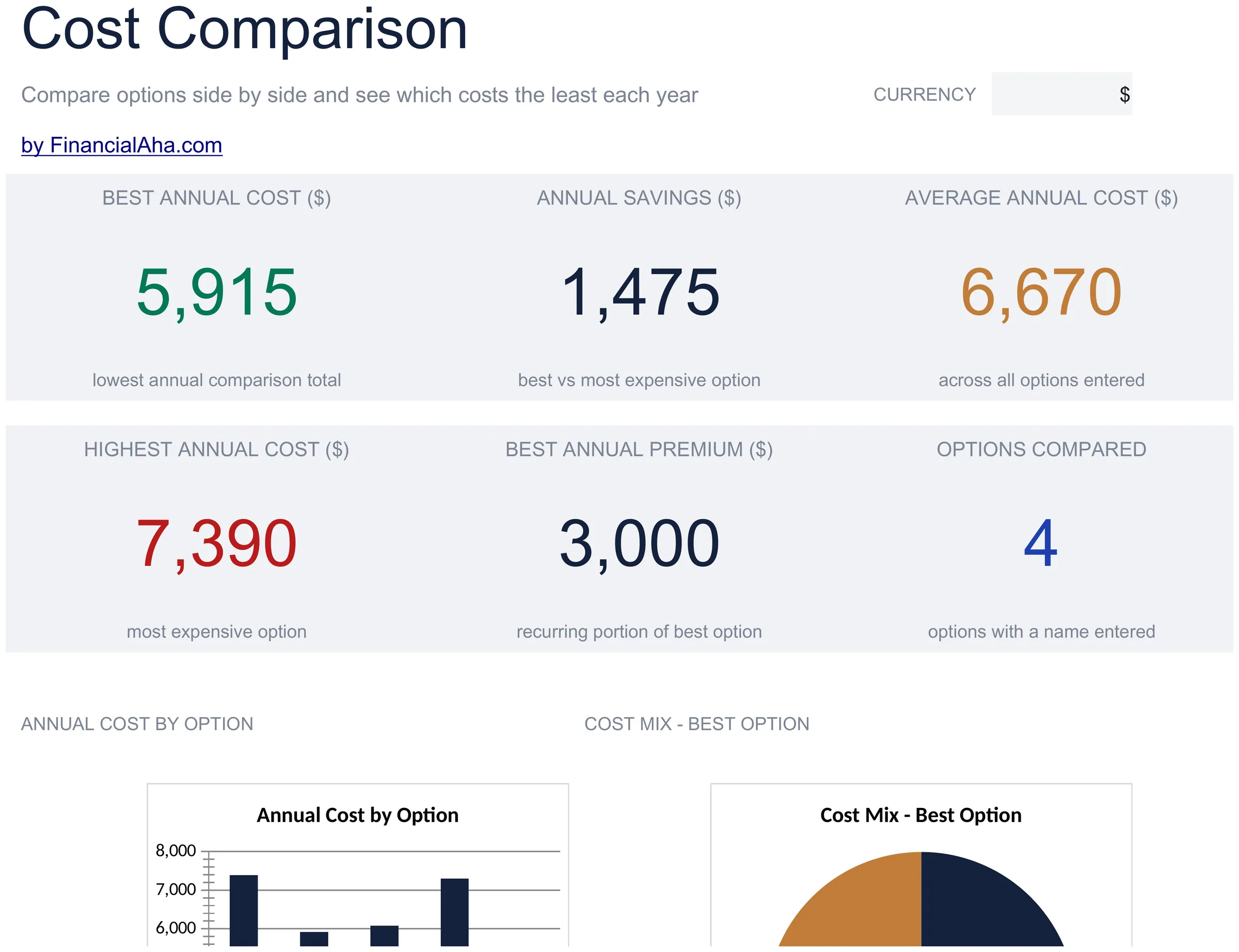
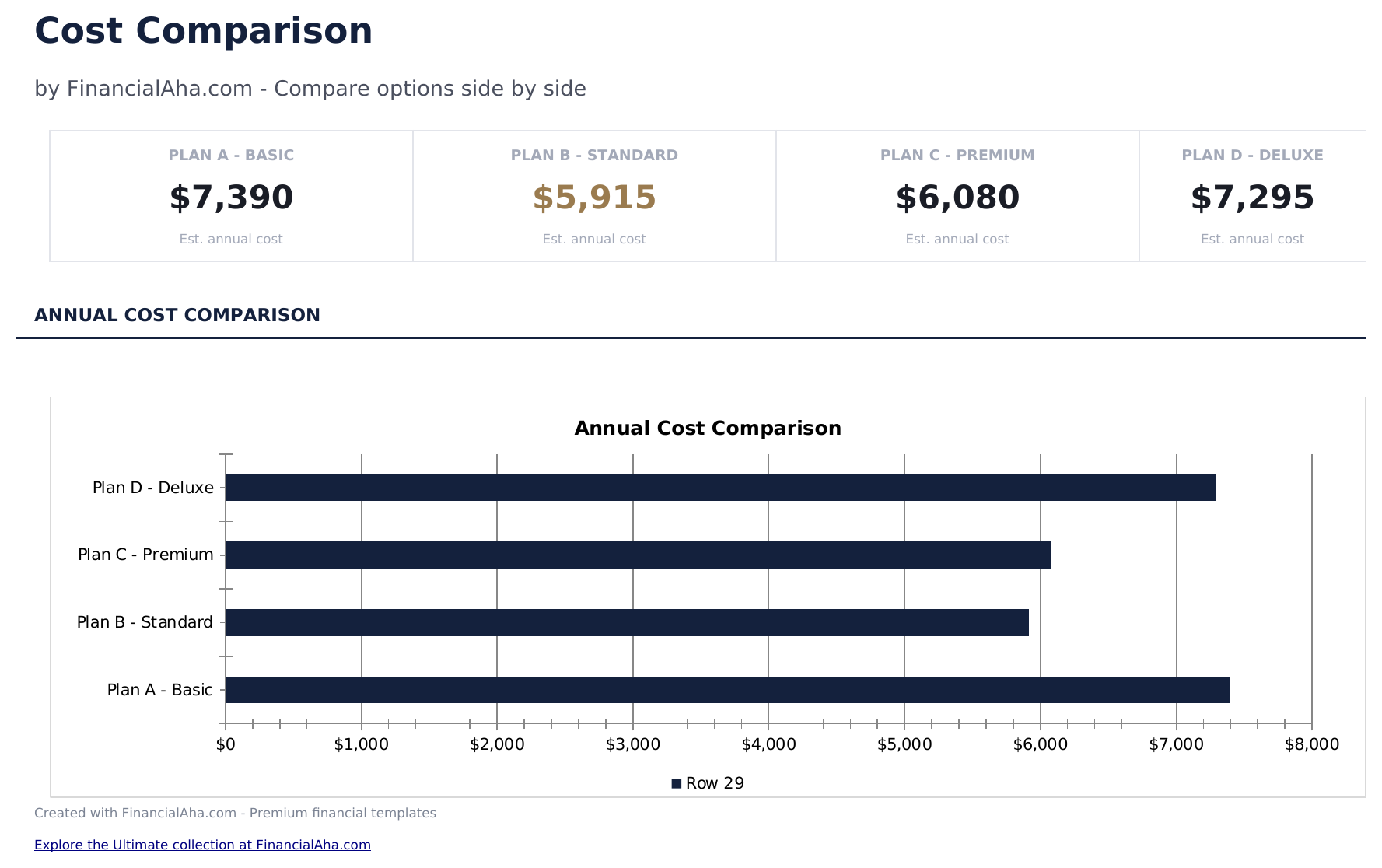
  • Dashboard with comparison summary highlighting the lowest-cost option and total price differences
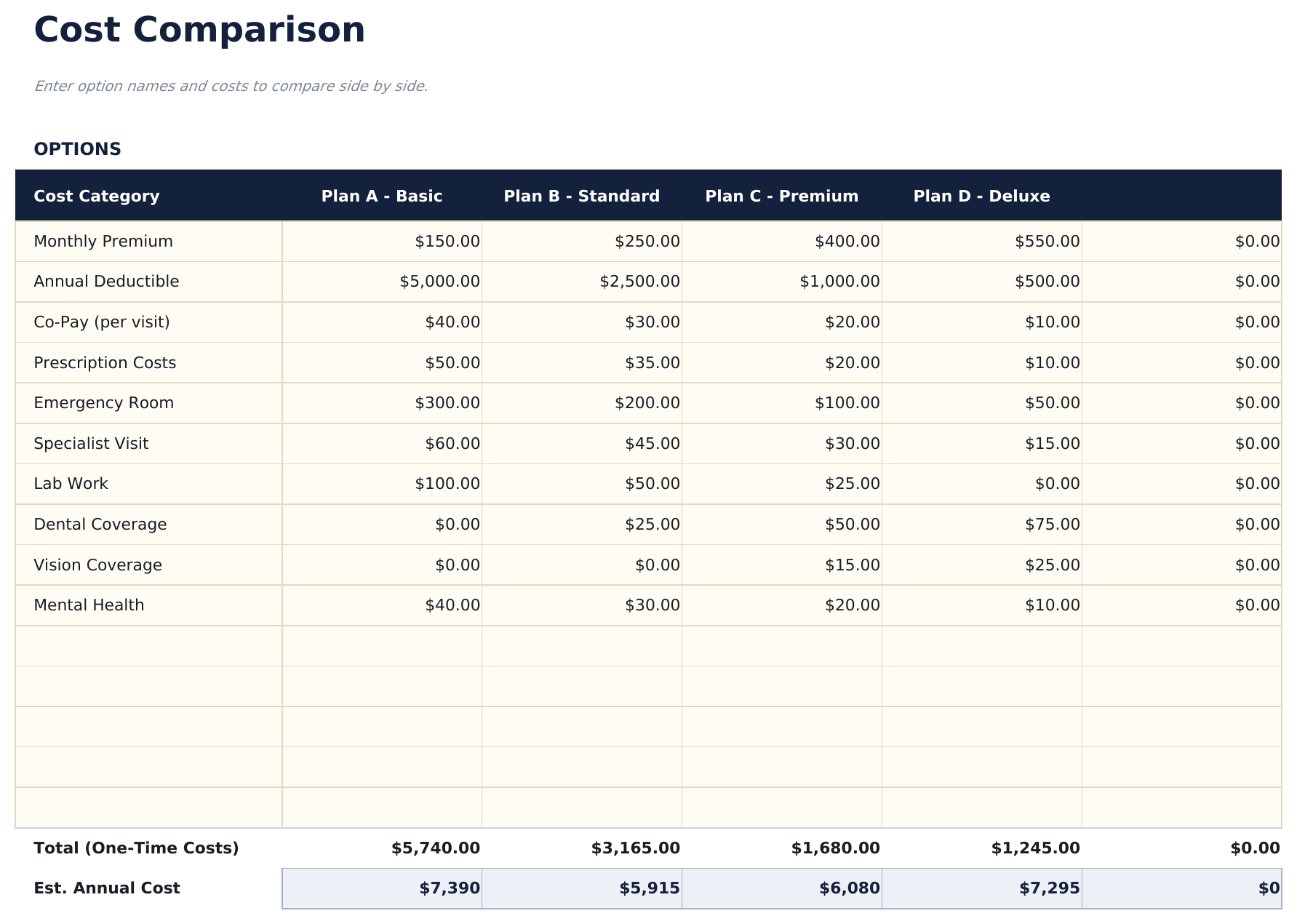
  • Side-by-side comparison layout with columns for up to four options and rows for each cost component
  • Cost breakdown by feature or category including monthly fees, annual costs, setup charges, and extras
  • Total cost calculations per option with automatic summation and difference from the cheapest alternative
  • Weighted scoring option and color-coded cells for ranking options beyond just price considerations
  • Works in Microsoft Excel, Google Sheets, and LibreOffice Calc with no setup required

Cómo usar esta plantilla de Cost Comparison Template

1

Enter options to compare

Name up to four options across the columns - insurance plans, services, products, or any items you are evaluating.

2

Add cost components

List each cost factor as a row - monthly fee, annual cost, setup charge, and any extras. Enter the price for each option.

3

Review totals

The template sums all cost components per option and highlights the lowest total cost automatically.

4

Factor in non-price criteria

Use the weighted scoring section to rank options on features, quality, and other factors beyond just price.

Creadas por Claude AI. Perfeccionadas por nosotros.

Usamos Claude AI para crear el borrador de cada plantilla, después de una investigación profunda. Luego nuestro equipo interviene. Refinamos el diseño, probamos cada fórmula a fondo, corregimos casos especiales y pulimos el diseño hasta que se siente como algo que realmente usaríamos nosotros mismos. La IA nos lleva al 80%. El último 20% es criterio humano.

Preguntas frecuentes

How many options can I compare?

The template supports up to four options side by side. For more options, add additional columns following the same format.

Can I compare services instead of products?

Yes. The template works for anything with costs - insurance plans, software subscriptions, service providers, or physical products.

How does weighted scoring work?

Assign weights to criteria like price, quality, and features. Each option receives a score per criterion, and the weighted total ranks them beyond just cost.

Does it handle monthly vs annual pricing?

Add rows for both monthly and annual costs. The totals will sum all rows, so you can see combined costs over any time period you enter.

¿Cómo abro esto en Google Sheets?

Sube el archivo .xlsx a Google Drive y luego ábrelo con Google Sheets. Todas las fórmulas y el formato se conservarán.

Más plantillas Essentials de Net Worth & Financial Planning

¿Buscas plantillas premium?

Nuestras plantillas de pago incluyen paneles avanzados con múltiples hojas, gráficos nativos de Excel y actualizaciones continuas.

Privado y seguro

Sus datos financieros permanecen en su dispositivo. Nunca los vemos.

Saber más →

¿Necesita ayuda?

Consulte nuestras guías o contáctenos con preguntas.

Ver FAQ →