Bester Wert All-in-One Finanzplanungs-Bundle
✓ Finanzplanung✓ Vermögens-Tracker✓ Monatliches Budget✓ Reisebudget-Planer✓ Jahresbudget-Planer✓ Monatlicher Ausgaben-Tracker✓ Jährlicher Steuerplaner✓ Altersvorsorgeplanung
Bundle ansehen →
Essentials-Vorlage - Excel & Google Sheets

Cost Comparison Template Essentials-Vorlage

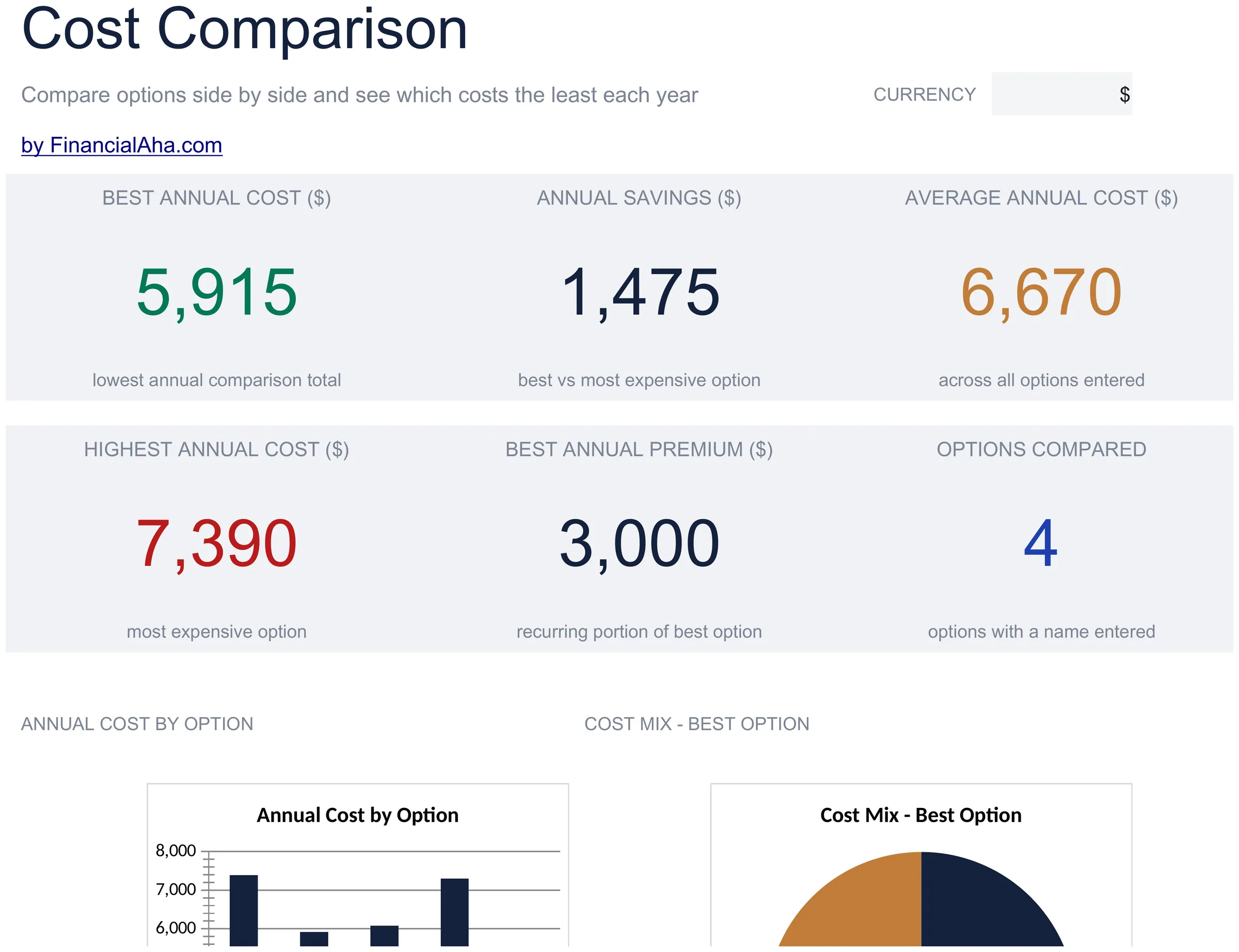
Compare costs across different options - insurance plans, services, products, or providers. Lay out features and pricing side by side.

Cost Comparison Template preview

Was enthalten ist

  • Dashboard with comparison summary highlighting the lowest-cost option and total price differences
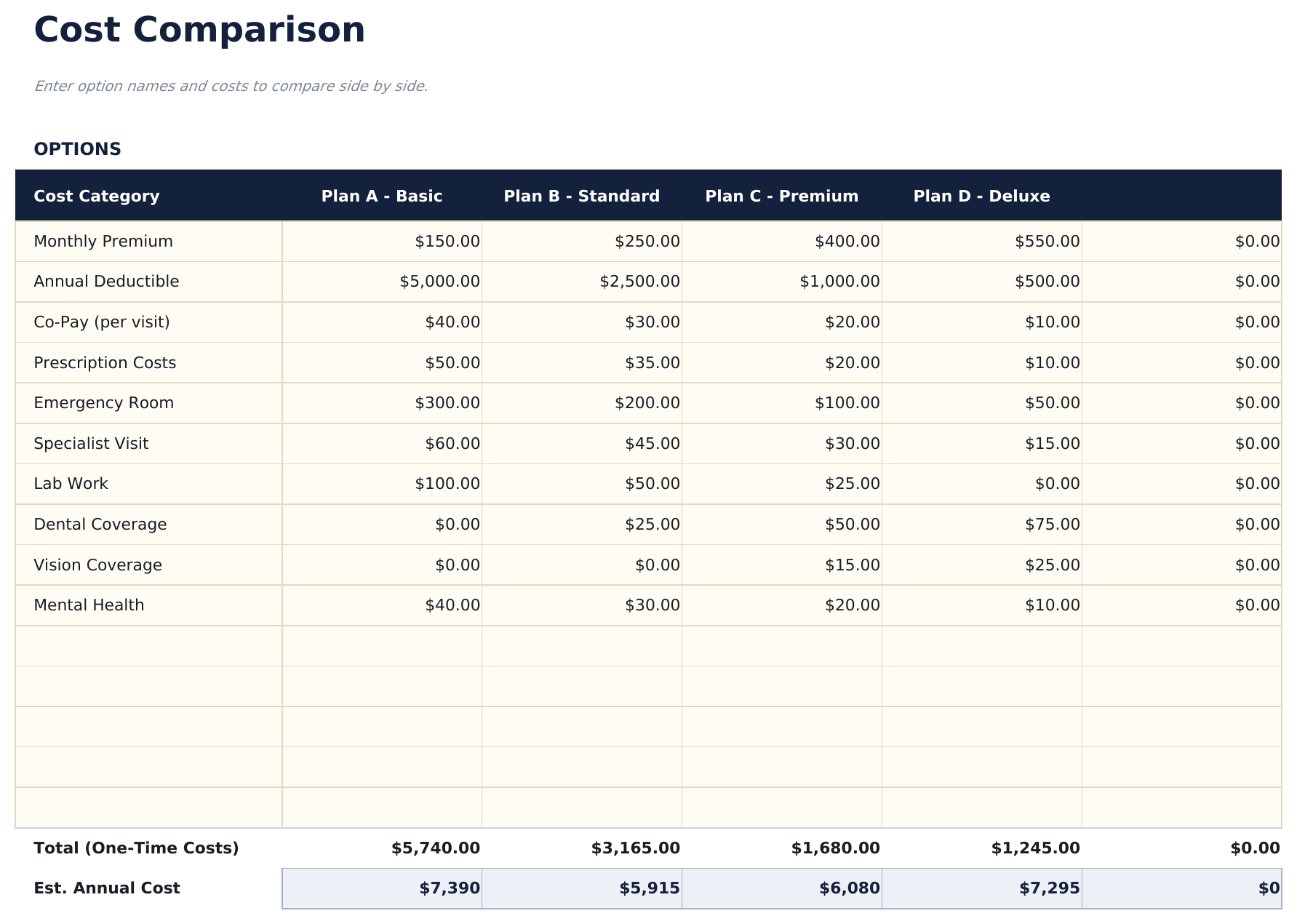
  • Side-by-side comparison layout with columns for up to four options and rows for each cost component
  • Cost breakdown by feature or category including monthly fees, annual costs, setup charges, and extras
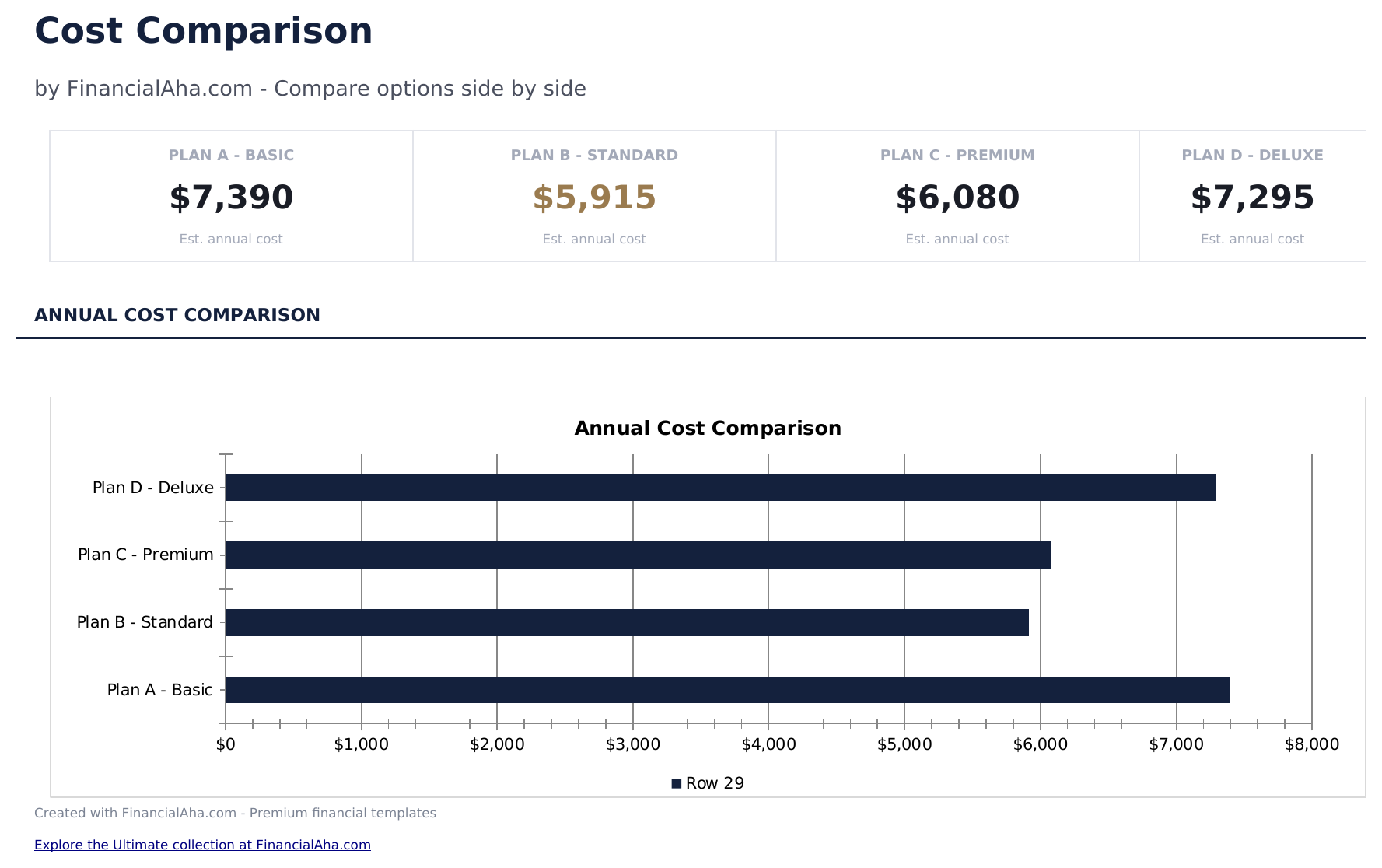
  • Total cost calculations per option with automatic summation and difference from the cheapest alternative
  • Weighted scoring option and color-coded cells for ranking options beyond just price considerations
  • Works in Microsoft Excel, Google Sheets, and LibreOffice Calc with no setup required

So verwenden Sie diese Cost Comparison Template-Vorlage

1

Enter options to compare

Name up to four options across the columns - insurance plans, services, products, or any items you are evaluating.

2

Add cost components

List each cost factor as a row - monthly fee, annual cost, setup charge, and any extras. Enter the price for each option.

3

Review totals

The template sums all cost components per option and highlights the lowest total cost automatically.

4

Factor in non-price criteria

Use the weighted scoring section to rank options on features, quality, and other factors beyond just price.

Erstellt von Claude AI. Verfeinert von uns.

Wir verwenden Claude AI, um jede Vorlage nach gründlicher Recherche zu entwerfen. Dann greift unser Team ein. Wir verfeinern das Layout, testen jede Formel auf Herz und Nieren, beheben Grenzfälle und polieren das Design, bis es sich anfühlt wie etwas, das wir selbst verwenden würden. Die KI bringt uns 80 % ans Ziel. Die letzten 20 % sind rein menschliches Urteilsvermögen.

Häufig gestellte Fragen

How many options can I compare?

The template supports up to four options side by side. For more options, add additional columns following the same format.

Can I compare services instead of products?

Yes. The template works for anything with costs - insurance plans, software subscriptions, service providers, or physical products.

How does weighted scoring work?

Assign weights to criteria like price, quality, and features. Each option receives a score per criterion, and the weighted total ranks them beyond just cost.

Does it handle monthly vs annual pricing?

Add rows for both monthly and annual costs. The totals will sum all rows, so you can see combined costs over any time period you enter.

Wie öffne ich diese Vorlage in Google Sheets?

Laden Sie die .xlsx-Datei auf Google Drive hoch und öffnen Sie sie mit Google Sheets. Alle Formeln und Formatierungen bleiben erhalten.

Weitere Essentials-Vorlagen: Net Worth & Financial Planning

Auf der Suche nach Premium-Tabellenvorlagen?

Unsere kostenpflichtigen Vorlagen umfassen erweiterte mehrseitige Dashboards, native Excel-Diagramme und laufende Aktualisierungen.

Privat & sicher

Ihre Finanzdaten bleiben auf Ihrem Gerät. Wir sehen sie nie.

Mehr erfahren →

Brauchen Sie Hilfe?

Schauen Sie in unsere Anleitungen oder kontaktieren Sie uns.

FAQ ansehen →