Beste waarde All-in-One Financieel Planningspakket
✓ Financiële Planning✓ Vermogenstracker✓ Maandelijks Budgetteren✓ Reisbudget Planner✓ Jaarlijkse Budgetplanner✓ Maandelijkse Uitgaventracker✓ Jaarlijkse Belastingplanner✓ Pensioenplanning
Bekijk bundel →
Essentials-sjabloon - Excel & Google Sheets

Student Budget Essentials-sjabloon

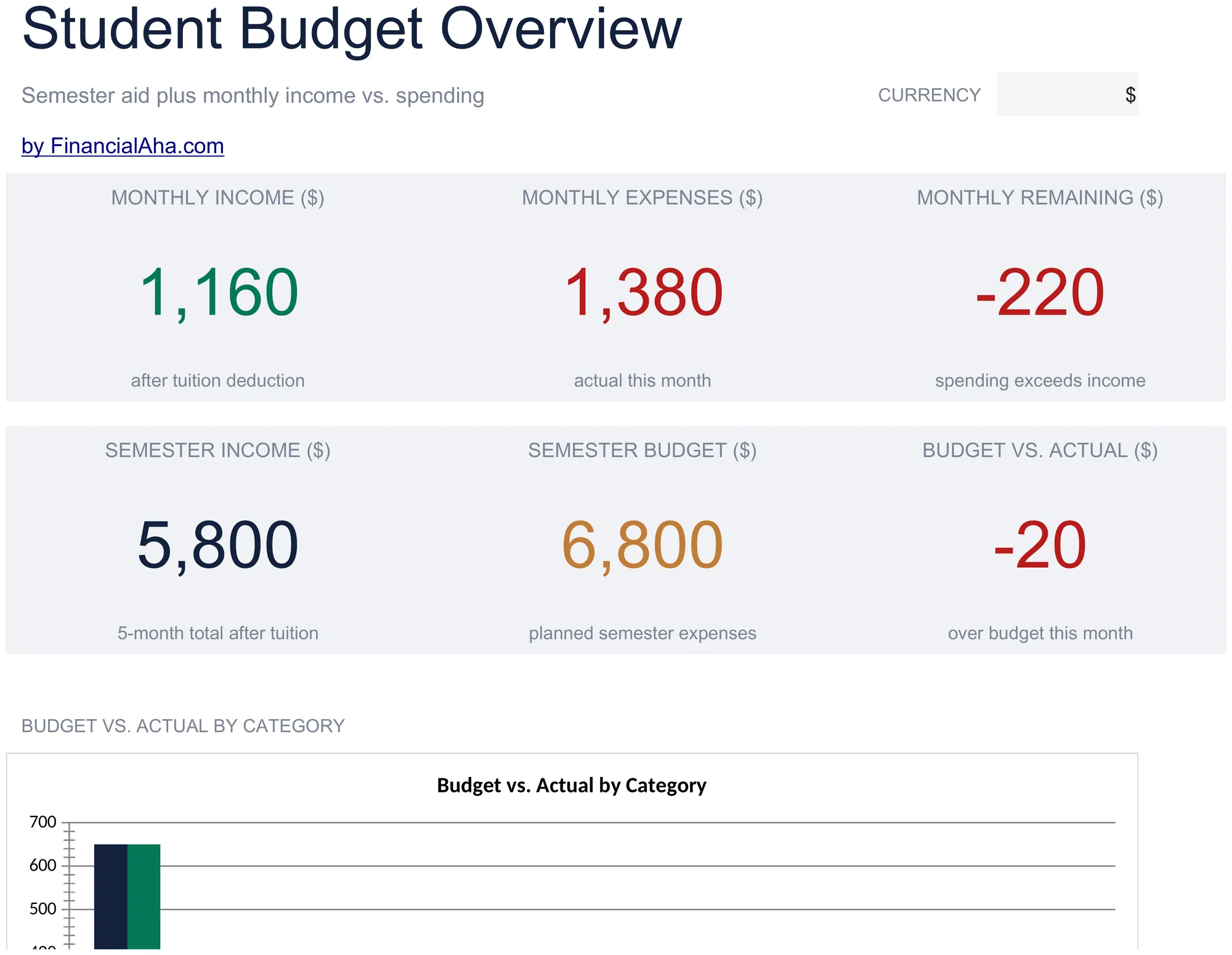
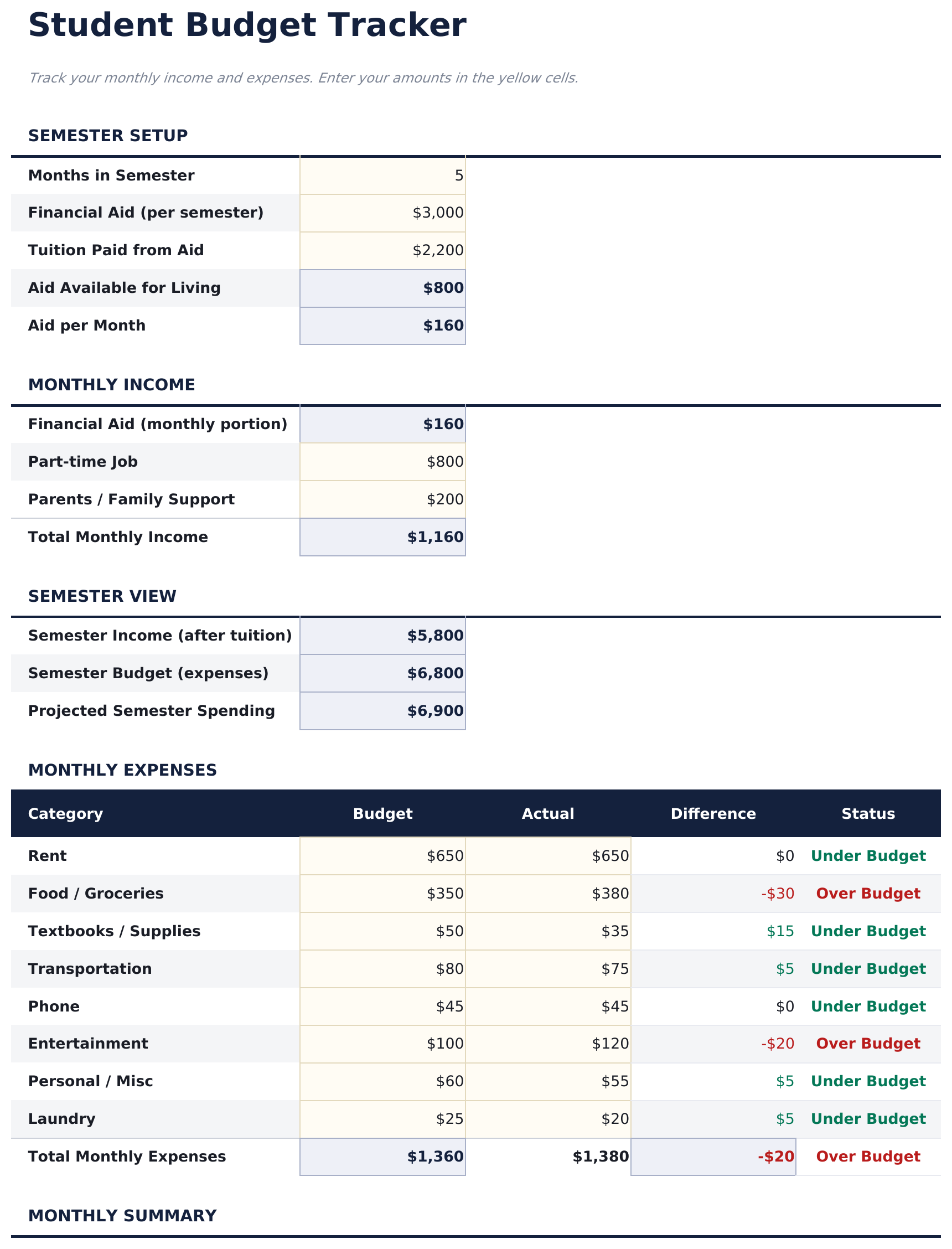
Track student income sources like financial aid and part-time work alongside typical student expenses. Built with semester-based finances in mind.

Student Budget preview

Wat zit erin

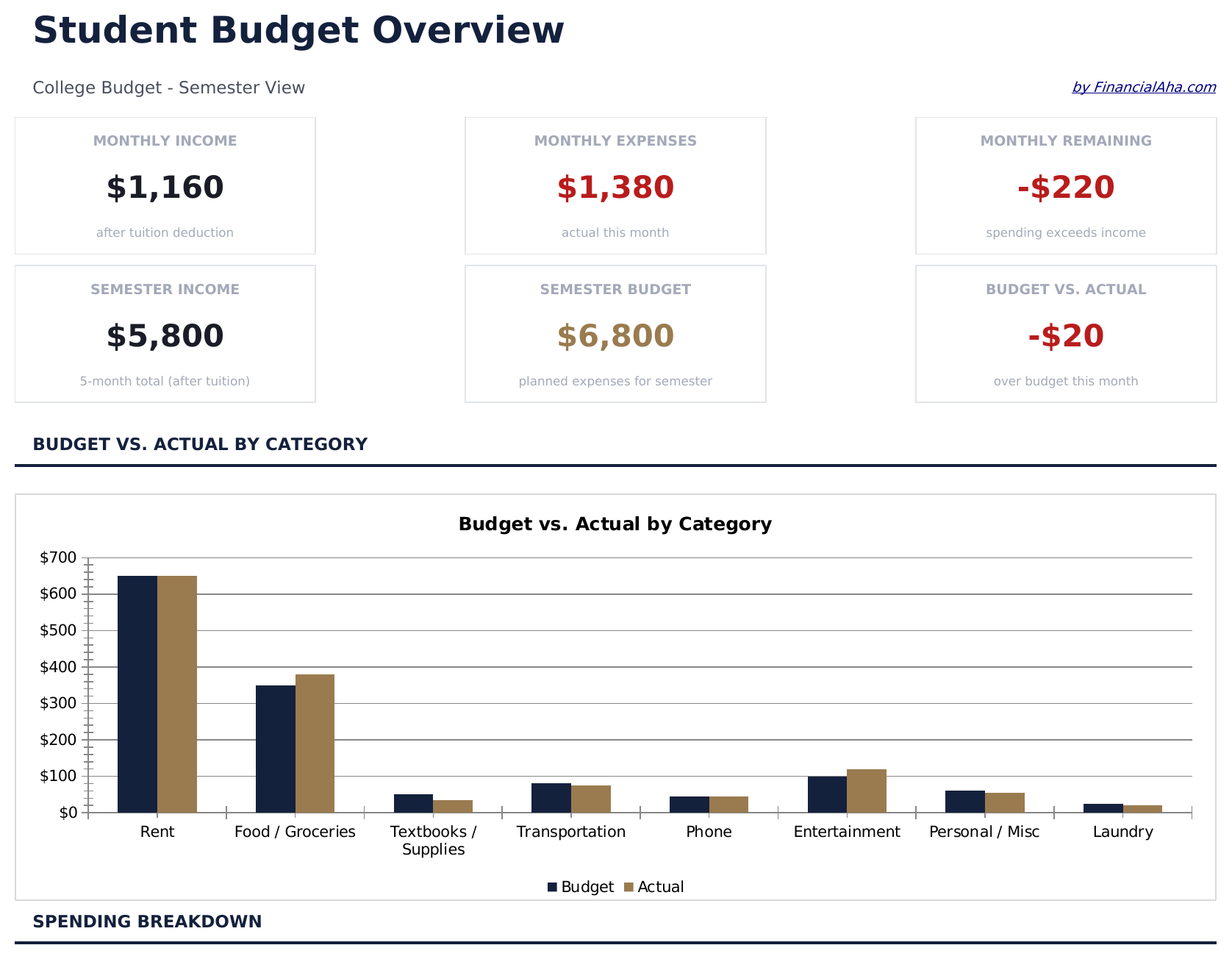
  • Dashboard with student financial overview showing aid received, income earned, expenses, and balance
  • Financial aid and scholarship tracking with separate rows for grants, loans, and award amounts
  • Part-time income section for wages, freelance work, and other student earnings sources
  • Student-specific expense categories including tuition, textbooks, housing, meal plans, and transport
  • Semester-based budget tracker with automatic totals and color-coded input cells for easy entry
  • Works in Microsoft Excel, Google Sheets, and LibreOffice Calc with no setup required

Hoe gebruik je dit Student Budget sjabloon

1

Enter financial aid

List scholarships, grants, and loan disbursements in the financial aid section. The template totals all aid sources automatically.

2

Add income sources

Record part-time wages, freelance earnings, or family contributions in the income section alongside your aid amounts.

3

Track student expenses

Fill in tuition, textbooks, housing, meal plans, and other costs. The template includes common student expense categories.

4

Monitor your balance

The dashboard shows total funding vs total expenses and remaining balance, helping you pace spending through the semester.

Gebouwd door Claude AI. Verfijnd door ons.

We gebruiken Claude AI om elk sjabloon te ontwerpen, na uitgebreid onderzoek. Daarna neemt ons team het over. We verfijnen de indeling, testen elke formule grondig, lossen randgevallen op en polijsten het ontwerp totdat het iets is dat we zelf ook echt zouden gebruiken. De AI brengt ons 80% van de weg. De laatste 20% is puur menselijk oordeel.

Veelgestelde vragen

Does this track by semester or month?

The template is semester-based by default. You can use it monthly by entering only that month expenses, or track the full semester at once.

Can I include student loan amounts?

Yes. The financial aid section has rows for loans alongside grants and scholarships. This gives a complete picture of all funding sources.

What student expense categories are included?

Categories include tuition, textbooks, housing, meal plans, transportation, personal care, entertainment, and technology. You can rename or add rows as needed.

How do I handle irregular income?

Enter income as it comes in. The running balance updates automatically, so you can see your financial position at any point during the semester.

Hoe open ik dit in Google Sheets?

Upload het .xlsx-bestand naar Google Drive en open het vervolgens met Google Sheets. Alle formules en opmaak blijven behouden.

Meer Essentials-sjablonen voor Personal Budgeting

Op zoek naar premium spreadsheet-sjablonen?

Onze betaalde sjablonen bevatten geavanceerde dashboards met meerdere werkbladen, ingebouwde Excel-grafieken en doorlopende updates.

Privé & veilig

Uw financiële gegevens blijven op uw apparaat. Wij zien ze nooit.

Meer informatie →

Hulp nodig?

Bekijk onze handleidingen of neem contact op met vragen.

Bekijk FAQ →