超值优惠 一站式财务规划套餐
✓ 财务规划✓ 净资产追踪器✓ 月度预算✓ 旅行预算规划器✓ 年度预算规划器✓ 月度支出追踪器✓ 年度税务规划器✓ 退休规划
查看套餐 →
Essentials 模板 - Excel 和 Google Sheets

Student Budget Essentials 模板

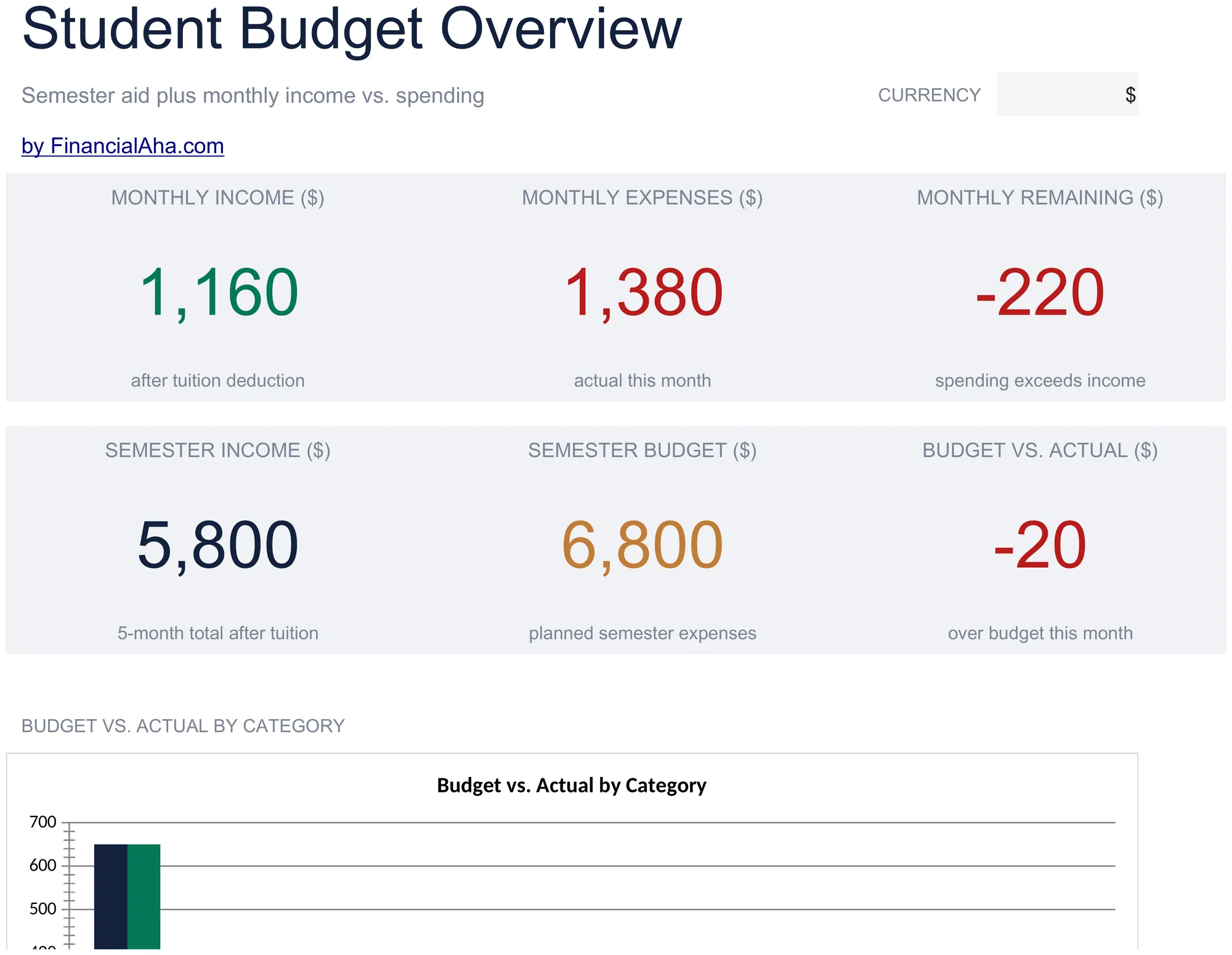
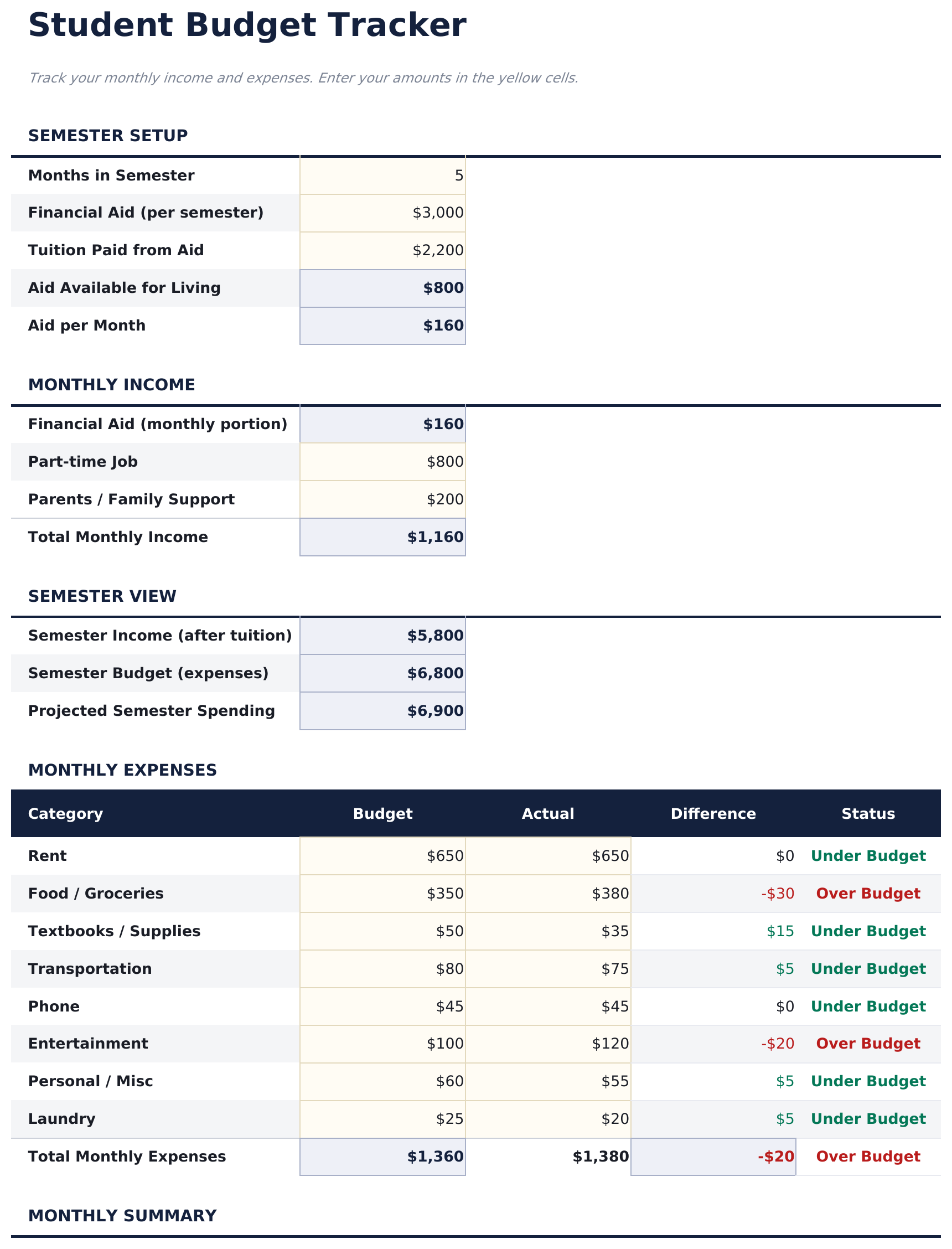
Track student income sources like financial aid and part-time work alongside typical student expenses. Built with semester-based finances in mind.

Student Budget preview

包含内容

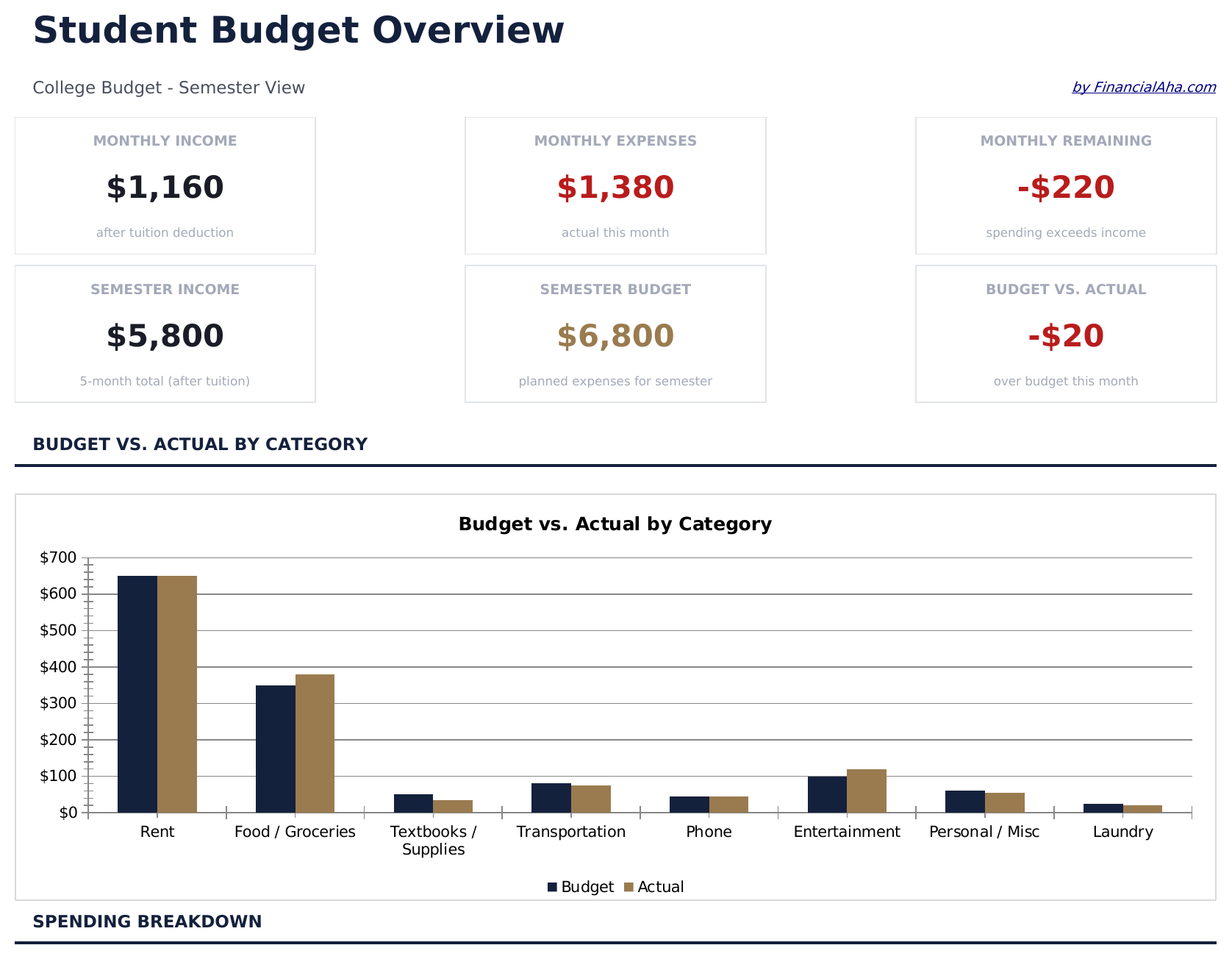
  • Dashboard with student financial overview showing aid received, income earned, expenses, and balance
  • Financial aid and scholarship tracking with separate rows for grants, loans, and award amounts
  • Part-time income section for wages, freelance work, and other student earnings sources
  • Student-specific expense categories including tuition, textbooks, housing, meal plans, and transport
  • Semester-based budget tracker with automatic totals and color-coded input cells for easy entry
  • Works in Microsoft Excel, Google Sheets, and LibreOffice Calc with no setup required

如何使用这个Student Budget模板

1

Enter financial aid

List scholarships, grants, and loan disbursements in the financial aid section. The template totals all aid sources automatically.

2

Add income sources

Record part-time wages, freelance earnings, or family contributions in the income section alongside your aid amounts.

3

Track student expenses

Fill in tuition, textbooks, housing, meal plans, and other costs. The template includes common student expense categories.

4

Monitor your balance

The dashboard shows total funding vs total expenses and remaining balance, helping you pace spending through the semester.

由 Claude AI 构建,经我们精心打磨。

我们使用 Claude AI 在深入研究后起草每个模板。然后由团队接手,优化布局、全面测试每个公式、修复边界情况,并打磨设计,直到达到我们自己愿意使用的标准。AI 完成了 80% 的工作,最后 20% 靠的是人工判断。

常见问题

Does this track by semester or month?

The template is semester-based by default. You can use it monthly by entering only that month expenses, or track the full semester at once.

Can I include student loan amounts?

Yes. The financial aid section has rows for loans alongside grants and scholarships. This gives a complete picture of all funding sources.

What student expense categories are included?

Categories include tuition, textbooks, housing, meal plans, transportation, personal care, entertainment, and technology. You can rename or add rows as needed.

How do I handle irregular income?

Enter income as it comes in. The running balance updates automatically, so you can see your financial position at any point during the semester.

如何在 Google Sheets 中打开?

将 .xlsx 文件上传到 Google Drive,然后使用 Google Sheets 打开。所有公式和格式都会保留。

更多 Personal Budgeting Essentials 模板

在寻找付费电子表格模板?

我们的付费模板包含高级多工作表仪表盘、原生 Excel 图表,并持续更新。

私密且安全

您的财务数据保留在您的设备上。我们永远看不到。

了解更多 →

需要帮助?

查看我们的指南或提出问题。

查看常见问题 →