أفضل قيمة حزمة التخطيط المالي الشاملة
✓ التخطيط المالي✓ متتبع صافي الثروة✓ الميزانية الشهرية✓ مخطط ميزانية السفر✓ مخطط الميزانية السنوية✓ متتبع النفقات الشهرية✓ مخطط الضرائب السنوي✓ تخطيط التقاعد
عرض الحزمة →
قالب احترافي - Excel و Google Sheets

Simple Budget Worksheet قالب Essentials

A minimal, beginner-friendly budget worksheet. List income and expenses, see the balance - nothing more, nothing less.

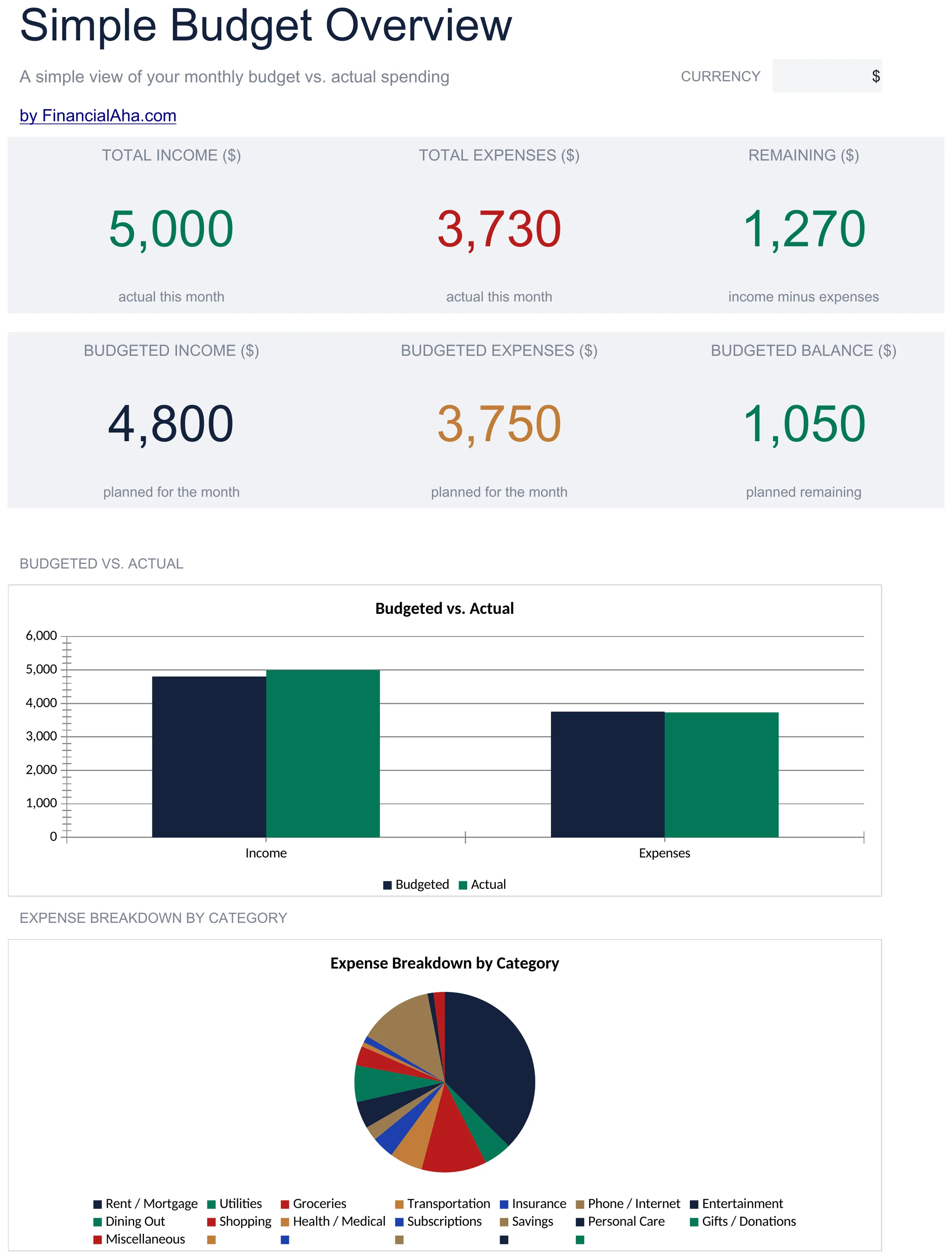
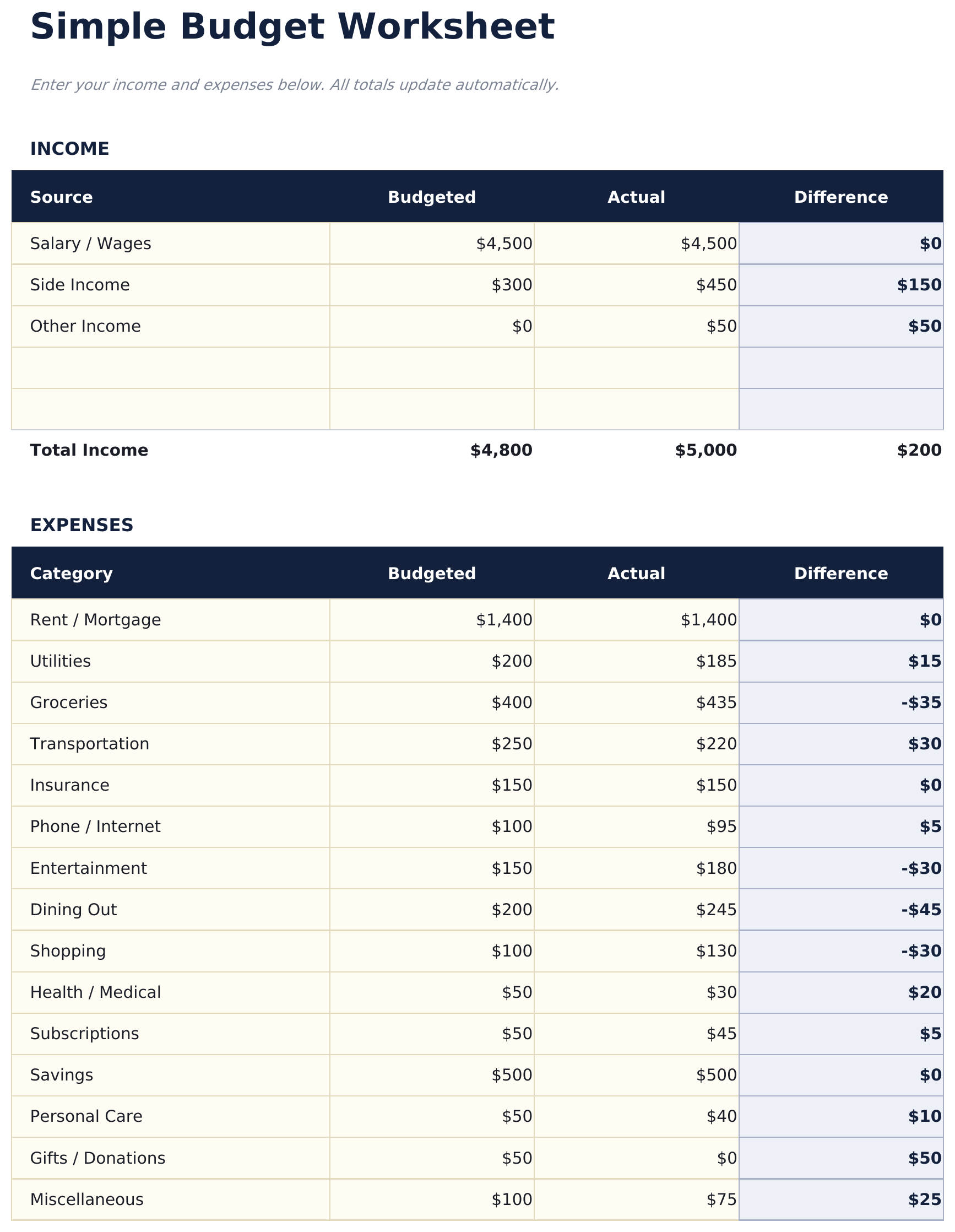
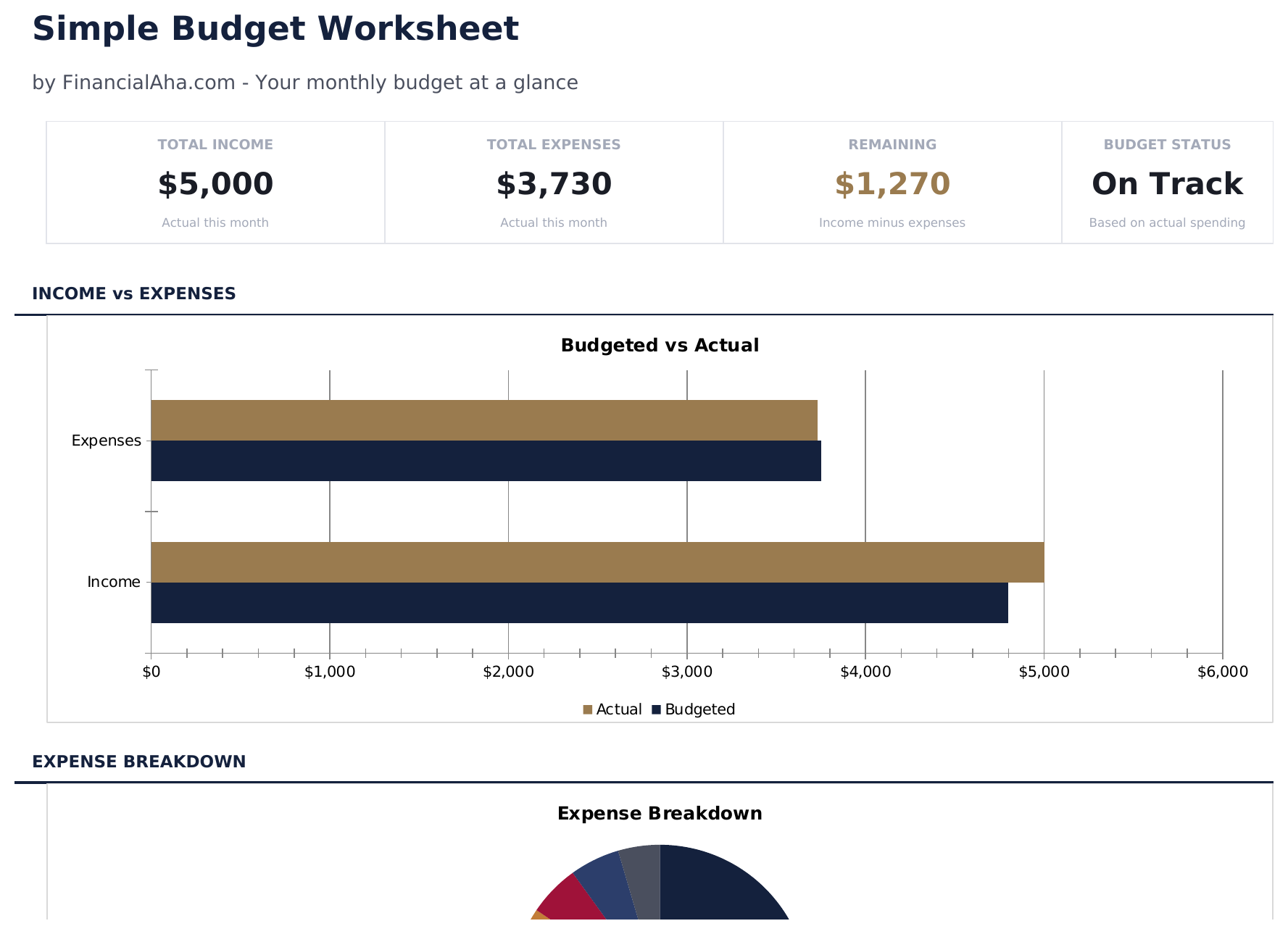
Simple Budget Worksheet preview

ماذا يتضمن

  • Dashboard with simple income vs. expense view showing total income, total spending, and net balance
  • Minimal budget worksheet with just two sections - income sources and expense categories
  • Pre-filled common categories including rent, utilities, groceries, insurance, and transportation
  • Automatic balance calculation that shows whether monthly income covers all listed expenses
  • Color-coded input cells (yellow) and auto-calculated result cells (blue) for beginner-friendly entry
  • Works in Microsoft Excel, Google Sheets, and LibreOffice Calc with no setup required

كيفية استخدام قالب Simple Budget Worksheet هذا

1

List your income

Enter all income sources - salary, side income, or any other earnings. The template keeps it to one simple section.

2

List your expenses

Fill in the pre-built expense categories with your monthly amounts. Common items like rent, groceries, and utilities are already listed.

3

Check the balance

The net balance at the bottom shows income minus expenses. A positive number means surplus; negative means overspending.

4

Adjust as needed

If the balance is negative, review expenses to find areas where spending could be reduced. All totals update automatically.

صُممت بواسطة Claude AI. أتقنّاها نحن.

نستخدم Claude AI لصياغة كل قالب بعد بحث معمّق. ثم يتدخل فريقنا. نحسّن التصميم، ونختبر كل صيغة، ونعالج الحالات الاستثنائية، وننقّح التصميم حتى يصبح شيئاً نستخدمه نحن فعلاً. الذكاء الاصطناعي يوصلنا إلى 80%. الـ 20% المتبقية هي حكم بشري بالكامل.

الأسئلة الشائعة

How is this different from other budget templates?

This is the most minimal option - just income, expenses, and a balance. No dashboards, no charts, no percentages. It is a starting point for people who want simplicity.

Can I add more expense categories?

Yes. Insert new rows above the totals row and enter your additional categories. The SUM formulas adjust to include new rows automatically.

Does it track monthly or weekly?

The template is set up for monthly tracking. You can use it weekly by entering weekly amounts - just be consistent with the time period across all entries.

Is there a savings category?

There is a savings row in the expense section. Treating savings as an expense ensures it is accounted for before discretionary spending.

كيف أفتح هذا في Google Sheets؟

ارفع ملف .xlsx إلى Google Drive، ثم افتحه باستخدام Google Sheets. جميع الصيغ والتنسيقات ستبقى محفوظة.

المزيد من قوالب Essentials في Personal Budgeting

تبحث عن قوالب جداول بيانات احترافية؟

القوالب المدفوعة تشمل لوحات معلومات متعددة الأوراق متقدمة، ورسوم بيانية أصلية في Excel، وتحديثات مستمرة.

خاص وآمن

بياناتك المالية تبقى على جهازك. نحن لا نراها أبداً.

تعرف على المزيد →

هل تحتاج مساعدة؟

راجع أدلتنا أو تواصل معنا لأي أسئلة.

عرض الأسئلة الشائعة →