Melhor valor Pacote Completo de Planejamento Financeiro
✓ Planejamento Financeiro✓ Rastreador de Patrimonio Liquido✓ Orcamento Mensal✓ Planejador de Orcamento de Viagem✓ Planejador de Orcamento Anual✓ Rastreador de Despesas Mensais✓ Planejador Anual de Impostos✓ Planejamento de Aposentadoria
Ver pacote →
Planilha Essentials - Excel e Google Sheets

Simple Budget Worksheet Modelo Essentials

A minimal, beginner-friendly budget worksheet. List income and expenses, see the balance - nothing more, nothing less.

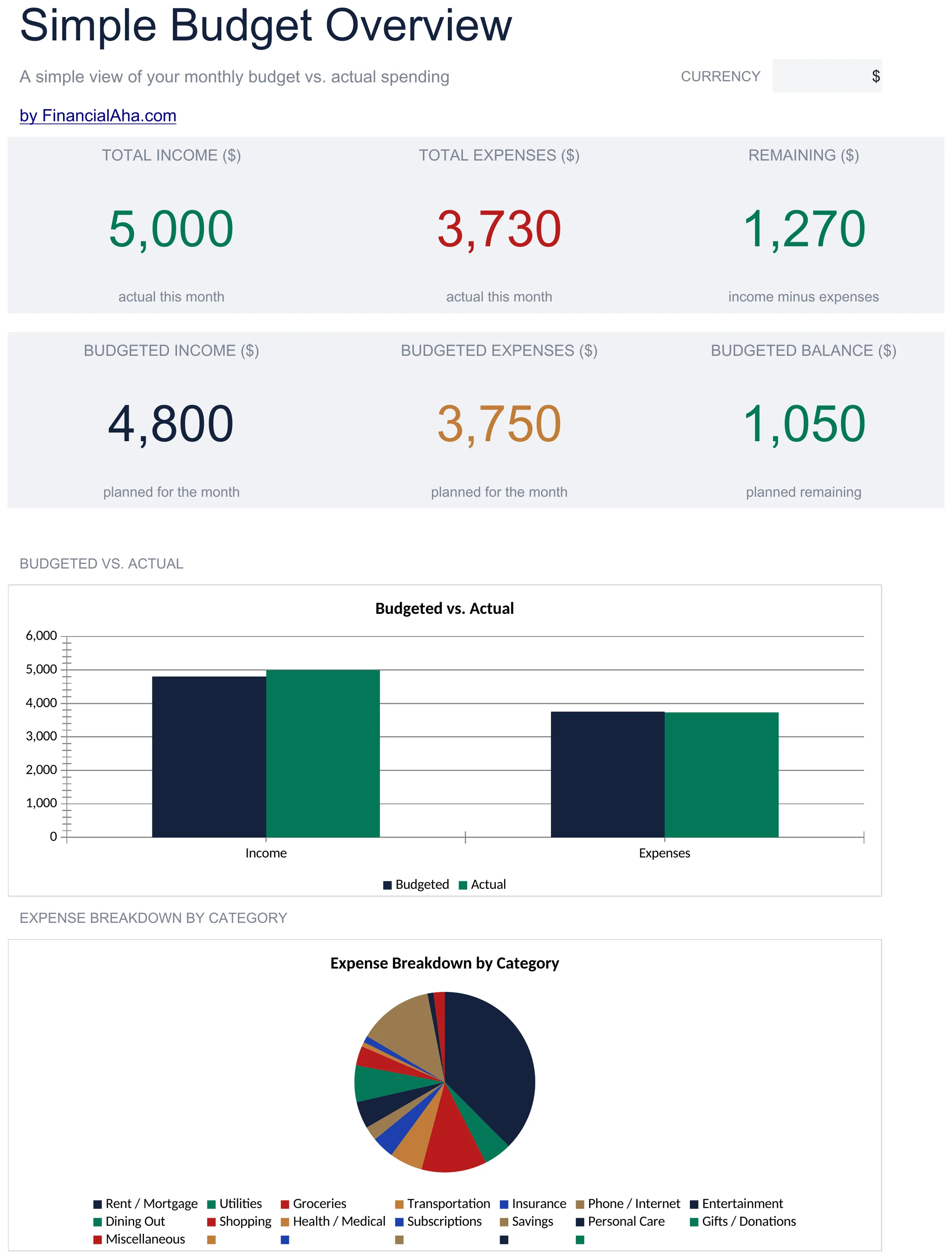
Simple Budget Worksheet preview

O Que Está Incluído

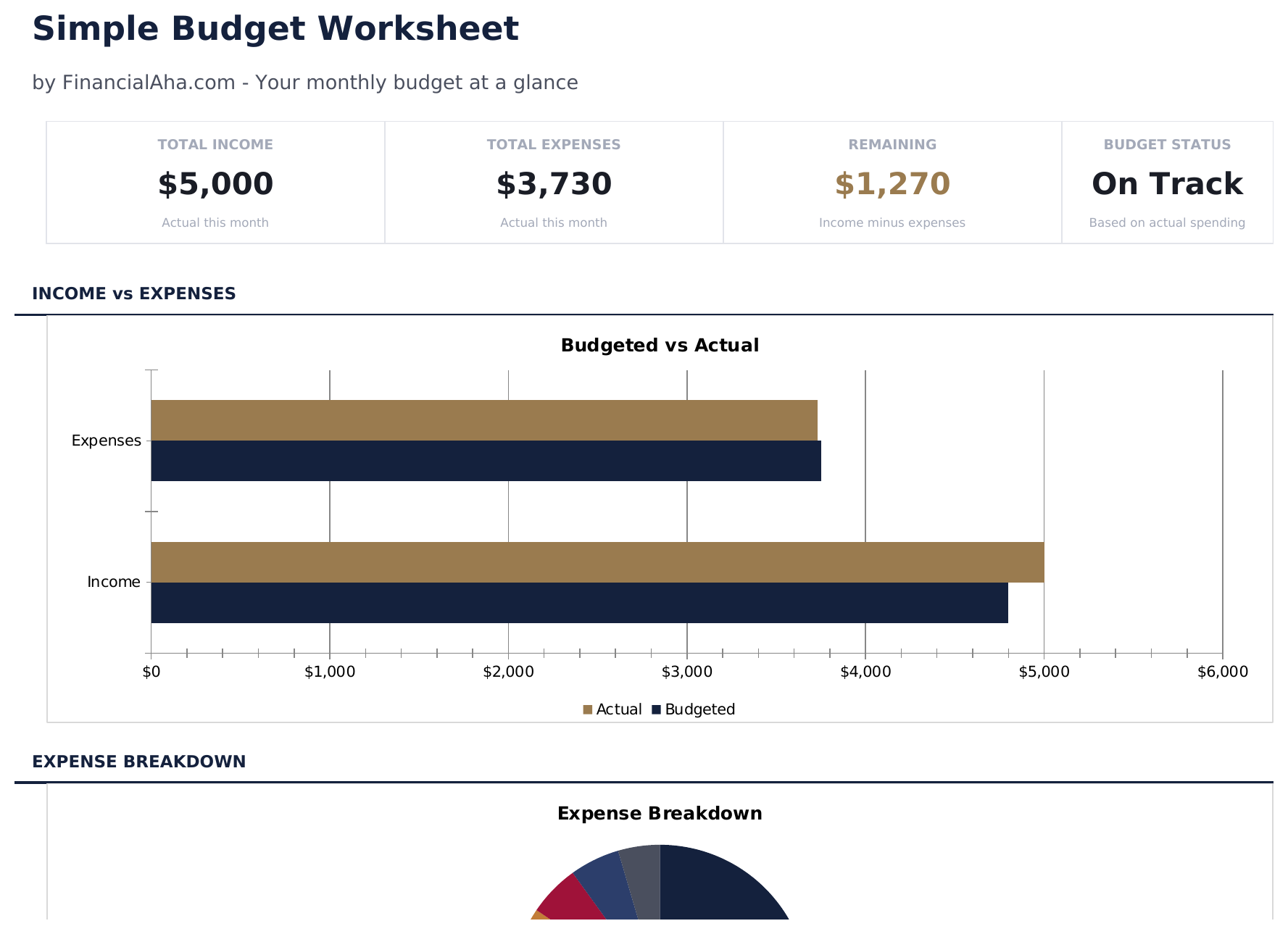
  • Dashboard with simple income vs. expense view showing total income, total spending, and net balance
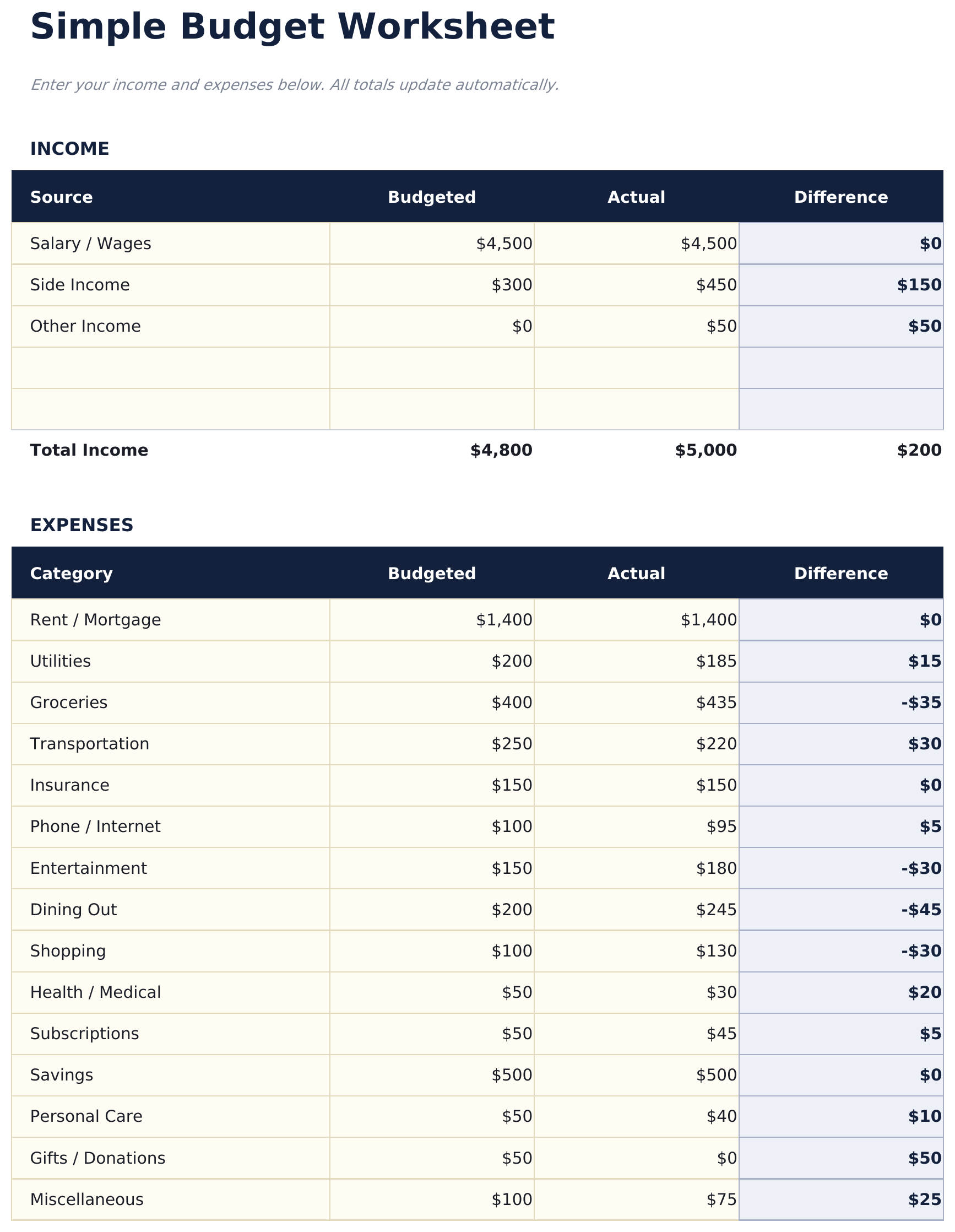
  • Minimal budget worksheet with just two sections - income sources and expense categories
  • Pre-filled common categories including rent, utilities, groceries, insurance, and transportation
  • Automatic balance calculation that shows whether monthly income covers all listed expenses
  • Color-coded input cells (yellow) and auto-calculated result cells (blue) for beginner-friendly entry
  • Works in Microsoft Excel, Google Sheets, and LibreOffice Calc with no setup required

Como Usar Esta Planilha de Simple Budget Worksheet

1

List your income

Enter all income sources - salary, side income, or any other earnings. The template keeps it to one simple section.

2

List your expenses

Fill in the pre-built expense categories with your monthly amounts. Common items like rent, groceries, and utilities are already listed.

3

Check the balance

The net balance at the bottom shows income minus expenses. A positive number means surplus; negative means overspending.

4

Adjust as needed

If the balance is negative, review expenses to find areas where spending could be reduced. All totals update automatically.

Criadas com Claude AI. Aperfeiçoadas por nós.

Usamos Claude AI para criar cada planilha, após uma pesquisa aprofundada. Depois, nossa equipe entra em ação. Refinamos o layout, testamos exaustivamente cada fórmula, corrigimos casos extremos e polimos o design até que pareça algo que nós mesmos usaríamos. A IA nos leva 80% do caminho. Os últimos 20% são puro julgamento humano.

Perguntas Frequentes

How is this different from other budget templates?

This is the most minimal option - just income, expenses, and a balance. No dashboards, no charts, no percentages. It is a starting point for people who want simplicity.

Can I add more expense categories?

Yes. Insert new rows above the totals row and enter your additional categories. The SUM formulas adjust to include new rows automatically.

Does it track monthly or weekly?

The template is set up for monthly tracking. You can use it weekly by entering weekly amounts - just be consistent with the time period across all entries.

Is there a savings category?

There is a savings row in the expense section. Treating savings as an expense ensures it is accounted for before discretionary spending.

Como abrir no Google Sheets?

Envie o arquivo .xlsx para o Google Drive e abra com o Google Sheets. Todas as fórmulas e formatações serão preservadas.

Mais modelos Essentials de Personal Budgeting

Procurando planilhas premium?

Nossas planilhas pagas incluem painéis avançados com várias abas, gráficos nativos do Excel e atualizações contínuas.

Privado e seguro

Seus dados financeiros ficam no seu dispositivo. Nos nunca os vemos.

Saiba mais →

Precisa de ajuda?

Consulte nossos guias ou entre em contato com perguntas.

Ver FAQ →