超值优惠 一站式财务规划套餐
✓ 财务规划✓ 净资产追踪器✓ 月度预算✓ 旅行预算规划器✓ 年度预算规划器✓ 月度支出追踪器✓ 年度税务规划器✓ 退休规划
查看套餐 →
Essentials 模板 - Excel 和 Google Sheets

Simple Budget Worksheet Essentials 模板

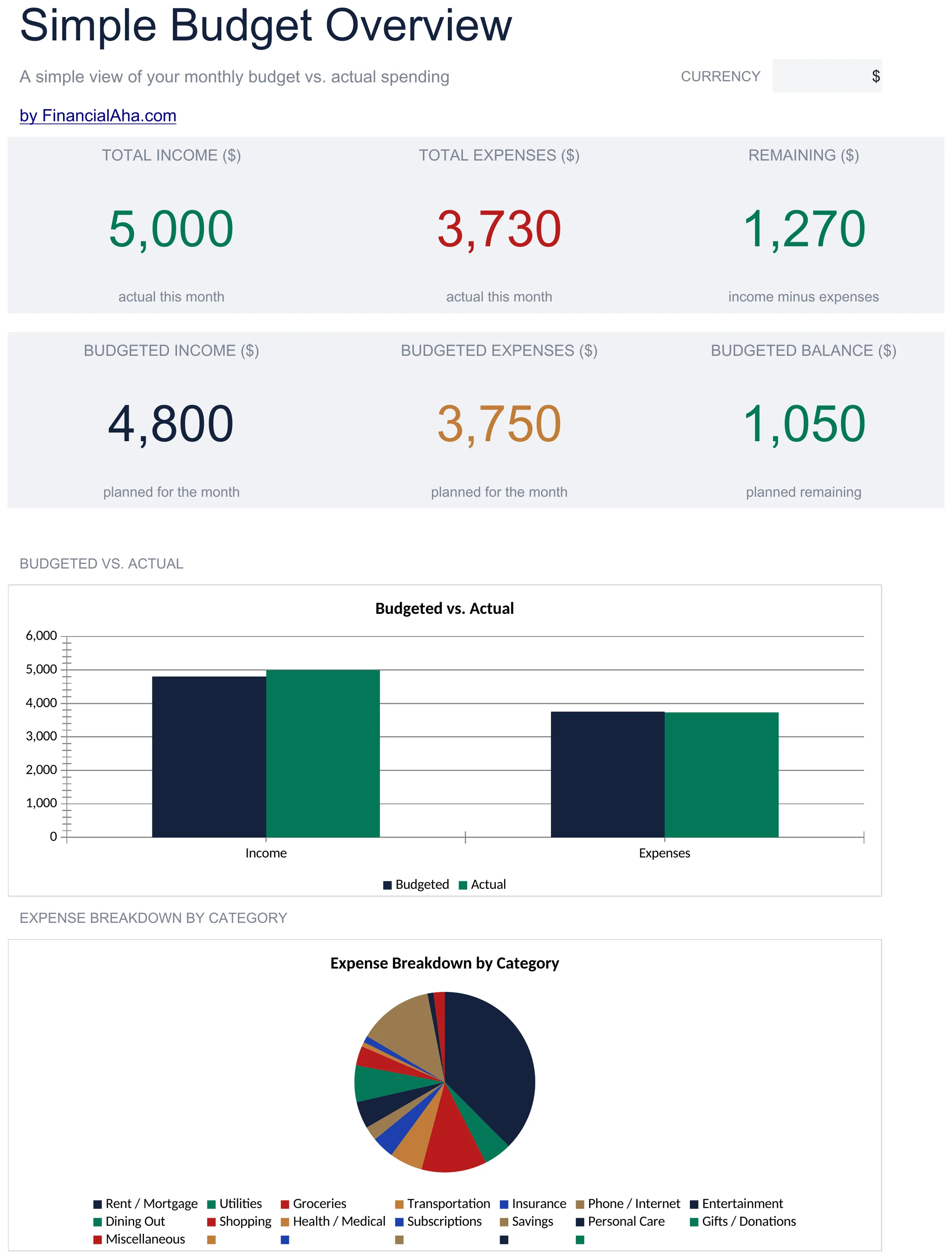
A minimal, beginner-friendly budget worksheet. List income and expenses, see the balance - nothing more, nothing less.

Simple Budget Worksheet preview

包含内容

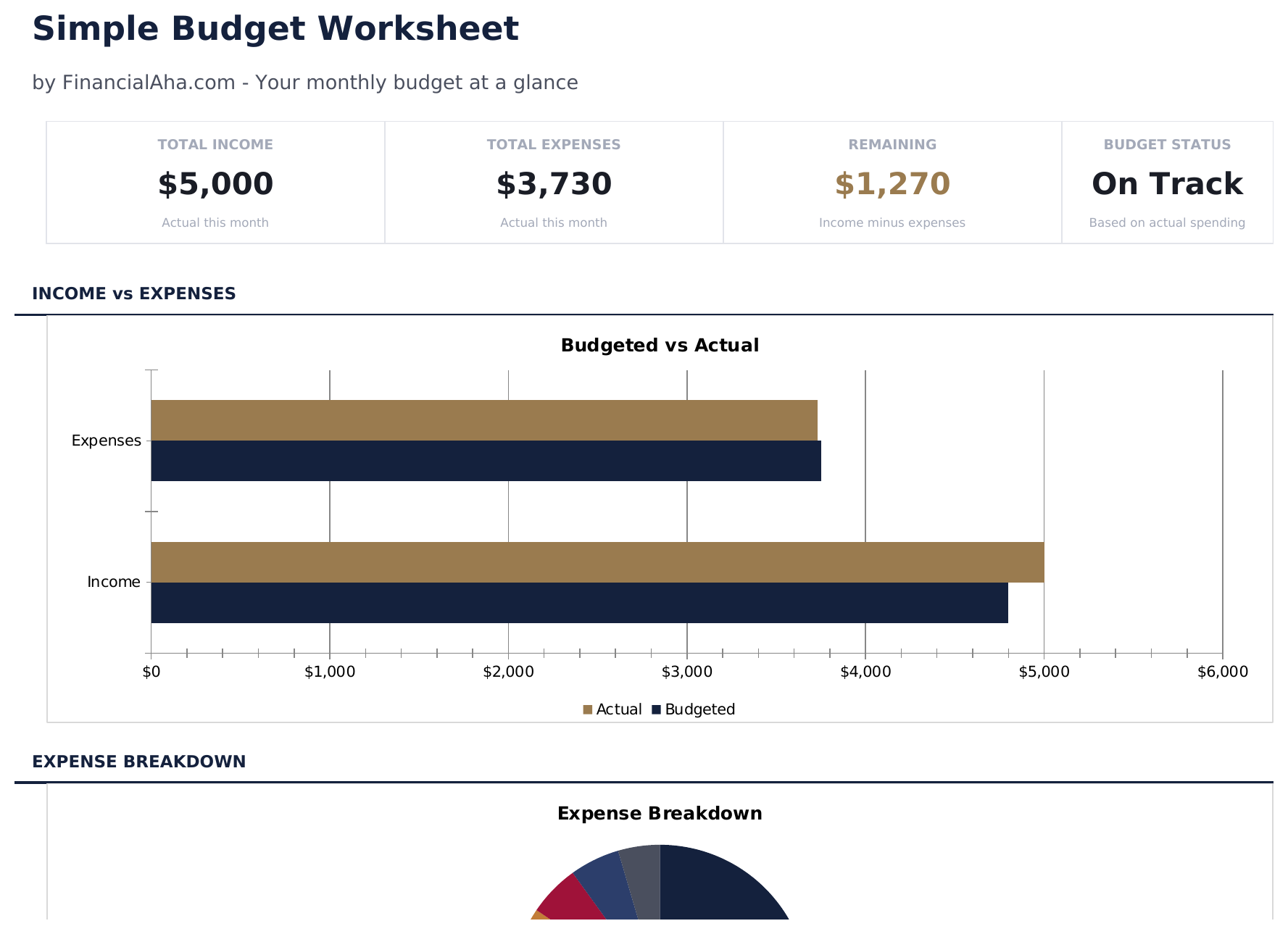
  • Dashboard with simple income vs. expense view showing total income, total spending, and net balance
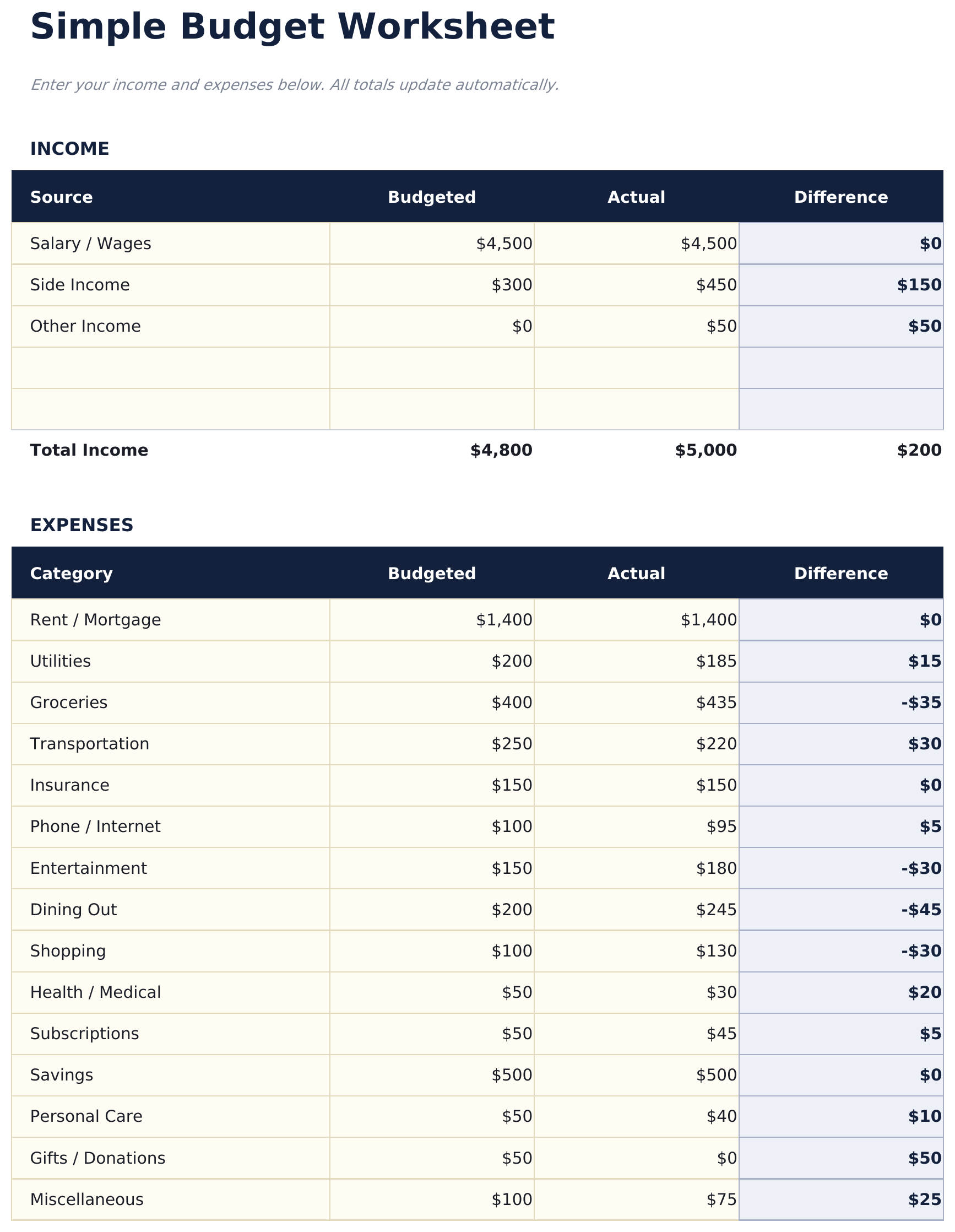
  • Minimal budget worksheet with just two sections - income sources and expense categories
  • Pre-filled common categories including rent, utilities, groceries, insurance, and transportation
  • Automatic balance calculation that shows whether monthly income covers all listed expenses
  • Color-coded input cells (yellow) and auto-calculated result cells (blue) for beginner-friendly entry
  • Works in Microsoft Excel, Google Sheets, and LibreOffice Calc with no setup required

如何使用这个Simple Budget Worksheet模板

1

List your income

Enter all income sources - salary, side income, or any other earnings. The template keeps it to one simple section.

2

List your expenses

Fill in the pre-built expense categories with your monthly amounts. Common items like rent, groceries, and utilities are already listed.

3

Check the balance

The net balance at the bottom shows income minus expenses. A positive number means surplus; negative means overspending.

4

Adjust as needed

If the balance is negative, review expenses to find areas where spending could be reduced. All totals update automatically.

由 Claude AI 构建,经我们精心打磨。

我们使用 Claude AI 在深入研究后起草每个模板。然后由团队接手,优化布局、全面测试每个公式、修复边界情况,并打磨设计,直到达到我们自己愿意使用的标准。AI 完成了 80% 的工作,最后 20% 靠的是人工判断。

常见问题

How is this different from other budget templates?

This is the most minimal option - just income, expenses, and a balance. No dashboards, no charts, no percentages. It is a starting point for people who want simplicity.

Can I add more expense categories?

Yes. Insert new rows above the totals row and enter your additional categories. The SUM formulas adjust to include new rows automatically.

Does it track monthly or weekly?

The template is set up for monthly tracking. You can use it weekly by entering weekly amounts - just be consistent with the time period across all entries.

Is there a savings category?

There is a savings row in the expense section. Treating savings as an expense ensures it is accounted for before discretionary spending.

如何在 Google Sheets 中打开?

将 .xlsx 文件上传到 Google Drive,然后使用 Google Sheets 打开。所有公式和格式都会保留。

更多 Personal Budgeting Essentials 模板

在寻找付费电子表格模板?

我们的付费模板包含高级多工作表仪表盘、原生 Excel 图表,并持续更新。

私密且安全

您的财务数据保留在您的设备上。我们永远看不到。

了解更多 →

需要帮助?

查看我们的指南或提出问题。

查看常见问题 →